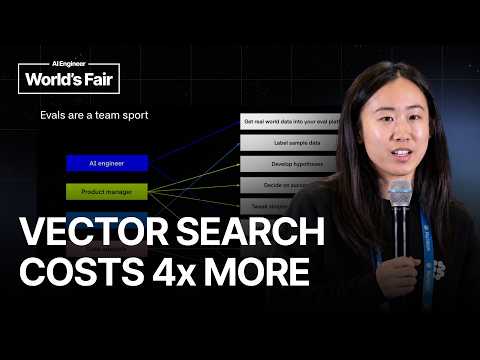
Agentic Search vs Vector Search for Coding Agents: We Ran…
A talk comparing agentic search (grep, find, file reading) and vector search over embeddings for coding agents, evaluated empirically rather than by intuition. Developer advocate Jess Wang first covers the basics of evals: why shipping on vibes fails, the four parts of an eval (dataset, task, scorer, experiments), and how observability and evals form a flywheel. She then runs an experiment using fix PRs from Microsoft's TypeScript Go repository, tasking Claude Code with finding buggy code using either search method, scored by the repository's own test suite. Both approaches reached the same accuracy, but vector search cost roughly four times as much, attributed to embedding chunks lacking surrounding context so the agent kept searching. Topics include building an eval dataset from merged fix PRs, forcing Claude Code into vector-only search, fixing orphaned subprocess traces, and why vector search found nearby code but missed connective tissue. Recorded at AI Engineer World's Fair 2026 in San Francisco.
# Video Identity Observations
## Source Overview
- **Title:** "Agentic Search vs Vector Search for Coding Agents: We Ran the Eval — Braintrust"
- **Speaker self-identification:** "I'm Jess. I'm from BrainTrust. I'm a dev rel engineer at BrainTrust."
- **Format:** A conference-style technical talk, evidenced by audience interaction ("raise your hand if you've heard of evals before") and closing ("thank you for listening").
## Intended Audience
- **Practitioners building AI systems**, not general consumers. Evidence: the speaker assumes baseline familiarity with LLM tooling — "raise your hand if you've heard of evals... Pretty much everyone here."
- **Teams shipping AI features**, addressed via organizational concerns: "does AI reliably affect our company's voice and standards," "how do we know when something breaks?"
- **Engineering/product collaborators**, reinforced by the "evals are a team sport" framing listing AI engineers, PMs, subject matter experts, and data analysts.
## Claimed Scope
- The talk explicitly claims **educational scope, not authoritative benchmarking**: "the point of this talk is not to create the best eval ever, but it's more to illustrate to you the concept of the kind of how to create an eval end to end."
- Self-acknowledged limitations: a small dataset (~"20 different rows"), a "relatively weak" vector search implementation, and no multiple trials per task.
- **Topic scope:** an introduction to evals (dataset, task, scoring, experimentation) plus one concrete case study comparing **agentic search vs. vector search** for coding agents, prompted by the CEO (Ankur) sharing a Cursor tweet.
## Self-Description Evidence
- **Product positioning (observable, implicit):** The talk functions as product education for Braintrust — screenshots are "from the Braintrust UI," and the speaker describes its pillars (experiments, natural-language trace querying, CLI, MCP server, observability SDK). This is demonstrated product explanation rather than an explicit sales pitch.
- **Internal culture detail (stated):** "my CEO Ankur sometimes goes on Twitter and sends me articles of things he wants me to eval."
- **Positioning vs. "vibes":** the creator frames the channel's philosophy as data-driven shipping over intuition — "teams are making ship decisions based off of vibes, which is not good."
## Claims vs. Demonstrated Patterns
- **Creator claim (with results stated as findings, not universal conclusions):** "vector search and agentic search both got the same level of accuracy, but essentially vector search cost four times more" — framed as one eval's result, with caveats offered.
- **Demonstrated pattern:** hands-on technical depth (Claude Code harness, disallowed tools flag, parent span ID tracing fix) suggesting the channel's presentation style is practitioner-level, end-to-end walkthroughs.
# Delivery Observation: Jess (Braintrust) — "Agentic Search vs Vector Search for Coding Agents"
## Speaker Framing & Introduction
- Self-identifies with role and company up front: *"Everyone, I'm Jess. I'm from BrainTrust. I'm a dev rel engineer at BrainTrust"*.
- Previews talk structure explicitly: *"what evals are, why they're important, and then... a relatively complex real-life eval"*.
## Recurring Communication Patterns
### Audience Check-ins and Inclusivity Markers
- Opens with a live poll: *"Can you just raise your hand if you've heard of evals before"* → *"Okay, cool. Pretty much everyone here. Makes sense."*
- Repeatedly orients around shared understanding:
- *"just so everyone's on the same page"*
- *"So, hopefully I've done that... hopefully you learned a little bit"*
- Frequent filler/openers: **"um"**, **"So,"**, **"Uh"** appear throughout nearly every segment; "So" functions as the dominant transition word.
### Contrast Framing ("X vs. What You Want")
- Sets up bad vs. good scenarios when teaching:
- *"this is what you don't want to hear cuz essentially, these teams are making ship decisions based off of vibes"*
- *"what you want to hear is more something like, 'Oh, I ran 200 different test cases, and 94% of them passed'"*
### Concrete, Quotable Illustrations
- Uses vivid, informal metaphors and anecdotes:
- *"ship decisions based off of vibes"*
- *"it felt like vector search gave a lot of proximity to the correct code, but agentic search had more of the connective tissue"*
- Personal story: her CEO *"sent me this tweet... and he was like, 'Jess, can you eval this for me?' And I was like, 'Okay. I'm busy, but okay.'"*
- Grounds abstract concepts in everyday examples (wolf/dog/cat vs. banana/apple embeddings; Python vs. TypeScript; English vs. Japanese).
### Iterative, List-Driven Teaching Structure
- Numbered frameworks: *"evals comprise of four main things"* — **data set, task, scoring system, experiment** — each introduced in sequence.
- Walkthrough of a cyclical flow: *"the whole flow repeats again because those changes will show up in your production logs"*.
- Explicit emphasis slides: *"I love this slide because conceptually I want to hammer into people that evals are a team sport."*
### Honest Limitation Acknowledgment
- Preempts criticism of her own work: *"you might be sitting here thinking oh there's so many holes in this eval, which is very fair"*, then lists weaknesses (single trial, weak vector implementation, small dataset of *"like 20 different rows"*).
## Product References
- Naturally weaves Braintrust product features into teaching (UI screenshots, natural-language trace queries, CLI, MCP server, SDK observability) — consistent with a dev rel delivery, though she keeps most of the talk conceptual.
## Isolated vs. Stable Patterns
- **Stable (recurring):** "So" as a transition, concrete analogies, numbered frameworks, self-deprecating honesty, audience engagement.
- **Isolated (single occurrence, low confidence as a pattern):** the live hand-raising poll and the personal CEO anecdote — engaging moments, but not enough evidence to call them habitual.
## Notable Verbal Tics
- Repeated word doubling in speech: *"tweak tweak the prompts"*, *"explores explores your code base"*, *"look up look up for certain pieces"*, *"it's it's important"*, *"that's it. So, thank you for listening."*
- Hedge/hesitation fillers (*"um," "uh," "like"*) are dense throughout, especially during transitions.
# Observed Positions: Agentic Search vs Vector Search for Coding Agents (Braintrust talk)
**Speaker:** Jess, DevRel engineer at Braintrust (self-identified in transcript; CEO "Ankur" also mentioned as assigning the eval).
---
## 1. On Evals (General Framework)
- **Ship decisions should not be "vibes-based."** Jess cites customer calls where features shipped because "the engineering team told them it was ready" or a PM "tried out a couple of prompts."
- Evals defined as: *"a way to answer questions about your AI system"* — model choice, performance across scenarios (e.g., English vs Japanese, Python vs TypeScript), cost efficiency, brand consistency, iterative improvement, and regression detection.
- **Four components:** data set (golden cases, edge cases, failure modes) → task (system prompt + model) → scoring system (deterministic, LLM-as-judge, human review) → experiments (each combination is one experiment).
- **Cited motivating example:** an April 2025 OpenAI model update that "was supposed to make it more helpful but actually made it sycophantic."
- **"Evals are a team sport"** — AI engineers, PMs (typically spearheading hypotheses of success), subject matter experts (for domains like insurance, medicine, law), and data analysts all play roles.
- Describes a loop: production logs → sample 10–20 rows into a dataset → run evals → tweak → deploy → repeat.
## 2. The Core Eval: Agentic Search vs Vector Search
**Origin:** CEO Ankur sent a Cursor tweet claiming semantic/agentic search significantly improved their coding agent. Jess notes there was "a lot of discourse" on Twitter, motivating the eval.
**Definitions offered:**
- **Vector search:** embed code/text chunks; query a vector DB (Qdrant, Pinecone) for semantically closest chunks.
- **Agentic search:** give an LLM tools (grep, find, ls, cat, bash) so it "explores your codebase like a human would."
**Methodology (as described):**
- **Dataset:** ~20 merged PRs titled "fix" from Microsoft's TypeScript-Go repo, checked out at the parent (buggy) commit; Claude generated a bug task from the diff.
- **Task:** Claude Code harness for both arms. Agentic search was its default; vector search required prompt instructions *plus* the disallowed-tools flag — noting *"prompting is never enough."*
- **Engineering fix:** sub-process runs produced orphaned traces; solved by passing parent span IDs as environment variables to gain full trace visibility.
- **Scoring:** binary — pass/fail on Microsoft's TypeScript-Go test suite.
## 3. Results and Stated Learnings
- **Headline claim:** both approaches achieved the *same accuracy*, but **vector search cost ~4x more** than agentic search.
- **Three learnings from manual trace review:**
1. Vector search chunks "often miss things like imports or tool calls or the calling code above it" — insufficient context. Example: one vector agent made **26 searches** and still couldn't piece together how three functions interacted.
2. Agentic search could "grep the function name, read the full function, spot the flaw, and follow the calling logic into another file." Her framing: *"vector search gave a lot of proximity to the correct code, but agentic search had more of the connective tissue."*
3. The cost gap came from repeated search loops — "all of those LLM calls piled up."
## 4. Explicit Qualifications (Preserved)
Jess herself flagged limitations, saying "there's so many holes in this eval, which is very fair":
- **No multiple trials per task** — she acknowledges LLM non-determinism makes single runs less trustworthy.
- **Weak vector search implementation** — "my vector search implementation was relatively weak. Could have done a better implementation."
- **Small dataset** — ~20 rows, single repo; she suggests expanding to more repos.
- **Stated intent:** the point was *"not to create the best eval ever"* but to illustrate building one end to end.
> **Note:** The result is therefore presented as a tentative, illustrative finding — the speaker does not claim it settles the agentic-vs-vector debate, and the small-n, single-trial, weak-baseline setup is acknowledged on stage.
# Speaker Roles & Provenance Record
## Video Identification
- **Title:** *Agentic Search vs Vector Search for Coding Agents: We Ran the Eval — Braintrust*
- **Video ID:** `01a15ca6-f1e7-70e3-b98b-e363f328cf9a`
- **Format:** Conference-style talk with live audience
## Speaker Roles
| Speaker | Role | Basis |
|---|---|---|
| **Jess** | **Creator / Presenter — DevRel Engineer at Braintrust** | Explicit self-introduction: "I'm Jess. I'm from BrainTrust. I'm a dev rel engineer at BrainTrust." Sole speaker throughout. |
- No guests, narrators, or additional identified speakers appear.
- The talk is presented as the speaker's first-person account, including her own eval work.
## Referenced Sources & Third Parties
### External claims cited by the speaker (unverified by this record)
- **OpenAI model update (~April 2025):** described as intended to be more helpful but produced sycophancy ("too agreeable and therefore less truthful"). Speaker's characterization; no source cited.
- **Cursor tweet:** Cursor claimed semantic/agentic search significantly improved their coding agent performance. Relay: speaker's CEO sent her the tweet; the tweet's content is reported secondhand.
- **Twitter/X discourse** on agentic vs. semantic search: mentioned as motivation, no specifics cited.
### Repositories & tools named in the eval
- **Microsoft's TypeScript-Go repo** (open source) — used to build the dataset from ~20 merged "fix" PRs, checking out parent (buggy) commits and using Claude to generate bug tasks from diffs.
- **Claude / Claude Code** — used for task generation and as the execution harness for both search modes (agentic search by default; vector search constrained via prompt instructions and the `disallowed_tools` flag).
- **Vector databases mentioned as examples:** Qdrant, Pinecone.
- **Braintrust product features referenced:** UI experiments comparison, natural-language trace queries, CLI, MCP server, SDK-based observability, trace/span tooling (parent span IDs passed as environment variables to fix orphaned subprocess traces).
### Promotional segments — FLAGGED
- The talk is explicitly a **Braintrust-branded presentation** by a Braintrust DevRel engineer, with promotional demonstrations of Braintrust's UI, CLI, MCP server, SDK, and observability features, and screenshots "from the Braintrust UI." The concluding eval is framed as illustrative rather than definitive.
- The eval's key result — **vector search matched agentic search accuracy but cost ~4x more** — is the speaker's own reported outcome from her own (acknowledged weak) vector search implementation; provenance is the talk itself, not a published study.
## Speaker-Acknowledged Limitations (as stated)
- Single trial per task (no multiple trials despite LLM non-determinism).
- Relatively weak vector search implementation.
- Small dataset (~20 PRs, one repo).
## Availability & Metadata Gaps
- No comment availability stated.
- No links, slides, or published eval artifacts referenced with URLs.
- No curated metadata supplied beyond title; all facts above derive from the transcript.
## Provenance Summary
All claims originate from a single source: the speaker's first-person conference talk. The Cursor claim and OpenAI incident are secondhand/reported. Eval results are the speaker's own unpublished work. Product demonstrations are promotional in nature and flagged accordingly.
\>\> Everyone, I'm Jess. I'm from BrainTrust. I'm a dev rel engineer at BrainTrust, and in this talk today, I'm going to be teaching you guys what evals are, why they're important, and then I'm going to
be talking through a relatively complex real-life eval that I did to try to solidify some of the concepts I'm about to teach you. Uh before we get started, has Can you just raise your hand if you've heard of evals before or like would confidently say that you know what they are? Okay, cool. Pretty much everyone here. Makes sense. Um cool. So, I'm just going to start off with a
basis of what evals are, why they're important. Um I've been on um calls with customers where they've said that they've shipped features because either the engineering team told them that it
was ready or maybe a PM said that they tried out a couple of prompts, and they said it looked good. Uh and this is what you don't want to hear cuz essentially, these teams are making ship decisions based off of vibes, uh which is not
good. Uh and essentially, what you want to hear is more something like, "Oh, I ran um 200 different test test cases, and 94% of them passed, and that's why we're
shipping this feature." Or be able to say nuanced things like, um you know, "I shipped this feature that increased accuracy by 5%, but actually decreased tone by 5%."
So, when people ask me what evals are, I think the best way to answer it is that it's just a way to answer questions about your AI system. So, for example, uh which LLM is the best choice for our
needs? Especially when there's new models dropping all the time, it's good to be able to have data to back up your decisions. Uh how does AI perform across diverse real-world scenarios? So, for example, your system could do really well with English outputs, but not Japanese or English inputs but not Japanese or types uh do really well with Python but not TypeScript. Um a big one is cost efficiency. So, how can we achieve high performance without excessive costs? This is definitely becoming more topical now. Uh brand consistency. So, does AI reliably affect our company's voice and standards? Uh feedback. Are we learning from users and improving iteratively? And then one of the biggest ones is how do we know when something breaks or gets worse?
So, a real-world scenario that I like to use a lot is uh about a year ago, so April of 2025, um OpenAI actually shipped a model change and model update um that
essentially made their model more was supposed to make it more helpful but actually made it sycophantic and therefore uh too agreeable and therefore less truthful. So, this is a really good example of where evals can help you catch that um especially because uh AI systems are so complex and undeterministic that it's really important to have these eval systems in place at your company or whatever you're trying to build. So, we're going to get down into more of the specifics of what evals are comprised of. So, evals comprise of four main things. Uh the first thing is a
data set. So, this is the data that you're passing into your AI system and it usually includes things like uh your golden standard uh cases, your edge cases, your failure modes. Um then once
you have your data set, you want to write a task. So, a task defines how you want your AI system to behave when it takes in the input and produces an output. So, concretely this usually includes a system prompt and then the model that you're picking to execute this task. Then the next thing you need to do is you need to write a scoring system that will tell you whether the AI's output is good or bad. Um and so usually it's uh maybe the PM or engineer that is writing the criteria that comprises that goodness and badness. Uh, and you might have heard of terms like uh deterministic scoring, LLM as a judge, human in review. Those are different types of scoring um frameworks. Uh, but yeah, that's so you write your scoring system. And then the last thing you do, which is the most fun part of writing evals, is you experiment. So, every configuration of a specific data set, a specific task, and a specific scoring system equals to one experiment. And as you are testing out different hypotheses for how to make your system better, you're tweaking either your data set, your task, or your scoring system, and these all lead to different experiments. So, once you have your different
experiments, then you start to compare them. So, you might run experiment one and experiment two, and you can see whether there's been improvements or regressions. And you can also uh click into specific rows to see exactly which
test cases have changed. Uh, this screenshot is from the Braintrust UI. Another thing that you can do is you can use uh natural language to query across your traces and experiments. Um, so for
example, you can ask it things like summarize my experiments for me, um highlight the problems in these experiments. Um, I find this especially useful when you're running experiment or
you're running like um tra- you see traces with like long multi-turn conversations, it's good for um helping you catch things like hallucination or drift that's kind of hard to catch manually. Um, you can also if you're running different experiments, you can ask it like which performance or which experiments performed the best off of out of all of these experiments. Um So, this is another way you can like find patterns in your traces. Um, we also this is using like the UI in Braintrust, but we also have a CLI and MCP server if you prefer to do it that way as well. Um, and then the last pillar of Braintrust is just like regular observability. So, you can basically use the Braintrust SDK to wrap your code um
and then uh have your production logs show up in Braintrust and essentially do traditional observability where you can monitor your production logs and create dashboards and things like that.
Um, so kind of to tie this together, I'm going to walk you through kind of a flow of how you might use observability and evals to improve your AI system. So, we're going to start on the top left
corner where it says app. So, imagine you have some sort of AI application. Uh in this scenario, I'll say you have a a new docs page that you just shipped with like an AI chatbot built in so that users can ask questions to your AI chat chatbot about your documentation. So, let's say you shipped that yesterday. And then you have customers start to use your AI chatbot. So, when they start to hit your AI chatbot, you're going to start to get real production logs coming into your system. Once you get those production logs, you can uh sample a subset of them, maybe like 10 to 20 rows or something, and create a kind of data set. Uh once you get that data set, then we can run evals on that, right? So, you can you have your data set, you can write your task, and you can write your scoring system, and you can run uh evals on them. And you can start to tweak your data set, you can start to tweak your prompts or you tweak your score and run multiple different evals on that. Once you have your evals like run a couple different evals um and start to see which eval does the best, you might learn something about your system, and then you're going to go ahead and make your code change or make a change to whatever AI system that you're using uh and then deploy that back into your application, and then the whole flow repeats again because uh those changes will show up in your production logs and the whole system happens again. So, that's kind of how the flow works as a whole. Um, the last slide I'll show before I get into a concrete example is I love this slide because uh conceptually I I
want to hammer into people that evals are a team sport. Uh, there's so much that goes into creating evals uh from getting real-world data into your platform, labeling it, developing
hypotheses, things like that. So, the AI engineer kind of works on obviously making the code changes, but also getting the data into the platform. Uh, the product manager is very important. I think they're they're usually spearhead evals at a company, but they're the ones that develop the hypothesis of what success looks like, um and help uh tweak tweak the prompts and things like that. Uh, subject matter experts are really important, especially in like more niche uh areas like um insurance, medicine, law, and things like that. Um, they can help uh label the data or provide a ground truth for what what excellence looks like. Uh, and then data analysts obviously to analyze the data. So, I always think that this slide is is really useful to look at. Okay. So, let's go into a like interesting real-world example of how you might use an eval. Um, in this one I'm comparing agentic search to vector search. And the story behind this
specific eval is um is that my CEO Ankur sometimes goes on Twitter and sends me articles of things he wants me to eval. Uh, so he sent me this uh tweet from Cursor where Cursor
talks about how they used semantic search, also known as agentic search, um to significantly improve their coding agent uh performance. And he was like, "Jess, can you eval this for me?" And I was like, "Okay. I'm busy, but okay." Um, and so I kind of went on Twitter and I saw that there was a lot of uh discourse or discussion around this topic, so I thought it might be interesting to eval. So, uh we're going to eval a vector search and agentic search, so I just want to give a quick uh summary of what each one is just so everyone's on the same page. So, vector search essentially is the process of taking uh a data like
uh code or text and turning them into embeddings where embeddings basically represent the semantic meaning of that chunk of text or code. So if you look at the graph here, it's a very good visual
example where um the embeddings uh wolf, dog, and cat are very close to each other cuz semantically they all are animals. And then uh the embeddings banana and apple are also close to each other cuz they're fruit, but then uh they're far apart from each other because fruit and animals are different things. Um And so what happens is in, you know, um in a real vector search implementation, you would take these embeddings and store them in a vector database. So something like Qdrant or Pinecone or something like that. And if you come up with a query like, uh for example, where does the database logic in my code base live? Uh what would happen is the vector database would return back the chunks of um embeddings that most closely semantically match the words in your query. So the the chunks that are closest to things like database or logic. So that's how vector search works. Agentic search is slightly different.
Agentic search works more like a human would. So essentially with agentic search uh you give an LM tools like uh grep, find, ls, cat, um bash commands.
And it basically explores explores your code base like a human would. So it would uh look up a function name, open a file, read the file, follow that function call to another file, then open that file and read that file, and then continue until it's found what it's what it needs to. So this is uh much more similar to how a human would kind of go through a code base and and look up look for certain pieces of logic. Okay, so then how did we eval this? So the first part of creating eval is creating our data set, right? So to do this, we basically used uh Microsoft's
TypeScript go repo, uh which is open source. And what we did is we basically found all the PRs, the merged PRs with the title fix in them. And we basically checked out the
parent commit. So, essentially, we checked out the commit to the point where it still has the bug in it. And then we used Claude to generate a like a bug task or like a linear task based on the diff. So, based on the diff between the buggy code and the fixed code. And then we fed that into an LLM and had that LLM either use rag search or agentic search to find the buggy code, to locate where the logic, the buggy logic lives. So, that's how we created our data set. We had like maybe we we found like 20 different PRs and
and ran the eval on that. In terms of our task, we actually had to implement vector search and agentic search, obviously. Implementing agentic search was really
easy because Claude code uses agentic search by default. So, we just set Claude code on these tasks. Implementing vector search was slightly more complicated because we still wanted to use the Claude code harness to execute the vector search, just to keep the experiment consistent. But we had to basically prevent Claude code from defaulting to agentic search. So, we did two things. The first thing is that we explicitly said in the prompt instructions not to use agentic search. But if you've ever done this before, you know that prompting is never enough. So, what we also had to do is use the disallowed tools flag to prevent Claude code from calling certain things that it would normally use in agentic search. So, that's how we implemented vector search and agentic search, both using the Claude code harness. Another kind of interesting thing that we ran into is when we were trace running the traces,
we ran the Claude code runs as sub processes, but it essentially mean meant that the traces were orphaned. Um, and uh, our solution was basically
passing the parent span IDs as environment variables. So, if that doesn't make sense, that's fine because I'll show you via pictures. So, this picture that you see here is what the trace looks like when it's running as a orphaned sub process. So, you can see in the highlighted unlike the left panel where it says run Claude agent. Um, that's basically in the trace saying, "Okay, it's running the Claude sub process." But, you can't you don't actually get any visibility into what happens when it's running that Claude process. With the fix that we did, uh, this is what you see now in the trace. So, you can see that it's calling the Claude code sub process, but you can also see everything that's being run in that sub process. So, you can see all the turns, all the LLM calls, every single terminal command that's being called like grep, bash, ls, find, things like that. Uh, and it gives you visibility into what's happening in this actual run. Uh, and implementing this fix was really important because being able to have transparency into what's happening, um, is is important for debugging, uh, later on. And scoring was really simple. Uh, for our scoring we basically said, uh,
"Because we're using Microsoft Microsoft's TypeScript Go repo, we basically said if the test uh, passed the uh, uh, Microsoft TypeScript Go test suite,
then it gets 100% and if it fails it gets a 0%." So, it was very binary scoring here. Uh, okay. So, in terms of our results, uh, the summary is basically vector
search and agentic search both got the same level of accuracy, but essentially vector search cost, uh, four times more than agentic search.
So, when we looked at the actual traces and uh, kind of manually like went through to try to understand what happened, we had a couple of learnings. So, the first thing is that vector search returns back chunks of code, but
these chunks of code often miss things like imports or tool calls or the calling code above it. And so, as a result, it's not enough it doesn't give enough context for how the
agent should actually solve the bug. So, one example is in one of the rows we saw that the vector agent made 26 searches and still couldn't piece together how three functions interacted across the file. In contrast, agentic search was actually able to like as I said, work more like a human would. So, grep the function name, read the full function, spot the flaw in the logic, and then follow the calling calling logic into another file. And the way that I kind of like to think about it when I was just going through the traces, is it felt like vector search gave a lot of proximity to the correct code, but agentic search had more of the connective tissue to connect the actual logic of those chunks of code. And then tying that into the third learning I had is the reason why vector search was so much more expensive than agentic search is because it made more searches because it was
constantly searching like returning a chunk of code and then searching again, returning a chunk of code, searching again. And as a result, all of those LLM calls piled up and made it a lot more expensive to execute.
And this is the last slide, but essentially you might be sitting here thinking oh there's so many holes in this eval, which is very fair. Like there's lots of things I could have done.
You know, there's lots of best practices when it comes to running evals like running multiple trials per task, especially because LLMs are so non-deterministic it's good to run multiple trials to be able to trust the score that you're getting back a lot better. My vector search implementation was relatively weak. Uh could have done a better implementation. Um also expanding the data set. Um I think we only ran this on like 20 different rows. So, it would have been better to expand this uh to even different um different repos or things like that. Uh but the the point of this talk is not to create the best uh off like the best eval ever, but it's more to illustrate to you the concept of the kind of how to create an eval end to end. So, hopefully I've done that. Um and that is the end of my talk. Um so, hopefully you learned a little bit of what evals are, why they're important, and how you might do one in real life. Um and yeah, I think that's it. So, thank you for listening.