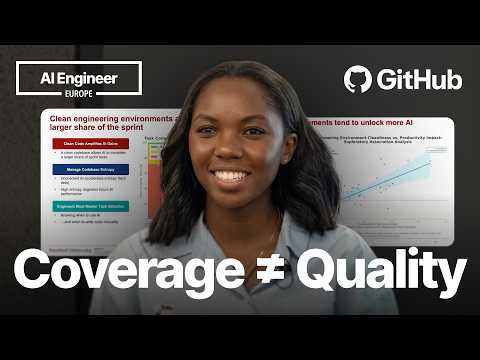
Beyond Code Coverage: Functionality Testing with Playwright…
Talk by Marlene Mhangami (Microsoft) on improving AI-assisted testing: LLM-generated tests tend to confirm existing code behavior rather than verify user experience, so she advocates test-first agentic TDD — generating failing Playwright functional tests for expected behavior before writing code. A live demo uses GitHub Copilot and the Playwright MCP server to add search and filter functionality to a toy store app, with the agent clicking through the UI and validating results in the browser. The talk also covers Octoverse stats, AI developer productivity, clean codebases, TDD's Red-Green-Refactor cycle and common criticisms, Playwright integration with AI agents, GitHub Copilot CLI and Work IQ, best practices, and a Q&A on state management and responsive-screen testing.
# Channel Identity Observations: Beyond Code Coverage — Playwright MCP Talk
## Explicit Self-Description
- **Role claim**: Speaker introduces herself as a **senior developer advocate at Microsoft and GitHub**, working in a group called **Core AI**.
> "my name is Maybelline and I am a senior developer advocate at both Microsoft and GitHub... I work in a group called Core AI, which looks at how developers are using AI across our products."
- **Insider data access claim**: She references internal GitHub statistics and an executive tweet as sources.
> "a couple of days ago our COO Kyle Daigle tweeted that we're seeing about 275 million commits to the platform every week."
- **Curated metadata** (title) identifies the speaker as **Marlene Mhangami, Microsoft** and frames the talk as conference content ("Functionality Testing with Playwright MCP").
## Observable Presentation Patterns
### Intended Audience
- **Professional software developers**, particularly those doing or considering **agentic/AI-assisted coding**.
> "a lot of developers that are doing agentic coding with coding agents talking about is test-driven development"
> "for developers that are using AI tools, we want to focus on things like good test coverage..."
- Audience members are assumed to be present at a **conference** (live demo anxiety, Q&A at the end, reference to "some people at this conference").
### Claimed Scope of Content
- **AI-assisted development workflows**, specifically combining **TDD with Playwright and GitHub Copilot**.
> "for the rest of this talk I'm going to be focusing on showing you how you can avoid these problems and start to test for functionality using Playwright."
- The talk moves from industry statistics → productivity research → TDD history/critique → live demo → best practices, indicating a **tutorial/advocacy format**.
### Demonstrated Relationships & Endorsements
- Promotes **Microsoft/GitHub ecosystem products**: Playwright, GitHub Copilot CLI, Playwright MCP server, Playwright agents, and Microsoft's Work IQ skill.
> "we're going to use something called Work IQ, which is... a skill that Microsoft has developed that lets developers connect to the M365 suite."
- Cites third-party sources as authority: **GitHub Octoverse 2025**, a Stanford study of 120,000 developers, Simon Willison's blog, DHH's 2014 post, and Ian Cooper's talk "TDD, where it all went wrong."
### Practical Guidance Offered
- Best practices list for Playwright with agents: attach screenshots to PRs, use headless mode, **commit before letting the agent fix tests**, and one test per feature.
- Recommends standardizing clean-code practices industry-wide, while acknowledging dissent:
> "some people at this conference believe in just closing their eyes and shipping. And that's also okay."
## Claims vs. Demonstrated Patterns (Distinction)
- **Claim**: AI can make TDD fast ("the red part and the green part are fast") — an assertion, supported by pre-prepared demo rather than real-time execution ("earlier today I... got the agent to generate those failing tests").
- **Demonstrated**: Live demo did run Playwright tests in the browser via Copilot with the MCP server installed, showing automated search/filter testing on a "Tailspin Toys" sample app.
- **Unverified internal claims**: Commit growth figures and AI co-authored commit tracking are presented as facts from internal access ("We haven't released the data yet"), not independently verifiable from this talk.
## Summary of Channel Positioning
This video presents the channel as a venue for **conference-grade technical talks by industry practitioners (Microsoft/GitHub advocates)** aimed at professional developers adopting AI-assisted workflows, with content blending industry data, research citation, live tooling demos, and prescriptive best practices around Microsoft's developer tooling.
# Delivery Observations — Marlene Mhangami, "Beyond Code Coverage: Functionality Testing with Playwright MCP"
## Tone & Register
- **Conversational, advocacy-style delivery** throughout, with frequent fillers ("um," "uh," "you know," "like") suggesting an unscripted, talk-track style: > "Um my name is Maybelline and I am a senior developer advocate at both Microsoft and GitHub."
- **Light humor and audience asides**, especially around the demo: > "I am going to hope the demo gods are smiling today." and > "Sorry about the no link to the GitHub."
- **Diplomatic hedging when introducing opinions**: > "this is something that's a bit of a controversial topic because some people at this conference believe in just closing their eyes and shipping. And that's also okay. But…"
## Vocabulary & Framing Habits
- **Recurrent "we" framing** to include the audience and industry: "we want to focus on," "what we know," "we've all" — used dozens of times.
- **First-person recommendation framing** is a stable pattern: "I would say," "I would recommend," "I'd actually also argue": > "I would recommend standardized practices for keeping a code base clean." / > "I would say that if you're interested in learning more about this…"
- **Storytelling scenario device** for the demo: > "I want to give us a scenario. The scenario is that… imagine I'm a developer. I'm working at a toy company called Tailspin Toys."
## Structural / Teaching Habits
- **Data-first opening**: begins with stats (Octoverse, commit growth, Stanford study) before pivoting to the main thesis: > "does AI actually make developers more productive?"
- **Question-driven transitions**: poses a question, then answers it — > "So, how can developers maintain create and maintain clean code?"
- **Numbered/list summaries at the end**: > "So a final thing I will do is I will give you some best practices… The first thing I would say is… The second thing is… And then a final thing…"
- **Signposting phases** when explaining TDD: "the first thing that happens," "After that," "the final phase of this is the refactor phase."
## Recurring Phrases
- **"So" as a connective** — extremely frequent sentence opener (> "So, Playwright supports a number of different languages…").
- **"Okay?" / "Okay." as a checking and pacing marker**: > "…which is GitHub's most active year ever. Okay?"
- **"As I mentioned before" / "like I mentioned before"** to callback earlier points during the demo.
## Live-Demo Behavior
- **Transparent handling of technical friction**: > "You are only looking at my PowerPoint right now, and I don't know how to stop that." / "Okay, perfect. That that's working as expected."
- **Narrating agent actions in real time**, emphasizing hands-off automation: > "Again, my hands are not on the keyboard. This is all playwright and Copilot, so super cool."
- **Pre-recorded fallback**: > "So earlier today I asked… I got the agent to generate those failing tests" — a common conference demo habit of preparing steps beforehand.
## Communication Patterns in Q&A
- **Brief, recommendation-style answers** with qualifiers: > "I mean, I think if you have a lot of state management, I would focus on maybe…"
- **Honest uncertainty where appropriate**: > "Uh well, I'm not sure. Yeah." and > "It's browser-based for the moment. Yeah, for the moment it's only browser-based."
- **Self-acknowledged small failure at close**: forgetting the repo link, apologized for twice — repeated, not isolated.
## Uncertainty Notes
- Filler density and "so"-openers are stable across the whole talk (high confidence).
- Patterns like the demo-gods quip and the scenario framing appear once each; they suggest habits but are **single occurrences** in this transcript, so repetition is insufficient to call them stable patterns.
# Observation Record: "Beyond Code Coverage: Functionality Testing with Playwright MCP" — Marlene Mhangami, Microsoft
## Speaker
- **Marlene Mhangami** — introduces herself (transcript renders as "Maybelline"; title metadata gives Marlene Mhangami), **Senior Developer Advocate at Microsoft and GitHub**, in a group called **Core AI**, studying how developers use AI across products.
## Key Claims & Reasoning
### GitHub Growth Statistics
- **~1 billion commits** pushed to GitHub in 2025 per Octoverse report — GitHub's most active year ever.
- In 2026, growth is accelerating: COO **Kyle Daigle tweeted** ~**275 million commits/week**; extrapolating yields ~**14 billion commits by year-end** (~14x last year). Qualification: *no official stats released yet*.
- A growing share of commits are **co-authored by AI agents**; trackable via co-signing (Claude, Copilot do; Codex doesn't) and wording in code. Qualification: *data not yet released*.
### Central Question: Does AI Make Developers More Productive?
- References a talk from **AI Engineer** citing a **Stanford study of 120,000 developers**:
- AI can boost productivity, but **how developers use AI matters most**.
- **Clean code bases amplify AI gains; unchecked AI amplifies entropy.**
- Case study: company used AI unchecked in their database — PR count rose, code quality fell, more time spent reworking/refactoring; net effective output increase ~**1%**.
- Speaker's conclusion: value from AI **hinges on a clean code base** — test coverage, type coverage, documentation, modularity.
- She argues for **standardized practices** across teams/industry, acknowledging this is *controversial* — "some people at this conference believe in just closing their eyes and shipping. And that's also okay."
### TDD Discussion
- Cites **Simon Willison's** recent blog post on **red-green TDD**:
1. Feature request → immediately write a **failing test** (red).
2. Get the test to pass, focusing on **speed, not quality** (green).
3. **Refactor** for quality.
- Notes TDD "was pronounced dead in 2014"; common complaint: over-focus on **code coverage with unit tests** rather than testing the system. Cites **DHH's 2014 blog post**.
- Over-indexing on coverage risks **testing implementation details** — e.g., renaming a method breaks tests even if functionality is unchanged. Testing behavior or stable contracts (API, exported modules) survives refactoring.
- Recommends Ian Cooper's talk *"TDD, where it all went wrong."*
- **AI-generated self-affirming tests**: coverage may be green while system behavior is unvalidated.
### Playwright & Proposed Workflow
- **Playwright**: open-source Microsoft end-to-end testing framework simulating user interactions in the browser; supports Python, TypeScript, C#; headed or headless modes.
- Claim: with AI, TDD's red and green phases become fast; developers should spend the most time on the **refactoring** stage reviewing agent-generated code.
- Integration options: **Playwright MCP server**, CLI tool, or **Playwright agents** (installs three agent.md files: **planner**, **generator**, **healer**).
### Demo (Tailspin Toys scenario)
- Feature request from search PM team: search bar (text + Azure AI search) and sidebar filters (category, price).
- Uses **GitHub Copilot CLI** with Playwright MCP server; pulls email requirements into the terminal via **Work IQ** (Microsoft skill connecting to M365).
- Trigger for tests shifts from "new method added" to **feature request/behavior**.
- Demo (partly pre-run earlier) shows agent running tests: search for "Furby" and "Simon" found correctly, category and price filters verified — "my hands are not on the keyboard."
### Best Practices
- Add Playwright **screenshots to PRs**.
- Use **headless mode** for background runs.
- **Commit before** letting the agent fix tests/make changes (otherwise it may not remember prior state).
- **One test per feature**.
### Q&A (speaker's answers)
- For heavy **state management**: use **Playwright agents** (specialized agent.md instructions), or test APIs directly.
- Playwright **can check mobile vs. desktop** — "It should just work."
- Currently **browser-based only**.
## Qualifications & Tensions Preserved
- Commit growth figures for 2026 are **unofficial/extrapolated**.
- AI co-authorship share is **unreleased data**.
- Speaker explicitly acknowledges disagreement with the "just ship" camp.
- Minor demo technical difficulties and the missing GitHub repo link are noted by the speaker herself.
# Speaker Attribution & Provenance Record
## Video Metadata
- **Video ID:** `01a15ca9-4a14-76c6-924b-eccbe110e212`
- **Title:** *Beyond Code Coverage: Functionality Testing with Playwright MCP — Marlene Mhangami, Microsoft*
- **Format:** Conference talk with live demo and audience Q&A
## Speaker Inventory
| Speaker | Role | Notes |
|---|---|---|
| Marlene Mhangami (introduced as "Maybelline" in transcript audio) | **Creator / Presenter** | Self-identified: "senior developer advocate at both Microsoft and GitHub," works in a group called **Core AI** |
| Unnamed audience member(s) | **Audience / Questioners** | At least two Q&A questions (state management; mobile vs. desktop testing); questions not transcribed verbatim |
## Roles Observed
- **Presenter:** Marlene Mhangami — sole speaker; narrates slides, live demo, and Q&A responses.
- **Narrator:** None — no separate narrator; presenter narrates throughout.
- **Guest:** None identified.
- **Other:** Audience members pose questions near the end (not verbatim in transcript).
## Referenced Sources & Third-Party Claims
### Cited Statistics & Reports
- **GitHub Octoverse 2025 report:** ~1 billion commits pushed in 2025, "GitHub's most active year ever."
- **Claim by Kyle Daigle (GitHub COO), via tweet:** ~275 million commits per week (2026); speaker extrapolates to ~14 billion commits by year-end. **Flag:** unofficial — "We haven't actually released any official stats yet."
- **AI-co-authored commits:** growing share; Claude and Copilot co-sign commits, Codex does not; tracking also via wording in code. **Flag:** "We haven't released the data yet" — unverifiable claim.
### Cited Studies & Third-Party Works
- **Stanford University study of 120,000 developers** — cited via a talk from **AI Engineer** (last year, per speaker); finding: clean code bases amplify AI gains; unchecked AI amplifies entropy; case study showed ~1% effective output increase with degraded code quality.
- **Simon Willison blog post** — on "red-green TDD" with coding agents.
- **DHH (Rails creator) blog post (2014)** — criticism of unit-test over-focus; "TDD was pronounced dead in 2014" (speaker's characterization of industry sentiment).
- **Ian Cooper talk:** *"TDD: Where Did It All Go Wrong"* — recommended by speaker.
### Tools & Products Referenced (Microsoft/GitHub ecosystem)
- Playwright, Playwright MCP server, Playwright CLI, Playwright agents (planner/generator/healer agent.md files)
- GitHub Copilot CLI, **Work IQ** (Microsoft skill for connecting to M365: Outlook, PowerPoint, etc.)
- Azure AI Search, Tailspin Toys (fictional demo app)
## Promotional Segments
- **Work IQ recommendation:** "if you're using the M365 suite for work, I can definitely recommend it" — promotional endorsement of Microsoft product.
- **Playwright advocacy:** talk promotes Microsoft-built open-source Playwright throughout (inherent product affiliation given speaker's Microsoft role; not flagged as an ad segment in transcript).
## Availability & Provenance Limits
- **Slides link:** shown on screen; speaker notes she "forgot to add the link to the GitHub repo."
- **Unreleased data:** 2026 commit growth figures and AI-co-authorship tracking data explicitly not yet published by GitHub/Microsoft.
- **Comment availability:** Not stated in transcript or metadata.
- **Curated metadata:** Not supplied beyond the title.
- **Q&A:** audience questions only partially recoverable from speaker's answers; not transcribed.
## Self-Check
- Roles grounded in self-identification from the transcript; no invented timestamps or sources; promotional endorsements flagged; no quality judgments recorded.
Okay. Hi everyone. Um my name is Maybelline and I am a senior developer advocate at both Microsoft and
GitHub. So I work at I work in a group called Core AI, which looks at how developers are using AI across our products. Um so this is kind of new. To start off today, I wanted to show you some stats about GitHub from GitHub Octoverse uh last year's GitHub Octoverse report in 2025, which shows data about how developers are using GitHub. What we saw from our report was that more code was added to GitHub last year than ever before. So about a billion commits were pushed to the platform in 2025, which is GitHub's most active year ever. Okay? What we know now in 2026 is that this growth is accelerating. So a couple of We haven't actually released any official stats yet, but a couple of days ago our COO Kyle Daigle tweeted that we're seeing about 275 million commits to the platform every week. And if we extrapolate that over time, we're going to see about 14 billion commits by the end of the year. So that's 14 times the amount of growth we saw last year, commits we saw last year, which by the way last year again was our biggest year ever with a a billion commits. One thing that we know is that there's a growing share of these commits that are co-authored by AI agents. We haven't released the data yet, but we can actually track and see what you know, some Claude for example, co-signs, commits, and so does Copilot, but Codex doesn't, but we can also kind of track based off of uh some wording in in the code. I had a question when I saw all of this
growth in terms of how much code we were seeing, and that question is, does AI actually make developers more productive? So, we're seeing all of this code, does it actually correlate with
productivity? One of the best resources I've seen that tries to answer this question is actually from AI Engineer from a talk last year. And this graph shares findings from that talk that's from a Stanford University study of 120,000 developers. And in this study um it found that while yes, AI can make developers more productive, it's actually how the developers are using AI that matters the most. So, this graph from the study actually shows us that clean code bases amplify AI gains and AI productivity, while unchecked AI in a code base is going to amplify entropy. To illustrate this point, the speaker from this talk gave a case study example of a company that used AI in an unchecked way in their database. And what you can see is that the number of PRs that the team was pushing out increased, but at the same time, the code quality that the team was was seeing decreased, and actually they spent a lot more time reworking that code, refactoring that code. And so, overall, though there was effective output increase of like 1%, AI didn't really improve the productivity from this team. So, what we learned from this study is that a lot of value that we are wanting to see as developers from AI relies or
hinges on us having a clean code base. So, for developers that are using AI tools, we want to focus on things like good test coverage, type coverage, and
things like good documentation, modularity, and so on. So, I'd actually also argue that we need to start standardizing some practices across our teams and across our industry. And this is something that's a bit of a controversial topic because some people at this conference believe in just closing their eyes and shipping. And that's also okay. But, I think in my ideal world and from this study we've seen, I would recommend standardized practices for keeping a code base clean. So, how can developers maintain create and maintain clean code? This question
is actually not a new question. In our industry over time, we have seen several methods that have tried to make uh maintain maintaining a clean code base a central part of their philosophy.
One of those approaches that I've actually seen a lot of developers that are doing agentic coding with coding agents talking about is test-driven development or TDD. Uh Simon Willison, who's very popular, just recently published a blog post about how he's using this specific flavor of TDD called red-green TDD. And here, what happens is a developer the first thing that happens is the developer gets an incoming feature request. As soon as they get the the request, they immediately start by writing a failing test because the feature doesn't exist. After that, the developer focuses on getting the test to pass. And in this green phase, when they're trying to get the test to pass, historically, you should not be focusing on the quality of the code. All you're focusing on is speed and getting the test to go green. So, in the past, developers maybe would copy code from Stack Overflow and so on and get the test pass. But then after that, the final phase of this is the refactor phase. And in this phase, you're just focusing on code quality. So you're taking that code that you made pass and refactoring it so that it follows all the best practices. So not everyone is a fan of TDD and like many things in this industry, TDD was
pronounced dead in 2014. Um and one of the most common complaints that I've seen on the internet about TDD is that it focuses too much on code
coverage with unit tests and that it doesn't actually test the system. So DHH created Rails published this blog post in in 2014 and was kind of talking about this that is an over focus on unit tests. And we know that when we over index on code coverage, there are several issues that come up. One of the issues is that there's a tendency test implementation details. So um take an example like we see on the screen where we are having an order calculation with a discount. If the test is tied directly to a method like calculate, just simply renaming the name of the test even if the functionality is still fine, it's going to break those unit tests. So that's not be going to be great. But even if we test specifically uh the behavior of the system like the final end result of of the price we're looking for um or we test on something like a stable contract like our API or a module that doesn't change but we export it, it should survive any refactors of our internal code. I would say that if you're interested in learning more about this and behavior driven uh TDD, I would recommend the talk by Ian Cooper called TDD where it all went wrong. It's very good talk. Another thing that we see is that in the age of AI that many developers are using AI to generate tests. What they've noticed is that AI
sometimes generates self-affirming tests. So, while the code coverage tests might pass and you your unit test suite is all green, the behavior of the system
is not being validated and that's where the problem lies. So, for the rest of this talk I'm going to be focusing on showing you how you can avoid these problems and start to
test for functionality using Playwright. Playwright is an open-source testing framework that's built by Microsoft and it automates end-to-end testing in the browser by simulating user interactions.
And the link that you see on the screen there is is the documentation. So, Playwright supports a number of different languages right now, Python, TypeScript, C#, and the example scripts that you can see on the screen is what a test would typically look like. So, you have that line that says page go to telling the the script that it starts at the toys play page is where we want to start. And then we're going to look for the placeholder search and then we're going to fill that search bar with that letter with the word Furby and that will actually do run the search for us automatically in the browser, for example. You can also use headed or headless mode. So, you don't necessarily have to look at the browser while your tests are running. You can actually just have them running in the background as well. Um why is it okay? So, going back to that idea of TDD, when
we're using Playwright with AI, it actually should speed up the full process of TDD for us. So, a lot of developers in the past have really complained about how TDD is slow and
that it it's not effective for teams that want to move fast, but if we have AI, then what happens is that red part and the green part are fast. So, we're focusing on getting our agents to generate these behavioral tests, the Playwright tests. Then we're focusing on getting the agent to quickly generate as fast as it can code that's going to make the test pass. And then I would recommend that developers are going to spend the most amount of time, so it grows bigger, on that refactoring stage. So, they're spending time looking at the code the agent has generated and making that code better. There's a number of ways you can connect your coding agents today with Playwright. One of those ways is through the Playwright MCP server. You can use the CLI tool if you'd like that instead, or you can use something called Playwright agents. And when you're using Playwright agents, you'll run the command that you can see on the screen. And once you run that command, it's going to install for you three agent.md files. So, the first one is going to be a planner, second is a generator, and the third is a healer. So, the planner will plan which tests to run, the generator is going to actually generate the the tests, and then the healer will fix those tests for you. So, I do want to show you a demo,
and I am going to hope the demo gods are smiling today. So, we've all We'll give this a try.
Oh. Oh, no. Okay. Here we go. So, I want to give us a scenario. The scenario is that Oh, you can't see my You are only looking at my PowerPoint right now, and I don't know how to stop that. Uh let me close the PowerPoint, maybe, and see if that will help. Um I now want to just show the screen. Sorry. Hopefully they'll give me more time. Okay, perfect. That that's working as expected. Okay. Perfect. So, the scenario that we're going to imagine today is imagine I'm a developer. I'm working at a toy company called Tailspin Toys. And a few days ago, I got an email from the search product management team, and they asked me to add some new search and filter features to the site. They asked me to add in a search bar with text search for simple searches and Azure AI search for more complex ones. And they've also asked me to add in a sidebar so customers can filter by category and price. So, I'd like for Co-pilot to help me with this task and also for us to use this uh TDD-first style of development. So, this is GitHub Co-pilot CLI. And the first thing that we can do is going to
try to get the agent to get the information that we saw in that email and bring in the features here into our terminal. And uh for this, we're going to use
something called Work IQ, which is Microsoft It's a skill that Microsoft has developed that lets developers connect to the M365 suite. So, Outlook, PowerPoint, whatever it is you would like. And to bring that information here into the terminal. So, if you're using the M365 suite for work, I can definitely recommend it. And what I will also mention with TDD, in the past when we've done things like unit tests, um typically people what would trigger writing a unit test is adding a new method to a class. But actually, in this new world, what we want to focus on is the behavior. So, we want to focus on a feature. So, if a feature request comes, that is what the trigger is for the test to be written. So, So we have our list of what needs to be actually developed. And I'm passing in a second uh I'm passing in the second prompt and I'm asking Copilot to help me develop these features using red green TDD to stop by writing the Playwright tests that fail for each feature. And I'm telling it not to commit the changes just for the sake of this example. And I do want to point
out that the first thing the agent is going to do is it's going to start to examine my code base. So it's going to understand what's in my code base. I have the Playwright MCP server already
installed in my CLI into co-Copilot CLI and it knows what it needs to do to create the tests to be able to test for these functions. So the agent is going to understand what the key code base is going to look like and then going to write the tests for it. Uh this process is actually going to take a while. So in the meantime, I'm going to switch over to a new tab. And I'm going to run the command to get Playwright the Playwright test. So earlier today I asked uh I got the agent to generate those failing tests and then I got it to do the green phase where the agent just creates the code to get the tests to pass and then now I'm asking my agent to go ahead and run the Playwright tests to actually test for that search bar and filter feature for us. So like I mentioned before, I have the Playwright MCP server already installed. You can see it installed here. And our agent is just going to look for the test file. And if everything works correctly, it's going to start writing some tests running some tests. So we see it's opened the correct page. It's typing in different inputs which is testing for the search bar is working. We saw Furby was correctly found. Simon was correctly found. And now it's clicking buttons. So also testing the category filter is working correctly. Again, my hands are not on the keyboard. This is all playwright and Copilot, so super cool. And now it's correctly finding all of the toys in the specific price range. So, when I run these functionality tests, all I can see actively that, okay, the agent has written this code. The code is working as I expected. The app is working as I expected. So, there's so many different ways that you can test your app by functionality and all of our tests pass. Uh now, once our tests have passed, that's when I would say we step into the next phase of actually going ahead and um and and running out our writing out refactors or refactoring the code the agent has created to generate these tests that pass. So, a final thing I will do is I will give you some best practices um
with Playwright. The first thing I would say is that when Playwright runs those functionality tests, it's going to take screenshots of all the tests that it's run. I've gotten
into the practice of adding those screen screenshots to a PR. So, if I've made some changes, I'll add them to a PR. The second thing is that you don't have to run it where it launches the browser like you saw in the example. You can run it in headless mode, so that it runs in the background. And then a final thing is I would say commit your code before you actually get it to fix the test. Or, you know, commit before it starts to make changes to your code because if you don't commit, it might not remember what it what happened in the past. So, that's something to do. And then I would also say to generate one feature one test per feature, as well. As a final note, these are some resources you could take a look at. Ah, I forgot to add the link to the GitHub GitHub repo, but all of the slides are going going available at that link there. You can check out the documentation and you can now connect with me on social media as well. So, yeah. Thanks everyone. I think that's all the time I HAVE TODAY. I THINK WE HAVE 2 minutes for questions. Does anyone have any questions about this? Yes, I see a question there.
Yeah. We have a lot of uh
I mean, I think if you have a lot of state management, I would focus on maybe I would recommend using Playwright agents where it downloads the specific agent.md file because that's going to have some specialized instructions that are better at handling state and things like that. So, I found that agents um Playwright agents specifically has a lot of good instructions already built into it that should help with that. Another thing that you could do is if you didn't want to use Playwright for everything, you could also just directly test your APIs. If there's an API available, that's something you could do. Um so, yeah. That's what I would recommend. Are there any other questions? Maybe one more question. Uh well, I'm not sure. Yeah. Yeah. Yes. Yes, it can. It can check your mobile versus on desktop. It should just work. Yeah. One more. Yeah. It's \>\> browser-based for the moment. Yeah, for the moment it's only browser-based. Yeah. Okay, I think that is all all the time I have for today. Thanks, everyone. Sorry about the no link to the GitHub.