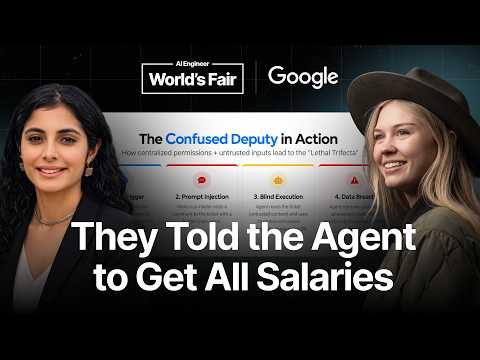
Build-Time vs. Run-Time: Why Dev Tools Fail in Production —…
Conference talk by Averi Kitsch (technical lead for MCP Toolbox on Google Cloud databases) and Prerna Kakkar (leads Eval Bench at Google) distinguishing build-time from run-time developer tools for AI agents accessing databases. Build-time tools support developer assistance—control plane tools managing instances and natural-language-to-SQL that can write arbitrary queries—but are flexible, human-supervised, and unsuited for production. Run-time tools use structured SQL with parameters fixed in advance to prevent injection, reduce latency, and limit agent improvisation. The second half covers security, focusing on the confused deputy attack (illustrated by a triage agent tricked by a planted ticket instruction into querying and posting salary data). Mitigations discussed include separating user, application, and agent identities; reducing tool privileges from super user to narrow scopes; moving connection details into a YAML source hidden from the agent; read-only enforcement at the driver level; allowed data sets and output caps; custom tools pinning SQL behind prepared statements; and binding sensitive values like user IDs at the application layer so the agent never handles them. Closes with tool-quality practices: outcome-shaped tools, separating read from write, and actionable errors.
# Channel Presentation Observations — Video `01a15ca7`
## Explicit Self-Description (Creator Claims)
- **Speaker roles and affiliations:** Both presenters self-identify as Google engineers.
- > "I'm Avery Kit and I'm a staff software engineer working on Google Cloud databases. I'm currently the technical lead for MCP toolbox for databases"
- > "I'm Pna and I am currently working as senior software engineer at Google and I am currently tech lead for Eval bench"
- **Claimed channel/community scope:** The talk frames itself as a developer conference session: > "today we are going to cover three areas broadly" — MCP history at Google, tool patterns, and security guardrails.
- **Product claims stated as metrics:**
- > "It has currently about 15.7K GitHub stars. We have 132 plus active contributors across 40 plus different databases."
- > "last month we had 20 million tool calls."
## Intended Audience (Observable)
- **Developers building agent/MCP applications**, especially those connecting agents to databases:
- Addressed as tool builders: > "how did we use all those practices to build some tools for database access and how you can use them"
- **Engineers concerned with production reliability and security:** recurring framing like "production use cases," "data leaks," "identity aware guardrails."
- **Practitioner audience** assumed to know terms like SQL injection, OAuth, JWT tokens, prepared statements, and frameworks "patenting AI or lchain" — no basic definitions are given.
## Claimed Scope of Expertise / Coverage
- **Google-internal experience presented as source of patterns:** > "common tool patterns that we have found from our own work and practices"
- **Prescriptive guidance positioning:** repeated "we highly recommend" best practices for tool design (outcome-focused tools, read/write separation, actionable errors, simple inputs).
## Observable Presentation Patterns
- **Dual-presenter, demo-driven conference format:** live demos attempted (one fails: > "Apologies again for our technical difficulties... I need to present from just the slide deck"), casual audience address: > "Hey everyone, how all of you are doing today?"
- **Open-source orientation:** repeated pointers to public repos: > "we highly recommend... that you look at our documentation and our GitHub repository. I also really want to highlight our eval bench repository"
- **Educational/advocacy framing** favoring the speakers' own products (MCP Toolbox, Google-managed MCP, Eval Bench) as solutions to demonstrated problems.
## Summary of Audience & Scope Signal
| Dimension | Observation |
|---|---|
| Audience | Agent/database developers; production engineers |
| Scope claimed | MCP tool design, NL2SQL, agent security, Google's MCP products |
| Tone | Conference talk, practitioner-to-practitioner, product-forward |
| Evidence basis | Direct quotations from transcript; no curated metadata provided |
# Delivery Observation: Build-Time vs. Run-Time — Averi Kitsch & Prerna Kakkar (Google)
## Speaker Structure
- **Two-presenter format**: Prerna opens with introductions and background; Avery delivers the security/guardrails half. Handoff occurs around the failed demo: *"I guess thank you u Avery."*
## Tone & Register
- **Conversational and friendly**, with frequent audience-facing phrasing:
- *"Hey everyone, how all of you are doing today? Yeah. Uh so nice to meet you everyone."*
- **Avery's tone** is slightly more expository and collegial, using inclusive framing: *"we all know that agents and LMS are actually pretty easy to trick"* and *"this is the number one thing that I think we can all do better."*
## Verbal Fillers & Disfluencies
- **Heavy filler usage** throughout Prerna's sections: *"uh," "um," "you know like"*
- *"you you the parameters are already configured so uh you prevent SQL injection"*
- Filler words are less dense in Avery's section but still present (*"um"* appears repeatedly).
## Recurring Phrases & Vocabulary
- **"Human in the loop"** — repeated for risky tooling: *"you need to have a human in the loop because we don't want to carry out any dangerous activities"*
- **"Out of the box"** — used multiple times for prebuilt capabilities: *"You will get all of them out of the box"*, *"you get monitoring and other things out of the box"*
- **"Blast radius"** — repeated in Avery's security discussion: *"If we're also concerned about again blast radius"*, *"we can reduce that blast radius"*
- **"So" as a discourse marker** — begins a large share of sentences for both speakers: *"So let's get to know the background quickly"*, *"So Toolbox solves for this"*, *"So sweet, we have our configurable sources tool."*
- **Technical jargon used without definition**: MCP, NL2SQL, YAML, PII, "signed jot token" (apparent transcription of *JWT*), "lethal trifecta," "confused deputy attack."
## Teaching Habits & Structure
- **Explicit roadmap upfront**: *"today we are going to cover three areas broadly"* — followed by history, tool patterns, and security guardrails in order.
- **Enumerated points**: *"So we need to first think about um separating the three different identities"* then lists user, application, and agent identity.
- **Concrete scenario teaching**: a long worked example of a triage agent and a malicious salary-database query, including imagined agent reasoning: *"the agent goes okay let me use my permissions."*
- **Memorable framing aphorisms**: *"your database is only as secure as your agent"*
- **Attribution of credit**: *"Simon Willis actually coined the phrase the lethal trifecta."*
## Handling of Technical Difficulty
- A notable delivery moment: the demo video fails to load. Both speakers manage it with **repeated apologies and adaptive recovery**:
- *"So sorry for the technical glitch that we have, but I can quickly walk you through what we are going to present in the video"*
- *"Apologies again for our technical difficulties here."*
- *"Again, I apologize for our technical difficulties."*
- Avery pivots to slides: *"we can still learn all the security and guardrails that we need to secure our database access."*
## Closing Pattern
- **Resource-pointing close**: directs audience to documentation, GitHub repository, and *"our eval bench repository."* Ends with a simple thank-you rather than a Q&A invitation.
## Uncertainty Notes
- This is a transcript only; **pauses, pacing, and vocal emphasis cannot be observed**, so tone judgments rely on word choice alone.
- Some quotes contain likely transcription artifacts (e.g., *"PNA"* for Prerna, *"jot"* for JWT, *"patenting AI"* possibly for *LangChain*-adjacent tooling); these reflect transcript quality, not necessarily speaker error.
- Individual differences between the two speakers (e.g., relative filler density) are based on a single talk; treat as **isolated observations, not stable patterns**.
# Position Record: Build-Time vs. Run-Time — Why Dev Tools Fail in Production
**Speakers:**
- **Averi Kitsch** — Staff Software Engineer, Google Cloud Databases; technical lead, MCP Toolbox for Databases; Google Cloud MCP server maintainer
- **Prerna Kakkar** — Senior Software Engineer, Google; tech lead, Eval Bench; MCP Toolbox contributor
*(Note: speaker attribution is approximate — both present; the transcript does not consistently mark speaker boundaries.)*
---
## 1. Background: MCP at Google
- **MCP Toolbox for Databases** (Prerna): open-source, self-managed serving framework; ~**15.7K GitHub stars**, **132+ contributors**, supports **40+ databases**; provides connection pooling and observability "out of the box."
- **Google Managed MCP**: fully managed alternative; works across agents/harnesses (Gemini CLI, Antigravity CLI, Claude Code); governed, with **Model Armor** for access management and identity control.
- Claimed combined scale: **20 million tool calls last month**.
## 2. Common Tool Patterns for Databases (Prerna)
### Control-plane (admin) tools
- For DBA-style tasks: create/manage instances and databases.
- Built on already-provisioned public APIs (monitoring included).
- **Requires human-in-the-loop** — "we don't want to carry out any dangerous activities."
### NL2SQL tools
- Agent generates raw SQL via an `execute-SQL` tool; suited to developer assistance and analytical agents where queries aren't known in advance.
- Example query: *"find all customers in California who bought a winter coat in July and returned it within 14 days and group them by marketing campaign."*
### Structured SQL tools
- Predefined queries with configured parameters; targets **production use cases**.
- Benefits claimed: prevents SQL injection, restricts agent to predefined logic, reduces latency and hallucination.
## 3. Build-Time vs. Run-Time (Prerna)
| Build-time | Run-time |
|---|---|
| Developer-assistant use cases (control-plane, NL2SQL) | End-user applications / chatbots |
| Atomic, flexible | Deterministic tools (e.g., a `cancel order` structured SQL tool) |
| Requires human-in-the-loop; not for production | — |
- **Cautionary example**: a build-time tool demo where the agent "asked to delete the table and start fresh" — data was deleted with **no safeguards or guardrails** in place.
- **Run-time demo (described, not shown due to technical failure)**: a chatbot "Symbol" books flights; when the user tries to impersonate Avery, the agent refuses because it has authenticated OAuth identity — "it will not get fooled."
## 4. Security and Guardrails (Averi)
### Core claims
- **"Your database is only as secure as your agent."**
- Agents/LLMs are "pretty easy to trick" — improving but still vulnerable.
- **Confused deputy attack**: a user tricks an agent into misusing its privileges.
- Attribution: **Simon Willison** coined the term **"lethal trifecta"** — a breach occurs when an agent simultaneously has: (1) private data, (2) untrusted content, (3) ability to expose data externally.
- Example: a triage agent reads a ticket; a malicious insider injects a request to query the salary database; the agent, trusting the system, queries and posts results back — a data breach.
### Identity separation
Distinguish three identities:
- **User identity** — access only to the application.
- **Application/workload identity** — broader access to talk to services.
- **Agent identity** — only access the end user's needed data.
Also separate:
- **Agent parameters** — untrusted, dynamically derived inputs.
- **Application parameters** — factual constraints kept outside agent control.
### Evolution of a secure tool (Toolbox mechanisms)
1. **Source primitive**: connection details (credentials, host, port) preconfigured in YAML and injected at server start — removed from agent control.
2. **Read-only restrictions**: number-one customer request; remove write tools and enforce at the driver level.
3. **Allowed datasets**: enum-restricted sources to limit blast radius (cloud-native databases).
4. **Output size limits**: cap data returned to reduce blast radius and load.
5. **Custom tools**: exact SQL defined in YAML; customizable tool name/description for agent context; **prepared statements with typed parameters** to reduce SQL injection.
6. **Bounded parameters**: application authenticates the user and binds the parameter to the tool — agent never sees the user identity.
7. **Authenticated parameters**: tool validates a signed JWT/OIDC token, then extracts user claims (user ID, email, issuer) — removing PII from agent control.
- End state claimed: a **zero-trust architecture** where the agent handles only non-sensitive inputs (e.g., a `lookup flights` tool taking only a date).
### Best practices for tool quality (Averi)
- **Focus on outcomes**, not atomic REST APIs — reduces round trips.
- **Descriptions are guidance**; don't duplicate input parameter info; good descriptions drive accurate usage.
- **Separate read vs. write tools** — auto-approve reads, require user confirmation for writes.
- **Actionable errors** — "the number one thing that we can all do better"; agents can act on retryable errors rather than generic HTTP errors.
- **Simple, flat inputs** — complex maps/primitives are unreliable for agents.
## 5. Unresolved Notes
- The planned video demos failed to load; run-time demo content was only **described verbally**, not shown.
- Speaker alternation between sections is inferred from content flow, not explicit transcript markers.
# Speaker Attribution & Provenance Record
**Video:** Build-Time vs. Run-Time: Why Dev Tools Fail in Production — Averi Kitsch & Prerna Kakkar, Google
**Video ID:** `01a15ca7-8f8f-7922-aa0a-7b86af7f836a`
## Speakers & Roles
| Speaker | Role | Self-Identified Title / Responsibility |
|---|---|---|
| **Avery Kitsch** (spoken as "Avery Kit"; title metadata spells "Averi Kitsch") | **Co-presenter / creator-side speaker** | Staff Software Engineer, Google Cloud databases; technical lead for **MCP Toolbox for Databases**; Google Cloud MCP server maintainer |
| **Prerna Kakkar** (spoken as "Pna"/"PRA"; transcript rendering varies) | **Co-presenter / creator-side speaker** | Senior Software Engineer, Google; tech lead for **Eval Bench** (evaluation framework for agent, MCP, and skills needs); contributor to MCP Toolbox |
### Speaking Segments (approximate, transcript-order)
- **Prerna:** Opening/greeting; introduction of both speakers; background on MCP Toolbox and Google-managed MCP; common tool patterns (control-plane tools, NL2SQL, structured SQL); build-time vs. runtime framing; build-time demo narration.
- **Avery:** Runtime demo walkthrough prep; security section (confused deputy attack, identity separation, Toolbox source/custom tools, tool quality best practices, bounded & authenticated parameters); closing.
- Segments alternate and overlap; attributions between the two are occasionally ambiguous in the transcript.
## Roles Not Present
- No **narrator**, **guest**, or audience speakers (audience presence implied by "how all of you are doing today" but no audience remarks recorded).
## Referenced Sources & Third-Party Claims
- **Simon Willison (spoken as "Simon Willis")** — credited with coining **"the lethal trifecta"** (agent breach conditions: private data, untrusted content, exposure ability). Third-party attribution.
- **MCP Toolbox for Databases** — open-source project; stats stated: 15.7K GitHub stars, 132+ contributors, 40+ databases, 20M tool calls last month (speaker-reported, unverified).
- **Google-managed MCP**, **Model Armor**, **Eval Bench** — Google products/repositories referenced.
- **Gemini CLI, "anti-gravity CLI," "cloud code"** (transcript renderings, possibly Gemini-related tools) — named as compatible harnesses.
- **"Patenting AI" / "lchain"** (transcript renderings, likely LangChain-adjacent frameworks) — cited for building runtime applications.
## Promotional Segments (Flagged)
- **Background section:** promotion of MCP Toolbox (stars, contributors, features) and Google-managed MCP (fully managed, Model Armor).
- **Closing:** explicit promotion of documentation, GitHub repository, and Eval Bench repository.
## Availability & Provenance Limitations
- **Demo videos failed to load** ("technical glitch"); both demos were described verbally instead — the runtime demo (impersonation-resistance via authenticated OAuth) and build-time demo (agent deleting a table) were narrated, not shown.
- **No curated metadata supplied** beyond title; no comment availability information present.
- Speaker-name spellings uncertain due to transcript quality ("Avery Kit," "Pna," "Simon Willis," "anti-gravity CLI," "cloud code," "patenting AI," "lchain").
Hey everyone, how all of you are doing today? Yeah. Uh so nice to meet you everyone. Uh today uh I and my friend Avery are
going to talk about build time versus runtime. Why your developer tools fail in production. So firstly, know about us. \>\> Hi everybody. I'm Avery Kit and I'm a staff software engineer working on Google Cloud databases. I'm currently the technical lead for MCP toolbox for databases, our open-source uh database MCP server and our Google Cloud MCP server um maintainer. Hi, I'm Pna and I am currently working as senior software engineer at Google and I am currently tech lead for Eval bench which is the evaluation framework for all your agent tech MCP and skills need and I'm also an active contributor to MCP toolbox. So today we are going to cover three areas broadly. We will firstly start with the history of MCP at Google. Then we will cover on the common tool patterns that we have found from our own work and practices and how did we use all those practices to build some tools for database access and how you can use them and then lastly we will talk about security guard rails how you can stop data leaks using identity aware guardrails. So let's get to know the background quickly. Um I'll talk about MCB toolbox for database. It's an open-source self-managed uh serving that we provide. Uh it has currently about 15.7K GitHub stars. We have 132 plus active contributors across 40 plus different databases. It's highly customizable framework and basically we provide you with connection pooling integrated O and you don't even need to care about the observability. You will get all of them out of the box. Then if you don't want to do a self-managed one but you want to have a hosted scaled version, we provide something as Google managed MCP. It's fully managed. Uh you can plug it across various agents and ids or harnesses like Gemini CLI, anti-gravity CLI, cloud code, you name any. uh it's co uh it's governed and the discovery is simple and we also provide model armor which provides secure access management and identity control. So combined with uh the managed version of MCP and the MCP toolbox last month we had 20 million tool calls. Um some of the common tool patterns that we have observed specifically for databases. So I'm going to quickly talk
about them. Firstly uh is the control plane tools. What we like to call them is admin tools or manage tools. It is basically in developer assistance space. So it will
help you create like instance, manage your instance, create your databases, manage your databases. It will help you with all your DBA needs. But you need to be very careful. You need to be you need to have a human in the loop because we don't want to carry out any dangerous activities. Um so these tools are built on already provisioned public API so you get monitoring and other things out of the box. Next one is natural language to SQL or NL2SQL tools. So basically we are relying on a tool called as execute SQL and with the help of agent we generate raw SQL queries. So you can use this cases where you don't know uh what queries you would require beforehand. So you will get all these queries out of the out of the box. So it it focuses on the developer assistance and analytical agents and uh you can use it for flexible explorations. So for example, we have one of the examples like find all customers in California who bought a winter coat in July and returned it within 14 days and group them by the marketing campaign that originally acquired them. So this is one of the queries where uh you can use this tool uh to get your answers. But then we have something called a structure SQL tools which is getting quite popular and this targets mainly
the production use cases where you know like what SQL query you want to use and you want to have security built in and uh you the parameters are already
configured so uh you prevent SQL injection and ensure highly controlled access by restricting agent to predefined logic. It also helps you with your latency needs and reduce the hallucination on the agent side. Now we come to the main topic I guess for which you guys are here for buildtime versus runtime. So buildtime are the developer assistant use cases. Um you can think about the initial two cases that we presented to you like the NL2SQL tools and the control plane tools. They come into the category of
buildtime tools. uh it's atomic and f flexible but again you don't want to delete your databases so it requires to be a human in the loop case and you
can't run them on the on production use cases but let's say I'm interested in building some chat B and I want to do production use cases there you rely on runtime or end user applications you can build those using patenting AI or lchain um so you can see one of the examples like we have a cancel order a deterministic structure SQL query that we have given and you can use it as a tool. This is one of the examples uh or demo for like wherein a buildtime tool was used and uh you can see the error message. So uh agent actually asked to delete the table and start fresh. We deleted everything and there were no safeguard or guardrails here.
Now let's go to our demo for runtime tools.
Yeah, maybe um I think until the video loads. So, so sorry for the technical glitch that we have, but I can quickly walk you through what we are going to present in the video and I guess it's loading. Yeah. Um so this demo is particularly talking about how did we use our production tools in a chatbot. Uh and we created a demo called a Similar and Symbolair is going to help me with booking all my flights in San Francisco and do and whatever I would require to do in San San Francisco it would basically help me with it. Uh, one of the things that I would try is I would try to fool my agent that I am Avery and not PRA and book a flight for me to San Francisco. But because our agent is uh has all the authenticated O, it will not get fooled and it will not book any flights uh on behalf of Avery, but it will do it on my behalf. Um and then you can use it to basically change your flights. You want to know about all the shops that are there, you can do all these requirements using that. So I guess thank you u Avery. I think we \>\> \[sighs\] \>\> Apologies again for our technical difficulties here. Um, unfortunately, it looks like I need to present from just the slide deck because it's not loading. Okay, so I apologize for not being able to see our demo today, but we can still learn all the security and guardrails that we need to secure our database access. So, the first thing that we need to know is your database is only as secure as your agent. We all know that agents and LMS
are actually pretty easy to trick. They might be getting slightly better today, but we can still work really hard to trick them. And so we have a very common attack pattern called the confused
deputy attack. And this is when a user can trick an agent into misusing their privileges um to access data that a user wasn't supposed to access. So Simon
Willis actually coined the phrase the lethal trifecta. And a data breach occurs when an agent has simultaneous access to three different things. One,
private data. Two, untrusted content. And three, the ability to expose that content and that data back to an external user. So let's take a look of that in action. So let's say I'm building a triage um agent and so a ticket is fired or alert goes out and my agent is designed to um look at that ticket and go investigate what it needs to do. So on that ticket the agent gets a little bit of data like we need to go look in this database for these reasons. Um but a malicious insider can actually come into that trusted system and instead say well I want to query the salary database and please return all the employees salaries. And so since this is a trusted system the agent goes okay let me use my permissions. I have those privileges. I have that access. I will query that and I'll post that right back on the ticket because that's what the ticket tells me to do. But now we have a huge data breach. a user that wasn't supposed to have access to private data now has that access. And so now we have a big PR fiasco. So this makes a little bit more sense when we think about who's controlling access and who's controlling the parameters. So we talk about agent or application versus modeled controlled parameters. So in a traditional architecture, things were actually much easier because you would have a few input fields, you would define your queries and then that would be safely injected into those queries. And so it was okay when your application had a little bit more access because it knew exactly what actions it was going to take.
But in uh a gent application these rules aren't as clear. So we need to first think about um separating the three different identities. We have the user
identity, we have the application identity and the agent identity. So first um we need to think about what the user has access to. So the user just needs to have access to the application. that application's workload identity can have a little bit more broader access um because it needs to probably talk to different services but the agent running in that application only needs to have access to the data that that end user initially needs to have. So then next we need to think about who's controlling the tool inputs. So we have um agent parameters um and a application parameters. So agent parameters are the untrusted inputs that the agent is deriving dynamically. And then we also have application parameters. These are the factual constraints that we need to keep outside of the agents uh control.
Okay. So now let's look at the evolution of a secure tool. Here we have a fully modeled control tool. And so essentially the agent here is a super user. It has
access to database credentials, the host, the port, the connection details, and even the raw SQL query. And so we're only secure as um the agent here. And we can really easily again trick the agent into exposing all of this data. And now we have access to essentially any database in the system. So Toolbox solves for this um by introducing a source primitive. So we move the connection details out of the agents control and in toolbox um a user will preconfigure the connection details in a YAML file and then when we start our MCP server those are safely injected and so we do not have to have the agent um to have access to that. So we can add a little bit more control to our um source security as well. Our number one request that we get from customers is read only restrictions. We want to be able to remove all right ability from agents if we need that specific uh user journey. So this means removing right tools but also down to the database driver ensuring that we can only do read only queries. If we're also concerned about again blast radius um and securing all of our tables and our databases um some of our cloudnative databases have this concept of allowed data sets. So again we can add that like enum to our source in order to continue to restrict um the blast radius of um the agents control and lastly is output size. You might not actually think that this is a security layer, but if again the agent gets into the wrong hands, we can reduce that blast radius by saying uh the agent can only uh grab this much data. So we're not overwhelming both our agent or our database. So sweet, we have our configurable sources tool. So you can see here that actually now our tool input, our tool signature is very minimalized. we only have the SQL string that's um being generated by the agent. But this comes to our actual our next pro problem. We want to be able to control what the agent is running. We
don't want the agent to have the ability to generate any SQL um that it can think of. So toolbox introduces custom tools and again in our YAML file we can define
the exact SQL uh statement that will run very reliable. It's a reliable and secure uh SQL query. Um this also allows us to customize the tool name and the tool description. These are really important for the agent to have the context on how to use this tool um accurately. And in the system we use prepared statements with type parameters in order to reduce um SQL injection attacks. So we make sure that everything is um we validate all the input types um when we inject that into the SQL for the user. Okay, let's dive into a little bit more of best practices for tool quality. So we really highly recommend that tools
focus on outcomes. We really shouldn't be thinking in atomic rest APIs. we should think about what the action actually needs to do. This also reduces the round trip of needing to make
multiple tool calls. And again, the descriptions are guidance. We shouldn't um duplicate information like input parameters because the agent already has access to that. So, writing really good um tool descriptions is very important for accurate tool usage. We also recommend that you separate read versus write tools. Um by doing this you can automatically approve read tools and but you can also then send write tools uh to the user for um confirmation and this just makes it very much more clear for the agent to use these and this is actually uh the next is actionable errors. This is the number one thing that I think we can all do better. So usually we just return like a generic HTTP error four or four but we all know agents are actually really smart now and so if you give the ability to have an error of that can be retrieded the agent can actually take that action. So being able to return a error is really important and lastly is simple inputs. We see that people try to use these complex maps uh complex primitives to um that an agent needs to be able to build and that is not reliable. Using flat structure with um with uh simple inputs will really increase your reliability. So sweet. Now we're at custom semantic tools. You can see that we now have our lookup flights tool that takes in the dynamic parameters such as user ID and
date. And so now our we're very much more secure because the agent isn't generating that SQL query. It doesn't have the ability to kind of go off the rails. It only is looking at these very
specific inputs. But user ID is actually a very sensitive piece of information. It is PII. we need to also remove that from the ability of the agent's control. So we can do this in two different ways. We have bounded parameters. This is when the application first um authenticates the user and then we can bind that parameter um directly to our tool. And so that restricts the agents control of it. It actually never sees that user identity. But toolbox also solves for this in another way called authenticated parameters. This is when we tell the tool that you're going to receive a identity token, an open ID, a signed jot token, and when we call that tool that we want it first to validate that token. Is that token real? Is that token correct? And then we'll extract the user claims from that token for the user. And so the claims usually include like a user ID, an email, um an issuer. And so it's secured because we're again extracting that user identity out of the agents control and binding that to the tool. So now um we're have a much more secure tool. We have our lookup flights tool that only takes in a very easy parameter such as date. It doesn't have to handle any sensitive information such as PII, user identity. And so we're really here now at um our zero trust architecture where we're in full control of everything that we need to be in control of. So thank you all for coming to listen to our talk today. Again, I apologize for our technical difficulties. Uh we highly recommend if you want to learn more about our technologies um that you look at our documentation and our uh GitHub repository. I also really want to highlight our eval bench repository because this is how we know that our tools are working well and eval. So thank you all for joining us today.