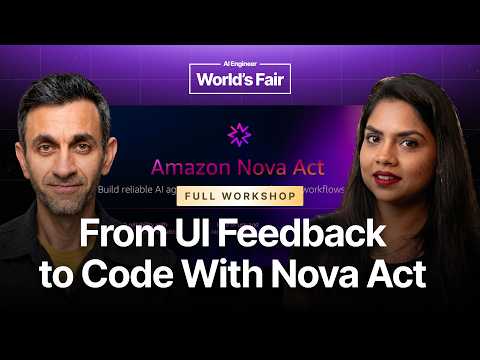
Build with Perception Agents — Emile Baizel & Shruti Arora,…
Emile Baizel and Shruti Arora (Amazon AGI Lab) present two perception agent primitives for frontend work with coding agents. Visual annotation lets a person select an element, draw on the page, or drop a pin and export structured JSON feedback; visual verification checks the rendered site against design expectations and user flows. A hands-on workshop wires a browser extension to a coding agent via a local bridge, using a podcast landing page challenge: modifying extension permissions, adding an Apply Changes button, and building a loop that edits code, runs verification, and produces a report. Additional segments cover Amazon Nova Act UI verification skills, simulated Bee conversations as design feedback, and concept-stage integration ideas (conversation-to-Jira, project planning, recorded UI feedback).
# Video Identity Observations
## Observable Channel Presentation Evidence
### Creator Self-Description (Explicit Claims)
- **Affiliation and role stated directly**: The lead speaker introduces himself: *"my name is Emil Basel. I lead a team of solutions architects uh within Amazon AGI Lab."*
- **Lab positioning claim**: *"We are a frontier research and product team that combines startup speed with the scale and the resources of Amazon."*
- **Product scope claim**: The team is *"really focused on building knowledge work agents that can perceive, reason, and act in a variety of different environments to complete real-world tasks."*
- **Product identity**: Amazon Nova Act is described as *"a first-class AWS service that allows developers to build and run reliable browser-based workflows at scale."*
- **Content scope**: The video is framed as a live **hands-on developer workshop** (*"building with perception agents"*) with GitHub materials, API keys, prerequisites (Node.js, Python, Chrome, an AI coding agent like Claude Code or Kiro), and time-boxed challenges.
### Intended Audience (Observable from Content)
- **Developers and technical practitioners** — assumptions of coding environments (manifest.json edits, code at *"line 261"* of content.js, npm/UVX installs, MCP servers, Gherkin files).
- **Front-end engineers specifically** — the role-play scenario: *"Imagine you are a front-end engineer and you are building a web application... You have these Figma files that you are building against."*
- **Conference attendees** — in-person signals: *"thank you for coming to our workshop,"* booth visits (*"stop by to collect some swag"*), live audience demos and prize giveaways (Bee wearable devices).
- **Early-adopter enterprise customers** — the team's stated work with *"some of our earliest adopter customers who want to work with some of our early models and products."*
### Claimed Thematic Scope
- **Three-pillar agent philosophy**: collaboration (*"teammates much more than just a black box"*), perception (understanding screens *"just like a human would"*), and reliability (*"If my agent works 50% of the time, it doesn't work at all"*).
- **Two open-sourced primitives**: **visual annotation** (Chrome extension, *"purely deterministic"*, exports JSON + prompt) and **visual verification** (skill for Claude Code/Kiro, runs checks against Gherkin design files).
- **Human–agent collaboration as the closing thesis**: *"the way human and agent collaboration is happening is changing. So, we need tools that will make the visual piece of how the human and agents are collaborating."*
### Demonstrated (Not Claimed) Patterns
- **Community engagement mechanics**: attendee showcases, idea polls, contest prizes — the material demonstrates an evangelism/community-building presentation style rather than pure instruction.
- **Partner/affiliate promotion**: Giovanni presents the Bee wearable (*"you can buy it like in the b.computer website"*) with integration demos; Bee is both workshop sponsor and prize — observable sponsorship ecosystem.
- **Practical honesty about constraints**: repeated acknowledgment of technical friction (*"the Wi-Fi is super slow"*, macOS/Linux-only MCP server, prerequisite troubleshooting), demonstrating a pragmatic, workshop-first rather than polished-marketing tone.
# Delivery Observation: Build with Perception Agents — Emile Baizel & Shruti Arora
## Speakers Observed
- **Emile Baizel** (opening framing, ~12s–556s): overview and positioning.
- **Shruti Arora** (workshop lead, ~567s onward): demos and logistics.
- **Giovanni** (B device segment, ~1931s) and audience demoers — noted but treated separately from the two leads.
---
## Recurring Linguistic Patterns
### Verbal fillers and restarts
Both leads restart and self-correct frequently, especially when switching between slides and demos:
> "So, a bit more on what we launched. Uh the Let me just get through all these."
> "Uh the next um Oh. The next um primitive that we launched is the visual verification skill."
> "So, in the workshop, you would the readme will basic point you to the workshop with MD file."
### "So" as a discourse connector
Nearly every explanation or transition opens with **"So"**:
> "So, we are a frontier research and product team..."
> "So, this is exactly what uh, Emil was mentioning."
> "So, let me just play that play the demo here."
This appears dozens of times across both speakers and is the most stable connective habit in the recording.
### Inclusive, conversational address
Both speakers repeatedly pull the audience into the framing with **"we"/"you"** constructions and direct invitations:
> "We really think about building agents that are teammates much more than just a black box."
> "Just give me a second. There you go."
> "Feel free to like raise your hand if you have any questions."
The word **"like"** appears as a frequent hedge, particularly from Shruti:
> "I just want all of you to like step into this role play here. Just just bear with me."
---
## Teaching Habits
### Role-play framing before technical content
Shruti consistently grounds features in a concrete persona scenario before showing the tool:
> "Imagine you are a front-end engineer and you are building a web application. You have a design team..."
She then reuses the same scenario in the workshop challenge ("You are a front-end developer preparing to ship a landing page for a podcast") — a repeated technique of anchoring tools in a narrative workflow.
### Triadic structure
Emile organizes arguments in threes:
> "Across three different ways. So, the first is around collaboration... the second is around perception... And the third one is reliability."
> "It's a first-class AWS service that allows developers to build and run reliable browser-based workflows" — followed by "four primary use cases."
### Anticipating audience questions
Shruti voices the audience's likely objection and answers it inline:
> "But, one thing that will come to your mind like these design specs, these flows, how are these generated? How are how how you going to build that? Not to worry, we have a solution for that as well."
### Repetition of workshop logistics
Timing and instructions are restated multiple times (easy path ~15 min, medium ~30–35 min, API key letters, GitHub link), suggesting deliberate redundancy for a hands-on audience — though this is inferred from repetition, not stated explicitly.
---
## Analogies and Memorable Moments
- The email-client analogy from Emile:
> "If I showed someone a uh email client from like the late '90s, that was like a Yahoo email client or Hotmail client... you would probably be able to figure out how to send an email from that."
- The reliability customer quote, used as a rhetorical anchor:
> "If my agent works 50% of the time, it doesn't work at all."
- Emile's handoff habit — deferring to his co-presenter by explicit turn-taking:
> "So I think at this point I've spoken enough, and I am going to hand it off to Shruti."
---
## Live-Demo Failure Handling
Multiple demos hit Wi-Fi/environment problems, and each speaker handles them by narrating aloud and pivoting:
> "I think the Wi-Fi is super slow, so But, I I think maybe in the meantime I can have Giovanni come over on the stage..."
> "The Wi-Fi is a little bit slow, so that's why I didn't do the live demo."
Audience demoer Ryan (0-for-11 line) also narrates failure lightly:
> "You know, I'm now 0 for 11 for live demos."
**Uncertainty note:** whether self-deprecating humor about failed demos is a deliberate pattern or a coincidence of this session cannot be determined from a single recording.
---
## Isolated Moments (not treated as patterns)
- The "Jed/Jeff" name mix-up (~2208s) — an improvised, unrepeated moment.
- The Wharton/bee-mascot joke from Ryan — audience member, not a lead.
- Emile's single aside: "Emil was testing this so he changed this to like FIFA World Cup, why not?"
---
## Summary of Stable-Looking Traits
| Feature | Evidence strength |
|---|---|
| "So" as sentence opener | Very strong — pervasive across both leads |
| "Uh"/"like" fillers and restarts | Strong |
| Scenario-first teaching (role-play before tooling) | Strong — used twice by Shruti |
| Triadic/numbered structure | Moderate — mostly Emile's sections |
| Narrating through demo failures | Moderate — occurred 2–3 times; may be situational |
| Redundant logistical repetition | Moderate — consistent with workshop format, single-session evidence |
# Build with Perception Agents — Observation Record
**Video:** Workshop at a conference, led by **Emile Baizel** (team lead, solutions architects, Amazon AGI Lab) and **Shruti Arora** (solutions architect), with **Giovanni** (Be team) and audience demo participants (Jed, Jeff Lee, Ryan, Jonathan). Transcript-only speaker identification; some audience speakers identified only by first names as stated on stage.
---
## 1. Amazon AGI Lab Overview (Emile Baizel)
- **Role stated:** Leads a team of solutions architects within Amazon AGI Lab; team has two functions:
1. Working with early-adopter customers to get early models/products into production.
2. Closing the feedback loop — building evals for research teams and passing product/engineering feedback.
- **Lab framing:** "A frontier research and product team that combines startup speed with the scale and the resources of Amazon." Focused on **knowledge work agents that can perceive, reason, and act** in varied environments. Offices in San Francisco and Boston.
### Stated approach to agents (three pillars, per Emile)
1. **Collaboration** — agents as "teammates much more than just a black box": agents should understand goals and share how they're thinking; work grounded in actual customer use cases.
2. **Perception** — agents must understand their environment; the environment spans devices: **browsers** (first), then **mobile devices** and **computer use**.
3. **Reliability** — supported by an attributed customer quote:
> "If my agent works 50% of the time, it doesn't work at all."
Reasoning given: unreliable agents won't be run, or debugging erases the gains. Models are trained in **simulated environments for reinforcement learning**, based on real-world use cases from external customers and internal Amazon teams.
---
## 2. Amazon Nova Act (Emile Baizel)
- Described as a **first-class AWS service** enabling developers to "build and run reliable browser-based workflows at scale" via natural language: navigation, search, form filling, and **human-in-the-loop** escalation (e.g., expense approval).
- **Four stated primary use cases:** form filling (at scale, avoiding per-site scripts), search and extract (research/data gathering), shopping, and QA.
- Console exposes full agent **trajectory** with bounding boxes; behind it a **custom computer use model** performs inference.
- 2025 launches cited: an **MCP server**, a **skill**, human-in-the-loop, tool use, and a no-code **playground** on the Nova Act homepage.
---
## 3. Why Perception Agents (Emile Baizel)
- **Computer use** defined as an agent taking action on a screen (e.g., "click the blue button"). Emile's claim: this is only "half" — the other half is the agent **understanding what it sees**, not treating the screen as a "blind" click target.
- **Human analogy offered:** a person shown an unfamiliar late-'90s email client (Yahoo/Hotmail) could still send email due to "collective understanding of thousands and thousands of hours of using these screens" — the stated aspiration for agents.
- **No-API claim:** much knowledge work happens on screens without APIs, which is why humans do it; perception agents can operate across varied sites.
- **Collaboration benefit:** because models "see" screens like humans, users can "point, click, and describe changes" instead of writing paragraph descriptions.
### Two open-sourced primitives (Emile)
- **Visual annotation (Chrome extension):** point, click, describe changes on any webpage; export a **JSON file plus AI-friendly prompt** for a coding agent. Emile explicitly qualified: *"this has nothing to do with inference. This is purely deterministic"* — not tied to any model.
- **Visual verification (skill):** describe CSS/design adherence and workflows (checkout, login) as **Gherkin files**; a coding agent runs the skill against the site to verify conformance.
---
## 4. Demo & Workshop Walkthrough (Shruti Arora)
### Front-end engineer role-play reasoning
- Framed a scenario: design-team Figma files, sister-team input, 4–5 weeks of build time, late-stage feedback via Slack/docs, manual agree/disagree cycles. Claimed coding agents reduce a ~1-week change cycle to "a few days," and unsupervised agent feedback loops to "maybe few hours."
- **Visual annotator:** three annotation methods — *draw on the page*, *pick the element*, *drop a pin*; export annotation download plus AI-friendly prompt.
- **Visual verification skill:** installable on Claude or Kiro; verifies design colors, font sizes, user flows. Addressed the question "how are design specs generated?": on first run, a **"deep one-level surface crawl"** generates user flows in Gherkin syntax used for subsequent verification runs.
### Workshop logistics (as stated)
- Scenario: front-end developer shipping a podcast landing page with peer feedback (hero title too big, accent color, oversized buttons).
- Tools provided: Nova Act Chrome extension, UI verification skill, Nova Act SDK, Nova Act MCP server; **agent bridge** (workshop-built) connects extension output to coding agent, since none exists in the shipped primitive. Apply-changes button is workshop-only, not in the released extension.
- Prerequisites: macOS/Linux (MCP server constraint), Node.js, NPM, Python, Chrome, an AI coding agent (Claude Code or Kiro tested; Cursor/Codex would require editing the agent bridge), UV/UVX.
- Two difficulty paths: **easy** (~15 min, step-by-step) vs. **medium/challenge** (~30–35 min). Bonus challenges, Be-device prizes sponsored by the Be team, and an idea-voting contest.
### Audience Q&A recorded
- **Attendee question:** the Nova Act skill install listed Codex and Claude Code as default clients, but additional skills also listed Claude Code — are these the same? **Shruti's answer:** two distinct skills exist — the *Nova Act skill* and the *Nova Act UI verification skill* — explaining the duplicate appearance.
### Live solution demo
- Required edits: `manifest.json` (add localhost host permissions) and `content.js` (paste code ~line 261) to create the apply-changes button, route verification via Nova Act SDK instead of the skill, and generate a report.
- Demo showed annotating a FIFA World Cup page ("change the published date"), applying changes, then verification; logs reportedly expose "what the AI model was thinking and what part of the screen it was trying to make a decision on."
- **Contrast preserved:** live verification demo was cut short by slow conference Wi-Fi; Giovanni was brought up early as a fallback.
---
## 5. Be Device Integration (Giovanni, Be team)
- Envisioned flow: discuss design changes verbally in a meeting; the Be wearable's microphone captures conversation (LED indicates listening; audio stays on "your private cloud," per Giovanni); the Be agent suggests actions; his integration bridges Be agent output to the perception agent pipeline, applying changes and auto-running Nova Act verification.
- Setup steps: own a Be (or use a test account), install the **Be CLI** via npm, run the workshop server and bridge, enable the device. Changes reportedly take "two or three minutes of elaborating the conversation"; live demo skipped due to Wi-Fi.
---
## 6. Audience Demos (recorded as presented; not verified claims)
### Jed
- Demoed converting a page to "retro NES" style with duck icon and duck jokes, then running the verification funnel. His noted insight: agents often *claim* completion ("great AI said I made it a duck") but the verification report independently confirmed the change occurred.
### Jeff Lee
- Concept (test harness still in progress): use Be CLI to summarize a backlog-feature conversation, combine with a cloned GitHub repo's code, generate a backlog, and push it to Jira via the **Atlassian MCP**. He flagged the default Be test conversation as irrelevant to a given repo, hence the harness.
### Ryan (Wharton student, AI upskilling startup)
- Explicitly requested a device ("being a Wharton grad, I went and asked if I could have a free bee device"); demo failed live ("0 for 11 for live demos"), so he described it.
- Internal tool **Sidekick**: a joint capture inbox + a "Getting Things Done" (David Allen) tree of projects/strategy/tasks, with an MCP for strategizing with Claude. Proposed Be-captured meetings feed the inbox to update strategy.
- **On integrating perception agents:** his startup's stated bottleneck is product design clarity; he proposed using the annotation feature to feed descriptions to their own agent, then "close that loop of development."
### Jonathan (finance company)
- Concept only (nothing built live): extend the Be-proxy pattern to other sources, e.g., **Jam MCP** (captures console logs and network requests) piped through the proxy to Nova to apply UI changes on a locally running AI harness. Claimed "initial tests… looks like it works even through just some mocking" but could not run Jam MCP live due to Wi-Fi.
---
## 7. Contests & Closing (Shruti Arora)
- Idea poll winners announced: **Pixel Judge**, **agentic end-to-end testing for a product**, **reframe a life thinking canvas**, and a fourth (unclaimed third prize redistributed): a **canvas app where human and perception agent work on UI design together in real time**.
- **Stated key takeaway:** "the way human and agent collaboration is happening is changing. So, we need tools that will make the visual piece of how the human and agents are collaborating" — framed as the next step in perception agents. Pointed attendees to the Nova Act SDK GitHub repo and a team blog post.
---
## Unresolved Tensions & Qualifications Preserved
- The **apply-changes button and agent bridge are workshop-only artifacts**, not shipped product features (Shruti).
- Visual annotation is **explicitly non-inference / deterministic** (Emile) — a deliberate contrast with the model-driven verification step.
- Multiple live demos failed or were skipped due to Wi-Fi (verification run, Be live demo, Ryan's demo, Jonathan's Jam MCP) — success claims in those cases remain **unverified demonstrations or concepts**, per the speakers' own framing.
- Reliability remains an acknowledged gap, per the quoted customer statement ("50% of the time = doesn't work at all") that motivated the lab's training emphasis.
# Video Attribution Record
## Video Metadata
- **Title:** Build with Perception Agents — Emile Baizel & Shruti Arora, Amazon AGI Lab
- **Format:** In-person technical workshop with hands-on coding session, live demos, and audience participation segments
## Speaker Inventory
### Primary Speakers
- **Emile Baizel ("Emil Basel" in transcript)** — **Host / Solutions Architect Lead, Amazon AGI Lab**
- Opens the workshop; self-identifies as leader of a solutions architects team within Amazon AGI Lab.
- Presents: lab overview, agent design philosophy (collaboration, perception, reliability), Amazon Nova Act product overview, and the two open-sourced perception agent primitives.
- Hands off to Shruti Arora for the workshop portion.
- **Shruti Arora** — **Solutions Architect, Amazon AGI Lab / Workshop Lead**
- Introduced by Emil as the workshop runner.
- Delivers the role-play scenario, demos the **visual annotator** Chrome extension and **visual verification** skill, walks through workshop logistics and prerequisites, and live-codes the "apply changes" solution (agent bridge).
- Also moderates: Q&A, polling/wrap-up, and feedback collection.
### Secondary / Guest Speakers
- **Giovanni** — **Bee (B) Device Team Representative, Amazon**
- Explicitly invited by Shruti as the sponsor presenter ("we have the B team Giovanni... to present").
- Demos integration of the **B wearable device** (via B CLI) with the perception agents workshop flow.
- **Promotional role:** presents the B device as contest prize and product; directs attendees to b.computer website and expo booth. Flagged as **sponsored promotional segment**.
- **Workshop attendee presenters (audience demos, prize winners):**
- **Jeff (initially called "Jed" by host)** — attendee; demoed a "retro NES / duck podcast" transformation with verification funnel.
- **Jeff Lee** — attendee; described a test harness using B CLI summaries + Atlassian MCP to generate Jira backlog items from conversation context.
- **Ryan** — attendee, Wharton MBA student, works at an AI upskilling startup; presented "Sidekick" internal tool (joint inbox, Getting Things Done methodology, MCP) and B device integration concept. Also made a promotional comment inviting "AGI" sponsorship of his product.
- **Jonathan** — attendee, finance company; proposed concept piping **Jam MCP** captures into the proxy/Nova flow for UI changes.
- **Unnamed audience member** — asked a clarifying question about duplicate Claude Code skill entries in Nova Act skill listings (answered by Shruti).
## Referenced Sources & Claims
### First-Party Sources (Amazon AGI Lab)
- **Amazon Nova Act** — described as a first-class AWS service; AWS Console listing, homepage playground, SDK, MCP server.
- **Two open-sourced primitives:**
- **Visual Annotation** — Chrome extension; explicitly described as "purely deterministic," not tied to any model; exports JSON + AI-friendly prompt.
- **Visual Verification** — skill installable on Claude / Kiro; runs Gherkin-file design checks against a site; performs an initial one-level site crawl to generate user flows.
- **Agent Bridge** — built for the workshop to connect Chrome extension annotations to coding agents; noted as tested on Claude Code and Kiro only.
- **Workshop materials** — GitHub repo ("perception agents workshop"), workshop MD file, obscured Nova Act API key ("ACE" prefix shown on screen).
- **Team blog post** on perception agents — referenced at wrap-up.
- **Prerequisites cited:** macOS/Linux, Node.js, NPM, Python, Chrome, AI coding agent (Claude or Kiro), UV/UVX (pip fallback offered).
### Third-Party Tools & Products Referenced
- **B (Bee) device** — wearable AI assistant; b.computer website; B CLI (npm install); private cloud storage claim; B MCP. Sponsored prize for contests.
- **Claude / Claude Code, Kiro (Kiro Power), Codex, Cursor** — coding agents supported or discussed.
- **Jam MCP** — console/network capture tool (Jonathan's concept).
- **Atlassian MCP / Jira** — Jeff Lee's concept.
- **Figma, Slack, GitHub/GitLab** — referenced in role-play scenario only.
- **Getting Things Done** (David Allen, cited as 2010) — referenced by Ryan.
### Unverifiable / Notable Claims (recorded as spoken)
- Nova Act launched "earlier in May this year"; lab described as "frontier research and product team" with SF and Boston offices.
- Customer quote cited by Emil: *"If my agent works 50% of the time, it doesn't work at all."*
- B device described as storing conversation "on your private cloud" (vendor claim, not verified).
## Promotional Segments (Flagged)
- **B device sponsorship:** Shruti explicitly thanks "the B team for sponsoring the prizes"; Giovanni's entire presentation is product promotion (purchase site, booth, prizes).
- **Amazon self-promotion:** Nova Act product pitches, expo booth/swag invitation, blog post, GitHub repo QR codes.
- **Attendee self-promotion:** Ryan invites "AGI" to sponsor his startup ("Ozzie and I will give you my card").
## Availability & Access Limits
- Workshop repo shared via GitHub link and QR code; API key shown partially on screen (first three letters).
- No audio/video restrictions stated; feedback survey QR code referenced.
- **Comment availability:** Not stated in transcript or metadata — record as **unavailable/unspecified**.
## Attribution Notes
- Transcript contains name spelling variations ("Emil Basel" vs. title's "Emile Baizel") and a host misnaming ("Jed" for "Jeff") — recorded as-is with corrections where self-evident from dialogue.
- Multiple speakers are marked only by `>>` turn markers; unnamed audience questions/answers are attributed by context only.
Hello everyone and thank you for coming to our workshop building with perception agents. Uh my name is Emil Basel. I lead a team of solutions architects uh within Amazon AGI Lab.
And our team is focused on two things. The first is working with some of our earliest adopter customers who want to work with some of our early models and products to help them get into production. And the second part is closing the feedback loop from our customer engagements, uh building evals for our research team to train our models on, and bringing product uh and engineering feedback to those teams as well. And I'm joined by one of our stellar solutions architects, Shruti Arora, who's going to be running the workshop today. Uh just a bit about what we're going to be talking about today. I'll be giving a quick overview of the Amazon AGI Lab, and talking about the first product that we shipped last year, Amazon Nova Act. And then we'll get into perception agents, and that's what the focus of today's workshop is, and then we'll get into the workshop. So a bit about the lab. So we are a frontier research and product team that combines startup speed with the scale and the resources of Amazon. And we are really focused on building knowledge work agents that can perceive, reason, and act in a variety of different environments to complete real-world tasks. Um our offices are in San Francisco and Boston. We've got a few other talks going on throughout the week. We have a booth at the expo, so stop by to collect some swag, meet some folks from the team, and hear some of the talks there.
So I want to share a bit about our approach and how we think about agents. Across three different ways. So, the first is around collaboration. So, we really think about building agents that
are teammates much more than just a black box. And when we say teammates, we really want an agent that can understand what our goal is, our objective is, and can share how they're thinking about achieving that goal. And and then grounding all of that in actual customer uh use cases. And so, we work very very closely with a large number of customers to really help ground all the work that we're doing with agents. And the second is around perception. So, agents need to understand their environment. And so, for us, because it's a perception-based agent, the environment spans multiple devices. So, we started with browsers last year, but you can imagine any visual screen is an environment for our agent to carry out knowledge work in. So, mobile devices, and also computer use is the other one. And the third one is reliability. And we have a great customer quote that said, "If my agent works 50% of the time, it doesn't work at all." And that's because you're either not going to run it at all, or if you do run it, you're going to end up uh debugging it and spending all this time, and you're going to basically do away with all the gains that you're getting from that agent. And so, we spend a lot of time building and training our models in uh simulated environments for reinforcement learning. Um and again, a lot of those are based on real-world uh use cases, which we get from not only our external customers, but a lot of internal Amazon teams that are carrying out a lot of uh knowledge work. Cool. So, with that backdrop, uh I want to talk about the first product that we shipped last year. So, Amazon Nova Act is a first-class AWS service that allows
developers to build and run reliable browser-based workflows at scale. So, using natural language, you can drive a browser workflow to populate a browser,
navigate, search with it, fill out forms, and call a human in the loop if you need a human for a expense report approval, or if you get stuck, or other things like that. And there's kind of four primary use cases which we've seen customers adopt this for. The first is form filling. Uh so, if you have to do that at scale across a large number of different websites, and you don't want to write a prompt for each single website, or write like a like a like a a deterministic script for each single site, you can use Nova Act for that. Uh search and extract. If you want to do research and get data from a lot of different websites, shopping, and QA. So, a bit more on what we launched. Uh the Let me just get through all these. Uh so, it's a first-class AWS service. So, if you go into the AWS console, type in Nova Act, you will see Nova Act there. And from the console itself, you can see all of the all of the trajectory. So, it's a very easy way to see everything which your agent has done, the bounding boxes around all the elements which it's looking at, and it's trying to take actions on there. And then behind the scenes, we have a custom computer use model which is doing all of the all of the inference there. This year, we launched an MCP server as well as a skill, and you're going to be using those in the workshop, and that's for your agents to be able to use Nova Act very easily. And then we've got human in the loop and tool use. And we also have a playground. So, if you go to the Nova Act homepage, it's a no-code way to just see Nova Act in action there. Now, looking ahead, and the topic of today's workshop is perception agents. Now, why do we feel there's a need for
perception agents? So, uh for those of you who are not familiar with the term of computer use, uh that's basically the way for an agent to take an action on a computer screen, right? So, you see a blue button in the right
corner, and you tell your agent, "Hey, go click this blue button over here." Very important, very powerful, it's very important for uh automating workflows, but we feel that there's another half of that, which is the agent actually understanding what it's seeing on the screen itself, not just using that as a sort of blind uh screen that it can just go and click on elements there. And we really want this agent to be able to understand screen just like a human would, right? So, if I showed someone a uh email client from like the late '90s, that was like a Yahoo email client or Hotmail client or something which you've never seen before, you would probably be able to figure out how to send an email from that, even though you've never used that client before, cuz we've got this collective understanding of thousands and thousands of hours of using these screens that we kind of intuitively understand how to use these things, and that's really where we're trying to get to with these with these agents. Uh and the second one is these agents don't require APIs in order to work, right? So, if you think about a lot of knowledge work, um it's a lot of humans using screens that just don't have APIs, and that's why there are people who are doing these things. And we want these agents to be able to carry out the same work across a variety of sites as well. And we want the models to see the screens the same way that we do, because that really facilitates the collaboration, right? So, rather than typing up paragraphs for what you want the agent to do uh on this screen and describing the screen, uh you can just point, click, and describe changes that you want, and that's what you're going to do in the workshop today. It's you're going to click on a couple elements and say, "Hey, I want to change the background to red." And that's it. And then you just have the agent go go and do that. And uh to to start with we've open-sourced two perception agent
primitives, and you're going to be using these in depth in the workshop today. Uh the first is visual annotation. And so what this lets you do is on any webpage, you can point, click, and just
describe changes that you want to make. And when you're done with that, you click export and it exports out a JSON file with all the changes that you want and a prompt, which you can give to your coding agent along with that JSON file to say, "Hey, go and make these changes and do that." So important is uh to to note, this has nothing to do with inference. This is purely deterministic. It just outputs JSON, doesn't have It's not tied to any model or anything else like that. The second part uh the second primitive which we've launched is visual verification. And if you think about a a site that you
have, you've got certain CSS styles and designs which you want your your site to adhere to. Uh you've got different workflows which you want your site to support. Maybe have like a checkout flow
or a login flow or something else. And you can describe those as Gherkin files. And so you can have visual verification, this this skill, um run by your coding agent against these design artifacts that you have, against these Gherkin files, and make sure that your site is adhering to those. And again, this is something which you're going to use uh in the workshop today. And again, these are all open-sourced, available today. And uh yeah, that's what we're going to do in the workshop. So I think at this point I've spoken enough, and I am going to hand it off to Shruti, who is going to kick us off on the workshop. \>\> Do you just press that? Thank you.
\>\> All right. Can you all hear me okay? \>\> Yes. \>\> Okay. Welcome. Uh thanks Emil for that wonderful introduction to our
uh Amazon AGI labs and the products that we launched, we released earlier in May this this year. So, as he mentioned, we are going to be doing hands-on workshop, but hands-on on like whatever we released the UI and the visual annotator and the visual verification. I have a short demo here, but before we dive into the demo, I just want all of you to like step into this role play here. Just just bear with me. Imagine you are a front-end engineer and you are building a web application. You have a design team and you are taking inspirations. They have these Figma files that you are building against. You are also collaborating with a sister team that they want to put in a piece of their information on the web page that you are building. So, if you are if you think about it that you have the designs, you'll probably take like four to five weeks to like build the designs and build everything code base and actually build that website. Now, in the third week or like fourth week around that time of your building process, you actually think, "Oh, maybe I should like go back and like verify if this looks fine, if everything looks okay with the rest of the team." And you are constantly collaborating, right? So, you are checking if if the work that you have done is something that is that is what you want to ship. Um so, you send your code base to you share the GitHub or however you are doing your GitLab or whatever you have your code in and you they run that this this web server locally and they open up the website and they say, "Oh, this this feels off. You know, the head and heading should be probably not in red. I should I want to switch it back to something. Um, and they provide this feedbacks. Probably they will do it in like a Slack message or in a shared doc, for example. Uh, and then once you get those feedback on that on your website, you would um, then like go over one of them. You'll disagree, agree go to some of them, come to a middle ground, and finalize this is the feedback you want to incorporate. You have to go through all of them and one by one then and start making the changes. Uh, now with coding agents, I guess it'll take maybe over which used to take maybe a week or it can like reduce to like maybe uh, few few days. Now, think about if you had the ability to take their feedback directly and pass it to the coding agent without you your supervision and just like once the changes have been done, that's when you interfere and say, "Oh, this looks good. All the changes have been incorporated." How would that reduce the time? Maybe few hours. You just start uh, collect the feedbacks, send it to your agent, and go for a coffee break, come back, and all the changes have been merged. So, this is exactly what uh, Emil was mentioning. Uh, that we have a Chrome extension that we are calling as visual annotator.
Um, there are three ways to annotate. You can see here, it's either you draw on the page or you pick the element or you drop a pin as you would drop a pin on a Google Maps, say, and provide your
annotations. And once you have your annotations, you can download these and send it to your team who needs to make the changes or even if it's you who's make the changes who's making the changes, then we provide a AI-friendly prompt that you can send it to your agent and it's going to change automatic like well, you have to instruct the agent to like change the good base. So, this was the visual annotator. The next um Oh. The next um primitive that we launched is the visual verification skill. And when I say skill, it is actually a skill that you can install on Claude or Keynote Keynote power. And um
you would see these verification as I may mention, these are the design files that have against which you will be running your visual like um verification against. Like if does
the design colors look fine? Is the font size right? Is the user flow right? But, one thing that will come to your mind like these design specs, these flows, how are these generated? How are how how you going to build that? Not to worry, we have a solution for that as well. When you run your verification for the first time, the there will be a a deep um one level surface crawl that will be done by the UI verification tool on your website to go and check what are the links, what are the content, and based on that it's going to create these user flows that are in terms of in Gherkin for syntax that the UI UI verification is going to use when it's going to run the verification next. So, let me just play that play the demo here. Um so, you can see you just like call the tool. It's going to go through the design docs specs specs specs and the user flows. Uh go through it. It's going to open up the browser, run through the design flow user flows, and then generate a report. So, this these are the two tools that
you will get hands-on in this workshop. Uh so, I'm going to jump to what we have how the workshop has been laid out as of now. First, as I mentioned, two uh hands-on. The second
thing that's what we are trying to do is these are the two primitives, of course. Perception is not just these two primitives. How would you wire these two primitives up for a particular use case? There is a scenario that has been uh given in the workshop. We are trying to make this fun, so please try it out yourself uh and see like it's like a game day. You would see there are like certain hints for the to solve the problem, what the problem is, what the end goal is. So, everything is laid out in the workshop. Uh it's a GitHub link. We will share that with you in a bit. Uh so, how will you basically wire these two things up? Uh the sec- the next thing we have are um sponsors for the prices. We have certain contests that run at the end. And um thank you the B team for sponsoring the prices for the uh for the uh event. And um we will have a way how you can instead of typing or like annotating on the screen, what are some other ways cool ways of making sure that there are some annotations that you want to do or like feedback that you want to provide about a web page and its designs. So, B team will show you how you can do that beyond just typing in your feedback. Finally, there are Well, before that, we have After you finish the workshop, we also have like three different options for bonus challenge. We will have plenty of time for you to try out these tools in a particular use case that you want to maybe some you want to try wire it up with B and see how that how you would probably wire it with any other form of feedback that you would essentially get from your team. Or if you think that hey, this is really cool. I want to build something that I want to show to my team on Monday like the following Monday. So, go for it and show if you're brave enough come in front come at the stage show your use case demo your use case and you'll get a B device. The final part is we're going to do a little fun exercise where once you have a good understanding of these two primitives you can think of like multiple ways of how you would use it on a daily on your day to day day to day and we will you will submit these ideas of like hey, I think this will be really cool for me to use this and we will have people vote on for these ideas and the top three ideas will get a B device and I think we also have one for crowd favorite. So, with that going to jump into the workshop.
This is the link for the workshop. You can type in it's pretty it's it's available on GitHub so you can type in perception agents workshop. You will
probably get the first GitHub link. Um in the workshop we also need you to have use a Nova Act API key. So, there is a piece where in the workshop we have obscured the first three letters. So, that is on the screen here. So, you can like copy paste these three letters ACE that stands for ace and you're good to go with the Novact API key. So, let me just pause this. So, in the workshop, you would the readme will basic point you to the workshop with MD file. And here is
the scenario that I was talking about. I'm going to read it out from here. You are a front-end developer preparing to ship a landing page for a podcast. Yesterday you demoed the page to a few
peers and they provided some feedback. The hero title feels too big. The accent color doesn't pop up the way you it should. Some buttons are oversized and a few small things that you slightly just off. So, you are on board with those feedback. And today you come in fresh. And I'm ready to incorporate those changes. So, what do you have at your disposal? The Novact Chrome extension, the UI verification scale, you have the Novact SDK, and the Novact MCP server. These are the tools that you have at your disposal to basically implement the solution where you would essentially build build this entire loop by itself. Like, you just annotate and automatically you would just hit a button in the Chrome extension and all the changes will be applied. The UI verification will run and you have a report by the end of it. So, this is the challenge and there are a few prerequisites. So, um you need to have an macOS or a Linux tool because Novact MCP server runs on macOS and Linux. You should have Node.js installed. If not, you can install them. uh NPM, Python, uh Chrome browser to basically test it out because it's a Chrome extension, and then um an AI coding agent. So, if you have Claude, that works great. We also have Kiro integration. So, if you don't have any co- coding um agent, you can install Kiro and start playing around with it. Um and lastly, we have the UV um that's UVX. That's basically to install. If you don't want to install UV or UVX, then please raise your hand and we can help you install using pip. Um So, that's that's that. And the workshop is laid out for I think the setup should be about 5 to 7 minutes. Uh then you can like start playing around with those skills. That gets a good understanding of how would you use the Chrome extension, how would you use the uh UI verification skill. That's what has been explained here. Uh to solve the challenge, you have um about 15 minutes in if you want to go that route, like I want to go step by step. And I'm just going to go scroll down real quick. Yeah. So, choose your path. I have this workshop designed in two levels.
Uh you you remember I said like I want you to have fun. So, two levels, if you want to go for a challenge, go for the medium route. If you feel that uh I'm just going to like uh follow the instructions and get the
workshop done. You'll feel good about it. So, yeah, we have an easy mode where you'll have exact instructions what you what should be done, and you will have these two primitives wired up by the end of the hands-on. Um so, 15 minutes we are expecting the easy path, um and then 30 to 35 minutes for the medium. Once we have allocated the 15 minutes time, I will come up and show you where you would like essentially um add your code so that uh you can wire these two primitives up and you can see the entire thing come into life in action. And we also have a bonus challenge. If you finish early, you can start with the bonus challenge. Uh but before that we will have the B team Giovanni um in some time to like present.
After Yeah. Yeah, sure thing. \>\> So I saw that you had as I was installing these uh \>\> Mhm. \>\> What is it the Nova Act UI verification
skills? Um it it said that there were some defaults clients that are always supported and it included like Codex and Cloud Code. But then below that there are these additional skills and one of them is also Cloud Code. So I'm just curious like are there two different things going on there or are those the same? The the fact that there are two Cloud Code \>\> Yes, so there are two skills. One is the Nova Act skill. One is the Nova Act UI verification skills. So that's why you must be seeing both of them. Yeah. So I'm going to give you the time here to I'm going to bring up the slide back. I'm going to ask Emil to pop up here. Slide back on the GitHub repo and so that you have the A API key handy if you have to change. Feel free to like raise your hand if you have any questions. We have our great awesome team supporting the workshop. There you find them, see them waving. So reach out to either of us and we will pop by you to help.
Have fun. Okay, I'm just going to try to walk through the solution so that
Okay. Okay. So, this is the step-by-step instructions. You can see that we have the Chrome extension. We have your agent uh AI agent running. Uh if you want your coding agent to like automatically apply the changes from the extension, you need a bridge because there's no bridge
between them. How would the extension like send the prompt to the coding uh coding agent? So, for that, we have built uh something called agent bridge
that will automatically uh take the annotations and up- give prompted to the coding agent. That's where it will start applying those changes and then running the UI verification skill. So, um essentially in the extension, we don't have the apply changes button in the in the primitive mode, but I for this workshop, I have built in we have built this um apply changes button in the Chrome extension. Um I'll walk you through that in a bit. Uh so, for the Chrome for for this entire thing to work, you need to make changes in like two files.
The first file is um the manifest.json file in the Chrome extension, where you essentially add the
this line for the host permissions to start accepting requests from the local host. Uh and then you add this this piece of code. It's a huge like piece of chunk of code here. Um, and you can what this part does in the extension is creates and apply changes button, wires up with the extension, uh, make sure makes makes the UI verification run uh, in using the Nova at SDK instead of the skill, uh, and starts generates a report that you can click on and then view the report. Um, so this piece of code is goes in this file that is the, um, let's see, content.js in the extension and it needs to be added around like line 261. Uh, between this append child export button just before and I think I have hash, uh, there's a comment there add code here in that file and that's where you would like paste this code. So once you have that running
now you would see this apply change button here in the extension. Um, I think, uh, Emil was testing this so he changed this to like FIFA World Cup, why
not? Um, so I'm going to select one of these and I'm going to refresh the extension again. Let's see. Annotate current page. Uh, I'm going to try to change the published date. Change to today's June 20 9th. Okay. And save it. And this is the extension. Apply changes. So, in the background, it's going to open up your coding agent. It's been tested on Cloud Code and Kiro as I mentioned. So, if you're trying Cursor or or Codex, the agent bridge is something that you would have to edit so that it can accept these apply changes button like requests. Um So, in a bit it'll start applying the changes and you will see certain logs that pop up as well in the repository.
Um that is the key the CLI's logs as well as when the verification runs Nova Act has these logs uh that gives you exactly what the AI model was thinking
and what part of the screen it was trying to make a decision on. And you can see that the button changed to run verification now. So, it's running the verification step. And in a bit it'll also generate a report that you can see. So, this is where you basically apply the changes and go grab a lunch or like break and then come back and just see uh the verification report once you're back. Going to give it a minute because it's going to go through all the design flows, all the user flows, and then generate a report. So, it takes a bit of a time. Let's see if I can pull up the repo. Oh. Shoot.
\>\> I think the Wi-Fi is super slow, so But, I I think maybe in the meantime I can have Giovanni come over on the stage and show you a cool way to annotate your webs web pages instead of like just going and typing stuff on the web on the web page that you're working on. \>\> Hello. \>\> Oh, the prime. \>\> Okay. \>\> Can we have \>\> Uh I'm done. Can I see the slides? \>\> The slides, yes.
\>\> Hello. Hi everyone, I'm Giovanni and I was thinking to imagine you are in to do your design meeting
just talking about the design modification you want to do to that website. And then automatically your perception agent agent is able to modify the website. This is something that you can do right now with the workshop. And this why, how? Using the B wearable devices. So, B is a device we have in Amazon. And you can buy it like in the b.computer website. It's a wearable this is your AI assistant. So, it just have all it has a microphone. So, you can activate this the button and then it's going to listen for your conversation. No worries, there is a l l i d that's will be on if it's listening to your conversation and then all your conversation on your private cloud. After the AI agent that is running B is able to gives you suggestion about whatever conversation you had. So, what I did is like integrating with this this agent the B agent with the perception agent that we had for the workshop. So, getting the input listening from a AI conversation from a design conversation. Uh, I don't see the video. \>\> Yeah. \>\> Ah, this one. Yeah. Thank you. You can achieve this with three simple step. So, first of all, yes, you have to have a B. And I want with me that you can use here and now or we can have a test a test account to download that you can use to get the conversation as you want the conversation. Then you need to install the B C L I. It's a C L I that will enable that is going to allow you to get the data for your conversation and it's in the workshop the instruction to download the B C L I by just a npm command. Then you start the server of the workshop and then you start the bridge listening from B conversation and applying that to the perception agent. Then you just enable your B device. The LED is on. You say something like, "Oh, I want to change the title color to red. I want to change the emoji instead of our brain emoji, I want a robot emoji. And on the right side, you will see your conversation, your transcript of the conversation, and even the most important points. Here you can see the response API, the the API response coming from the B. You can open the panel and check. And then you can just select apply. And here is going to be the normal flow of the perception agent workshop. So, it's going to change the color, the color that you just said, it's going to change the emoji. And after the modification of the website are applied, it's going to run even for you automatically the verification phase of no act. So, we have a test account that you can use with a preloaded conversation, preloaded design conversation. It is like just talking about, "Oh, we change the color, we change the emoji." Something like that. And you can after you install the CLI and you log in with the B account with a test device with a test account, you just click on the bottom button, the the button at the bottom. Uh this is the verification page you can check. But otherwise, if you want to test the B device, we can like you do we can actually just use mine and I will show you around if you want it. Like we can actually see like have a conversation about the design and you can see that it's actually applying this after like two or three minutes of elaborating the conversation. The Wi-Fi is a little bit slow, so that's why I didn't do the live demo. Uh and yeah, and then in the end there is there is the verification report that you can check. The B devices are also our prizes for the for the challenge. So, yeah, you're going to have one if you win the challenge. And we also are at the booth today and all the week. So, yeah, let me know if you want to integrate B and I'm here for you. \>\> So, B device, if you want to come up on the stage, we have 10 minutes for you to like explore these two primitives, think of an idea that you want to probably use it. And if you want to come up, you'll get one of these devices. Um so, yeah. The if just get creative, I guess. Hey everyone, I have Jed with me who built something really cool and he would like to show it to everyone. Jed, come
up on the stage. Yeah. Jed. Oh. \>\> What am I doing? Where am I going? \>\> Oh, I called Jed, but yeah. \>\> Oh, I I My name is Jeff, so I thought
\>\> You are Sorry. I'll have Jeffrey next to show something cool as well. \>\> Oh, okay. All right, this this was just goofy, but it's actually an an an interesting little funnel here is is with this animators going through and Oh, you can't see it. Change it to a duck podcast. There we go. So, just turn asked it to turn it retro NES. Uh do some duck jokes and went back and did the verification funnel. Um it's probably as what I was telling them is probably really interesting to me here is to watch this this great AI said I made it a duck you know, I I made a duck icon. But uh often as everyone here likely knows is you don't actually see that happen, but then it it went through and did the the entire verification funnel, came back with the reports saying, yep, it's done. I did it. I actually did it. So, that was cool. Oh, yeah. I had it I had it just do asked it to do some jokes. Which is pretty bad at. There you go. \>\> Oh, because you came up with a cool demo. Do you have to step? As promised, you win this. \>\> Oh, thank you. \>\> P device. UP NEXT, WE HAVE Jeff Lee who wants to come and present what he did.
\>\> Yeah, so I'm still building a test harness to actually be able to show this cuz the default B account has a uh sample conversation that isn't relevant to the things. So, this is just this is
just something trying to uh bring the B to life. So, the idea was to have access the BCLI um and collect the summary of a of a conversation which was a discussion of of a backlog features that would be added to a uh repo that you're working on, right? So, you're working on a specific uh GitHub repository that's that's that that's cloned and then um uh what's going to happen is your conversation is going to be used in context with uh all of the code that's that's there. It's going to build a backlog based on the the summary and it's going to use the Atlassian MCP to put that into Jira. So, that's the uh that's the uh idea here. And so, the key thing that I'm just building right now in the background is uh the uh the test harness to insert a new conversation that's relevant to the the repo. So, that's Pretty simple and uh yeah. Anyway. \>\> That's awesome. Thank you so much. \>\> Thanks. You're welcome. \>\> So, here you win your new device. I know you wanted to go and get it, but you won it. \>\> Thank you very much. \>\> So, You have a question? Ryan, who's going to present next?
\>\> Hello, everyone. Excited to be here.
Let me see. Start mirroring. So, I was I was late to this session uh because the other session ended at 3:00. So, um I came up to uh Giovanni. Let me shift the key right here. Oh, perfect. That's fine. So, I gave it to Giovanni. Um currently wearing a bee hat. I currently attend uh Wharton uh business school. My cluster's mascot is a bee. I am one of three people who care that the mascot to be. Um so, you can imagine my excitement when I came to this conference and saw we were presenting about uh bee device. So, naturally, being late, being a Wharton grad, I went and asked if I could have a free bee device. Uh Giovanni said, "You have an idea to share?" So, I I currently working at an AI upskilling startup. Um I'm not a huge fan of Linear. Apologies to anyone who works at Linear. I just needed a better way of understanding what should I be doing anytime during the day, going from capturing an idea, discussing with my co-founder, and then updating a project repository. So, this is a natural use case for the bee device. So, we have a internal tool called Sidekick. Emphasis on an internal because there is no design. Um in my co-founder's defense, he did tell me to uh tell Claude to make it look pretty, no mistakes, and this is the best it did. So, um
but how it works is we have a a joint inbox. Um you can ignore the Go Touch Crash SF. I just see all these billboards and um
gets me concerned. Uh that we send emails jointly to uh capture@sidekick.ausin.org. And these are all the different inputs we have um thoughts throughout the week, newsletters. I don't know if anyone here is subscribed to an AI newsletter. Um see something interesting, we send it to inbox. And we are big believers in getting things done, which was a uh mode for knowledge workers of organizing a projects task developed by David Allen in 2010. And oh, if the Wi-Fi works, you could be able to see it. Um Sorry, that did just work off the screen. One second. So, the getting the getting things done tree shows all the projects, and under each project it has uh the strategy, has what the what completion looks like, tasks, next steps, references. And we've built an MCP so we can sit and talk to Claude and strategize on, "Hey, this is what we're thinking on this project. What do you think we should be doing?" All to solve the need of when you're working after you have a meeting of like, "What should I be doing right now to tie to my ultimate strategy?" So, how we imagine this to work with the uh B uh device, as Giovanni uh informed me there's an MCP, would be capture different meetings or different ideas, have it sent to our capture inbox, and then use that to update our strategy. Um I wish this was was loading because, let me see. Oh, that's why.
my phones. See that worked. Um Yes. You know, I'm now 0 for 11 for live demos. Um but that is that is my concept of the B device. I'm looking forward to using it and sharing on LinkedIn how much I love the bees. Uh go bees. Buzz buzz. Thank you. \>\> How would you uh go and integrate the perception agents into your uh \>\> Oh, I actually I have an answer for that, too. \>\> Okay. \>\> So, as I've actually emailed myself inside kick to discuss later with my co-founder, is uh we developed a lot of product offerings but such as sidekick, um different tools for learning. Um the whole mission of making sure everyone knows how to adjust to the upcoming workforce displacement. But the bottleneck right now is product design of building something that users can understand exactly what to do. So, we would use the annotation feature of the perception agent to then um send that description either through sidekick through our own like agent we have running to to make improvements, but then to close that loop of development. \>\> Oh. \>\> So. Yeah, so if AGI would love to sponsor Ozzie and I will give you my card and we can talk later. So. Thank you. \>\> Awesome. Thank you so much for coming up and demoing and here as promised a B device. \>\> Thank you. Appreciate it. \>\> So, as we are wrapping this up, um just Emil, I'm just going to We are going to put up a survey on the board on the screen. Uh it's something that we Yes. You want to Oh, okay. Okay, there is uh Jonathan who wants to present as well.
\>\> Uh so, mine's more of like a concept that I didn't have time to build everything. Um but I'll just kind of walk through it.
All right. So, I was kind of looking at the uh the proxy for the B and trying to figure out how are we getting the information from the CLI. Oh, it's not. It's not sharing. Oh, there we go. All right. So, I was trying to figure out uh how the proxy actually works and how we're getting information from the B and uh besides just doing transcripts uh transcription could you pull different data from different sources? Could you pull up from an IoT device for whatever reason? Um And what I started to come up with is uh at the company I'm at, which is a finance company, we have a lot of non-technical people. And not only do we have to get our uh criteria in, we also have like a lot of UI UX um that we have to try and capture, and we don't always get it in like the best details uh for acceptance criteria. So, I've been pushing the team to use uh Jam MCP, which basically allows you to do a recording, captures all the console logs, captures the network requests, and then uh feed that information. Um we also have I built an AR AI harness so we can pipe this information to it. So, really the architecture kind of looks like this, where very similar to like the um the CLI, you could actually take the Jam MCP, pipe that information into the proxy, have the LLM go out to you um Nova, and then actually take the UI uh implementation. So, if you're saying things like, "Oh, I wish this uh would say, you know, uh this investor schedule needs to go like this um or this score should be uh a research level score and be in a different location." Uh we'd be able to actually pull that information from the MCP, send it over to Nova, and actually make the changes on the AI harness that is running uh locally. So, you could do the proxy the same way, um but through a different device. Um did some initial tests. It looks like it works even through just some mocking, uh but wasn't able with the Wi-Fi to get uh the fig or the Jam MCP up and running. But, that'll be my test when I get home. So. Thanks.
\>\> Thank you so much and here you go. So, right now we have 15 more minutes that will close the workshop. Um we will put up a QR code on screen. If you feel that you have a great idea and you don't want to come up and talk to us about it you can submit these ideas here and we'll do a we will sub we will vote on those ideas and the top three ideas will get a TB device. So, if you have an idea please put it in those the poll. Just give me a second. There you go. \>\> You guys see that? Yeah. So, we want them to scan the QR code and enter an innovative idea using what we've learned. \>\> What would you use this perception, be all the things that you saw today, all the things you played around with today? What do you think would be a good use case for you that will help you make your life easier on a everyday basis? We saw a bunch of ideas. Now, and if you think you had one you're feeling a little shy there's a chance to win another device. \>\> So, what do you think? 5 minutes and then we'll \>\> 5 minutes and then we will Yep. Let me fix that. \>\> Okay, I stopped the poll now. So, all of them great ideas. I was reading through them and I was discussing with the mail there like so hard to pick. Is Isn't it a mail? So, we have the one with pixel judge. Can someone raise their hand who submitted that idea? No one? Pixel judge? Uh What's that? Okay. Um the next one was the agentic end-to-end testing for a product. Okay. Come on up here. Do you want to have Yeah. Awesome. Thank you. The reframe a life thinking canvas for brainstorming and planning. That's you? Come on up here. So, we had decided we'll give away three and one was not claimed. So, we have we did actually circle down to four. The last one is build a canvas app where human perception agent work on a UI design together in real time. Go on, up here. Thank one. A huge round of applause for all the winners here.
Okay, so I just want to wrap the session up with uh something like a key takeaway. The first the most important thing of this
workshop, you can all imagine, is the way human and agent collaboration is happening is changing. So, we need tools that will make the visual piece of how the um human and agents are collaborating, and this is what a step next to building perception perception agent is. So, you can get started with Nova Act if you haven't already, you know, looked at the GitHub repo. It's available, you can scan this QR code. It's an SDK, and also we have a blog post by our team that you can look it up explaining how what we are thinking about perception agent at large. So, with that, thank you everyone, and we also have a feedback um QR code up. If you think you like the session, you like Emil, uh you liked me, you liked Giovanni here who presented, please leave us a feedback. We appreciate all your presence here. Thank you so much. \>\> Mhm.