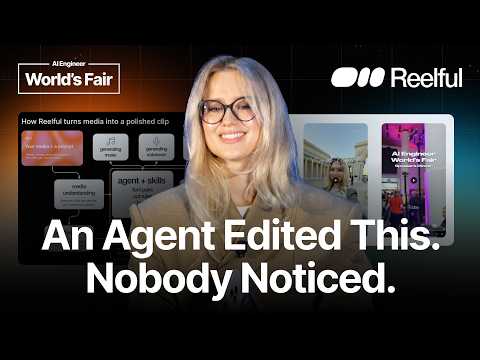
Building an Agentic Video Editor for Mass Consumer —…
Ekaterina Deyneka (Reelful) presents an agentic video editor for mass consumers: users drop in raw footage with a line of direction, and an agent selects usable moments, cuts them together, and generates captions, music, voiceover, and b-roll. The talk frames agentic video editing as structurally similar to an agentic app builder — a prompt triggers a sandbox where an agent works with tools and skills — but argues editing real footage is harder than generating, since the agent must judge which takes are usable. The pipeline uses Remotion to express video as React code, skills encode editorial taste (cut rules, font pairings), a verification pass catches non-rendering compositions, and mobile templates hide the whole pipeline from consumers. Timestamps cover the recording-vs-posting gap, the agentic app builder analogy, media understanding and creative planning, Remotion and verification, and template-driven UX.
# Channel Identity Observations — Ekaterina Deyneka / Reelful
## 1. Explicit Self-Description (Creator Claims)
- **Role claim**: "I'm Kate. I'm founder and CEO at RealFull." — explicit founder identity tied to the product.
- **Company mission claim**: "we're building RealFull and we're trying to tackle agentic video editing problem."
- **Scope positioning claim**: "At RealFull, we're focusing on editing real footage. So, we do not generate a lot of content. We are expecting you to provide your real life, your personal content, and we will edit it for you."
- **Target market claim**: The title's "Mass Consumer" framing is reinforced: "an even maybe a bigger problem how to deliver this complex agentic workflow to mass consumer."
- **Stage claim**: "We're still early. We're actively working on it."
- **Funding claim**: "We recently got funded by A16Z speed run."
## 2. Intended Audience
- **AI engineers / technical conference attendees**: "since we're at AI Engineering Conference, I wanted to talk a little bit about infrastructure." Presentation assumes familiarity with concepts like sandboxes, agents, and open-source frameworks (Remotion).
- **Prospective early users / beta testers**: "exclusively for this conference, we are giving our better [beta]… Please give it a try and let me know if you any feedback… curious how you use it."
- **Implied end-user persona (for the product, not the talk)**: casual content creators who record footage but never post it — "I was recording a lot of content during conferences… and I never posted them online because video editing is hard."
## 3. Claimed Scope of the Channel/Product
- **Agentic video editing pipeline**, described step by step:
1. Media understanding and transcription
2. Creative plan approval by user
3. Sandbox execution with agent "skills" — "cut rules… font pairs… how to generate B-rolls, and this is where our taste and craft live"
4. Remotion composition ("open-source framework… to create videos as code, as React code")
5. Verification layer with agent reiteration
- **Delivery strategy claims**: mobile-first ("edit videos while driving, walking or maybe lifting weights"), directional templates ("Even without any prompt it will work"), and a building editor for manual tweaks.
- **Quality bar claim**: "ideally the viewers of this content don't get if it is like AI or human edited."
## 4. Observable Presentation Evidence (Demonstrated Patterns)
- **Live product demonstration**: plays a video the speaker says was created with the product — "all these videos they were assembled only using agent, no regular video editor, and I already posting them on social media."
- **Founder-as-user pattern**: repeatedly uses her own footage and workflow as evidence (conference recordings, a creators-dinner clip).
- **Interactive presentation style**: opens with audience hand-raising questions; closes by filming a video with the audience — consistent with the product's subject matter.
- **Transparency about flaws**: acknowledges a slide typo ("sorry, there is a typo on the slide") and audio playback issues — informal, early-stage startup tone.
- **Technical depth**: compares agentic video editor to agentic app builder architecture (prompt UI → sandbox → preview/render), signaling engineering credibility to the audience.
## 5. Claim vs. Demonstration Distinctions
- **Claimed**: product quality goal (AI vs. human editing indistinguishability), ease of use, beta availability — asserted, not verified in the talk.
- **Demonstrated**: one edited video is shown playing (with audible playback difficulties); personal workflow examples referenced.
- **Not inferable**: user traction, product maturity beyond "we're still early," or motivations beyond stated mission.
## 6. Identity Signals from Metadata
- **Title** frames the channel/video as product-founder conference talks: "Building an Agentic Video Editor for Mass Consumer — Ekaterina Deyneka, Reelful" — speaker-name-plus-company convention typical of conference talk recordings.
- No curated metadata beyond the title was supplied, so no additional identity context is available.
# Delivery Observation: Ekaterina Deyneka — "Building an Agentic Video Editor for Mass Consumer"
## Tone & Overall Style
- **Conversational, informal presentation tone** — frequent fillers ("uh," "um") throughout, e.g., >"Uh it sounds and it is a lot of work. Uh it's tedious and it's largely still manual."
- **Self-referential and personal framing** — repeatedly anchors the product in her own experience: >"to be honest, that was me. I I was recording a lot of content during conferences... and I never posted them online."
- **Light humor and audience interaction** — opens with a show-of-hands poll: >"how many of you took a photo or video during this conference? Please raise your hands."
## Recurring Phrases & Vocabulary
- **"ready-to-share clip"** — repeated verbatim at least three times: >"give you a ready-to-share clip" (x2) and >"give you a ready-to-share clip" in the second example.
- **"polished clip / polished result"** — appears in the pipeline description and conclusion: >"we need to get a polished clip" and >"this is how we got to a polished clip."
- **"step by step" scaffolding language** — >"So, let's go through it step by step."
- **Consistent product naming with slight variation** — "RealFull," "Real Fall," "Real Flow," "Real Fill" in the transcript; likely the same product name with transcription/verbal slurring — cannot confirm which are spoken variants vs. transcript errors.
## Teaching Habits & Structure
- **Definition-first approach** — immediately defines the core concept: >"But let's first talk about what's agentic video editing is."
- **Analogy-based explanation** — compares her domain to a familiar one for the AI-engineering audience: >"agentic video editor is very similar to agentic app builder."
- **Enumeration of pipeline stages** — walks through media understanding → creative plan → sandbox → skills → Remotion composition → verification layer, each introduced explicitly: >"So, we are doing first media understanding."
- **Anticipates audience concerns** — pre-empts the comparison: >"And this is actually the most interesting to me, generating versus editing."
- **Explains background terms before using them** — >"here a little bit of background. What's Remotion?"
## Communication Patterns
- **Self-corrections mid-sentence** — visible restarts like: >"we're trying to tackle agentic video editing problem from uh video editing problem from the agentic standpoint" and >"user get rendered a rendered video."
- **Slide-aware narration** — acknowledges visual aids, including admitting an error: >"Uh sorry, there is a typo on the slide."
- **Live-demo improvisation with audio issues** — >"Do do you hear? A little bit. Okay, you just can enjoy the video."
- **Closing with calls to action** — feedback request, email, funding news: >"Please give it a try and let me know if you have any feedback."
- **Playful callback ending** — ties the close back to the topic: >"because it's a presentation about content and how to edit videos, I have to uh film a video with you all."
## Uncertainty Notes
- **Product-name variation** ("RealFull / Real Fall / Real Flow / Real Fill") may reflect transcript noise rather than delivery; insufficient evidence to claim she mispronounced it.
- **Filler frequency** is clearly high, but whether it reflects nervousness cannot be determined from transcript alone and would be a private-state inference.
- Audience reaction evidence is limited to notated >"[applause]" and gasps; crowd engagement beyond that is unobservable.
# Position Record: "Building an Agentic Video Editor for Mass Consumer" — Ekaterina Deyneka (Kate), Reelful
## Speaker
- **Ekaterina "Kate" Deyneka**, founder and CEO of **Reelful** (referred to variously in transcript as RealFull/Real Fall/Real Flow/Real Fill — apparent transcript variants).
## Motivating Problem
- Personal observation: she recorded lots of content at conferences, events, trips, meetups but **never posted it** because **"video editing is hard."**
- Characterizes editing as **tedious**, **largely manual**, and feeling like "an art and not really automated."
- Audience poll (her observation): many took photos/video at the conference; few posted video content online.
## Definition of Agentic Video Editing
- User drops in **photos and videos plus context/directions** (e.g., "add captions, add music, add voiceover").
- The agent then: understands media, finds the right moments, assembles everything, generates captions, music, voiceover, b-rolls, and delivers a **ready-to-share clip**.
- Second example: for speak-to-camera footage, the agent removes **pauses and unsuccessful shots** automatically.
## Infrastructure Claim: Similarity to Agentic App Builders
- Claimed an agentic video editor is **"very similar to an agentic app builder"** structurally:
- Both have a **prompt UI** (video editor: media + prompt).
- Both spin up a remote **sandbox** machine containing an agent with tools/skills.
- Output: app preview (builder) vs. **rendered video** (editor).
## Key Positional Distinction: Editing vs. Generating
- Reelful focuses on **editing real footage**, not generating content.
- Her stated view: editing is a **harder problem** than generation:
- Blank canvas lets the agent do anything; editing requires judging **which moments are best**, what to omit, how to organize.
- Footage may be **messy or incomplete**, yet the result should be polished enough that viewers **ideally can't tell AI from human editing**.
## Reelful Pipeline (as described)
1. **Media understanding** — understand clip/photo content; transcribe speech.
2. **Creative plan** — presented to the user for approval/regeneration **before editing starts**.
3. **Sandbox** — remote environment for the agent to execute.
4. **Agent skills** — cut rules (best-moment selection), font pairs, b-roll generation; described as "where our taste and craft live."
5. **Sub-processes** — music generation fitted to composition, voiceover, sounds, animating still photos.
6. **Remotion composition** — Remotion is described as an **open-source framework for videos-as-code (React)**; rationale: **"agents are really good at writing code"**.
7. **Verification layer** — checks composition is clean and well-defined; agent **reiterates** on errors.
## Delivering to Mass Consumers
Three stated strategies:
- **Mobile-first** — edit "while driving, walking or maybe lifting weights."
- **Directional templates** — e.g., "speak to camera," "add b-rolls/voiceover"; work with **no prompt at all**, addressing the difficulty of prompting video.
- **Building editor** — a familiar manual editor for small tweaks (remove a second, correct a caption word) after agentic generation.
## Demonstrations and Announcements
- Played example videos she made; claims they were **"assembled only using agent, no regular video editor"** and she is posting them on social media.
- Announced a **beta of version 2** exclusive to the conference; explicitly says "we're still early" and invites feedback.
- Stated Reelful **recently got funded by A16Z Speedrun**.
## Qualifications / Unresolved Notes
- Audio issues during demo playback (audible "a little bit"), presentation slide typo acknowledged by the speaker.
- Product name and beta naming inconsistent in the transcript ("RealFull," "Real Fall," "Real Flow," "Real Fill"; "better" for beta) — recorded as transcript artifacts, not smoothed.
- Quality goal ("viewers don't get if it is AI or human edited") framed as **ideal**, not a settled achievement.
# Speaker Attribution Record
## Video
- **Title:** Building an Agentic Video Editor for Mass Consumer — Ekaterina Deyneka, Reelful
- **Video ID:** `01a15ca7-d39e-7a0d-b793-7e953935271e`
## Speakers
### Ekaterina "Kate" Deyneka — **Creator / Presenter**
- Self-identified: > "I'm Kate. I'm founder and CEO at RealFull."
- Delivers the entire presentation: opening audience questions, product explanation (agentic video editing), infrastructure comparison (agentic app builder vs. video editor), pipeline walkthrough (media understanding, creative plan, sandbox, agent skills, Remotion composition, verification layer), consumer delivery strategy (mobile-first, directional templates, building editor), and closing.
### Audience / Environment — **Other (unidentified)**
- Implied participants responding to hand-raising questions; applause at the end.
- A brief audible interruption during the demo video playback ("Do do you hear?") appears to come from the presenter addressing the audience; audio quality issue noted in transcript.
### Embedded Demo Video — **Voiceover (recorded content, not a live speaker)**
- A pre-recorded AI-edited clip narrating an event experience ("Last week I was invited… because of course our creators dinner…"). This is sample content played by the presenter, not a distinct live speaker.
## Promotional Segments ⚠️
- **Product promotion (Reelful/RealFull):** Entire talk promotes the presenter's own product ("that's why we're building RealFull").
- **Exclusive offer:** > "exclusively for this conference, we are giving our better, which is our new second version. Please give it a try and let me know if you have any feedback."
- **Contact solicitation:** presenter shares her email for feedback.
- **Funding announcement:** > "We recently got funded by A16Z speed run."
## Referenced Sources / Third-Party Claims
- **Remotion:** cited as an **open-source framework** for creating videos as React code.
- **A16Z Speedrun:** cited as funding source (claim made by presenter; not independently verified in source).
- Comparison to **agentic app builders** as an infrastructure analogy (general reference, no specific product named).
## Provenance Notes
- No curated metadata was supplied; all attribution derives from the transcript.
- Product name appears in transcript variously as "RealFull," "RealFall," "Real Flow," "Real Fill" — likely transcript transcription variance of "Reelful" (per title).
- **Comment availability:** not stated in source material.
- Slide typo acknowledged by presenter: > "there is a typo on the slide."
- No timestamps available in the transcript.
\>\> Hi everyone. I think we can start. Uh but before we start, I want to ask you a couple of questions. So, first of all, how many of you took a photo or video during this conference?
Please raise your hands. Okay, and how many of you actually posted any video content from it online? Not that many. And um to be honest, that was me. I I was recording a lot of content during conferences, events, trips, meetups, uh and I never posted them online because video editing is hard. Uh it sounds and it is a lot of work. Uh it's tedious and it's largely still manual. So, and and it also feels like an art and not really automated. And that's why we're building RealFull and we're trying to tackle agentic video editing problem from uh video editing problem from the agentic standpoint. I'm Kate. I'm founder and CEO at RealFull. But let's first talk about what's agentic video editing is. So, as a user, you just drop in your media, photos and
videos, and provide some context. It can be uh the context what happened in these media files, or it can be some directions. For example, like add captions, add music, add voiceover, and
something like that. And then, the agent will go, understand your media, uh find the right moments, assemble everything together, generate captions, music, voiceover, b-rolls, uh and give you a ready-to-share clip. Uh and um yeah, so basically, uh that's uh video agentic video editing. So, agent does everything by itself. Or another example, you recorded a speak-to-camera video and you have a lot of pauses, unsuccessful shots, and you expect an agent to figure it out to remove unsuccessful shots, remove pauses, and give you a ready-to-share clip. Um and uh the the interesting thing is that a lot of actually a lot of the things inside this pipeline can be automated. And this is exactly what we're doing at Real Fall. Oh, this is um the example of uh video edited. And um since we're at AI Engineering Conference, I wanted to talk a little bit about infrastructure. And from the infrastructure standpoint, agentic uh video editor is very similar to agentic app builder. Uh sorry, there is a typo on the slide. So, the uh second column is agentic video editor. So, both of them have a prompt uh a UI for prompt uh and in the video editor case, it's a media plus prompt. And usually on back end, what's happening? There is a remote machine which is called sandbox, uh which is spinning up, and inside this machine, there is an agent with tools and skills, which is working on
uh what you're uh you're you're asking it to do. Uh in the case of the agentic uh app builder, it's a code base. Uh in the case of the agentic video editor, it's a video video composition.
And as a result, in the Argentic builder user get an app preview and for the video editor users user get rendered a rendered video. And but yes, the the infrastruc- from infrastructural standpoint, it's pretty similar, but there are a couple of differences.
Uh and this is actually the most interesting to me, generating versus editing. At RealFull, we're focusing on editing real footage. So, we do not generate a lot of
content. We are expecting you to provide your real life, your personal content, and we will edit it for you. And actually, this is a more complex problem because if the agent has a blank blank canvas, it can do whatever they can. But in the editing case, the agent has to figure out which moments are the best. Uh what to omit, what to use, how to organize everything together. And also, um sometimes footage can be messy or incomplete, and agent still has to deliver a very polished result, professionally made, so that ideally the viewers of this content don't get if it is like AI or human edited. So, let's actually have a look how we do it at RealFull. So, we start, as I already mentioned, with your media plus a prompt, some directions like how you want it to be edited, and we need to get a polished clip. So, let's go through it
step by step. So, we are doing first media understanding. We need to understand what's what's actually happening uh, on those clips and photos.
And we also need to transcribe transcribe speech, for example, in the case if you have speak-to-camera videos. Then, we are providing a creative plan for the user so that they can approve if they like it or not, what they want to change or maybe regenerate, uh, and we create this plan before actually starting editing. Once the user approved this plan, uh, we spin up a sandbox, the remote uh, remote machine that we already discussed, and this is an environment for the agent to, uh, execute everything. So, the agent comes with the skills, and in our case, in in the case of, uh, video editing, our skills are, for example, cut rules, how, for example, how to select the best moments, uh, also font pairs, which fonts are, uh, more suitable for this use case, which are not, for example, how to generate B-rolls, and this is where our taste and craft, uh, live, actually. Um, and then also agent, uh, can, um,
can initiate some other sub-processes, for example, generating music that will fit this exact composition, generating voice-over, adding sounds, animating images. Yes, this is actually what we
do, uh, if you provide photos, we can animate your photos to make them more, uh, dynamic and engaging. And then comes Remotion composition. So, here a little bit of background. What's Remotion? Remotion is a framework, open-source open-source framework, uh, to create videos as code, as React code. Uh, so basically, it's just like a a file with the order with all your assets and tracks and how they're following each other. And, why it is important? Because, uh, agents are really good at writing code and therefore we can use them to create videos with this remotion framework. And then the last thing is the verification layer. Of course agent can make mistakes and that's why we develop this verification layer to make sure that all the the composition is clean, is well defined, everything will be rendered and if there are there are some problems then the agent will reiterate on the composition. And this is how we got to a polished clip. \>\> \[sighs and gasps\] \>\> So it's a lot, right? It's like very complex workflow and ideally we don't want our users to even know anything about it. And this is even maybe a bigger problem how to deliver this complex agentic workflow to mass consumer. And this is how we're tackling that at Real Flow. So we decided to go mobile first so that users can edit videos videos while driving, walking or maybe
lifting weights. Also, I know that prompting videos can sometimes be also challenging. That's why we create directional templates. For
example, like speak to camera in videos or maybe you want to add B-rolls or voiceover so that users can just select these directional templates, drop their media and that's it. Even without any prompt it will it will work. And the third thing is a building editor. Why? Because we want to make this experience convenient and familiar for users. So a lot of people are already sort of using regular video editors and that's why we want to provide this experience as well. So, how it works? User first generates a video agentically, but if they want to tweak it, for example, remove a second or maybe correct some word in the captions, they can go into building editor and edit it a little bit. Um Yeah, and actually I have a couple of examples here that I recently created with Real Fill. I will play them just maybe one of that. Oh, sorry. \>\> Last week I was invited \>\> Do do you hear? A little bit. Okay, you just can enjoy the video. \>\> because of course our creators dinner and honestly it was one of the best event experiences I've had. First of all, the venue was stunning. It was a custom event space transformed into this tropical sunset feast. The whole atmosphere felt so warm and cinematic. Second, the food was way beyond my expectations. They brought in private chefs from LA and we had lobster, blue crab, and this incredible ice cream that I'm still thinking about. But most importantly, the conversations were so much fun. It was kind of atmosphere. It felt really easy to connect with people, talk about what they're working on, and just enjoy the community. And lastly, we got gifts. One of the highlights \>\> So, yeah, basically all these videos they were assembled only using agent, no regular video editor, and I already posting them on social media. And yeah, it I I have a lot of fun with that. And oh, sorry. And exclusively for this conference, we are giving our better, which is our new new second version. Please give it a try and let me know if you have any feedback. Here is my email. Please Uh free to reach out. Uh we're still early. We're actively working on it. Uh so we will have uh we will be happy to hear any feedback and also curious how you use it. And also um some exciting news. We recently got funded by A16Z speed run. Uh so I'm very excited to uh continue working. Um \>\> \[applause\] \>\> Yeah, that's it. Thank you so much. And because it's a presentation about content and how to edit videos, I have to uh film a video with you all. Second. Yay! \>\> \[music\]