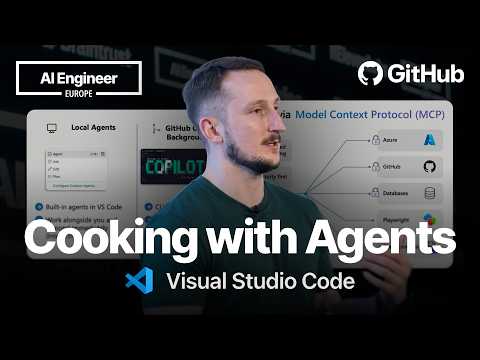
Cooking with Agents in VS Code — Liam Hampton, Microsoft
Talk by Liam Hampton (Microsoft) demonstrating three ways to run AI coding agents in VS Code from a single codebase: a local agent working hands-on with the developer (using Claude Opus) to write and fix unit tests, a background agent using a git work tree to build a front end from a GitHub issue with minimal involvement, and a cloud agent running in GitHub Actions. The talk frames a decision guide for choosing between local (hands-on iteration), background (large tasks with partial involvement), and cloud (fully delegated) agent workflows, all managed through VS Code's interface with Copilot, Claude, and third-party agents.
# Video Identity Observations — "Cooking with Agents in VS Code — Liam Hampton, Microsoft"
## Speaker / Channel Affiliation (Explicit Self-Description)
- The speaker identifies as **Liam Hampton** and as representing **Microsoft**, per the title. He speaks from a position of familiarity with Microsoft/GitHub tooling:
- > "I'm going to be talking about GitHub Copilot agents."
- > "We have got this awesome open-source project which we're running. It's called Awesome Copilot. It's aka.ms/awesomecopilot."
- > "this is what some of the VS Code team sort of pre-empted you to be using here"
- The talk is a **conference session** rather than a standalone channel video:
> "It's great to see so many of you who are still here at the final on final day right at the end. So I hope you all had a great conference."
## Intended Audience
- **Developers already using or curious about AI coding tools**, particularly GitHub Copilot and VS Code:
> "Show of hands, who here uses GitHub Copilot? Awesome... Who here uses VS Code with GitHub Copilot?"
- Audience is assumed technically proficient (familiar with Git, CI concepts):
> "Show of hands if you know what Git worktree is and who uses them."
- Developers working within **business/organizational contexts** where AI spend is scrutinized:
> "we end up asking these questions from a business perspective of what's the ROI, what's the productivity boost, where are we seeing our money?"
## Claimed Scope
- Primary scope: **how to use multiple types of AI agents (local, background, cloud) within VS Code as a single entry point**, demonstrated via GitHub Copilot:
> "what I'm really looking at is VS Code as a single entry point for AI agents."
> "one code base, three problems, three separate agents fixed all at the same time."
- Secondary scope: **generalizable to non-Microsoft AI tools**, stated repeatedly:
> "this doesn't just apply to GitHub Copilot, this also applies to other AI agents as well."
> "we do know that people in the community use more than just Microsoft things and GitHub things."
## Demonstrated Presentation Patterns (Observable, Not Claimed)
- **Live product demonstration style**: walks through a pre-recorded demo building a Python CRUD app's front end, tests, and documentation using three agent types in parallel.
- **Pedagogical framing**: defines concepts plainly before demoing, e.g., explaining Git worktrees:
> "it is a branch that is mapped to an isolated folder within the workspace that you're working in."
- **Balanced/cautionary tone**: warns against hype and over-reliance, and flags preview features as risky:
> "everybody thinks agents can solve the world's problems... Absolutely not the case."
> "Autopilot is currently in preview... Great, wonderful, can be very dangerous. Use at your peril."
- **Resource pointers for follow-up**: directs audience to `aka.ms/awesomecopilot` and discusses MCP servers, indicating a pattern of linking to open-source/community resources.
- **Audience interaction**: repeated show-of-hands polls and an invitation to continue conversation post-session:
> "I would love to hear more about your workflows and what you're using and the agents and how you're using them after the session."
## Distinguishing Claims from Demonstrations
- **Claimed**: VS Code as unified agent entry point; safety of cloud agents ("it is very safe to use"); cross-tool applicability of concepts.
- **Demonstrated**: a concrete multi-agent workflow (local agent for tests, background agent for front end, cloud agent for documentation) on a sample code base, plus a walkthrough of VS Code's agent/chat customization modal.
# Delivery Observations — "Cooking with Agents in VS Code" (Liam Hampton)
## Tone & Register
- **Conversational and informal** throughout: uses colloquial phrasing like "Lovely stuff," "Awesome, wonderful," and "Great, wonderful, can be very dangerous."
- **Self-deprecating humor**: > "I hate documentation. I don't like writing it. I don't think many people do"
- **Casual asides with mild warnings**: > "Use at your peril, right? Don't don't just abuse that one."
## Audience Interaction Habits
- Repeatedly uses **"Show of hands"** polling as an engagement device:
- > "Show of hands, who here uses GitHub Copilot?"
- > "Show of hands if you know what a Git worktree is and who uses them."
- > "Who here uses MCP servers just out of curiosity?"
- Acknowledges audience responses verbally each time ("Awesome," "Lovely stuff").
## Recurring Phrases & Vocabulary
- **"hands-on, hands-off"** — used multiple times to describe the local vs. background agent spectrum:
- > "I've still got hands-on, hands-off. It's more of 50/50."
- > "I've got very much a hands-on hands-off."
- **"to and fro"** — repeated for iterative interaction:
- > "I don't also also don't want to really be hands-on to and fro myself"
- > "I've got a lot of to and fro with this local agent."
- **"I don't really care" / "Don't really care"** — recurring dismissive framing for low-stakes tasks (> "Don't really care if it messes things up").
- **"very very" / "quite"** intensifiers appear frequently: > "very very quickly," > "It's quite an arduous task. It's quite big. It's quite time-consuming."
- Filler "sort of" appears often: > "sort of a 50/50," > "some of the services that we're using."
## Teaching Structure & Habits
- **Rhetorical question → answer pattern** for organizing content:
- > "So when would we use a local agent? Well I'd use a local agent when it comes to writing tests."
- > "When would I use a cloud agent? Well I would use that mostly for documentation."
- **Tripartite framing**: consistently organizes around three agent types (local, background, cloud) and summarizes with a memorable formula: > "one code base, three problems, three separate agents fixed all at the same time."
- **Plain-language simplification of technical concepts**:
- Git worktree: > "it is a branch that is mapped to an isolated folder... just a chop of your code with its own little branch associated to it."
- **Skepticism framing** in the opening: > "everybody thinks agents can solve the world's problems... Absolutely not the case."
## Presentation Logistics
- **Pre-recorded demo instead of live coding**, with stated time constraint: > "I was going to do this live but I don't really think I'm going to have time to do all of this live."
- **Live slide exit** for one segment: > "I can jump out of the slides in just a moment to show you exactly um how this looks."
- Closes by **inviting continued conversation**: > "I would love to hear more about your workflows and what you're using... after the session."
## Verbal Disfluencies
- Frequent repetitions and stutters are observable in the transcript: > "I don't also also don't want," > "have have a readme or have have a contribution guidelines," > "the the dynamic workflows."
## Stability Notes
- **Stable patterns** (high repetition): show-of-hands polling, "hands-on, hands-off," rhetorical-question transitions, conversational tone.
- **Isolated moments**: the pirate-token-spend anecdote (> "It's talking like a pirate for your chatbots") and the "Use at your peril" warning occur once each and should not be treated as recurring habits.
# Observation Record: "Cooking with Agents in VS Code" — Liam Hampton (Microsoft)
## Speaker
- **Liam Hampton**, Microsoft — sole presenter; all positions below are his, as expressed in the transcript.
## Core Position on Agents and AI Hype
- Agents are "popping up all over the place" (CLI, terminals, chat windows, other editors), yet many developers still believe **one-shot prompts** can "create a wonderful application or solve all of their issues in one go."
- His verdict: **"Absolutely not the case."**
- Businesses are spending heavily on AI infrastructure, tooling, and services but are "still yet to really reap the benefits" — hence questions of **ROI and productivity** remain unanswered.
- Claim: We must be careful with **token spend** and understand tool flexibility. He cites an unnamed LinkedIn post about a "talk like a pirate" repo that allegedly reduces token spend — presented secondhand, not verified.
## Taxonomy of Agents
- **Local agents** — run in VS Code; "very hands-on, very much in the context and human in the loop."
- **Background agents** — used via GitHub Copilot CLI and in VS Code; "isolated" (Git worktrees). He defines a worktree as a branch mapped to an isolated folder/subdirectory.
- **Cloud agents** — scale outside the organization; used when he doesn't want to be hands-on, e.g., documentation.
### When to use which (his stated reasoning)
| Agent | Use case | Reason given |
|---|---|---|
| Local | Writing tests | Wants to be "in the weeds," hands-on |
| Background | Front-end UI | "50/50" — doesn't want to be fully out of the loop, but to-and-fro is "arduous" |
| Cloud | Documentation | "I hate documentation" — pawn it off; open-source-friendliness, readmes |
## Demo Walkthrough
- Simple Python **CRUD product store**; uses three agents simultaneously on one code base:
- **Background agent + Autopilot (preview)**: plan and implement issue #25 (front end); instructed to pause before creating a PR for local testing.
- Qualification kept explicit: Autopilot "can be very dangerous. Use at your peril. Don't just abuse that one."
- **Cloud agent**: make the repo open-source friendly (readmes, contribution guidelines).
- **Local agent** (Claude Opus 4.6, medium reasoning) with a **custom agent** describing test-writing: writes unit tests, runs them, then updates error handling on routes and tests after Hampton noticed poor error messages.
- Summary claim: **"one code base, three problems, three separate agents fixed all at the same time."**
- Noted caveat in demo: the live chat PR "is actually taking quite a while," shown instead was a previously created PR — "the principle still stands."
## Cloud Agent Mechanics (his answers to common questions)
- Run in **GitHub Actions**, isolated environment.
- Extended context via **MCP servers** — specifically GitHub MCP server and Playwright MCP server (screenshots, automated front-end testing).
- **Safeguards**: network firewalls, whitelist restrictions, no access to push to main branch — "very safe to use."
## Generality Beyond Copilot
- Claim: the same concepts apply to **other AI agents** — custom instructions, custom agents, prompt files, and **agent skills** ("the newer version of agents.md"; "there's always like a new thing coming on every single week").
## VS Code as Single Entry Point
- A recent **settings modal** centralizes: custom and built-in agents (ask, explore, plan), skills (address PR comments, create pull request — editable), instructions, prompts, hooks, MCP servers — described as a "control plane."
- **Third-party support**: Claude agents, plugins, hooks, instructions, skills also accessible.
- Resources cited: **Awesome Copilot** (aka.ms/awesomecopilot) — open source, explicitly "not just for Copilot" since the community uses non-Microsoft tooling; plus an **MCP server**.
- He describes MCP as "Mono Context Protocol" (commonly "Model Context Protocol") with examples: Azure, GCP, AWS (authenticated) and free/open ones like Playwright and Microsoft Learn.
## Closing Claim
- VS Code is a **single entry point for AI agents** with first- and third-party plugins, full MCP spec support, chat customizations, and Copilot CLI session connectivity — "all in one single sequential sequence" for the developer workflow.
## Unresolved Tensions (preserved)
- Hype vs. reality: agents "can solve the world's problems" mindset vs. his "absolutely not the case."
- Heavy AI expenditure vs. unproven ROI.
- Autopilot's convenience vs. his own "dangerous" warning.
- Rapid ecosystem churn ("new thing every single week").
# Speaker Attribution & Provenance Record
**Video:** Cooking with Agents in VS Code — Liam Hampton, Microsoft
**Video ID:** `01a15ca9-4405-79cc-bd71-3ce9cf2797bf`
## Speakers & Roles
- **Liam Hampton** — **Creator / Presenter (sole speaker)**
- Self-identified as affiliated with **Microsoft** (per title); title identifies him by name and employer.
- Acts as **narrator** throughout; no other speaker appears in the transcript.
- References a **prior unnamed speaker** ("gentleman before was speaking about cognitive load of agents") — identity not established in source.
- Audience present (show-of-hands interactions), but no audience member is individually identified or quoted.
## Referenced Sources & Third-Party Claims
- **Unsourced anecdote:** Speaker states he "read somewhere yesterday on LinkedIn" about a repository enabling "talking like a pirate" chatbots to reduce token spend — **provenance is hearsay, no verifiable source given**.
- **Products/services discussed:**
- **GitHub Copilot** (including CLI, **Autopilot** — stated as "currently in preview")
- **VS Code** (agent management UI, pull requests extension)
- **Claude / Claude Opus 46** (third-party model selectable in demo), **Claude plugins**
- **MCP servers** — speaker glosses as "Mono Context Protocol" (likely misspoken); cites **GitHub MCP server**, **Playwright MCP server**, **Microsoft Learn**, Azure/GCP/AWS MCP examples
- **agents.md / "agent skills"** — described as newer variant
- **Git worktrees** (background agent isolation mechanism)
- **Referenced resource:** **Awesome Copilot** open-source project at `aka.ms/awesomecopilot`.
## Promotional Segments
- **Flagged:** Link/endorsement of **Awesome Copilot** ("awesome open-source project which we're running... aka.ms/awesomecopilot") — promotional for a Microsoft-run open-source project.
- **Flagged (implicit promotion):** Extended demonstration of GitHub Copilot / VS Code agent features by a Microsoft presenter; framed as informational but showcases Microsoft products.
## Availability & Evidence Limits
- **Comment availability:** Not indicated in supplied material.
- **Demo caveat (speaker's own admission):** Live demo replaced by a **pre-recorded video** ("I was going to do this live but... I'm going to whiz through this video"); one pull request shown was created **earlier**, not live.
- No timestamps, external citations, or publication metadata present beyond the transcript.
Hello everybody. It's great to see so many of you who are still here at the final on final day right at the end. So I hope you all had a great conference. Show of hands, who here uses GitHub
Copilot? Awesome. Lovely stuff. Who here uses VS Code with GitHub Copilot? Awesome. So I'm going to be talking about both these things today. I'm going to be talking about cooking with agents in VS Code. Now gentleman before was speaking about cognitive load of agents and that is absolutely correct. You see so many different things now with agents and they're popping up all over the place from the CLI, in the terminals, in chat windows, in other editors, etc. etc. But we still somehow seem to find ourselves in this sort of paradigm where everybody thinks agents can solve the world's problems. You still see developers and I still speak to folks who think we can do one shot prompts. They'll create a wonderful application or solve all of their issues in one go. Absolutely not the case. And we end up asking these questions from a business perspective of what's the ROI, what's the productivity boost, where are we seeing our money? And at the moment we're seeing this whole expenditure on AI and all of this infrastructure, all of these sort of toolings and services and we're still yet to really reap the benefits of those services. So when we look at how people are spending and how businesses are looking at AI, we really need to be very careful with how we're utilizing the tools and services. We need to be careful about token spend. We need to be understanding the tools and the flexibility. I read
somewhere yesterday on LinkedIn somebody has released this repo. It's growing massively in popularity and it's talking like a pirate for your your chatbots to talk back to your your AI services and language models to talk about that
because it reduces the token spend. Now people are coming up with these really intuitive and really fun ways to get around token expenditure and really pull in those benefits very quickly. So what I'm going to be talking about is GitHub Copilot agents. Now this doesn't just apply to GitHub Copilot, this also applies to other AI agents as well. So when we're looking at Copilot agents around context, what they really have access to in your workspaces, how they're being used and utilized from within VS Code and the CLI, we're going to be looking at all of those things very shortly. So just a plain and simple, what kind of agents do we have at the moment? Now we're looking at local agents. We've got local agents which are in VS Code. You may use Claude, you may use all these other AI services. Still applicable, still running on your local machine with remote models, anything that you're already using, maybe you're using locally hosted ones as well. But this is a way to have local models interacting with you side by side, very hands-on, very much in the context and human in the loop. Then you've got background agents. Now we use the GitHub Copilot CLI. We have also got access to that within VS Code. But this is more of an isolated way to be using them. Now we are actually using Git worktrees. Show of hands if you know what Git worktree is and who uses them. Awesome, wonderful. For those of you who don't know, easy way to explain that is it is a branch that is mapped to an isolated folder within the workspace that you're working in, like a subdirectory, just a chop of your code with its own little branch associated to it. Very similar to a Git branch in general. Then you've got cloud agents. Now cloud agent is quite an interesting one because it allows you to scale outside of your organization very very quickly and utilize a lot of the power of I guess the cloud and some of the services that we're using in GitHub. Now we use these when we don't want to be touching it ourself. I use this when it comes to writing documentation or sort of having less of a hands-on approach. So when we when would we use a local agent? Well I'd use a local agent when it comes to writing tests. I want to be
really hands-on with my tests. I want to understand what's going on in the code base. I really want to be in there in the weeds. When would I use a background agent? Well a background agent would be
great if I want to be sort of a 50/50. I want to create a UI for a front end of an application. I kind of want to know what's going on. I don't really want to hand it off to a cloud agent because I don't want to be fully out of the loop, but I also also don't want to really be hands-on to and fro myself because that can take time. That can be quite arduous, that can be quite annoying. So I would use a background agent and I'm going to show you how I'm using Autopilot to do exactly that with GitHub Copilot in just a moment. When would I use a cloud agent? Well I would use that mostly for documentation. I hate documentation. I don't like writing it. I don't think many people do unless you're a content developer. I really just pawn that off to the cloud agents. And that could be making a repository open source friendly, it could be writing a readme using some skills to do that as well. So what I'm really looking at is VS Code as a single entry point for AI agents. We have got third party support, we have got background, we've got local and we've got remote entry points for all of these agents. So the ultimate what we're trying to do is understand where you are sitting as a developer and how easy we can make it for you to use these agents to reduce that cognitive load. Seems quite complicated but it's actually really straightforward. So I'm going to show a video now. I was going to do this live but I don't really think I'm going to have time to do all of this live. So I'm going to whiz through this video. So I'm going to start with a very simple Python application. This is just a CRUD,
well create, read, update and delete, just a very simple product store. Not very pretty, not very good. As you can see, pretty straightforward. What I actually want to do is create a front
end UI for it. So I've got a ticket up in GitHub and I'm saying hey this is wonderful, go and add a front end, we need some more prettiness here. We need it to look good. So I'm going to say summarize and plan a solution to issue 25. Now you'll notice I'm actually using a CLI background agent at this point. Now I'm using that because I want it to be sort of hands-on hands-off, a little bit of understanding what it's doing. Also don't really care if it messes things up, it can go and iterate. I'm also going to be using Autopilot. Now Autopilot is currently in preview and this just means it's not going to ask me a bunch of questions if it wants to do a bunch of tool calls. Great, wonderful, can be very dangerous. Use at your peril, right? Don't don't just abuse that one. Um but I'm using it here to create a plan. I don't want it to ask me every single time I want it to do an STP call. So I'm then saying wonderful, here's the plan. Now start it, but before you create a pull request because on Autopilot it will do a pull request, stop and pause and let me test locally. Whilst off doing its lovely stuff, I can then move on to my next stage where I'm going to be using another kind of agent. So I'm just going to go and leave that one behind. Let's go and spin up a new chat and let's go and start a cloud agent. I've noticed that this is not a very open source friendly repository. I want this to be have a readme or have have a contribution guidelines, have all this all these readmes I really want as an open source project. So I'm going to pull on and say hey go and make this open source friendly, add all the necessary files for it. Don't really care. Now as a developer I can go into my code base and start poking around. I've noticed that I don't have any tests. So I'm going to go check out and I've noticed there is a custom agent available for me in VS Code. This custom agent is just essentially explaining and showing how to be using or how to write test cases for this Python application. So what I can do now is start spinning up a local agent. So just like that at the very bottom I can click local. I'm going to select Claude Opus 46. I'm going to have medium reasoning. I want it to be kind of fast. I don't really care for it too much. It's got a great understanding in this custom agent. Go and write some unit
tests. Now as a developer I can still skim through. I've got very much a hands-on to and fro with a local agent. I've got a remote agent doing some work for me and I've got a background agent creating
a new front end. So here I can see right it's written some tests. It's going to go ahead and try and run them. It's passing the tests. But I've also noticed that there's some other problems in the code. It's not very friendly. The errors that are coming back are not wonderful. So I'm going to say go and update the error handling on the routes and update the tests as well. So you can see I've got a lot of to and fro with this local agent. I've got my remote agent working and I've got my background agent working all simultaneously. So whilst that's gone off and working, I can go and check out what my other agents are actually up to. So as it's working through this you can see Copilot is just going to be skimming through. I didn't actually speed up some of this video. This is all pretty quick. I did this pretty pretty quickly with these agents. There you go, you can see some of the code is updated. We've got the new tests, we've got the code updated. Let's go and check out the background agent. That has now finished. Which is cool. Let's go and check on the remote agent. How's the remote agent getting on? Well actually this is the this is the test. Run the test. The tests have passed. That is the local agent. That's now finished. Now I can go and check out my remote agent. So as we're walking through this we can see as a developer I've got very much hands-on hands-off. I'm working with multiple agents simultaneously. We can
see where they're running all within this single context of VS Code. Now if I go and look on the pull requests extension in VS Code, we can see that I've now got a pull request. Now this is
one that I previously brought earlier. The one that's running in the chat is actually taking quite a while, but the principle still stands. It's running all these different agents at the same time. So, all I really want to do now is go and check out my background agent. I want to go see it working. I want to go see this new front end that I've just created. Now, I asked it to pause before I pushed over a pull request and tell me how to test it. So, I'm going to say, "Well, actually, the way you were telling me how to test that is wrong." So, I've still got hands-on, hands-off. It's more of 50/50. I'm saying, "This is working in a Git work tree. How do I actually run this?" And remember, this is what it currently looks like as an application. So, I'm going to go check out the new directory, which is a Git work tree. I'm then going to run this Python application. You'll see a very drastic change between what is created in my single directory versus what I currently have. And there is a port conflict here. Uh So, hurry up and run that. There we are. So, if I click that, this is the new product demo. Now, this is the third agent that I'm running simultaneously, and that is essentially a great way of how you're using different agents within one context to kick it all off using GitHub Copilot. That's new error checking, and that is how I've been using multiple agents. So, one code base, three problems, three separate agents fixed all at the same time. The local agent was writing my test for me because I wanted hands-on. I really wanted human in the loop. I used my background agent to write the front end because I don't really care what it does. It's quite an arduous task. It's quite big. It's quite time-consuming. And then I used my cloud agent to write
my documentation for me. So, all in all, that's a pretty successful run. So, how are cloud agents actually working? Because I get this question quite a lot. How much is it going to
cost? How is it working? What are they doing? And how do I get them running? Well, they're actually running in GitHub Actions. They're pretty safe and secure because they're running in a isolated environment. They have got extended context through MCP servers. Who here uses MCP servers just out of curiosity? Awesome. So, cloud agent actually has access to the GitHub MCP server and the Playwright MCP server, so you can do testing with screenshots. You can do automated front-end testing. And you can obviously write your workflows. You've got um the the dynamic workflows now. And it has got built-in safeguards. So, you've got network firewalls. You don't want this agent talking to a whole bunch of different things. It's absolutely white-listed and restricted. It also doesn't have access to your main branch. Therefore, you're not able to push directly to your main branch. It's very much restricted in that sense, so it is very safe to use. Now, I mentioned earlier, this is very much GitHub Copilot, but it is not just GitHub Copilot that this applies to. This actually uses all the same concepts across all different AI agents uh that you can use. So, custom instructions very much defining how the agent is running. You've got custom agents, which is what I showed you today in that short demo, where you're able to use very specific agents to tackle certain problems, I fixing test cases or writing test cases. You have prompt files, which will help you with your prompting, and agent skills. Agent skills is more of like the the newer version of agents.md. There's always like a new thing that's coming on every single week now. So, all of this
is actually applicable to GitHub Copilot as well as other AI services, too. Now, inside VS Code, this is a modal which is very recent, and I can jump out of the slides in just a moment to show
you exactly um how this looks. So, if I was to go over to VS Code, open up my GitHub Copilot chat pane, and if I click the cog up here, you can actually see everything that I have in one user space for you to customize the chat and the agents that you are running. So, whether you've got agents, I've got my custom test agent. I've got my built-in agents, which is ask, explore, and plan. I've got some skills. So, this is essentially what some of the VS Code team sort of pre-empted you to be using here. So, you've got some extensions. You've got address a PR comments. You've got create pull request. You can jump into these and edit them as you wish. And this is just intuitive skills that we have popped in there for you. I don't have any instructions, but this is where you'd have your instructions file, your prompts if you've got any built-in prompts like creating an agent, just different prompts that can then go off and kick off at skills. You've got hooks. Yeah, I don't have any hooks on this one, but a very good example if you wanted to create or configure some hooks, you can do so with uh Copilot inside VS Code and any MCP servers as well. So, you kind of have this whole control plane in this modal, which allows you to control your agents and chat customizations from within one single place. This isn't just confined. We have third-party support as well. So, there is Claude as uh down here, so you can have access to all of your Claude things uh and all your plugins, uh hooks, instructions, and skills for Claude, too. So, it's not just restricted to VS Code and GitHub Copilot. So, if you want to get hands-on with some of the uh skills or customizations, we have got this awesome open-source project which we're running. It's called Awesome Copilot. It's aka.ms/awesomecopilot. Like I said, this is directed at Copilot, but it's absolutely not just for Copilot. You can use this and massage them and use them for other AI tooling as well cuz we do know that people in the community use more than just Microsoft things and GitHub things.
We also have an MCP server. So, if anybody's interested in utilizing this from their from their workflows from MCP standpoint, we also have encapsulated that into an MCP server.
For those of you don't know about MCP, so the Mono Context Protocol is a great way for you to get hands-on and extend the uh LLMs that you're working with or any of the chats customizations that you have. For example, if you wanted Azure or talk to your Azure resources or I know GCP, AWS, etc., you can go through an MCP. It'll obviously be locked down by authentication. Uh but there's also free ones as well and open ones which don't require authentication like Playwright and documentation ones, I Microsoft Learn, uh and so on and so forth. So, just in time, uh as a wrap-up, Visual Studio Code is a single entry point for AI agents, and we've really built this agentive workflow around multiple different services. We've got third-party plugins. We've got first-party plugins. And we've got the full spec support for MCP. We've got chat customizations, and you can connect to the GitHub Copilot CLI sessions through VS Code. So, it's all in one single sequential uh sequence for you as a developer inside your workflow. I would love to hear more about your workflows and what you're using and the agents and how you're using them after the session because I believe I've only got just less than a minute left. So, thank you ever so much for listening, and thank you very much for coming today.