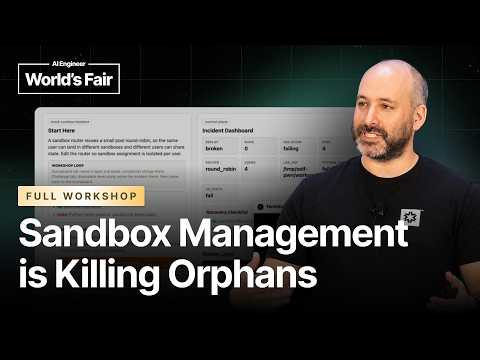
How I Learned to Stop Worrying and Love the Sandbox — Matt…
Workshop talk by Matt Brockman of E2B using a capture the flag lab of deliberately broken sandbox environments to teach sandbox operations. Exercises cover identifying a sandbox, debugging runaway CPU use and memory pressure, finding a file that fills the disk, and cleaning up background processes, starting with Linux commands and configuration before moving to Python. The talk then covers operational concerns at scale: sandbox lifetimes and idle timeouts, mapping users to persistent sandbox IDs, separating a template's readable files from runtime writes, and the tradeoffs of restoring saved state, including forgotten processes. Audience questions addressed volumes, storage growth, distributed workloads, orchestration, and network restrictions.
# Video Identity Observations — "How I Learned to Stop Worrying and Love the Sandbox — Matt Brockman, E2B"
## Context of the Material
- This is a **live, in-person technical workshop recording** (a capture-the-flag style session at what appears to be an AI engineer conference, referenced by the Wi-Fi name "AI engineer").
- The presenter self-identifies: *"I'm Matt. I'm an engineer from E2B. We do sandboxes."*
- No curated metadata beyond title and transcript is provided.
## Intended Audience (Observable Evidence)
The video demonstrates a **developer-focused, AI-adjacent practitioner audience**:
- **Engineers working with AI agents**: The talk assumes familiarity with agents running code — *"you've got this magical being in the cloud that can do all sorts of really cool tasks and one of those tasks is coding"* — and tools like *"codeex cloud code"* (raised via show of hands).
- **Active sandbox users in production**: The presenter polls, *"who here is currently running sandboxes in production?"* and audience members describe **agent workloads**, Kubernetes, and distributed GPU use cases.
- **Polyglot but Python-leaning developers**: Polls for Python, JavaScript, and Go usage; *"our SDKs in both Python and JavaScript."*
- **Possibly non-traditional coders**: *"how many people here don't code at all?"* — later reinforced by *"most of us are just letting the AI code for us nowadays."*
- **Startup-adjacent participants**: A pitch moment — *"if you're at a startup, we have a startup program... credits and free plan."*
## Claimed Scope (Creator Statements)
E2B positions itself around **sandboxing for AI agent code execution**:
- **Product claim**: *"sandboxes are basically let you run user specific code without messing with other users."*
- **Performance claim**: *"we aim to spin up sandboxes in less than 100 milliseconds."*
- **Architecture claims**: snapshotting memory and file system for pause/resume; *"we start the processes first... saving the disk in RAM"* — contrasted explicitly with Docker's cold-start model.
- **Open source claim**: *"We're also open source... our back end's mostly in Go,"* built on **Firecracker** VMs, running **Nomad** with Kubernetes work in progress.
- **Limitations acknowledged**: *"EDB doesn't do GPUs"*; long-running daemons — *"sandbox may not be the best thing"*; storage pruning at scale — *"an active challenge that we're currently working on."*
## Self-Description vs. Demonstrated Presentation
| Explicit self-description | Observable presentation pattern |
|---|---|
| *"We do sandboxes"* (product identity) | Entire session structured as hands-on CTF levels teaching sandbox operations (CPU limits, memory, disk fill, lifecycle, orphans, permissions) |
| *"We're desperately hiring"* for **Go engineers** (repeated 3+ times) | Recruiting woven into technical content and Q&A |
| *"we try to make it so you don't run into issues"* | Positions E2B as problem-preventer while educating on failure modes |
| Framing as **early-stage field**: *"all this is very early and nobody knows where it's going to go"* | Presenter solicits audience use cases and defers on questions outside expertise (*"I just don't know enough about that"*) |
## Notable Positioning Signals
- **Honesty about ecosystem immaturity**: *"these AI agents are like two years old... nobody knows what the ecosystem is going to look like."*
- **Balanced trade-off framing**: repeatedly presents speed vs. cost, ease vs. security trade-offs rather than pure promotion.
- **AI-coding-era stance**: encourages agent-assisted coding for the workshop but advises, *"don't just let it code for you. You should always review what the AI does."*
## Self-Check
All observations trace to quoted or paraphrased transcript passages; no channel-wide conclusions beyond this single workshop video, and no private motives inferred.
# Delivery Observations: "How I Learned to Stop Worrying and Love the Sandbox" (Matt Brockman, E2B)
## Scope and Evidence Limits
- The source is a **live workshop transcript** with heavy audience interaction, technical interruptions, and demo timing issues.
- No curated metadata was supplied, so observations rest entirely on the transcript text.
- Transcript formatting marks some speaker turns (`>>`) and non-speech sounds (e.g., `[sighs]`, `[snorts]`, `[applause]`), but speaker identity is only clear for the presenter.
## Recurring Verbal Habits
### Filler and Hedging Language
The speaker uses "uh" and "um" extremely frequently, and "right?" as a check-in tag.
- Opening: "Uh so, before we get started, uh how you all doing this morning?"
- Tag question: "So you've got an agent working away. Uh maybe it has to go do some sort of process elsewhere."
- Tag question: "When you first start dealing with sandboxes..." followed by "...hand them out to users. Uh here we're kind of coming into..."
**Observation:** "right?" and "uh" recur throughout as connective tissue between sentences. This is a consistent, high-frequency pattern across the whole transcript.
### Self-Deprecating and Light Humor
- "My hearing is like really messed up. Uh I couldn't hear that."
- "Uh famous last words."
- "I broke the demo. That's okay."
- "Okay. 15 minutes left."
- "And hopefully uh y'all are better coders than me."
- "Do what I say, not what I do."
- "Uh and then what do you do? ... Okay, cool. Woohoo."
**Observation:** The speaker frequently makes lighthearted remarks about his own errors or limitations. Several are tied to live demo failures.
### Direct Audience Address
- "Hey y'all."
- "Everyone able to get to that page? Thumbs up, thumbs down."
- "Show hands."
- "Who here who here is currently running sandboxes in production?"
**Observation:** The speaker repeatedly uses polls and calls for hands, which structures the session as interactive.
## Teaching Habits
### Checking Comprehension Repeatedly
The speaker repeatedly pauses to confirm the audience is keeping up.
- "Everyone able to get to this flag or is that um did I spin that uh go through that too quick?"
- "Am I going too slow? Too fast. Right speed."
- "Everyone good now? Awesome."
**Observation:** Comprehension checks are a recurring habit, often phrased as a question followed by a self-assessment of pace.
### Narrating Actions as They Happen
The speaker frequently announces what he is doing before or while doing it.
- "So what we're going to do is we're going to kill that process."
- "I'm going to show you a cheat code."
- "I'm just clicking around on buttons."
**Observation:** Live narration of on-screen actions is a consistent feature.
### Offering Cheats and Shortcuts
- "I'm going to show you a cheat code. Uh now in the URL we actually have the uh ID of the sandbox."
- "And if you want to cheat uh you can just put in the code here."
- "So for us, we're going to cheat."
**Observation:** The speaker openly offers shortcuts and answers, sometimes framing them explicitly as cheats.
### Analogy and Comparison to Familiar Tools
- "If you think about docker when you start a docker image..."
- "Sandboxes and terminals all the way down."
- "Everything is basically sandboxes all the way down."
**Observation:** Comparisons to Docker, EC2, and Colab recur as explanatory anchors. The "all the way down" phrasing appears more than once, which suggests it is a recurring motif, though this is a small sample.
### Calling Out Teaching Caveats
- "Don't just let it code for you. You should always review what the AI does."
- "But this is for learning purposes. So if you want to do it by hand, it's probably better."
**Observation:** The speaker twice frames AI-assisted coding with an explicit caution about review and learning.
## Tone and Register
- **Conversational and informal**, with phrases like "Okay, cool," "Great," "Awesome," and "Yay."
- **Patient and reassuring** when audience members struggle, e.g., "Don't worry about it. We'll be walking through it."
- **Apologetic about time pressure**: "Sorry, it's uh we've got limited time and we want to keep moving."
## Recurring Phrases
| Phrase | Approximate frequency | Example |
|---|---|---|
| "uh" | Very high | "Uh so, before we get started" |
| "right?" | High | "So you've got an agent working away, right?" |
| "Okay, cool" / "Cool" | High | "Okay, cool. All right." |
| "All right" | High | "All right, so let's get started." |
| "Great" | Moderate–high | "Great. All right." |
These are observed from the transcript; exact counts were not computed, so frequencies are estimates.
## Stable-Looking Patterns vs. Isolated Moments
**Stable-looking (repeated across the session):**
- Heavy use of "uh," "right?," and "all right" as transitions
- Frequent audience polling and comprehension checks
- Live narration of actions
- Self-deprecating remarks tied to demo failures
**Isolated or context-specific:**
- The hearing comment at the start (single instance)
- "Calisthenics" joke and stand-up break (single instance)
- "Ally" call-out for helper support (single instance)
- "Startup program" and hiring mentions (repeated, but tied to promotional content rather than delivery style)
## Uncertainty Notes
- Filler frequency is clearly high, but without a word count the exact rate cannot be stated.
- Some transcript segments contain crosstalk and unclear audio, so certain attributions to the speaker versus audience members are uncertain.
- Humor and tone observations are based on text alone; delivery cues such as vocal inflection or timing cannot be verified from the transcript.
# Observation Record: "How I Learned to Stop Worrying and Love the Sandbox" — Matt Brockman, E2B
## Speaker Identification
- **Matt Brockman** — engineer at E2B, identified in opening ("I'm Matt. I'm an engineer from E2B. We do sandboxes."). Primary presenter.
- **Unnamed audience members / E2B helpers** — identifiable only via Q&A interjections in the transcript; specific individuals are not named (a "Travis" is referenced only as someone to talk to, not as a speaker).
- Attribution below defaults to Matt unless marked "Audience member."
## Context and Format
- Workshop combining a talk on E2B sandboxes with a **capture-the-flag (CTF)** exercise of ~15 levels, run inside E2B sandboxes themselves ("everything is basically sandboxes all the way down").
- First several levels require no coding; coding (Python or JavaScript) begins "I think level seven."
- The talk was repeatedly interrupted by logistical problems: broken venue Wi-Fi, sign-up friction, screen/font issues, and Matt breaking a demo on stage (which he acknowledged: "s I broke the demo. That's okay.").
## Claims About Sandboxes and E2B's Approach
### What sandboxes are
- Sandboxes "let you run user specific code without messing with other users."
- Framed against alternatives for running agent-generated code:
- **Local execution** risks: consuming CPU, spawning processes, deleting files, accessing environment variables/secrets — "there's a lot of things that are dangerous about that."
- **Server execution** has similar problems (secrets, environment completeness).
- Differentiation from Docker: E2B's approach starts processes first, **snapshots memory and file system to RAM/storage**, and resumes sandboxes from that running state. "When you start a docker image... you build up a bunch of things... for E2B... everything [is] already running."
- Performance goal: spin up sandboxes in **less than 100 milliseconds** (stated as an aim, not a guaranteed SLA).
- Snapshotting benefits agents specifically: the agent "doesn't know the time has passed and so it's expecting everything to be exactly the way it was," reducing errors.
- E2B is **open source**; backend is mostly **Go** ("desperately hiring" for Go engineers); SDKs in **Python and JavaScript**, other languages in progress. E2B is **Firecracker-based**, currently running **Nomad**, with unresolved "technical issues" migrating to Kubernetes.
### Resource management themes (CTF levels)
- **CPU runaway**: agents "will write some something that does something that you're not expecting"; processes taking 99.7% CPU need killing.
- **Memory**: trade-offs between CPU count/speed and RAM; fleet-level quotas on CPUs and RAM create pressure to minimize utilization.
- **Disk fill**: limited resources "you're going to run into at some point or another."
- **Sandbox lifecycle**: core tension between keeping sandboxes alive (speed, session continuity) and cost. Stated policy pattern: allow a long runtime while a task runs, then shorten the timeout afterward so resources free up.
- Speed-vs-cost trade-off: "if a sandbox is running things are fast... if it's paused, it's cheap."
- Qualification: for **persistent long-running daemons or web servers**, "sandbox may not be the best thing" — traditional methods are likely cheaper, though web servers can run in sandboxes.
- **Orphan/background process leaks**: "a lot of sandbox management ends up being killing orphans." Resuming old state is an advantage (fast, state preserved) but the downside is "things are where they left them and you... haven't cleaned up after yourself." Also: losing track of spawned sandboxes requires hunting down unmanaged resources.
- **Workspace assignment**: naive round-robin sandbox allocation should be replaced with per-user tracking (a user→sandbox-ID map); in production, persist this in a database to audit reassignment patterns historically.
- **Filesystem permissions**: different parts of the filesystem for read vs. write (template cache read-only vs. runtime cache writable); normally configured via agents.md instructions rather than hardcoded.
### Scale as a recurring theme
- "A lot of issues happen at scale." Managing one or two sandboxes is easy; "once you start to deal with hundreds of sandboxes, thousands of sandboxes things start to take on a life of their own."
- Problems change character at scale: logging overhead, assignment tracking, per-machine network/concurrency limits.
## Claims Made in Q&A
- **E2B does not support GPUs** (in response to an audience member's distributed-GPU workload question). Matt acknowledged he "just don't know enough about that... to give a good answer" on whether sandboxes fit that use case.
- **Storage pruning over time** is "an active challenge that we're currently working on" — used as a hiring pitch. **Volumes** exist for shared resources.
- **Templates/ecosystem**: a template enabled ~200 simultaneous copies of one sandbox for the workshop. On whether a Docker-like ecosystem will emerge: "all this is early... these AI agents are what like two years old... nobody knows what the ecosystem is going to look like," but standardization tends to follow good shared tooling.
- **Running agents in sandboxes**: Claude Code, Codex, and OpenCode can run inside E2B sandboxes (demonstrated via template parameter).
- **Security posture**: sandboxes have configurable network rules; "if you give it access to secrets, you definitely want to... prevent what it's going to be able to send out." Framed as "ease versus security."
- E2B runs sandboxes locally internally "especially for testing, right? Because running in the cloud is just a pain."
## Qualifications and Tensions Preserved
- **Snapshot/resume is double-edged**: Matt explicitly stated both the advantage (speed, preserved state) and the disadvantage (accumulated orphans, stale state) without resolving the tension.
- **Self-admitted error**: Matt broke the disk-fill level on stage by deleting the file instead of pasting its path ("I guess I broke that"), then restarted the sandbox — demonstrating the reload capability he was teaching.
- **AI-coding ambivalence**: he encouraged letting agents write the CTF solutions via the SDK ("most of us don't actually code by hand anymore") but immediately qualified: "don't just let it code for you. You should always review what the AI does. Do what I say, not what I do."
- **Unresolved questions acknowledged**: ecosystem direction ("time will tell"), GPU workloads, K8s migration, and storage-at-scale were all flagged as open.
- **Real-world messiness**: real orphaned processes are "not normally named" helpfully like the workshop's `orphan_worker`; the simulated levels abstract away scale problems the audience would face in production.
- Audience pushback/questions (GPU distribution, persistent daemons, Kubernetes, cross-sandbox spawning, ecosystem maturity) were answered candidly, including concessions of non-support and uncertainty.
# Speaker Roles & Provenance Record
## Video Identification
- **Title:** How I Learned to Stop Worrying and Love the Sandbox — Matt Brockman, E2B
- **Video ID:** 01a15ca6-f0b5-72d9-a08e-2410bd9185bb
- **Format:** Live, in-person technical workshop with audience Q&A; presenter states it is being recorded.
## Speaker Roles
| Speaker | Role | Basis |
|---|---|---|
| **Matt Brockman** | Primary speaker; identifies himself as "an engineer from E2B," a sandbox infrastructure company. Leads the workshop and capture-the-flag exercise. | Self-identification in transcript |
| **Audience members** | Multiple unidentified questioners and respondents; questions and answers interleaved in the transcript without names. Roles (e.g., engineers, startup founders) not confirmed except as workshop attendees. | Transcript context |
| **Unidentified E2B helpers / go-to-market staff** | At least one helper ("one of our go-to-market people from E2B") and a person named **Ally** assist attendees with setup; they are not primary content speakers. | Presenter's remarks |
| **Travis** | Mentioned by the presenter as an E2B-adjacent person attendees "should go talk to"; role not further specified. | Presenter's remark ("we've Travis is over there") |
> **Note:** The `>>` transcript markers distinguish audience/interlocutor turns from the main speaker, but most audience turns are not attributed to named individuals.
## Referenced Products, Tools, and Companies
- **E2B**: sandbox product, dashboard, templates, API keys, SDKs (Python, JavaScript), docs at e2b.dev; open source; backend "mostly in Go"; Firecracker-based VMs; currently running Nomad, working toward Kubernetes support; no GPU support.
- **Comparisons/references made by the speaker:** Docker, AWS EC2, Kubernetes, HashiCorp Nomad, GitHub Actions, Colab, Codex, Claude Code, OpenCode, Cloudflare-style sessions ("cloud session"), agent config files (agents.mmd).
## Third-Party Claims
- Claims about competitor/general tooling behavior (Codex/Claude Code running locally with full permissions; Docker image startup behavior; Kubernetes technical issues) are **the presenter's assertions**, not sourced to external documentation within the transcript.
- Audience members describe their own use cases (agent workloads, distributed small GPUs, Kubernetes-based storage pruning); these are unverified first-person accounts.
## Promotional Content (flagged)
- **Hiring pitches** (repeated): E2B is "desperately hiring" Go engineers for backend roles.
- **Startup program:** credits and free plan for startups ("I'm supposed to point this out").
- **Product demonstration:** the entire workshop functions as a hands-on demo of E2B's sandbox product, dashboard, and templates.
## Session Logistics / Availability Facts
- Workshop CTF accessible via a tinyURL (spoken aloud as "tinyurl.com whiskey-hotel-4-6-Sierra-X-ray-6"); attendees must **log in / sign up for E2B** to use it.
- Remaining challenges (~8 levels) were left for attendees to complete on their own; no statement about post-event access to the workshop materials, slides, or recording availability.
- Wi-Fi connectivity problems occurred during the session; helpers assisted attendees.
- Presenter notes API keys were deliberately not shown on screen because the session is recorded.
## Unavailable Evidence Channels
- No curated metadata beyond the title was supplied.
- Visual demos (dashboard, terminal, CTF pages) are described verbally only; no slides or screen content are verifiable from the transcript.
- Audience identity, affiliations, and question authorship are largely unattributed.
Hey y'all. Okay, cool. All right. So, I see people still trickling in, but uh we're going to go ahead and get started. Uh so, nice to meet y'all. Uh I'm Matt. I'm an engineer from E2B. We do sandboxes. \[sighs\] Uh so, before we get started, uh how you all doing this morning? \>\> All right. So, my hearing is like really messed up. Uh I couldn't hear that. So, how are we doing this morning? \>\> All right. Great. All right. So, everyone's live. Uh and uh also, where are we all from? So, how many people here are from San Francisco? Uh based out of San Francisco. Okay, we got a couple uh coming out of state. All right, a lot of people coming from out of state. Great. Uh also uh we're going to be uh talking sandboxes and then doing uh basically a capture the flag. Uh I don't know if you all have done a capture the flag before, but uh what it's going to be is it's a series of different levels that we're going to go through uh solve it and that unlocks the next level. Um uh as far as programming languages that we use, uh how many people here use Python? Okay, most of us use Python. Good. Uh so our SDKs in both Python and JavaScript. Uh good news also is that we don't need to code at all for the first couple levels. A lot of these are going to be configs kind of looking at how sandboxes work. Uh JavaScript. Okay. Uh Go, where's my Go engineers? Great. We are hiring by the way uh for people that uh uh code in Go uh for the back end. Uh so uh come check out our page after this or during this. Um let's see. And then how many people here don't code at all? All right, great. All right, so let's get started. Uh, oops. So, all right. I don't know if people can go to this link, but if you go to this uh tinyurl.com, y'all can see that if you go there, uh, that'll give you a sandbox. Uh, so you have to log into E2B. Um, but what this workshop is is everything is basically sandboxes all the way down. Uh so what we put together for you is uh a bunch of different challenges that are issues that you run into running a uh sandbox. Um we'll worry about visiting in a second. Uh and then also you can just do the QR code. Uh everyone able to get to that page? Thumbs up, thumbs down. Cool. All right. Uh and if you can't, don't worry about it. We'll be walking through it. So at this point, feel free to uh start going through the instructions, figuring out how to hack away. Uh or if you actually want to listen to me drone on about sandboxes, you can do that instead and then go uh uh do the sandbox uh start the CTF uh with every with me.
Okay, so just a little bit about EDB. Uh so what are sandboxes? Uh sandboxes are uh basically let you run user specific code uh without messing with other users, right? So a lot of the time uh
with a traditional web stack, it would be like, hey, here's a web page. It's a static web page. You can go do stuff. uh you know maybe had users that could code and what they wanted to be able to do is use something like collab uh where you go in there and you can you know play around uh you might want to have like AWS EC2 right get into that run your code uh what we're seeing with a lot of the modern stuff with agents is you know you've got this magical being in the cloud that can do all sorts of really cool tasks and one of those tasks is coding um now there's a couple ways you can do that one thing is you can just run things locally on your own computer right who here's used like codeex cloud code, right? Uh so you can be like, hey, you have all the permissions you want to do. Uh and it can go run around and then delete things, create things, whatever. Uh some of the problems that you run into are, you know, it'll use up all your CPU. It'll spawn a bunch of processes. It'll delete things it's not supposed to. Maybe able to start accessing environmental variables. Uh there's a lot of things that are dangerous about that. Um so that's where it's okay, hey, let's put it in the server. Well, on the server, you have similar problems. you've got secrets, you've got uh your environment is you need to make sure that everything that you want it to be able to interact with uh is present. Uh and that's where sandboxes come in. Uh also uh with uh one thing that's a little bit different uh the way that we view sandboxes and other things is that sandboxes you want to be able to very quickly spin these up. Uh EDB we sp we aim to uh spin up sandboxes in less than 100 milliseconds. Uh so that way you can run multiple things at the same time.
Uh so yes uh also so with our sandboxes uh there's a couple things that we uh try to do. So it's uh when you go into a sandbox uh you're working and uh like
when you close your laptop you open your laptop again you're back into your state. Uh for us it's uh same thing. So we try to uh snapshot the memory, snapshot the file system. So that way uh whenever you stop working you pause everything, save everything to storage somewhere and then resume it. Uh agents especially, right? So you've got an agent working away. Uh maybe it has to go do some sort of process elsewhere. Uh and then it wants to come back uh to the state it was in. Uh for the agent, it kind of doesn't know the time has passed and so it's expecting everything to be exactly the way it was when it uh left off. Uh and so by snapshotting everything and making it so everything is still there when it comes back uh makes it so you get less errors. Um so yeah the way our approach to these sandboxes is basically we start the processes first uh and then we as I just said before we're uh saving the disk in RAM uh and we're resuming sandboxes from that state uh so that's a little bit different like if you think about docker when you start a docker image uh you have kind of you build up a bunch of things uh and then when the process starts uh that's where you have your start command uh for E2B basing from everything already running. Uh so for instance you uh when we have our templates uh which we'll talk about in a bit uh what you're doing is uh you start processes and then those processes are already running when you come back to the sandbox. All right. Uh we're also open source uh and so for infra uh you can see our links there. You can also Google uh that we've got our back end's mostly in Go uh which is why I asked about the Go engineers. We're desperately hiring. Uh and then also our SDK is in Python and JavaScript. uh working on extending that to other languages, but that covers quite a few of our use cases. All right. So, normal usage of sandboxes are uh we have an API key. You go to edb.dev uh and then you can also go read our docs. However, for this workshop, uh we're not going to need to worry about any of that because we're just going to do everything inside of our own sandboxes. Uh we're going to spawn the sandboxes through our dashboard. Uh that way we can hopefully get uh up and running very quickly. uh and uh that should eliminate some of the issues that we've heard happen in workshops. So, all right. And again, uh I guess we found out most of us already know Python. Uh which is good. Uh but for this workshop, we're not going to need to code uh for the first several levels. Uh once we get past, I think level seven, that's when uh we start needing to code in Python or JavaScript if you want to. Uh and we'll have tests that make things uh fast. Uh we would have liked it. Uh one of the challenges that we uh had when coming up with hey how do we demo uh some of the issues that we run into sandboxes is uh a lot of issues happen at scale. Uh so sometimes when you're managing just like one or two sandboxes it's pretty easy. It's just like hey I've got one sandbox I go into it pause it resume it no issues. Uh however uh once you start to deal with hundreds of sandboxes, thousands of sandboxes uh things start to take on a life of their own. uh for that we have some uh basically simulations uh in in the uh workshop uh which hopefully are fun. Uh also uh even I know it's 2026 and we have agents uh so most of us don't actually code by hand anymore or many of us don't code by hand anymore. Uh you so most of the uh AI agents uh know the ED SDK and so what you'll be able to do is uh grab your sandbox ID that you get for each of the levels, give it to your agent and uh let the agent just figure out how to write the code for you. Um, but this is for learning purposes. So, if you want to do it by hand, it's probably better. All right. Also, uh, I'm supposed to point this out. Uh, if you're at a startup, we have a startup program, uh, where, uh, we give, uh, credits and, uh, free
plan. All right. So, let's get to the first level. So, let's go back to Let's see. I don't know if there's a way to keep this up, but was everyone able to get to this, uh, URL here? Yep. Cool.
All right. So, let's go there. I already have it open, but that's fine. \>\> Okay. So, it is uh this tinyurl.comwh46sx6. Uh I don't know if there's an easy way to keep this up on the screen while we're going, but uh all of you have neighbors and so you can just go to your neighbor and be like, "Hey, what's what's that code again if if you need it again?" Uh so, I'll give you another five seconds. Can I just get a thumbs up as people have gotten there? Okay, it looks like those guys over there are good. Over here generally good. All right, cool. All right, so what we're inside of here is already a sandbox. All right, so at the top, what we're going to have is uh so this is uh our uh web UI for viewing our sandboxes. Um and again, as I said, we don't need to code yet. Uh and so this is our dashboard. uh inside of the dashboard, if you want to uh make an API key, you can uh you can go into your API keys here uh and uh create an API key, which you can then uh hook into this locally. However, we've got this gorgeous UI uh that's going to tell us what to do. Uh so inside of the sandbox, what we're doing is we're spawning a web server, and we're just going to go up here, right? So, we can go there now. Uh and so here is our uh lab. All right. So, uh our first task is very simple. Uh it's basically can you find out the sandbox ID that you're inside of? Uh now we have a bunch of instructions for how to get that from the sandbox itself. Uh I'm going to show you a cheat code. Uh now in the URL we actually have the uh ID of the sandbox. Uh and so we can just copy that uh ID. Uh again our first levels are mostly just to make sure that everyone's oriented and they can get the different pieces working. Uh and you can just paste it here, right? We check it and uh so we should be good. Everyone So has everyone been able to get past the first level? Okay. Getting the ID is hard.
\>\> Do Well, everyone's going to have different sandbox IDs. \>\> Oh, that is our helper, one of our uh uh go to market people from E2B back there. Uh uh just if you want to come up here. Huh? \>\> Sorry. \>\> The Wi-Fi is not working. \>\> The Wi-Fi is not working. All right. Anyone else having Wi-Fi issues? I guess. \>\> Great. All right. Uh, so one of the Okay, so I tested this before I came in. Uh, so the Wi-Fi that we're supposed to be using is it was like AI engineer something. Here we go. It's on these things. Uh, a engineer uh, Wi-Fi. If you connect, you'll have one bar possibly. What you do is you dis after you've connected, disconnect and reconnect, and it should give you five bars. \>\> Okay. I don't know why that worked. \>\> Sorry. You got here already or no? \>\> Gotcha. Okay. So, all right. All right. So, set up. So, okay. At this tiny URL, this should give everyone a terminal, right? You'll have to log into E2B. \>\> Make the font bigger. \>\> Oh, make the font bigger. URL. \>\> I'm just going to keep zooming in. \>\> Okay. URL. Everyone had already gotten there. \>\> Go back. Okay. We can give you the URL one more time. Uh after this we have to start charging because uh screen time's expensive. All right. Got about 10 more seconds to try to get to this URL, but uh I I can also say it out loud. This is uh tinyurl.com4
whiskey hotel for 6 Sierra X-ray 6. Okay. And that should bring us to a terminal. You need to sign up. \>\> Yes, you do need to sign up for EDB to use this. \>\> Huh. Also, beautiful ASI art does not look as good on the big screen as it does on a smaller screen. Cool. Uh, can I get a show of hands? Who was able to get to this page? Okay, who was not able to get to this page? All right, we don't want to leave you guys behind. We're going to make sure that we get the first setup part, but uh for those of you that were able to get to this page, you're good to go ahead and keep going through levels if you're able to. All right, I'm going to give another Let's see. \>\> Okay. \>\> Yeah. Yeah, it's everything's running remotely in the sandbox, so hopefully we don't need much back and forth. Uh, famous last words. All right. Uh, can I get So, for people that were still loading, uh, who's still waiting to try to get to the page? One, two. Uh, uh, Ally, are you able to help these
guys out? Uh so we've got our uh helpers that can come through and uh help debug what's going on. Uh what's the main issue we still have? It's just the internet connectivity.
Okay. And then worst case, uh everyone here's friendly, right? Uh what we can do is we can partner up. Uh and so uh let's see. Uh can I get that show of hands? And who's still trying to get to the page? One, two, three. Okay. Can I get a show of hands of uh people that are friendly and don't mind sitting next to somebody? All right. So, if you're still waiting, look around for someone that's got their hand raised. Uh, and it can uh kind of pair up. All right. So, once we're here, All right. Yeah. Sorry, it's uh we've got limited time and we want to keep moving. Uh but, uh yeah. All right. So, once we're here, uh we should have this URL now uh that our first sandbox is going to spawn for us. And then we can just go straight to that. All right. And so, everyone should get to a page that looks something like this. Uh that's going to have uh our CTF instructions. Cool. Show hands. Yeah. Also, you guys didn't know this, but this is like an interactive uh workshop, right? Where it's Raise your hand, lower your hand, raise your hand. Uh Simon says is next. Um but yeah, so who got here? Show hands. Great. All right. And then so who was able to find out their sandbox ID? All right. Cool. Who was not able to find out the sandbox ID, but is still here? who is too embarrassed to say that they couldn't find their sandbox ID. Uh, okay. And again, so we can just pull the sandbox ID out of the URL. Uh, this ID basically is is identifier for the sandbox, right? So once you have a sandbox, you're going to want an identifier so that you can go back to that sandbox uh for E2B, the way that we construct our URLs uh is basically the port that you're talking to dash uh the sandbox ID uh.app. And that way whenever you spin up sandbox, you can expose services listening to those ports. uh and and then uh get coms open. So we'll uh refinish this uh first level. All right. So one of the things that happens uh uh is once you've got users in a sandbox, you've got AI writing
code. Uh a lot of the times what'll happen is the AI will write some something that does something that you're not expecting it to do. Uh it turned out while writing uh this workshop, we ran into this issue a lot that we had processes that just took
lots of CPU. So, what we can do is we can start this sandbox and you'll see up here, right? We are now inside of a new uh sandbox, right? So, our new we got a new sandbox specifically for this uh project, which means we can break this and we're not going to break our initial stuff. Uh if we want to restart a sandbox, we've got this uh fancy button over here to reload, right? And then it'll reload it. Yes. Uh while we're here, I should kind of point out some of the things that are happening uh that we don't need to worry about too much, but more just kind of framework on how uh we just manage our dashboard. Uh we've got this terminal here that lets us uh connect a pty uh session to a sandbox. Uh and so uh we have this concept of templates which I mentioned earlier. So a template uh for us is that snapshotted uh VM. And so what we've done is we started a VM, ran a bunch of processes to start the capture the flag uh and then we saved this as this template which means all of you uh are basically taking that sandbox that I'd started before uh and then you're starting it where I'd resumed it. Right? So we just made I don't know 200 copies of this thing uh which is pretty cool uh just but that we can do that by itself. Uh there's a lot of use cases for this kind of thing depending on what you're doing at your business uh that you'll want to be like hey I've got uh this work I want other people to continue it. Um and or even like if you're doing data science stuff, right? So let's say you've got a bunch of uh data in a data frame. You're like, "Hey, I want to try mutating this. There's like five different experiments I want to run." You can take that, fork that into five different things. Uh and then in parallel uh spin that up into five different sandboxes. So uh this up here is just the template ID that we're spawning. Uh and then now that we have the sandbox ID, uh when we re reload this, we'll go back to the same page over and over again. Um and we can connect to that. Uh one thing also is so let's say that uh uh I mentioned later on we're going to have some code uh for those of us that are jumping ahead. You can take the sandbox ID you can create an EDB uh API key uh and then in your local uh you know codeex cloud code whatever uh you can be like hey stuck these in environmental uh file use EDB to go talk to the sandbox and solve the challenge for me. Um, and that can make life easier. So that way you don't have to code because again, uh, most of us are just letting the AI code for us nowadays or in some way. Uh, don't just let it code for you. Uh, you should always review what the AI does. Um, do what I say, not what I do. Uh, so, right. So, each of these, uh, challenges is going to have, uh, just like the first one, we can just stick this up here. All right. And so, here's our CPU uh, runway task. Uh for those of us that haven't coded a lot, haven't messed around with Linux recently, uh we've got instructions on how to uh figure out
what's going on. Right? So we can see here uh we've got another terminal. We're sandboxes and terminals all the way down. Uh this is opening another pty into the local uh sandbox. Uh and so basically uh our instructions
here, hey, we've got a CPU uh we've got some processes taking a bunch of CPU uh for these early levels. We've got instructions uh how to find uh what's taking up CPU, right? All right. And so we can list here, hey, what's going on? And we have this uh process up here uh that's been running for a bit, taking up 99.7% of our CPU that we probably uh should kill. Well, how do we kill uh a process? I forgot how. Uh but luckily, we have instructions here for how to do it. Or could also ask our friendly AI, right? So, what we're going to do is we're going to go ahead and kill that process. Uh right, so we got the process ID up here, right? Right. So, this is showing our process uh how much CPU each of these guys is taking uh memory uh so forth. Uh and so we're going to go kill 250 uh 1250. Right. Now that he's dead, we have now identified, hey, we have solved our runway process. We copied this amazing code here. Go back to our uh initial capture the flag. And we've unlocked level three. All right, everyone able to do that, right? Cool. Anyone stuck? I don't want to embarrass their stock. No. Cool. All right. Then we can open up our next level. Okay. And again, same thing, right? So we get a new sandbox. We can open this up. Right. And so this is another thing that happens a lot, right? You've got an
agent running code in a sandbox. You've got you're running code in a sandbox. Uh you're blowing up memory, right? So, one of the things about these sandboxes is uh you've got some trade-offs in the amount of resources that you're using.
Uh a lot of the times you're going to want to have I don't know uh let's say uh you know there's a trade-off between if you have multiple CPUs, you're going to run faster, fewer CPUs, it's going to go slower. Also, in terms of resource utilization, uh one of the things that you start to run into uh with fleets is uh you have limited quotas on how many uh CPUs and how much RAM you're able to have for your instances. Uh so there's trade-offs uh on can you just overuse it? So you're going to want to be like hey how do I minimize uh my RAM utilization. So again uh in this walkthrough we can easily go through here and then we can go into our sandbox show what's using up our memory uh right and then we can kill it right same thing. So for the first couple levels, all these instructions are here. Uh 124 1248. Bam. And then we get our key. Okay. Am I going too slow? Too fast. Right speed. Good. Right speed. Okay. Cool. All right. And then so finally it's uh
hey what happens once we start filling our disk right so all these things have limited resources uh and all these things you're going to run into at some point or another things are going to blow this up so same process
um right you can see we're in a new sandbox we can ls around right we can see hey we've got our instructions in here we've also got a read me if uh you want to uh see more info on here right so we can c the read me Okay, then. So, uh, yeah. All right. Uh, so let's go to here. So, here we've, uh, filled our disk, right? So, same thing. Uh, we can check, hey, what's going on as far as what's taking up our, uh, our disc. All right. All right. And then we just got to figure out, hey, what is the path uh in here that's taking up all of our uh this, right? Actually, this used to have all of our instructions in here, but right, we can see in here. Uh let's remove this guy. Okay. And again now I should say that we've succeeded. We also have a Oh, we were supposed to put it here. Just kidding. All right. So, the easy levels apparently were not as simple. So in theory, well, what we can do is we can actually just reload this uh s I broke the demo. That's okay. We can just start a new one. Let's try again. And let's pretend I didn't break that. Okay. Okay, we should have just been able to delete it. But let's do it here then. Okay, there we go. So, okay. All right. All right. And then so we were then we get the uh we were supposed to paste the uh path in there instead of
remove it. I guess I broke that. Um and so everyone able to get to this uh flag or cool. All right. Great. Anyone not able to get to this flag?
Okay. So uh real quick for how I solve that one. Uh what you do is so uh on the disk fill uh challenge what we're looking for is uh which uh what is taking up all of our file uh space. Uh and so what we need to do is we need to find uh up here in the hints uh you can copy the uh the uh script uh to find where uh what's taking up all of our uh disk space. And then here we should be able to see that we have this slashtemp selfone discill.bin. Um and then what we can do is just paste it uh down here into the path uh checker. All right. And then click uh here to clean it up. And that'll run the delete command for us. And then uh we should get this uh task uh complete flag. Everyone got there? \>\> So \>\> I don't get this. \>\> You don't get this. path. \>\> Disk fill path. \>\> Okay, one second. So, you've gotten to uh disf level level four. \>\> Cool. Third time's the charm. All right. So, we can open uh the page for the challenge. Uh and then so what we want to do is so up here we have uh some code that we can run in order to find uh what the uh what what files uh are taking up the most disk. Okay. So are we able to get to here so far? Cool. Right. Then uh when we run this uh dua uh we should be able to find the temp file the file in temp uh this uh disk fill.bin uh that's taking up 512 megs of
uh disk space. You don't have that.
\>\> What do you have? \>\> Sorry. \>\> There's nothing inside of there. All right. So, what we can do, right, and that's where uh the great thing about sandboxes, you can restart them. Uh right. So, if you go back into here, when you uh click on the start sandbox, uh we can reload the snapshot by clicking on this reload button up here, right? And so, this will spawn us a new copy of it. \>\> Okay, everyone else good? \>\> Yep. \>\> Yeah, exactly. So, it's this button here. Refreshes it. And then you can see here it's saying hey uh start here open this browser page uh for this uh set of uh tutorials. Um it'll say we've returned uh if it's the same one \>\> and that resets like original \>\> exactly. Yep. And so that's where uh yeah it's it's you can see like our start time is pretty fast right clicking here able to create a sandbox and relatively quickly. Uh and so it's we can create as many sandboxes as we want to create. \>\> Question. \>\> Yeah. \>\> You don't have any funny characters that have some supporting agent go and scrape this or things like that. We won't have any issues. \>\> Nope. Yeah. I mean, yeah. Uh this is just a terminal showing the sandbox. Most of the time when people interact with this, it's all programmatic. So you have a web server that's going in programmatically and running code in the sandbox purely for demonstration purposes. Uh, and also for debugging purposes, uh, being able to quickly go into the browser and pull up a sandbox can be useful. Um, and also here it's kind of we're able to spin up a web page really quickly to get in and see what's going on.
\>\> Yes. Yes. Yes. And that's what I was saying. So, uh, yeah. Um, we'll come to that in a couple levels where we actually start uh interacting uh programmatically with uh
these sandboxes. But mostly it's right now we just want to make sure everyone's on the same page for what is CPU, what is RAM, uh what's going to blow up uh when we're starting to run a whole bunch of different uh things that we're getting arbitrary code execution run on. Cool. Everyone good now? Awesome. All right. Um one thing I didn't do was get the code for that level. I'm just going to go uh restart him real quick. I'm just clicking around on buttons. Let me find our pro our uh file that's taking up all of our disk. this guy here. And then we can check our path. Okay. And we'll click on clean up. Great. All right. And so that's the end of our easy uh easy tasks. All right. How's everyone feeling? We we know all about how to mess around with Linux now. Feel comfortable? Yes. No. Great. Uh let's stand up for like a minute real quick. Uh get the blood flowing. uh kind of stretch out. Okay. We're also a calisthenics uh company. Okay. Cool. All right. So, that was hey, this is what Linux is. Uh our next set of uh uh tutorials are going to get us into actually looking at the sandbox life
cycle. Uh so with a normal server, you spin up the server and it lasts there until you're like, "Hey, I want to shut it down." Or Amazon is like, "You haven't paid your bill in a while. We're shutting it down for you." Uh
or actually, if they're doing anyway, TLDDR, uh for sandboxes, a lot of what you're doing is looking around the life cycle of the sandbox. Uh there's multiple things that we need to care about here. So one is let's say you've got thousands of users or tens of thousands of users. You're like, I want to give every single one of these guys a sandbox when they come to my application. Well, how long should that sandbox last? Right? A lot, you know, intuitively it's like, hey, I'll give them the sandbox. They land on my web page. I'll give them the sandbox for 20 minutes. If they don't use it, I'll shut it down. But if you got thousands of users and they're only going to use it once or maybe not even interact interact with the sandbox, you're wasting a whole lot of resources spinning up sandboxes that no one's ever going to use. Uh, and so that's where, but maybe it's like you've got people that are going to come in and bounce, right? They'll come in, try it for a second, be like, "Hey, does this thing work?" And then bounce. Uh, in that case, what you want to be able to do is you want to be able to have the sandbox there, have it be able to run their initial command, and then have it go away once, uh, you know, once they've done the command and maybe, you know, they'll come back again 10 minutes or so. Uh, you want to have that sandbox come back once they're there. Uh, so that's where for the sandbox life cycle, um, you need to make sure that you're basically using as little sandboxes uh, as you can at a time. However, you know, let's say you've got people that are running long long run processes, right? All right. So, let's say you're doing data science, web scraping, whatever. Uh you don't know how long uh the user's tasks are going to run, right? So, maybe you've got the users coming in, they're running a task that takes 10, 15 minutes, uh and then they're doing whatever, right? So, it's how do you get that trade-off uh
between how long you keep the sandboxes sitting around uh versus not eating money into the sun. So with this task, what we're going to do uh is we're going to take an approach uh to our sandbox management where what we're going to do
is we're going to give sandboxes a really long time uh to live, right? We're going to say, "Hey, when a user comes in and runs a command, we want that sandbox to run for as you know, as long as we want it to, but once the sandbox finishes its task, we're going to give it a very short timeout. So it'll stick around in case they give it, you know, another command, but then it'll shut itself down. And then that way we can free up those resources to spin up another sandbox for somebody else. So, we're going to go ahead open this up, right? Uh, this one, uh, there's no code involved, right? And so, all we're going to have to do here is think about, hey, when we've got these, uh, people coming in, uh, running, uh, commands, how long should things, uh, uh, the state machine, uh, for how long should this run, right? Uh, so you can read up here, right? This thing can take a long time. Uh let's say we've got a task and we think uh the initial task uh we should have the instructions on here somewhere. We've got a policy. But basically what we want to do is we want to uh allow this task along as long as as long as it wants to. But afterwards we want to shut it off after a minute. So what we'll do is we'll say hey we want this command to be able to run for an hour. Okay. So we set our command to run for an hour. We can then run our task. Okay. And this is all simulated because we're not going to have you guys actually wait an hour for a task to run in a sandbox. Uh, and what we'll do afterwards is we'll say, "Hey, I want the sandbox to only uh stick around for a minute. Uh, and then it should shut down afterwards." All right, very simple. What I just did there uh because we're cheating, but uh that's basically uh what the goal is here is thinking about when we've got a a sandbox that we're just going to have it uh do a task. Uh we wanted to stay uh around as long as the task is going to take. Uh but then afterwards once we get that result back we can be like hey have it go away later. Cool. So everyone able to get to this flag or is that um did I spin that uh go through that too quick?
Up. Thumbs up. Okay. I see a lot of thumbs up. Great. All right. And then if you want to cheat uh you can just put in the code here. So, it's right size runtime lifetime.
Uh, let me zoom in on that for you guys. All right. Uh, so we can come around or uh would it help if I went through that again real quick for anybody here just to show how that worked. Okay, I'll go through it one more time. All right. So, I'll just spin off this uh that task again. \>\> Yeah. that just like you say \>\> exactly \>\> or let's say the user has like um they're having to read a large file or they want to do video processing, right? That can you don't know how long that's going to take. Uh and so what you want to do is you want to give the sandbox a long life cycle uh so it can complete that task. Uh but then after it finishes the task, you don't want to keep it sitting around using resources. Uh so you give it a shorter timeout afterwards to be like hey unless the user starts interacting with this shut pause it shut it down put it into so you can resume it later \>\> if it's like a web server \>\> right \>\> exactly well cloud session is similar right so with a cloud session \>\> yeah speed matters right and so it's all these things uh you end up dealing with like a speed versus cost trade-off um where if a sandbox is running things are fast uh if it's paused, it's cheap
because you can have as many of them, you know, you can have lots of them paused and not be paying for them or, you know, if you're CPU limited, you just you can't run that many sandboxes at a time. Um, but like for something like cloud,
you don't know when the AI is going to come back to reuse that sandbox, right? Maybe it's using 20 sandboxes, right? And it uses the sandbox and it's going to So, uh, that's where it's Yeah. you end up having to do your sandbox. \>\> Yeah. Okay. So, if if if you're talking demons where it's like you want something that's persistent and long running, sandbox may not be the best thing to do there. Uh you can, right? You can definitely have a sandbox that you're like run it for a day, right? Uh but there's probably cheaper uh or more kind of traditional methods to do that, but again, we're running all this stuff inside of a sandbox right now inside of multiple sandboxes. So, you can definitely run web servers inside of them. Um but they're just not gonna be optimized like as far as CDNs and that. Yeah. Um \>\> can you use this in your main development? \>\> Yeah. \>\> Sandbox you keep adding it other folks get some replic. \>\> Yeah. So how to uh fork things. Exactly. But that's kind of where a lot of people are using these things is that you can give the AI sandbox say, "Hey, let's install the base dependencies like you would with your GitHub actions." So you've got kind of a basic cache thing and then you can pull it in and then build on top of it, right? And then that way if you're doing like work trees, right, you've got a single one. Each work tree has Yeah. \>\> Yep. Okay. So anyway, so for here, uh, go back to our life cycle, right? Real quick, what we want to do is basically we want to give it a really long runtime, right? All right. So, here we're going to give it an hour and then but once it once it finishes the command, we want to spin the uh the uh spin the timeout back down to a minute. And so, what we're going to do is we're going to set our command timeout. We're going to run a fake task. Uh and then we're going to set our uh Whoops. Set our lifetime back to something very uh short. Okay. And then that should give us, hey, we've solved this uh challenge. Cool. Yay. Complete. All right. Uh not so. And then this gets us into uh our next uh lab, which is our
background process leaks, right? So uh definitely when you're coming back and reusing the same sandbox over and over again, uh you're going to run on uh run into orphans, right? So basically you start a process uh and then you go and
do something else you come back to your machine if that machine is still running right you you end up accumulating a whole bunch of different processes running over time uh and that can kill performance of the sandbox. Uh for some reason with sandboxes we see this a lot. Um but it kind of makes sense because like you're pausing your process and coming back to it rather than getting like a new image every single time. Uh so it's the advantage of right resuming this old state. things are fast, things are where you left them. Downside is things are where they left them and you if you haven't cleaned up after yourself. So a lot of times what you have to do is you'll have to come in and try to figure out how do I uh kill my orphans. Actually I think a lot of sandbox management ends up being killing orphans. Uh you end up with uh a lot of the time also is uh related to this is uh when you start up sandboxes you need to keep track of them. Uh, and if you lose track of your sandboxes, uh, you need to figure out how do I go find the sandboxes that or or that I'm not managing anymore, uh, and make sure that I remove those resources. Um, so here is a demo of how to go, uh, find our orphans, right? And so, uh, we have our code here, uh, that we can, uh, in this nifty terminal, uh, we can go ahead and, uh, we can run some code to figure out how many orphans we have, right? Right. So, right here we can see we hop into the sandbox and we've got uh three orphans uh uh that are alive, right? So, we've got three children, right? And then if we uh search for them, what we can do is uh often your uh processes that you orphaned are going to be the same. Uh here uh we're able to grip for them by this nifty uh somehow they're called orphan worker. Uh in real world, unfortunately, they're not normally named this. Um, but uh for simplicity sake uh here we're going to be able to easily find them by just looking for orphans. And so all we need to do now is kill our uh leaked children. Okay. And actually while I'm doing this uh so how many people here have run into orphan problems on their just regular servers as far as having a bunch of processes running? Yep. Okay. These guys over here. Right. It's like a very common problem that you're going to run into. Um but uh so right, we're going to kill 448. Uh then we can run our script again, see how many orphans we have. Now we know there's two running. All right. So we still got our two orphans. And we're going to kill 449 and 50. All right. And now this should notice. There we go. Once we've uh gotten rid of all our orphan processes, uh the web page should notice uh that they're no longer there and give us the code to get to the next level. Cool. So, everyone able to clean up their box and uh get this code. Cool. Anyone having a hard time finding the processes that are running around and uh hasn't been able to get them yet? Great. So, we will take the slag and drop it into here. Okay. Uh so uh next thing for sandbox management that we want to uh cover real
quick is uh our uh workspaces. All right. So when you first start dealing with sandboxes uh one of the first things that you do is like hey I've got all these servers I will just
hand them out to users. Uh here we're kind of coming into we've done this at naive approach to sandbox management that we're just roundroining the sandboxes. So rather than uh keeping track of what user gets what sandbox uh we're just you know you come in you get a sandbox and then uh right and so what we want to do here is this is the first uh code exercise uh is we're going to want to go look at our Python code that's on uh so we have a little basically uh handler inside of here uh and we're going to want to modify it. So instead of giving us a roundroin uh sandbox assignment we're going to keep track by user of what sandbox they get. Um, we didn't want to blow up our servers uh with spawning a ton of set boxes that we don't need. So, we have a bunch of mocks uh that are going to let us uh test what happens uh with our management. And so, if we open up this uh terminal, we can go into our uh router.py or router.js. I think most of us know Python, so we're going to go with the Python today. All right. Um, we have a read me in here as well, but we're running out of time. So, um, actually, let's see if I have instructions on this page, too. Yeah. So, basically, it's right now we've got a a code that runs around Robin. We want to change our code. So, instead of being around Robin, we're going to assign this to users. Uh, the way that you do it normally is you'll have a database keeping track of, hey, here's all my users. Here, here's all the active sandboxes for each of the users. Uh, keeping this persistent generally is useful. Uh so that way you can go back historic over historic data and figure out like were we reassigning too many sandboxes to users or what was going on. Um but for here uh we're just going to have this assignment dictionary. And so all we're going to need to do is we've got this assign sandbox function down here. And so right now it's just assigning it. And so what we're going to do is we're just going to quick modify this. Right. So we've got that nifty
assignments. Oh, okay. 15 minutes left. So, check if we've already kept track of this guy in our assignments.
Also, very hard to uh type on a screen that's way down there. Uh, and we're going to return assignments of \[snorts\] user ID. We've already got this function here that's going to get us the sandbox ID from a sandbox. So, we'll say sandbox ID equals that thing. All right. And basically, we're just following this. Uh, you should have instructions. Oh, we don't have instructions. All right. So, we're going to cheat. So, uh, uh, if anyone is, has anyone already gotten past this level? Okay. So, a couple of us have already gotten past this level. Uh, so it is solvable in the time that we had here. Uh, but so all we're going to do is we're going to assign uh, the sandbox ID here and we'll return the sandbox ID. Right? So what this is going to do is now assignments is going to be our cache of hey this is the ID that each user gets assigned uh and then we'll return that otherwise we'll have to create new sandboxes for everybody uh and return that sandbox ID. Okay. Uh okay great question. All right so basically what we want to do is all we need uh the point of this is just saying we want to keep track of what user had what sandbox. So you're creating a map of user to sandbox ID. Right? That's that's that's the only point. Uh so kind of starting with, hey, we're not keeping track of any of our sandboxes. So now it's like, hey, each user is going to have a dedicated sandbox so they can rerun code uh in the same sandbox every time. Okay. And then we should have some tests in here uh that we can run. And hopefully uh y'all are better coders than me. Uh, line 2. What did I mess up?
All right, it'll run the test real quick. And I'm going to fail my tests. It's not false is not true.
Uh, one second. \>\> Sorry. \>\> Oh, good point. Exactly. See, that was a test of the audience and good job. You passed. So, right, we need to add it to the assignments. And so now that uh we're actually adding our sandbox ID to the assignments, uh we should then um pass. Great. And now that we passed, we should pick up over here that we have passed or come on. All right. So, remember how I told you about how we learned about the uh uh we learned about the uh orphans? Well, we have quite a few orphans running now. Okay, there we go. So, took a minute, but this let's just get to the next lag. Uh, right. Cool. Everyone able to get that? Cool. And we'll post that here. All right. Uh, file system permissions.
All right. So, uh I I think both cloud code and codeex have this is that a lot of times you don't want your agents writing to every single part of your file system. You're going to have different parts of your file system uh
that you want people writing to and reading to. Um normally this will go into your agents.mmd saying, "Hey, this is what I want you to write to, what I uh want you to read to." Uh for these purposes, we're just going to hardcode this. But same thing uh right so you're going to have uh often you want to have read uh write parts of your file system. So here let's take a look uh so uh we've got a cache config and so uh v cache. All right and then we can do the same thing. So here uh basically we've got a template cache and a runtime cache. Uh so this is where when we build our templates, we're going to have a cache that we're putting our template uh information to that might be uh readon. We've got a different cache that we want to uh write to. So all we're going to do is for our crasher, we're going to have uh refer to this uh cashier which we're going to spell correctly. And uh there we go. Cool. So, that was a very fast one where all we're doing is making sure that we're uh writing to our uh runtime cache. All right. Uh at this point, let's see. I think you all can do the rest of this on your own. We've got about 10 minutes left uh to talk about sandboxes. Um so, yeah. Uh hopefully that was a good
introduction to hear uh issues that you're going to run into with your sandboxes as far as managing uh what's able to do what, what's able to read to what. Uh, we've got about eight more levels. Um, actually, I'll
leave this to you guys. Do you think it'd be helpful to continue walking through all these or more fun to just talk about sandboxes? \>\> All right, let's talk about sandboxes. Great. Um, let's see. Uh, so who here who here is currently running sandboxes in production? Oh, wow. Those guys back there are running sandboxes. Anyone else here running sandboxes? Those guys over there. Uh, what are you guys doing with sandboxes? agent works. \>\> Agent workloads. Cool. Do you need to be \>\> Oh, okay. You know, no one's perfect. \>\> Not yet. \>\> Okay. Uh we've Travis is over there. You should go talk to him. Uh and then what do you do? \>\> Okay, cool. Woohoo. He a great. Um yeah. Yeah. So, any of the uh issues that we just covered, have you run into any of those? \>\> Uh not yet. Oh, okay. Gotcha. Yeah. Yeah. And so we are uh part of what we do is we try to make it so you don't run into issues. Um but your user you're always going to run into something where it's uh something is happening on the sandbox. You need to hop in debug it and figure out why is this thing breaking. Um great. And then we had some guys doing sandboxes over here. Yeah. \>\> So I have a slightly different use case. \>\> Yeah. \>\> Okay. So sorry. Uh just so everyone else can hear. So you've got your vanilla production on your on your laptop. Okay. \>\> Then I want to spread it across on several GPUs which are like small what you call small GPUs. \>\> Okay. \>\> Collect the data back. \>\> Okay. Processes over here and they are across what you call networks different providers. Yep. So basically you're saying you you've got your code local local you want to put it onto a bunch of distributed GPUs process the uh the workload and then send it all back to to local okay \>\> I want back \>\> yeah so you want the data back yep \>\> yeah so right now we don't support GPUs but that's of course a common use case that you can you know when you're spinning up these contain uh whatever they are so for us we use VMs a lot of people also use containers uh common use case is you'll be like hey uh take the output of whatever's running into and send a post request home with the data that I want it to uh to have. Uh that's like all these depending on how how big the workload are, uh you're going to have different bottlenecks and challenges. Um where we've had, you know, it's one of the weirdest things about sandboxes, right, is that uh when you're just running a couple, you've got certain problems that are like, hey, why is this behavior, you know, why is one or two sandboxes breaking? Once you're dealing with a lot of sandboxes, uh then your problems become how do I manage all, you know, just just the logging overhead of how do I keep track of these? How do I make sure that I'm assigning all these um uh keep track of the network for the machines that it's running on, right? So each machine can only be talking to so many sandboxes at a time. But uh yeah, definitely if you're running on GPUs, EDB doesn't do GPUs. Um and I guess so yeah that's where the sandbox solution might not be although why would you need sandboxes for that as opposed to just having the GPU \>\> because I can get it at any place at whatever cost. \>\> Gotcha. \>\> I want it. \>\> Makes sense. Yeah. And that's that's a common use case. Uh, I just don't know enough about that, I guess, to give a good answer. Cool. Uh, and then we had someone else over here using sandboxes. Okay. \>\> Something Kubernetes. \>\> Cloud and Kubernetes.
\>\> Yes. So, okay. So one of his questions is how do you deal with the storage over time right so how do you prune uh the resources that you you develop so one of the problems with sandboxes is uh you
can create lots of them but then it's where do you store them uh that's an active challenge that we're currently working on if you if that interests you we are hiring um uh and again uh if if you do go uh we're uh hiring go engineers so our backends go uh a lot of really fun challenges there how do we uh optimize speed uh performance and then especially on storage uh how do you deal with the compression uh and uh uh that sort of challenge. uh \>\> volumes \>\> that sorry \>\> volumes \>\> volumes right oh yes we also have volumes um and so that's where if you have shared resources that multiple things can share uh volumes are great for that um but yeah it's I think all this is very early and nobody knows where it's going to go uh so as the smart pe you smart people in this room are going to come up with better solutions uh that optimize things uh don't know if that's a good answer uh but yeah so for your question on cloud right so it's you can run cloud in sandboxes pretty easy Um uh where where'd we go? So it need to be right. So the same way that we uh spun up these guys, we can just be like template equals I think claude should spin us up a cloud code. I'm guessing at what things do. Okay. Yeah, I think we have claude on here, right? So yeah, you can run cloud in a sandbox. Um right, you can run open code, right? Uh codec in a sandbox. Uh basically these give us places where you can have agents run remotely or locally you can have the agent talk to it. Um and uh you get the same thing. But yeah as far as cube uh so we are firecracker uh based um and so we're trying there's some technical issues uh with cube uh that we have that we haven't quite solved. Uh so right now we're uh running Nomad uh but working on getting uh into cube. Yeah. \>\> Cool. across sandboxes. \>\> Yes. Yeah. Yeah. So that's definitely common. Uh definitely doable. Uh we didn't do that for this exercise. Uh so what we kind of did for this where you were the coordinator, right? So basically the sandbox uh you clicked on a thing and said, "Hey, start a new sandbox uh from this template." uh that wasn't automated in this case because I didn't want to deal with uh making everyone grab their API keys. Uh I also didn't trust myself to this is being recorded uh and to not expose my own API keys by putting them up on the screen. Yeah. Um but yeah, definitely that's kind of cool that you can get that inception that you have a sandbox and then it spawns more things. \>\> Cool. Uh we got time for two more. Yeah. \>\> So what's the ecosystem of these
sandboxes like after the all of these do you see that like a docker ecosystem of sandboxes are everywhere. \>\> Yeah. So the question is what's the
ecosystem of sandboxes? Uh is it going to be like docker? Uh and I mean all this is early right so like these AI agents are what like two years old LLM as a service 5 years old. Um nobody knows what the ecosystem is going to look like but definitely as people build cool things uh we tend to standardize around them share how to do it. Uh and then that leads to uh yeah so and that's where our templates come in right where again you know here I had a template and 200 of you guys were able to then reuse that same sandbox uh without too much of a uh yeah so we're going that direction but time will tell yes \>\> we actually okay so internally a to b uh we're running I Yes, we run locally especially for testing, right? Um because uh running in the cloud is just a pain. But as far as like uh and so yeah, actually we're doing a lot of local uh uh development. \>\> Yeah. So I mean that's where so our sandboxes have different rules that you can set for the uh network. Uh that's where if you give it access to secrets, you defin want to uh prevent what it's going to be able to send out. Uh if it doesn't have secrets or just got dev keys maybe. And so that's right. It's the ease versus uh security. Cool. Anybody else? Going once, going twice. Anyway, hope you all had fun. Uh the you can go ahead and complete this uh these challenges on your own. Uh thanks for coming and again I'm Matt with E2B and uh it was a pleasure meeting you all. \>\> \[applause\]