Infra behind Krea 2: How to train and serve at scale —…
Gabriel Jorge Menezes (Krea.ai) explains the infrastructure behind training and serving Krea 2, a model trained from scratch on thousands of GPUs. Topics include diagnosing crashes at scale (including silent communication failures), tracking tensor core utilization instead of GPU utilization, building custom InfiniBand/NVLink metric collection, pulling GPUs that run hotter than 78 degrees, aggressive checkpointing to a filesystem fast enough to write a terabyte in under 30 seconds, gang scheduling with training prioritized over production, and evicting inference to external providers via a fake Kubernetes node before migrating it back gradually. (Topics inferred from title, description, and timestamps.)
# Video Identity Observations
## Observable Channel Presentation
### Speaker Self-Identification
- Speaker introduces himself as **Gabriel**, who "work[s] at Korea [Krea]" — presented as a talk about "the infrastructure that allowed us to train K2 and also how we serve it."
- Contact email given: **gabriel plus hiring at cerebra.ai** (transcribed; likely krea.ai domain misheard), with an explicit statement: *"we are hiring."*
### Explicit Self-Description Claims
- **Krea 2 / K2 is described as**: *"our pre-trained from scratch model we just released like less than a month ago"*; *"trained from scratch. No base checkpoint... Everything done in house."*
- **Open source claim**: *"Korea 2 is open source. Right now, you can go play with it. There's two checkpoints"* — a raw pre-trained checkpoint and a post-trained "turbo" version. Available *"on Hugging Face GitHub"* and *"in production on korea.ai."*
- **Stated mission**: *"we want to give creatives tools to explore out of distribution extremely interesting images... built for exploration,"* motivated by dissatisfaction with "soulless" AI images.
### Demonstrated Scope
- **Large-scale ML infrastructure engineering**: training on *"thousands of GPUs"* on *"one main cluster... all InfiniBand connected"*; detailed discussion of metrics (GPU temperature, tensor core vs. GPU utilization, InfiniBand/NVLink metrics), checkpointing, and storage throughput (1.8 TB/s reads).
- **Serving and orchestration**: Kubernetes-based gang scheduling (Queue project), virtual kubelet, taints/tolerations, descheduling, traffic flipping between clusters and external GPU providers.
- **Research-to-production operations**: one cluster shared between training and production inference, with training taking priority.
### Intended Audience
- **ML infrastructure engineers and researchers doing large-scale training**, evidenced by direct advice: *"if you're doing large-scale pre-training, I highly highly recommend for you to invest heavily on metrics"*; *"if you... have no InfiniBand metrics, you're doing something wrong."*
- **Kubernetes-familiar practitioners**: assumes knowledge of HPA, taints, no-execute taints, pod priorities (*"if you're used to Kubernetes"*).
- **Prospective hires**: closing recruitment pitch inviting people interested in "large-scale pre-training" and building researcher infrastructure.
## Claim vs. Demonstration Notes
- **Claims by creator**: model quality goals, open-source status, in-house training, production uptime ("users on production they not going to feel anything").
- **Demonstrated patterns**: deep operational expertise (failure modes at scale, silent crashes, storage trust after Ceph issues), pragmatic engineering culture (*"sometimes you just let it crash"*), and knowledge of prior work (citing a Meta paper on failure rates).
- No private motivations inferred beyond the stated boredom with "soulless" AI images.
# Delivery Observations — "Infra behind Krea 2" (Gabriel Jorge Menezes, Krea.ai)
## Tone
- **Casual, conversational, engineer-to-engineer.** The talk reads like an informal war story: *"[22] ...we were kind of bored of AI images. They're quite, you know, soulless. They have no spice."*
- **Blunt, opinionated judgments about tooling** — repeated short dismissals rather than hedged critique: *"GPU utilization which is a lie. Uh, don't trust this. Uh, this is dumb."*
- **Self-deprecating humor** about the team's own struggles: *"incredibly our maybe skill issue on our part, maybe our cluster uh, was very interesting as we were like scaling."*
## Vocabulary & Recurring Phrases
- **"very very" / "extremely extremely" reduplication** is a pervasive intensifier habit:
- *"extremely extremely simple"*
- *"very very fast"*
- *"very, very dumb, but like very effective"*
- *"highly highly recommend"*
- **Filler "like"** appears constantly, often several times per sentence: *"so like 128, 256, 512 1024 pixels as they scale and you could see the tensor core utilization go up as we like would scale."*
- **"Uh" transitions** between nearly every clause and slide change.
- **"As I said"** as a recurring recap phrase: *"Uh, as I said, it's going to be how we train and how we serve"* / *"Also, as I said, our trains would crash constantly."*
## Teaching Habits
- **Direct imperatives / advice to the audience**, often with repetition for emphasis:
- *"don't don't go blind because you're going to go you're going to go crazy."*
- *"if you don't have InfiniBand metrics, uh go go go get it."*
- *"just checkpoint. Don't don't don't don't forget about it."*
- **Anti-advice pattern** — telling listeners what *not* to do before giving the recommendation: *"Don't don't think about it. Don't try to fix. Don't don't try to be smart. You just remove the GPU."*
- **Concrete numbers as anchors**: *"1.8 terabytes of second of reads"*, *"checkpoint every like 30 minutes"*, *"78°"*, *"12 hours, 16 hours, 24 hours."*
- **Delegating detail to open-source names** rather than explaining internals: "This is a open source project. You can look it up." (re Q, virtual kubelet) — a pattern, not a one-off.
- **Self-question-answer framing** to preempt audience objections: *"And you'd say, 'Oh, this is bad. Production is going to go down.' No, you can build on top of that"*; *"and you can ask, 'Oh, why you don't use a no no no execute taint?'"*
## Communication Patterns
- **Rhetorical simplicity framing**: emphasizes systems being simple/dumb-but-effective: *"very very dumb, but like very effective"*; *"they're quite silly but like extremely effective."*
- **Repeated value statement**: *"I don't want my researchers to think about GPUs"* appears multiple times ([520], [645]) as the design rationale refrain.
- **"Very very nice way of handling stuff"** as a recurring verdict phrase on architectural choices: *"which is extremely nice way of handling stuff"* / *"Very, very nice way to handle stuff."*
- **Live interruption handled gracefully** — mid-sentence the speaker addresses an offstage disruption without losing thread: *"Could you stop being annoying? Thank you, sir... Let's go back. Uh now we go back."* This is an isolated moment, not a pattern.
- **Closing with a hiring pitch** delivered in the same casual register: *"shoot me a message at gabriel plus hiring at cerebra.ai."*
## Uncertainty Notes
- Repetition is strong for intensifier reduplication, "like/uh" fillers, imperatives, and the anti-advice pattern; these are well-evidenced.
- The metric-specific technical tangents (NVLink vs. InfiniBand emphasis) are single-topic segments — observable as content, but no repeated delivery pattern should be inferred from them alone.
# Observation Document: Infra behind Krea 2 — Gabriel Jorge Menezes, Krea.ai
## Speaker
- **Gabriel Jorge Menezes**, infrastructure engineer at Krea.ai (self-identified in transcript).
## What K2 Is (as stated)
- A **pre-trained from scratch** image model, released "less than a month ago" — no base checkpoint, built entirely in house.
- Motivation (stated): the team was "kind of bored of AI images. They're quite, you know, soulless" — the goal was to give creatives tools for **out-of-distribution** exploration and composition.
- Output range claimed: pixel art, photoreal, "silly stuff."
- **Open source**: two checkpoints on Hugging Face/GitHub — a raw pre-trained checkpoint for post-training, and a **turbo** post-trained version ("an image in like, I don't know, less than a second"). Also served in production on krea.ai.
## Training Infrastructure Claims
- Trained on **thousands of GPUs** in one main cluster, all **InfiniBand**-connected.
- Workflow began with **small ablations** on few GPUs to test hypotheses before scaling (128 → 256 → 512 GPUs and up).
- Research approach: port LLM research into **diffusion transformers (DiTs)**; architecture intentionally "very dumb, but very effective."
## Failures and Reliability
- Small experiments ran fine for days; at scale, crashes increased — attributed to more surface area for failure.
- Failures often **silent**: e.g., "nickel [NCCL] timeouts," crashes with metrics looking good.
- Initially the team was "paranoid" (swapping nodes); learned "sometimes you just let it crash."
- Cited a Meta paper giving failure-rate estimates: they "kind of saw the same pattern but not the same numbers" — their runs lasted "way way less," often **under 8 hours**, which threatened pre-training progress.
## Metrics (speaker's core recommendation)
- **"Metrics are everything"** — heavy investment recommended for large-scale pre-training.
- **GPU temperature**: any GPU above **78°C** → remove it immediately; don't try to fix; ask the provider to replace it. Single warm GPU causes throttling and instability.
- **GPU utilization "is a lie"**: showed 100% during pre-training without reflecting real efficiency.
- **Tensor core utilization**: used as the real proxy; visibly increased as image resolution scaled (128 → 256 → 512 → 1024 pixels) across pre/mid/post-training.
- **InfiniBand metrics**: not exported by default via NVIDIA DCGM; had to build custom collection ("not hard"). Described as **the most important** metrics because most failures were cross-node communication related. Collected message wait times, error types/packets, throughput.
- **NVLink metrics**: partially exported; **NVLink errors not exported by NVIDIA** — custom collection caught single-node failures where GPUs "seem to be fine."
- Claim: "without this we would not be able to train at all."
## Checkpointing and Storage
- Frequent checkpointing as a "hacky way" to cope with constant crashes: **every 20–30 minutes**, ~a terabyte of data in under 30 seconds, without delaying training.
- **CEF/SEFS storage initially failed** ("broke. We lost trust in data"); recommendation: pay for trusted storage. Worker cluster achieves **1.8 TB/s reads, ~1 TB/s writes**.
## Scheduling System
- Researchers should not "think about GPUs" — jobs go into a **queue** (open-source project, name rendered as "Q") with **gang scheduling** and **two-tier priority**: workload priority + normal Kubernetes priority.
- Training pods are highest priority; **inference gets preempted** when trainings schedule — but the traffic-flipping system (below) keeps production up.
- Acknowledged limitation: queue resource quotas are **manually specified**, drift out of sync as nodes change, and can break gang scheduling.
- Noted **Kubernetes 1.15** (as stated) has built-in gang scheduling, similar to the queue project; untested by them.
## Traffic Flipping via Virtual Kubelet
- One cluster runs both production and training; trainings take all GPUs, production shifts out.
- Built on **virtual kubelet** (open source): creates a fake Kubernetes node; pods landing there are routed to a chosen **provider** (external clusters, GPU rentals) via a provider interface and selection algorithm.
- **Failure handling**: mark pods failed; let Kubernetes (HPA-style reconciliation) recreate them rather than manual rescue.
- **Taints/tolerations**:
- GPUs free in cluster → taint the virtual node so pods prefer local GPUs (avoid wasting rental money).
- Training launches and takes all GPUs → taint removed, new pods schedule to external providers.
- Training ends → taint re-added; a **descheduler** migrates pods back gradually.
- Deliberately avoided **NoExecute taints** because they evict everything at once and would take production down.
- Driven by simple **Prometheus metrics**; described as self-healing after initial bugs and calibration.
## Inference Observations
- Diffusion transformers don't need multi-node inference like LLMs; "whatever GPU works" — even hot or failing GPUs serve inference acceptably.
## Closing
- Krea is **hiring**; contact given as "gabriel plus hiring at cerebra.ai" (as spoken; transcript also says "korea.ai" elsewhere).
## Qualifications and Unresolved Points (preserved)
- Cluster stability: "maybe skill issue on our part, maybe our cluster was very interesting" — cause left uncertain.
- Failure rates matched Meta paper's *pattern* but not its *numbers*.
- Kubernetes version number ("1.15") is as spoken in the transcript.
- Several figures given approximately ("I think," "I don't know").
# Video Attribution Record
## Video
- **Title:** Infra behind Krea 2: How to train and serve at scale — Gabriel Jorge Menezes, Krea.ai
- **Video ID:** `01a15ca7-d16a-7500-b8bd-b4dfdc97069e`
## Speakers & Roles
| Speaker | Role | Evidence |
|---|---|---|
| Gabriel | **Creator / Presenter** (self-introduced: "My name is Gabriel. I work at Korea [Krea] and I'll be talking about the infrastructure that allowed us to train K2") | Sole speaker throughout the talk |
| Unidentified audience member | **Other (audience)** | Brief interjection: > "Could you stop being annoying? Thank you, sir." — presenter responds to someone in the room |
- **Narrator:** None present.
- **Curated metadata:** Not supplied; no additional speaker identity confirmation beyond the title's named speaker.
## Referenced Sources & Third-Party Claims
- **Meta failure-rate paper:** > "There is this paper from Meta that kind of gives you a like rough estimate of like how many failures you should expect." — cited informally, no title given; speaker notes their observed failure pattern differed in numbers.
- **NVIDIA DCGM metrics:** Cited as default metrics exporter; speaker claims InfiniBand metrics are not exported by default and NVLink errors are not exported.
- **Open source projects referenced:**
- **Q** (queue/gang scheduling project) — described as open source; speaker notes manual queue config sync issues.
- **Kubernetes 1.15** — stated to include gang scheduling out of the box ("we have not had the chance to play with it").
- **Virtual Kubelet** — described as open source; basis of their provider system.
## Internal Claims (attributed to the presenter/Krea, unverified)
- Krea 2 trained from scratch, in-house, on thousands of GPUs.
- Two checkpoints released: raw pre-trained and "turbo" post-trained version.
- Open source availability on Hugging Face and GitHub; production at krea.ai.
- Metrics cited: ~1.8 TB/s reads, ~1 TB/s writes on storage; 78°C GPU removal threshold.
## Promotional Segments
- **Product promotion:** Promotion of Krea 2 (open-source checkpoints on Hugging Face/GitHub; production at krea.ai): > "Uh, Korea 2 is open source. Right now, you can go play with it."
- **Hiring pitch (explicit):** > "Uh we are hiring... shoot me a message at gabriel plus hiring at cerebra.ai. There's also a jobs listing."
- Note: the transcript's stated hiring email domain ("cerebra.ai") differs from the title's affiliation ("Krea.ai") — recorded as-is from source.
## Availability Limits
- No curated metadata supplied; comment availability unknown.
- No timestamps present in transcript; no visual artifacts available beyond transcript text.
\>\> Hello everyone. My name is Gabriel. I work at Korea and I'll be talking about the infrastructure that allowed us to train K2 and also how we serve it.
So, what is K2? K2 is our pre-trained from scratch model we just released like less than a month ago and the whole idea about training this model was because we were kind of bored of AI images. They're quite, you know, soulless. They have no spice. And the whole idea was we want to give creatives tools to to explore out of distribution extremely interesting images, do composition and like actually give tools to creatives and that was the whole idea of the model. The model was trained from scratch. No base checkpoint, not anything. Everything done in house and also as I said, built for exploration and right now this is what you can get out of Korea 2. Very different styles and, you know, like pixel art and and like like photo real and like some silly stuff. Uh, and the whole idea of the model, as I said, let's explore this medium. Uh, Korea 2 is open source. Right now, you can go play with it. There's two checkpoints. We also serve in production. There's a raw checkpoint we just pre-trained so people can post-train and do whatever they wish to do with it. And there's also the post-train version which is the turbo one which is very very fast. You can get like an image in like, I don't know, less than a second. And this is just like this type of images you can get in less than a second. Uh, on Hugging Face GitHub, go go play with it. Also, you can go in production on korea.ai and go play with it. Uh, so let's talk about how we trained this model. Uh, as I said, it's going to be how we train and how we serve. Uh, first the model I was trained from scratch on thousands of GPUs. Uh, we have a big cluster, one main cluster with a lot of GPUs, all Infiniband connected. And you put those GPUs work and it train. But like that that's I wish was that simple, but it's not. Uh, so at the beginning we did a bunch of like small ablations on like like a small number of GPUs to see like how things will work. So you want to test some hypotheses and you do a small number of GPUs and let it train for a little bit. Oh, this works, it doesn't work. Let's scale. Uh, and as we are like training this model, the whole idea was to like kind of bridge the gap between like LLM research and diffusion transformers. Uh, so my AI researchers they ported a lot of research from LLMs into into DiTs. And the whole like like the whole like architecture of the model was meant to be extremely extremely simple. And so like it is very very dumb, but like very effective. Uh, and so let's start talking about numbers. Uh, incredibly our maybe skill issue on our part, maybe our cluster uh, was very interesting as we were like scaling. Uh, when you did like small experiments, experiments would like run for days and like even less than we would like to, but like they would still run fine. Uh, and as we like start scaling, like getting like more and more and more GPUs, like 128, 256, 512, whatever number, and like you scale and scale, like things are crashing more. That's expected, right? Like there's more surface area for things to break and things going to go wrong. And a lot of the times things would go wrong in silent ways. I don't know nickel timeouts, like just crashes and you like the
metrics are all good. Uh, and it is extremely annoying stuff. At the beginning we were like paranoid, swap node, change node, whatever, whatever, whatever. And we learned that like sometimes you just let it crash. It
crashes, like it runs for like an hour, crash, runs for an hour, crash, and then runs again on the same set of machines, same code, same data for like 12 hours, 16 hours, 24 hours. Uh, there is this paper from Meta that kind of gives you a like rough estimate of like how many failures you should expect. Uh, we we kind of saw the same pattern but like not the same numbers. Uh, our runs would last way way less than this. Uh, so it was extremely annoying and you can imagine doing large-scale pre-training on runs that last less than 8 hours, it is a problem, right? You want kept those GPUs fed and if things are crashing, you are not doing progress and losing time and models are going to be late. Uh, so for us extremely important and like for at least from the infra side was to get
metrics. Metrics are everything. That's how I can support my researchers. That's how I have visibility in the system. And like if you're doing large-scale pre-training, I highly highly recommend for you to invest heavily on metrics.
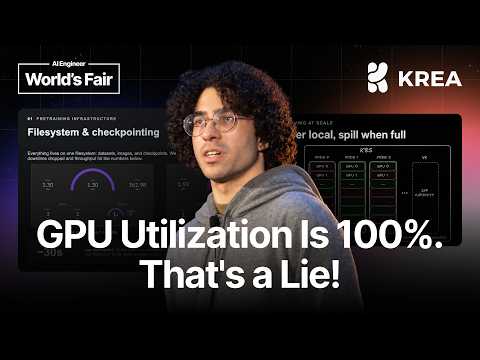
Uh, don't don't go blind because you're going to go you're going to go crazy. So I'm going to share some of the metrics that like were important for us. And like they're quite silly but like extremely effective. Uh, first one like GPU temperature. Uh, GPUs are very very annoying. They if you're if you have a single GPU that is like a bit warmer than the others, it's going to start like throttling and slow down and and the training's going to be unstable and you have weird problems. So for us it was like if there is any GPUs above like 78°, you you remove them. Don't don't think about it. Don't try to fix. Don't don't try to be smart. You just remove the GPU. Uh, you're going to save time and just ask your provider and like this GPU's hot. Please replace it. Uh and this there there is two metrics that at the beginning we did not fully understand and as we are like getting more and more used to GPUs and like how they work, uh, there is GPU utilization which is a lie. Uh, don't trust this. Uh, this is dumb. Uh, this tells you, oh, the GPU's doing work. And this is amount of time GPU's doing work but like not good work. Not how efficient the GPU's working. So like as you can see during our pre-training, the GPUs are 100%. This is not true. We are not fully utilizing the GPU. Uh, this is 100% a lie. What we would use uh, as a proxy was tensor core utilization. This is actually how how much of a tensor core you're using and like how effective they are being. Uh and it was also very interesting as we're doing pre-training and then you go from pre-training to mid-training to post-training, you start like scaling the like the resolution of the images. So like for example, pre-training we do like I think 128,
256, 512 1024 pixels as they scale and you could see the tensor core utilization go up as we like would scale on these these resolutions cuz now you're doing more work on on on images. And like also very
very interesting was InfiniBand and NVLink metrics. These by default not exported by uh the NVIDIA metrics that DCGM stuff. Some NVLink stuff, yes, but no InfiniBand. So if you don't have InfiniBand metrics, uh go go go get it. Uh I'm telling you right now, if you're doing large-scale pre-training with a bunch of GPUs talking to each other between machines and you have no InfiniBand metrics, you're doing something wrong. These was probably the most important stuff for us because most of our failures were like related to like cross-node communication. So like for example, here you just have throughput, but like on our like reference dashboard, we have a bunch of
stuff like from like wait like when you when a message sent on on on the fabric like how much time the the the message is waiting or like the like number of errors and different types of errors and
like number of packets and all of the things that like InfiniBand's exported uh we collect. We had to build custom stuff to get this. It was not hard. Uh you can figure it out. It's very very easy. Same thing for NVLink. Uh NVIDIA exports some stuff about NVLink, but like for example, NVLink NVLink errors, NVIDIA doesn't export this. Uh so you can collect this and like as I said, InfiniBand was extremely important and NVLink was a little bit less. Uh in some cases, these helped us catch some problems in like especially like cuz NVLink single node, right? Like communication inside a node. So sometimes a single node would have a weird failure where the GPUs seem to be fine, but like some weird error happens and then you can look at NVLink NVLink errors and like you see errors happening. And then replace that machine. So, go get this matrix. They they're extremely important and without this we would not be able to to train at all. Also, as I said, our our trains would crash constantly and a hacky way to do it to fix the problem just checkpoint. Use and abuse the file system that you have. At the beginning we use SEF. SEF didn't work well. Was very annoying. It broke. We lost trust in data. So, I recommend if if you have the money go go with something paid and cuz you can trust your data. You can see numbers. This is our our worker cluster. We can do like 1.8 terabytes of second of reads, almost a terabyte of writes. And the file system would not choke on the training. So, we could checkpoint every like 30 minutes, 20
minutes, produce like a terabyte of data in like less than 30 seconds. So, this would not delay trainings. That was like probably one of the like most important things that we need to to like
recoup the loss and just checkpoint. Don't don't don't don't forget about it. And like how we serve. This goes in connection on how the trains are launched. Because at the beginning I don't want my researchers to think about GPUs. I just want them to launch stuff and this goes into a queue and if we have GPUs we have GPUs. If we don't have GPUs we don't have GPUs. So, queue. This is a open source project. You can look it up. It does gang scheduling. Gang scheduling is important for for for trainings in general. And this gives us a semantic of like two tiers of priority where you have a workload priority and this you can say like oh this training is more important than this one. So, it skips on the queue in front of the
queue. And then after this we have the normal Kubernetes priority if you're used to Kubernetes. And the way this system works is like the training pods they always have like high priority for
everything. So, like once they are submitted they going on a schedule. If there's inference running on those machines, the inference gets kicked out. And you'd say, "Oh, this is bad. Production is going to go down." No, you can build on top of that to to make production not go down, which is very, very cool. Uh the only one of the problems with Q, which is annoying, you can automate that. We have not. It's just that you specify the queues. The queues have like amount of resources, CPU, and like Nvidia GPUs, memory, whatever. Uh but this is manually like manually like specified. And at least our cluster is quite fluid. Nodes phasing in and out of existence. They go into to maintenance, whatever. You lose a few nodes here and there. Uh this number gets out of sync. And sometimes these these would break gang scheduling. Uh so, FYI, this this is a bit annoying. You're going to face this if you use Q. Uh but yeah, very good project. Kubernetes 1.15, uh we have not had the chance to play with it. Has gang scheduling uh out of the box. Something very similar to Q. Uh so, maybe you can use Kubernetes 1.15. Uh and as I said, this this is the system that we built that allowed us to train using the whole cluster. As I said, we have one big cluster that runs production and and trainings. Uh so, I don't want my researchers to think about GPUs, and I don't want make the trainings and research be delayed because production is running, right? Uh production is lower priority. The site still needs to work. People still need to be use the website. But like the GPUs, they're like the value that we get off the GPUs doing trainings is more like higher than than we get out of production. So, the whole system works by default
where there is this magical system that I'm going to explain in in a bit that allows us to flip traffic between clusters magically. And not just clusters, and like external providers, GPU rentals, whatever. And you can see
like the green like the the dark green is like inference running in cluster. Uh and then someone launches a train, and then suddenly start flipping to the other cluster, and then training is done or whatever happens, it flips back. So, we stop wasting money. And this is seamless. No one needs to think about it. Uh the whole system like like handles itself. And you get this this very nice pattern of like I'm going to use all the GPUs in my cluster uh for trainings. Production is going to run somewhere else. I don't need to think about it. My users on production they not going to feel anything. Uh research is going to be happy, and we can get values out of the GPUs. Uh so, how does this work? There's this very nice project called virtual kubelet, also open source. Uh you can build on top of it. It is a very nice code base. Uh and this works by creating a fake machine in Kubernetes. Uh Kubernetes has nodes. This creates a fake machine that is like up to you to control how it works. So, Kubernetes does normal scheduling as you would expect. Things would go into into these nodes. For example, here all the GPUs are in the cluster in use, right? So, this pod goes into the virtual kubelet node, and in there you can do whatever. This is the system that we built. There is like you receive the pods back, and then you find a provider. You can like This is up to you. Let's say you have a deal with some provider that gives nice prices. You integrate integrate into here. We built like some nice interfaces to be to to like not leak things. So, like we just implement a provider, and there is a a algo that decides which one it goes. Uh you translate this back of the pods into into the provider stuff, and you deploy, and then you have something that reconciles between the both sides. And what's extremely extremely nice, if you guys know about Kubernetes, Kubernetes has like the horizontal pod auto scaler, which like scales the number of of replicas. Uh number of replicas uh Could you stop being annoying? Thank you, sir. I appreciate it. There you go. Let's go back. Uh now we go back. Uh back back. There you go. Like Kubernetes has the HPA, and the HPA scales the pods. And so, if something fails, it is very interesting you don't need to handle the fail. Uh the only thing you need to handle is like, "Oh, something failed." You mark the pod as failed. Kubernetes is it's to detect that something has failed and create a new one. Uh you don't need to try to save the world. Let Kubernetes handle it for you, which is extremely nice way of handling stuff. If something breaks on your side, something breaks on the the other side, just mark it as failed, let Kubernetes handle it, create a new one, and things keep working. Very, very nice way to handle stuff. Uh and also very interesting, let's say you have GPUs on your cluster available, right? You don't want to waste money. This would be very, very bad. So, the system works about like works with like using taints, Kubernetes taints. They allow and disallow things to run. Pods have tolerations for the taints. And when we have GPUs in the cluster, uh if you look back, there is the taint system on the bottom. This taint system, it is what would like by itself decide what you like if you have GPUs or not GPUs in the cluster. Uh and this adds a taint into the into the node when we have a lot of GPUs. So, like a lot of GPUs in the cluster, we taint the node, nothing can schedule on it. Uh so, we stop wasting GPUs. Like the pods, they go into into the GPUs in the cluster, we don't waste money. Uh and then imagine someone launches a training, right? This training is going to take all the GPUs in the cluster, it's going to hog all of the GPUs, no GPUs in the cluster. The
system detects this, removes the taint, new pod schedules there. Very, very nice. Uh you also don't think about it. Uh and for us, for example, we use just some Prometheus metrics. That's how we do it, very simple, uh but it works
very, very, very well. Uh you let the system run by itself. Someone's going to launch stuff. You're going to like the training SLI is going to kick out the pods, it's going to schedule, it's going to take the GPUs, the system is going to detect that, remove the taint, pod schedules there. Very nice. Someone finish the training. Now we have pods running on the other side, you're wasting money. Uh how do we fix this? Uh same thing, you run something else that detects the system and removes things back. Uh in this case, a descheduler. Uh once the taint's added back, so like GPUs available, we add the taint, the descheduler says, "Oh, these pods, they don't tolerate the taints. I'm going to migrate them back." And you can ask, "Oh, why you don't use a no no no execute taint?" No execute in Kubernetes would kick everything out at the same time. So, as as like at moment you put the tanks, everything will be kicked out and that's bad. Production would go down. So, like this system my like slowly migrates the pods back, so production doesn't go down and we don't waste money. Um it is a like a very like self-healing system. You don't need to interfere with it. Uh it just runs. Uh yes, of course, there was bugs at the beginning. Uh nothing's perfect. But like once you calibrate it was was like very very well and like changed the way we do research cuz no one else needs to care about GPUs. They just launch stuff. If have GPUs, we have GPUs. If not, we don't have GPUs, go into the queue. And we fully utilize the cluster for trainings. Production runs somewhere else. And the GPUs are doing like useful work. And also like if you're doing like diffusion transformers, they're not huge like LLMs that need like multi-node like
inference. Uh something that we learned like whatever GPU works. Uh the GPU can be hot, falling out of the bus. It can be exploding. Uh inference still going to run. It is very interesting. So, like
you can have very very bad GPUs for inference. Uh and everyone's going to be happy. Uh we are hiring. Uh if you're interested in building sort of stuff, uh doing large-scale pre-training, uh build this sort of system for researchers, shoot me a message at gabriel plus hiring at cerebra.ai. There's also jobs listing and that's it. Thank you. \>\> \[music\]