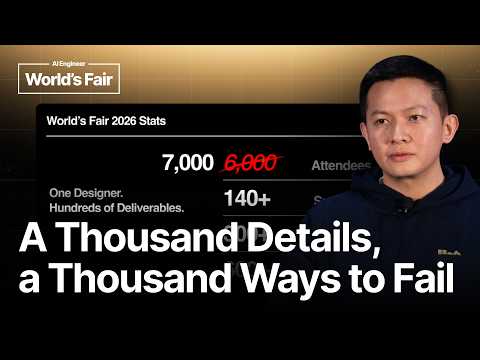
One Designer + AI. Hundreds of Deliverables. — Vincent…
Talk by Vincent Wendy, senior creative designer (and sole designer) at AI Engineer, on scaling design for a 7,000-attendee conference with more than 140 sponsors, 300 speakers, and 600 sessions using AI-assisted workflows. He presents a five-part method — build a strict design-system foundation, make designs reusable, automate workflows, validate output, and remove friction — with examples including automated schedule signage pulled from live data, a generator producing announcement graphics and trading cards for all speakers, Devin in Slack matching photographer shots to the correct speaker, and an agent checking 140 sponsor logos for omissions.
# Video Identity Observations — "One Designer + AI. Hundreds of Deliverables. — Vincent Wendy, AI Engineer"
## Explicit Self-Description Evidence
- **Speaker role and affiliation:** The speaker introduces himself as *"Vinson Weng. I am a senior creative designer at AI Engineer."* (Note: the video title reads "Vincent Wendy" while the transcript self-introduction reads "Vinson Weng" — a discrepancy between metadata and spoken content.)
- **Organization size:** *"At AI Engineer, it's a very small team. So, we only have around 12 people to 15 people at the moment."*
- **Event context:** The talk is delivered at a conference, described with scale figures: *"we only expected 6,000 attendees and now it's 7,000… 140 plus sponsors… 300 plus speakers, 600 plus sessions, and one designer."*
- **Talk framing:** *"today's talk is a non-technical talk, but more of a real-world experience how I created the design for AI Engineer this conference and our other past conference as well and how AI has helped me."*
- **Background claim:** *"my previous background is I'm a product designer"* with familiarity in user-centric and atomic design methods.
## Observable Presentation Patterns
### Intended Audience
- **Mixed designer/engineer audience, predominantly engineers:** The speaker polls the room — *"how many of you are actually uh designers?… And how many I assume that the rest of you are engineers? Is that correct? Yeah, pretty much."*
- He explicitly calibrates content for non-designers: calling the talk *"non-technical"* and explaining basics such as what a vector file is.
### Claimed Scope of Content
- **Solo-designer-with-AI workflows at conference/event scale:** Demonstrated via the "design team" — *"it's me and Devin, GPT, and Figma."*
- **Methodology framework:** Five stated pillars — *"foundation first, reusable designs, automated workflows, validated output, and also remove frictions."*
- **Concrete tooling demonstrated live:**
- Devin for schedule generation: *"we used to do it manually on Figma, but now we use Devin for it"*, with a live demo of pulling data and exporting PNGs.
- A self-serve **speaker announcement generator** with landscape mode and "trading cards" for 300+ speakers.
- **Automated QA:** sponsor logo verification — *"the accuracy is 100% based on the test that I do"* (creator's own test claim).
- Photo identification: *"we ask Devin like, 'Hey, who is this person?'"* for thumbnail production.
### Demonstrated Tone and Values
- **Pragmatic problem-first philosophy:** *"having a real problem is our advantage"* and *"all you need is a problem because once you have a problem that worth solving, you can basically solve anything."*
- **User-centered framing:** *"as a designer, we have to think as a user, not as a designer."*
- **Anti-perfectionist, ship-oriented stance:** *"it's just outdated for me"* regarding traditional design-thinking loops, replaced by a Slack–Figma–Slack workflow.
- **Human-plus-AI positioning:** *"human plus AI, combine it, well, you got your own QA team."*
## Claims vs. Demonstrations — Distinctions
- **Creator claim (unverified):** Devin's logo-check *"accuracy is 100%"* — based solely on the speaker's own testing.
- **Creator claim (unverified):** Face-identification test being *"pretty accurate"* for matching photos to speakers.
- **Demonstrated on stage:** Live Devin pull of schedule data and export; interactive speaker-announcement tool shown to the audience.
- **Interpretive claim by speaker:** That LLM vector generation remains *"not usable for me as a designer,"* supported by his recounting (not reproduction) of Simon Wilson's 2025 pelican-riding-a-bicycle test.
## Audience Address Style
- Casual, conference-floor register: direct audience questions, humor (*"all designers don't name their layers"*), acknowledgment of swag and conference artifacts, and audience reactions (laughter, applause) throughout — indicating an **in-person practitioner/creator community** presentation rather than a tutorial or product pitch.
# Delivery Observation — "One Designer + AI. Hundreds of Deliverables." (Vincent Wendy)
## Overall Tone & Register
- **Conversational, casual conference talk** — heavy use of filler and softeners: "like," "basically," "and yeah," "all right," "right?"
- Self-deprecating asides and humor, e.g. on Figma layer hygiene: **"all designers don't name their layers, so yeah, this is just like some random frame three, frame four"**
- Frames big claims modestly rather than grandly: **"it's pretty amazing"**, **"which is pretty convenient, right?"
## Audience Interaction Habits
- Opens with **live polling of the audience**: *"how many of you are actually uh designers?"* and *"how many I assume that the rest of you are engineers?"*
- Continues checking in mid-talk: *"do you like your swag, your stickers? Well, I hope you do"*, *"have you guys seen the talk by Simon Wilson like in 2025?"*, *"Are you guys familiar with the atomic designs?"*
- This is a **recurring pattern**, not an isolated opening move.
## Recurring Verbal Anchors
- **"Basically"** as a frequent connective: *"And how to overcome it? It's basically automation"*, *"it's basically a pelican riding a bicycle"*, *"Basically five five things."*
- **"Right?"** as a constant tag question: *"a thousand way to fail, right?"*, *"it's a lot of feedback loop, right?"*, *"which is pretty convenient, right?"*
- **"So, yeah"** as a transition/reset device: *"So, yeah, my previous background is I'm a product designer"*, *"And, So, how to solve this scale problem, right?"*
## Teaching Structure
- **Numbered framework**: *"Basically five five things. So, foundation first, reusable designs, automated workflows, validated output, and also remove frictions"* — then walks through each.
- **Problem-first framing**: repeats the theme that problems are an advantage — *"having a real problem is our advantage"* and later *"once you have a problem that worth solving, you can basically solve anything."*
- **Live demos mid-talk**: shifts from slide-talk to demonstration — *"let me show you. Hey. So, right now we just pull the latest data."* Also demos the speaker-announcement tool: *"you can also try it yourself."*
- Explicit **callback/roadmap habits**: *"we'll get to that in the latter part of this talk"*, and *"back to my talk, I got sidetracked right there"*
## Concrete Illustration Style
- Uses **specific numbers** for scale: *"6,000 attendees and now it's 7,000"*, *"140 plus sponsors"*, *"300 plus speakers, 600 plus sessions, and one designer."*
- Uses **quotidian dialogue examples** to show workflows: *"I just asked Devin like, 'Hey, I want this room at these days'"*, *"I could just ask Devin, 'Hey, can you add me an edit button?' And then it did."*
- Cites an external reference (Simon Wilson's pelican-riding-a-bicycle test) and builds a workaround lesson from it: *"we have to think outside the box here regardless the capabilities of the LLM."*
## Signposting & Closure
- Ends by restating the takeaway compactly: *"to solve the scale problem, you have to actually think small... Think everything that can go wrong and will go wrong and then try to solve it before."*
- Brief, unpolished close: *"I think that's all that I can share. Hope my talk has some benefits to you and yeah. That's all. Thanks, guys."*
## Delivery Irregularities (observable, not inferred)
- **Self-corrections and restarts** occur throughout: *"has been like has been a really helpful way"*, *"we we cannot make things like pixel perfect"*, *"Sorry, the the engineers that created the design."*
- **Frequent "and yeah" filler** bridging slides — appears at least six times across the talk.
- Audience laughter/snorts noted in transcript at the design team reveal and Slack/Figma workflow jokes, suggesting comedic timing around understatement.
## Uncertainty Notes
- The transcript lacks reliable timestamps beyond bracketed seconds and includes transcription artifacts ("Defont" likely = "Figma plugins/fonts", "remove fiction" = "remove friction", "sign it" likely = "signage"); exact wording of some quotes is uncertain.
- Speaker name appears as both "Vinson Weng" (spoken) and "Vincent Wendy" (title) — unresolved discrepancy in the source.
# Position Record: "One Designer + AI. Hundreds of Deliverables." — Vinson Weng
## Speaker Identification
- **Vinson Weng** (self-introduced in transcript), **Senior Creative Designer at AI Engineer**. Conference talk, non-technical, focused on real-world design experience.
## Core Thesis
- One designer plus AI tooling can produce hundreds of conference deliverables at scale.
- Weng frames the scale problem as solvable through **automation** plus disciplined design foundations.
## Stated Context & Scale Problem
- AI Engineer is a **small team (~12–15 people)**, each handling their own work.
- Conference figures cited: ~7,000 attendees (up from an expected 6,000), **140+ sponsors, 300+ speakers, 600+ sessions, and one designer**.
- Deliverables range from stickers, signage, landing pages, speaker announcements, track mascots, digital signage, to swag.
> "A thousand details means a thousand way to fail... missing sponsor logos, going to be a huge issue."
- **Design team**: "me and Devin, GPT, and Figma."
- Weng's claim: **tools are no longer the bottleneck — having a real problem is the advantage.** He attributes his design inspiration to the problem itself, not aesthetics.
## Position on LLM Limitations (with workaround)
- References Simon Willson's 2025 talk testing LLMs generating a vector pelican-riding-a-bicycle file. Weng retested: **still failing on basic models; "not usable for me as a designer."**
- Workaround stance: **"think outside the box regardless of the capabilities of the LLM"** — e.g., generate a PNG via ChatGPT, then vectorize in Figma.
## Proposed Five-Part Framework
1. **Foundation first** — design system, typography, colors, components. Weng cites his product-design background with **atomic design**: build smallest parts, combine "like LEGO pieces."
- Motivated by LLM behavior: models "love to throw random font sizes," so typography must be explicitly defined.
2. **Reusable designs** — once the website establishes branding, other teams (e.g., marketing) can self-serve email designs, flyers, documents; "rinse and repeat" (e.g., mascots).
3. **Automated workflows** — the part Weng calls "most interesting."
4. **Validated output** — QA via AI.
5. **Remove frictions** — designer-as-user thinking.
## Automated Workflow Claims (with demos)
- **Schedule signage**: previously manual in Figma; now Devin pulls latest data, exports PNG, ships to flash drive/screens.
- **Pixel-perfect delivery**: the historical friction was designer–developer feedback loops; now MCP connections or **spec sheets** (a free Figma plugin annotating spacing, font sizes, colors) let Devin deliver pixel-perfect output. Weng notes designers don't name layers ("random frame three, frame four") but the LLM copes.
- **Speaker announcements**: a self-service tool for 300+ speakers (selectable, name-editable, landscape mode, auto-export with headshots); "trading cards" surprisingly popular, one style "inspired by TBPN."
- **Process change**: traditional design-thinking research/feedback loops are **"just outdated for me"**; current flow is Slack → Figma → Slack (since "Devin lives in Slack").
- **Photo identification**: asked Devin "who is this person?" — built a Tinder-style same-person matcher; identified Jason Liu accurately. Previously required manual photographer-code searching; now identity lookup drives thumbnail assembly.
## Validation / QA Claims
- Sponsor banner check: asked Devin to find missing logos among 140+ sponsors; **"the accuracy is 100% based on the test that I do"** (qualification: Weng's own testing, single instance). Same approach applied to T-shirt graphics.
- Stance: **"Human plus AI, combine it, well, you got your own QA team"** — AI catches human oversights.
## Friction Removal & Exceptions
- Designers should "think as a user, not as a designer" — walked through attendee journey (registration, wayfinding, QR codes).
- **"The real job is handling exceptions"**: e.g., the schedule tool lacked an edit button; when a morning update was needed, Devin added the edit button on request, enabling re-export to PNG.
## Takeaways (as stated)
- To solve the scale problem, **"think small"** — anticipate everything that can and will go wrong.
- "You can basically automate everything."
- **Having a real problem benefits you** because it drives shipping a better product.
## Overall Sentiment
- Weng describes the current moment as **"already at the peak"** for designers: "what else can you ask for?" — a strongly optimistic assessment of AI-assisted design, with the caveat that it rests on his own single-conference experience and his own accuracy testing.
# Speaker Attribution & Provenance Record
**Video:** One Designer + AI. Hundreds of Deliverables. — Vincent Wendy, AI Engineer
**Video ID:** `01a15ca7-6944-7e69-b9fd-88fd925bd8ff`
## Speakers
- **Vinson Weng** (transcript spelling; title card says "Vincent Wendy")
- **Role:** Creator / sole presenter
- **Self-identified role:** Senior Creative Designer at AI Engineer
- Delivers the full talk as a first-person account of designing conference deliverables using AI tools.
- **Audience**
- **Role:** Unidentified attendees (engineers and designers, per show-of-hands)
- Contribute laughter, applause, and non-speech reactions (`[snorts]`, `[applause]`); no substantive quotes.
No guests, narrators, or other identified speakers appear.
## Referenced Sources & Third-Party Claims
- **Simon Wilson talk (2025)** — cited by the speaker; claim that LLMs asked to generate a vector file (pelican riding a bicycle) produce non-usable output for basic models. Speaker attributes this test to Wilson and states he re-tested it.
- **AI Engineer conference statistics** — speaker's own claims: ~7,000 attendees, 140+ sponsors, 300+ speakers, 600+ sessions, team of 12–15 people.
- **AI tool claims (unverified, speaker's own testing):** logo-missing detection accuracy "100%," face identification example ("Jason Liu"), Devin-based automation described as pixel-perfect.
## Named Tools / Entities Mentioned
- Devin, GPT/ChatGPT, Claude (implied via "Cloud" transcript rendering), Figma, Slack, MCP, Figma spec-sheet plugin (described as free, unnamed), TVPN (design inspiration credit).
## Promotional Segments
- **Flagged:** Demo of the publicly accessible **speaker announcement tool** — speaker invites attendees to "try it yourself" (product of the AI Engineer team).
- **Flagged:** Endorsement of an unnamed **free Figma annotation plugin** ("if you're interested, it's free").
- No third-party paid promotion detected.
## Availability Limits
- No curated metadata supplied; no comment availability information.
- Transcript is auto-generated; speaker name rendered inconsistently ("Vinson Weng" vs. "Vincent Wendy") — identity uncertain between the two spellings.
All right. Hello everyone. Hope you guys having a good time at the conference. So, before we start how many of you are actually uh
designers? Like a product designer. Hey, one hands and another. Okay. And how many I assume that the rest of you are engineers? Is that correct? Yeah, pretty much. Okay. So, today's talk is a non-technical talk, but more of a real-world experience how I created the design for AI Engineer this conference and our other past conference as well and how AI has helped me. And so, the talk today is one designer plus AI, which is me as the designer, and hundreds of deliverables. All right, let's start. So, my name is Vinson Weng. I am a senior creative designer at AI Engineer. And at AI Engineer, it's a very small team. So, we only have around 12 people to 15 people at the moment. And everyone has been doing their own thing and I think AI has been like has been a really helpful way to like helping everybody doing everything. And at if for if an at this scale we have a problem, obviously, right? And the problem is the scale problem or I would call the challenges. And how to overcome it? It's basically automation and we get to that in the later part of this talk. So, when I prepared this talk, we only expected 6,000 attendees and now it's 7,000. Well, good for us. And then we have 140 sponsors. More. 140 plus sponsors. And then 300 plus speakers, 600 plus sessions, and one designer. And everybody needs
every designs, right? Like every single thing needs design. Sponsor needs assets, speaker needs graphic. You need sign it so you don't get lost. And
this is basically what we do, what I do. So, from stickers, do you like your swag, your stickers? Well, I hope you do because I create that design, too. And to a landing page, speaker announcement, track mascot, all the stuff that you see, most of the stuff that you see here, from a sign it to a digital sign it, landing page, everything is a deliverable. And a thousand details means a thousand way to fail, right? Because I'm missing sponsor logos, going to be a huge issue. And speakers that have a wrong schedule, also a huge issues, right? And it seems impossible to handle that many kind of deliverables, but yeah, meet my design team. So, it's me and Devin, GPT, and Figma.
And right now we are at the stage where tools isn't the like it's not a problem anymore, but having a real problem is our advantage. So, for example,
when someone asked me, "What inspired you when designing in AI engineer?" I don't know the answer back then, but after I think about it, it's actually a problem that inspired me to like designing in this AI engineer. And we'll get to that in the latter part of this talk. So, have you guys seen the talk by Simon Wilson like in 2025? \>\> Yeah. \>\> Yeah, and it's pretty interesting, right? He asked to He asked every LLM to create an a vector file, which is basically a pelican riding a bicycle. And it is basically to test and I tested again and it's still doing this for the basic model. And it's not usable for me as a designer. But as a designer, we have to think outside the box. And we could simply ask ChatGPT create a still image like a PNG for a pelican riding a bicycle and then I can vectorize it on on Figma. And we can ship that now. So, we have to think outside the box here regardless the capabilities of the LLM. And So, how to solve this scale problem, right?
Basically five five things. So, foundation first, reusable designs, automated workflows, validated output, and also remove frictions.
The foundation is definitely the core part that we need to set up right. Like the design system, typography, colors, components, like other stuff. And once this is set up, like for example, when we create the website, it's all set up within this thing. And yeah, this is just an example. Like we have the colors, primary, and then also the accent colors, the typography, and also the tagline, all the other stuff. And also, have you guys Are you guys familiar with the atomic designs? So, yeah, my previous background is I'm a product designer. So, I'm pretty familiar with the thing where we need to create a user-centric design and also like atomic designs, right? Where we create the smallest part possible and then combining it into like basically a LEGO pieces and then into a deliverables. And this is pretty useful in my job desk right now. So, once we set up all of those foundation, we basically need to create for example, we use Defont a lot. In at the office, we everybody use Defont. Everybody like abusing Defont for example. Yeah. And So, in this case, I just need hey, we use this desktop typography and this mobile typography because we know Cloud or like any other LLMs love to like throwing some random font size, right? And if we don't define it, it just delivering a slope like the previous slope. And yeah. Typography, color and stuff and and then it comes to reusable design. So, once we set up it right, like the website is has the
the branding to it, all the other teams on the AI engineer, like for example, the marketing teams can create everything basically. Like they can create an email design based on
that. They can create a flyer, a document just based on the website because it's already defined like it defined early. And yeah, once you get the design, you can just rinse and repeat. For example, the mascot, it's all has the pretty much the same design and it's rinse and repeat. And if you already defining those things, you can basically like create one design that works for all. And this is the part that I'm most interesting to talk about, which is the automated workflows. Before, for example, if you take a look outside the room, there's a schedule, right? The schedule for each and everyone. So, we used to do it manually on Figma, but now we use Devin for it. And let me show you. Hey. So, right now we just pull the latest data. I just asked Devin like, "Hey, I want this room at these days." And then we can just export it, download it PNG, and the data is all accurate, and then we can just ship it to the flash drive, and then put it on the screen. And it was like impossible before because the friction is just too much between the designers and the developers. We \[snorts\] cannot make things like pixel perfect because once we tell the designer, "Hey, this is the design." And then Sorry, the the engineers that created the design, for example. "Hey, I need this to be delivered." And then they don't create it pixel perfect, it's a lot of feedback loop, right? But with Devin, we just say, "Hey, can you make this more accurate?" We can just connect it to MCP, and then if it doesn't work, we can just always like give a spec sheet or something that can be defined like what's the spacing, what's the font size, etc. And
this is what we do to for the speaker announcement. So, we have 300 plus speakers, and it's impossible for me to like handle one by one, right? So, we create this thing,
which is called which you can also access to speaker announcement, and you can also try it yourself. Like this one, for example. You can select it right here. And then you can also change your name. Well, that Yeah. For example, this you can change the name to whatever you want. And we also have the landscape mode which can be also loaded. If the speaker also have the headshot and all the details, it will automatically export. And we also have the trading cards which is surprisingly pretty popular. And we have a different team. And this is all pixel perfect. All right. For example, this one. This is inspired by TBPN, so Yeah. And how do I deliver this in pixel perfect? Let's jump into it. So, the process here is before when I start my career as a product designer, it used to be just okay, we need to research, we need to build product like design thinking in general, right? And then feedback loop and stuff like that. But right now, it's it's just outdated for me. Like in my case, we just go to Slack, Figma, and then send it back to Slack because Devin or Devin live in Slack, and then ship all the things that he need. \>\> \[snorts\] \>\> Like for example, if we can connect the MCP or also the spec document, which is for example the spec sheet like this, which is uh plugin in Figma if you interested. It's free and it's basically give an annotation to the PDF. And yeah, all designers don't name their layers, so yeah, this is just like some random frame three, frame four, but the LLM will get it. And it's basically defining all this spacing, all this font size, and then all the colors and stuff. It's definitely going to help you develop a pixel-perfect product. And we also have just recently like today have uh photos which we have to create
the thumbnail for its speaker, right? And then we ask Devin like, "Hey, who is this person?" And yeah, it kind of did. Like I make a
Tinder kind of you know, detection if this is the same person or not. And I think it's pretty accurate. It's Jason Liu. Yes. And then we can use this to like for context. Like before, when we create the thumbnail, we have to search all the codes that photographer have and search it one by one and maybe by time if possible. But now we can just like, "Oh, this is Jason Liu. Download that photo." And then we can paste it into the thumbnail, right? And it's pretty amazing. I mean, the world that we live in right now is actually like the state for me as a designer is already at the peak because what what else can you ask for, right? I mean, we already have things to automate, we already have things to create the design fast. Basically, all you need is a problem because once you have a problem that worth solving, you can basically solve anything. And back to my talk, I got sidetracked right there. Yeah. And then yeah. And this is also the amazing thing that we test. So, as you know, we have like hundreds of sponsors, right? Like 140 plus. And as you can see on the at the lobby, we have the banner with all the sponsors.
And I basically tell Devin like "Hi, could you compare could you check if there are any missing logos in this graphic?" And the accuracy
is 100% based on the test that I do. So, which is pretty well. And we use the same thing for the T-shirt that you got for your swag. And yeah, surprisingly, Devin knows how to like visualize things, right? Like how to detect things visually. And that is very surprising because as a human, we can like give errors. Oh, turns out there's one small something that is missing. But with this kind of thing, we can like double-check. So, human plus AI, combine it, well, you got your own QA team. And then remove fiction. So, this is just uh the way of thinking. So, as a designer, we have to think as a user, not as a designer, all right? Because every user has its needs.
You can walk through the for example, the map plan here. So, basically, I'm imagining myself as an attendee to go to the registration, go to the
see the wayfinding and the QR code and then all the stuff. Basically, everything needs to be connected so you guys don't get lost and knows how to find your rooms and other stuff. And the real job is handling exceptions. So, for example, oh, I have Yeah. \>\> \[snorts\] \>\> For example, um there is a schedule update, all right? And when we create this thing, it doesn't has an edit button. And then one morning, it just "Hey, this schedule needs to be updated and we don't have those edit buttons." I could just ask Devin, "Hey, can you add me an edit button?" And then it did. So, we can change everything now and then ship it to PNG and replug it to the screen, which is pretty convenient, right? And those exceptions, right? It it's not possible before when we have to do it manually and stuff. But now it's just get easier. And so, the takeaway here is that to solve the scale problem, you have to actually think small. Think all the smallest thing possible. Think everything that can go wrong and will go wrong and then try to solve it before. And also, like yeah, right now basically you can automate everything. And at this moment, having a problem is actually going to benefit you because that's going to help you ship a better product, going to ship uh things that are good. And yeah, I think that's all that I can share. Hope my talk has some benefits to you and yeah. That's all. Thanks, guys. \>\> \[applause\]