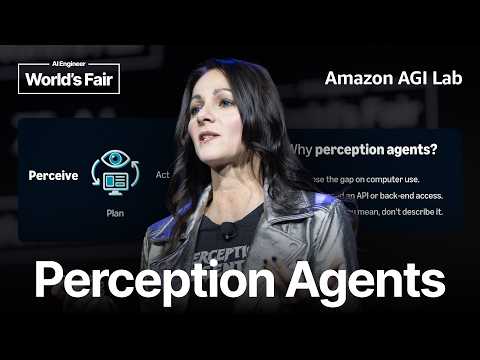
Perception Agents — Antje Barth, Amazon AGI Lab
Talk by Antje Barth (Member of Technical Staff, Amazon AGI Lab) at AI Engineer World's Fair on perception agents: AI agents that visually perceive screens, reason about what they see, and act through clicks and keystrokes. Covers why current agents fail at real GUI work, the reliability and trust gap, why coding agents succeeded via verification, shared human-agent context, and a perceive–plan–act architecture including multimodal perception beyond the screen and an open source harness for annotation and verification.
# Video Identity Observations — "Perception Agents — Antje Barth, Amazon AGI Lab"
## Explicit Self-Description Evidence
- **Speaker affiliation stated directly**: The speaker is introduced as "a member of technical staff at Amazon AGI lab," and she self-identifies with the lab's work throughout ("runs our AGI ACI team at the lab").
- **Named conceptual contribution**: The speaker introduces a branded concept: "We call them perception agents."
- **Open-source positioning**: "we just recently launched the first two pieces of our perception agent harness open source" and "They're on our GitHub repos, open source."
- **Stated mission**: "We want to build AI that makes all of us smarter together."
## Observable Presentation Patterns
### Intended Audience
- **AI engineers and practitioners at a technical conference**: She addresses attendees of the "AI Engineer Worlds Fair" — "It's so great to be back here at the AI Engineer Worlds Fair" — and speaks peer-to-peer: "I think most in the audience here can still relate to that."
- **Builders invited to contribute**: The closing is an explicit call to this audience — "go and try them out... Tell us what we're missing, give us the feedback what you would like to see."
### Claimed Scope of Work
- **Frontier agent research (computer use, reliability)**: The talk claims work on making agents reliable end-to-end: "How do you make an agent reliable when there's no way to verify the answer that easily? And that's a field that is still wide open."
- **Concrete open-source tooling demonstrated**:
- *Annotation tool*: "This one is a Chrome extension... you can just select different elements on a screen."
- *Verification tool*: "the agent can actually check its own work against those design specs."
- **Beyond-screen perception (wearables)**: A demo with "B devices" that "can do a transcript... listening to what we're saying" in an in-person meeting.
### Demonstrated Presentation Style
- **Technical demo-driven**: Structured around problem framing → concept → live/video demos → open-source call-to-action.
- **Cross-promotional ecosystem**: Promotes a colleague's podcast ("this podcast by my colleague Danielle Persik"), additional talks ("my colleague Gaf Mishra at 1:30 in the computer use track"), a booth, and GitHub/website — indicating a coordinated multi-channel lab presence.
- **Honest about limitations**: Acknowledges current agent failures ("agents still struggle to do this end to end") and frames the demos as "the very first step."
### Notable Distinctions
- **Claims vs. demonstration**: The open-source harness is a *claim* backed by described demos (video playback within the talk), not a live in-person demo — the demos were pre-recorded ("I'm going to play here this quick video demo").
- **Sponsorship disclosure**: "Big shout out to B for sponsoring these" — an observable relationship external to the lab's own work.
# Delivery Observations — Antje Barth, "Perception Agents"
## Tone
- **Conversational and collegial**: frequent casual interjections — "Amazing," "wouldn't that be really cool, right?", "Why not?"
- **Direct audience address**: repeatedly engages the room — "maybe all of you can just think about an agent," "I think most in the audience here can still relate to that."
- **Humor through examples**: "if your agent one in four times deletes a database, you will never touch that agent again, right?"
## Rhetorical Structure & Teaching Habits
- **Question-driven progression**: repeatedly poses questions, then answers them:
- "So why do we see this gap?"
- "So what do I mean with this?"
- "So why is that? Why was coding first solved?"
- **Concrete relatable scenario before abstraction**: onboarding example — "A new team member starts on Monday… add them to your Slack channel, order the laptops."
- **Numbered enumeration**: "So first they complete the loop… Second, it doesn't need an API… And then third, the input also goes the other way."
- **Analogy to humans/robotics**: "how do humans handle messy work?" and the perceive → plan → act robotics loop.
## Recurring Phrases & Vocabulary
- **"The seams"** as a recurring metaphor (appears at least twice):
- "the real work lives within the seams of all of those different applications"
- "It's living in the seams of all of those applications"
- **Repeated triad "capabilities / reliability / trust"**: "this is all capabilities… Now the next hard part is really reliability… without reliability we cannot really build up trust."
- **Frequent "So" as a discourse opener** — dozens of sentences begin with "So."
- Repetition of **"right?"** as a check-in tag: "You just tapped autocomplete. Amazing… right?"
## Demo & Evidence Style
- **Narrates pre-recorded demos live**: "So I'm going to play here this quick video demo… So you have the extension installed."
- **Frames demos as experiments**: "So I did a fun experiment yesterday at the conference here. So I grabbed my colleague Giovanni."
## Closing Pattern
- **Community-building call to action**: "go and try them out… Tell us what we're missing," plus cross-promotion of colleagues' talks, podcast, and booth — "none of us get smart alone."
## Uncertainty Notes
- **Vocal delivery, pacing, and gestures are not observable** from transcript alone; tone judgments are inferred from word choice only.
- Frequency claims ("dozens of 'So'") are approximate; no timestamps were invented beyond transcript markers.
# Observation Document: Perception Agents — Antje Barth, Amazon AGI Lab
## Framing: The Problem with Agents Today
- Barth opens by contrasting progress over one year: previously, the hard problem was getting an agent to **find and click a button** on unfamiliar screens; now agents can drive browsers and desktop apps.
- Her central claim: **"clicking was actually the easy part. What we didn't solve is the actual work."**
- Illustrative example: onboarding a new team member (accounts, Slack, intros, laptops) spans ~five systems with no single owner. Agents can perform each individual step but fail end-to-end because:
> "the real work lives within the seams of all of those different applications... this is mostly where it all falls apart."
## Capabilities vs. Reliability
- Barth's stated progression: we taught computers to use computers — clicking, scrolling, typing, API calls, form-filling — and these steps are reliable and stringable into workflows.
- Capabilities are mostly solved; **the next hard problem is reliability**, which she ties directly to trust: "without reliability we cannot really build up trust in those systems."
- Her gut-check estimate: end-to-end agent workflows might succeed **60–80%** of the time. She argues this is insufficient:
> "if your agent one in four times deletes a database, you will never touch that agent again."
- Her standard: reliability "in the nines."
## Why Coding Was Solved First: Verifiability
- Barth traces coding's evolution: autocomplete → writing functions → coding agents writing code and opening pull requests.
- She observes a trust shift: people once read every generated line; now "hardly anyone is still doing that" because code is generated too fast.
- Her explanation: **"code is verifiable. You can run it, you can test it, you can check it."** Reliability appeared first where answers can be verified.
- The catch she identifies: most **knowledge work is messy** — "Did the report land? Is the design on brand? Did it get what I actually meant?" There is no unit test for these.
- Open problem she names: making agents reliable when there is no easy way to verify the answer — "that's a field that is still wide open."
## How Humans Handle Messy Work
- Humans succeed at unverifiable work by **figuring things out together**: jumping on a call, pointing at the same screen, solving in minutes.
- Her key inference: "You don't necessarily need a bigger brain. What you need is this **shared context**" — the agent looking at the same screen reduces the explaining needed.
## The Perception–Planning–Acting Loop
- Current agents can see and act on screens, but after firing actions they "move on" — they don't watch results or recover from failures.
- Analogy from robotics: **perceive → plan → act**, applied to screens.
- "Perceive" means taking in the rendered screen — layout, state, changes — **not scraping code behind the page**.
- Real-time requirement: current interaction is prompt → wait → turns of correction. She proposes an agent that **reacts while you're still working**, perceiving what you perceive and understanding what you mean.
## Perception Agents: Three Claimed Benefits
1. **They complete the loop on computer use** — reading the rendered screen lets the agent confirm its own output instead of "firing off those actions and then hoping."
2. **No API or backend process needed** — it works off the rendered interface; most everyday software exposes no APIs at all.
3. **Input goes the other way** — pointing at elements ("this heading needs to change") is more precise and **less lossy than text**.
## Announced Open-Source Release: Perception Agent Harness (Two Pieces)
### 1. Annotation Tool
- A **Chrome extension** demo: select/draw around elements on screen (e.g., mark a heading, change it to red; select an element, double the font size).
- The agent captures the on-screen feedback — location, style elements — and produces a summary the agent can implement. Claimed benefit: "no back and forth anymore."
### 2. Verification Tool
- User describes design rules in a **design MD file**; the agent converts them into rules if not already written.
- Two checks:
- **Visual check** — on-brand, correct layout.
- **User flow check** — walks through the app like a real user (e.g., add/delete a task).
- Produces a report of passed and failed tests. Stated value: the user doesn't have to "click through this at midnight."
## Beyond Screens: The "B Devices" Experiment
- Barth notes there isn't always a screen (e.g., walking into a meeting).
- She describes an experiment at the conference with her colleague **Giovanni** in a meeting booth: both wore **B devices** (she gives the sponsor a shout-out) that transcribed their design discussion.
- The transcript fed a summary with insights; clicking **"apply"** sent changes straight to the agent (yellow background, red heading, emoji change), which also kicked off verification immediately.
- Qualification preserved: the color scheme "apparently" fit approved rules; she notes the user can either update the design specs ("if you actually like yellow") or instruct "fix this violation" — framing this as a **judgment call**.
- She positions this as "really the very first step."
## Closing: Open Development and Calls to Action
- Claim: these patterns "can only get better if more people are using them, building on top of them, breaking things."
- Ask: try the GitHub repos, give feedback on gaps.
- Motivating statement: "none of us get smart alone... We want to build AI that makes all of us smarter together."
- Pointers: podcast by colleague **Danielle Persik** (cognitive scientist, runs the AGI/ACI team) on human–agent interaction; talk by **Gaf Mishra** at 1:30 ("From RL to IRL"); booth and expert talks at the expo; GitHub and website for remote attendees.
## Notable Qualifications and Tensions
- Barth's 60–80% success estimate is presented as a **gut check**, not measured data.
- The coding-trust shift (no one reads generated code anymore) is stated as her impression — "I think most in the audience here can still relate to that" — not a verified claim.
- She explicitly flags the verification problem for non-code work as **unsolved and wide open**, even while presenting her tools as partial first steps ("These two pieces are the very first beginning").
# Speaker & Provenance Record — Perception Agents — Antje Barth, Amazon AGI Lab
## Speakers & Roles
- **Antje Barth** — **Primary speaker (creator/keynote presenter)**
- Introduced as a **member of technical staff at Amazon AGI Lab** by an unnamed **stage introducer/narrator** (name rendered phonetically in transcript as "onjab. bar"; identification as Antje Barth comes from video title).
- Delivers the full talk; role: Amazon AGI Lab representative presenting on "perception agents."
- **Unnamed stage introducer** — brief opening line only.
- **Mentioned, non-speaking third parties:**
- **Giovanni** — colleague who participated in a demo design meeting (named in-talk; no other identifying info).
- **Danielle Persik** — cognitive scientist, runs the AGI/ACI team at the lab; recommended via her podcast (not speaking).
- **Gaf Mishra** — colleague giving a later talk "From RL to IRL" (not speaking).
## Referenced Sources & Claims
- **Open-source releases:** Two "perception agent harness" components launched open source on **Amazon AGI Lab GitHub repos** — an **annotation tool** (Chrome extension) and a **verification** capability.
- **Analogy/claim source:** Robotics perceive–plan–act loop cited as a model for screen-based agents.
- **Event context:** Talk given at the **AI Engineer Worlds Fair**; demo experiments performed "yesterday at the conference."
## Promotional Segments (Flagged)
- **Sponsorship mention:** "Big shout out to B for sponsoring these" — B devices used in the meeting-transcript demo.
- **Closing promotional block:** Recommendations for:
- Danielle Persik's podcast ("any popular podcast platform").
- Additional conference sessions, expert talks, and a 1:30 computer-use track talk by Gaf Mishra.
- Amazon booth/expo hall presence, GitHub repos, and lab website.
## Availability & Limits
- **Comment availability:** Not specified — no curated metadata supplied.
- **Uncertainty:** Speaker name in the intro is garbled in transcript; identification relies on the title. B device brand name rendered only as "B."
Joining us on stage is a member of technical staff at Amazon AGI lab \[music\] onjab. bar.
Good morning. It's so great to be back here at the AI Engineer Worlds Fair. Just a year ago, the hard problem was
getting an agent to find a button and click it on a screen, especially screens it had never seen before. Now, agents can drive browsers and
they're starting to also drive desktop apps. But what we figured out, click clicking was actually the easy part.
What we didn't solve is the actual work. And what do I mean with this? Let's take a very simple example. A new team member
starts on Monday. And maybe your job is to set up their accounts, add them to your Slack channel, book intros with colleagues, order the laptops, etc. And nobody really owns this end to end process in the company and it might be also touching five different systems. Now, agents can most likely perform each single individual individual step of this workflow, but agents still struggle to do this end to end because the real work lives within the seams of all of those different applications, of all of those different steps you have to take. And this is mostly where it all falls apart. The agent can use every single tool you give it, but it still can't do the full work. So why do we see this gap?
Think about for a minute what we actually build. We taught computers to use computers. So what do I mean with this? We started
building out the basics. We taught them clicking, scrolling, typing, calling an API, filling out a form, and we got those steps, these steps really reliable, and you can string them together in a workflow. And agents these days are fairly good at like operating those workflows. So, why can't you not just hand them more of your work and then literally just walk away and trust it to be completed? So all the things I talked about like using a tool models itself, tool use, stringing agents together, this is all capabilities and we mostly figured out how to add capabilities to models. Now the next hard part is really reliability and without reliability we cannot really build up trust in those systems. So here's a quick gut check and maybe all of you can just think about an agent doing work in an end toend workflow. How often do you think that actually succeeds these days? Maybe 60 maybe 80% of the time. And it sounds really fine, but if you look into this, if your agent one in four times deletes a database, you will never touch that agent again, right? So when you need this reliability, you really need to be it in the nines. You need to have the trust that it actually can do the work successfully.
Now there's actually one place where we made enormous progress on reliability and trust and this is coding
right. Think about how fast coding evolved. I still remember the first time when it started autocompleting for you, right? You just tapped autocomplete. Amazing. Then short time later, it started to write functions. And we thought that is amazing. And now look at these days. Coding agents write the code. They open up the pull requests themselves. And we had it earlier this week. Code keeps flying by. So once in a time we were able to just every single line that it generated we felt like the urge we need to really read it and make sure it's correct right I think most in the audience here can still relate to that these days I think hardly anyone is still doing that like we cannot even do that right code is generated at such a pace at the same time coding made that jump so why is that because we were able to bring it from just being capable the coding agents to actually be reliable and then trusted. So why is that? Why was coding first solved? It's because code is verifiable. You can run it, you can test it, you can check it and you can be for sure that it worked. So reliability showed up in the first place you can actually verify the answer.
But here's the catch. Most of the work we do if you look at the broader knowledge work areas is not like that. Knowledge work is messy and heck the
whole real world is really messy. Did the report I created land? Is the design on brand? Did it get it what I actually meant? So there is no unit test that can answer those questions. So verification really hits the wall right where most of our work lives. It's living in the seams of all of those applications we're using on a day-by-day basis. And nobody really has corrected this part yet. How do you make an agent reliable when there's no way to verify the answer that easily? And that's a field that is still wide open.
So, how can we solve this? Well, so how do humans handle messy work? I mean, we're successful at it, right? Each of us like every day we work
across different systems. We manage out how to onboard a new colleague. We do this. Well, we're doing it by figuring things out together. You grab a colleague, you jump on a Zoom meeting, you're discussing things, you're looking at the problem to solve, you're discussing p pointing at systems, and maybe two minutes later, you solved it. You're done. But none of this work is actually directly verifiable. And we do this all day. So one of the things is we're looking mostly at the same screen, right? If you're jumping on a meeting with a colleague, you see the same screen, both of you, and you can actually like figure out really quickly what needs to be done. So this is what the agent these days is missing. You don't necessarily need a bigger brain. What you need is this shared context. Because if we're looking the agent and myself at the same screen, I probably have much less explanating to do. So what kind of agent do we really need to build to achieve this? And today's agent, as I said, they can already see a screen, right? and they can click and take actions in it. That part works. But if they fire off actions, what they usually do, they move on. They don't watch what happens or recover if one step didn't succeed or something goes sideways. And we need an agent that can actually work like you do, like humans work.
And one example is robotics. If you just look for a moment as how robotics do it, a robot perceives what's around it and it plans what to do and then acts. So
this loop here from perceiving to planning to acting, this is actually what we also would need on a screen. And it starts here really with the first word which is perceive. The agent has to take in the screen the way you do, not scrape the code behind the page, but what's actually rendered, the layout, the state, what just changed the work, what we're doing, and then do it. And it would also have to keep up in real time. Think about how we as humans work together. You jump in, you react to build on top of what each other you say. And today agents can still don't do it. What we're doing is we're sending a prompt. We're waiting. It goes away and at one point the agent come back and we might have to take a couple of turns, right? Because what the agent come back with is not exactly what we might want to do. So we're sending another prompt say, "Hey, go back do this, do this differently." And we have this long back and forth which we got so used to from our chatbot experience and from this rhythm taking turns. But what we actually would need, think about it, is an agent that can react while you're still working. Wouldn't that be really cool, right? Like at the same time you're working, it can also come up with suggestions, can help you, and there is no waiting time. So basically an agent that perceives what you perceive and understands what you mean.
We call them perception agents. So why perception agents? Why do they matter? So first they complete the loop
on computer use. Today's agents again they can act, they can click, they can type, they can scroll, but what they can't do well is looking at the results and whether it actually worked out. A perception agent can read the rendered screen so it can confirm its own output instead of just firing off those actions and then hoping. Second, it doesn't need an API or backend process. And that's important because it works off the rendered interface. It sees the same pixels and the structure you see. And most of today's software people use every day don't expose APIs at all. And then third, the input also goes the other way here. Instead of writing a long paragraph to describe what you want to change, let's say you're working on a website and you want to describe all the changes you want to apply. Instead of writing this really long description, wouldn't it be great if you can just point to it and say, "Hey, here this heading needs to change. Hey, can you update this section?" This is a much more precise signal and less lossy than text. and the agent can act exactly on what you marked.
So this is where we started and I'm happy to share that we just recently launched the first two pieces of our perception agent harness
open source. There's two pieces. There is annotation which you can use to tell it what you want. And then the second piece, the verification part gives the agent the capability to check its own work. So let me show you the first one. So here's a very quick demo on our annotation tool. This one is a Chrome extension, so it's super easy to use. And I'm going to play here this quick video demo. So you have the extension installed and then you can just select different elements on a screen. So this example we're just drawing around the heading there marking the section. And maybe you want to change it. Why not? Let's change it to red. You could also select the elements on this page. You see how if I hover over it finds the right element. You click it, you select it and say something maybe double the font size. And you see also how the agent here captures on the screen exactly the feedback, the location, the style elements and it creates this complete summary which you can then use and then give your agent to implement. So there is no back and forth anymore because you captured exactly what you saw on screen and the agent can see the same thing. Now let's have a very brief look at the second one at verification. So the idea of verification is that you can describe let's stay in this case of the web development. You can describe in a design MD file what your design rules are for this. And then what happens if I play this video here, the act the agent can actually check its own work against those design specs. So it will take what you defined, the colors, the components, your layout, and it turns it into those rules if you don't have it written before yet. And it does two kinds of checks. Then it does a visual check, which is really cool. So everything is on brand, for example. it's the right layout. The other part is also checking user flows. So what it does there, it actually walks through this experience through the app for example depending on the tasks available. It might add a task, it might delete a task like a real user would. So it helps you walk through those user flows as well in an automated fashion. And then once it's done, it's writing a report which you can review and it's going to call out which tests passed and it's going to tell you anything that didn't. So ultimately, you're the one that doesn't have to click through this at midnight at the end of the day because great work. The agent already did this job for you.
Now there might not always be a screen, right? So I talked a lot right now. I called it perception. I talked about the agent sees what you see on a screen.
But there are times in your day where you don't have a screen. Maybe you're in the office. You're walking into a meeting with a colleague. So I did a fun experiment yesterday at the conference here. So I grabbed my colleague Giovanni who is also here and actually on the second floor there's a great like little meeting booth. We found that by coincidence. So we went in there and we had our design meeting. And the goal here is really kind of show you how perception is so much more than just the visual part. So in this example, what we want to show you is perception can also be listening in the room to what you're discussing. And you can see here on the picture, both of us are wearing our B devices. Big shout out to B for sponsoring these. Um, so we're sitting there. We have our B devices that can do a transcript. They're listening to what we're saying. And then we have this design meeting and I had a couple of great ideas how to change this website. Um, you will see them in a in a second here. So let's have a quick look how this changed the same workflow on this website using this device. So we had the discussion the be did the transcript and you can see here on the right we're pulling this meeting transcript right in there is a whole detailed summary of the meeting. There is what we discussed and then it basically captures those insights. We have them right here and we can click apply. So what this apply button does is it sends it straight to the agent. And you can see here my crazy ideas to turn the background to yellow, turn the heading to red, and also change an emoji directly applied. And it also straight kicks off the verification right away. So it creates this report and and luckily this color scheme was apparently into in the approved rules. Otherwise, this would have liked like you did some weird things here. But again, you could change those rules if you don't want to have yellow backgrounds and it will make sure um that we still adhere to those guidelines. It would flag anything that's off. So, you have the judgment call if you want to either update the design specs because you actually like yellow or you take an action and say, "No, um fix this violation." But this is really the very first step.
These two pieces are the very first beginning. And we're building out the rest in the open because these patterns can only get better if more people are using them, building on top of them, breaking things. So my ask here to you is go and try them out. They're on our GitHub repos, open source. Tell us what we're missing. give us the feedback what you would like to see where this should go next because ultimately none of us get smart alone and that's the whole point. We want to build AI that makes all of us smarter together. Now, if you're interested in a little bit more on human agent interactions and how we see those patterns changing, I would highly recommend this podcast by my colleague Danielle Persik. She is a cognitive scientist and runs our AGI ACI team at the lab and discusses a lot about human computer interaction patterns with experts in the industry. You can find the podcast on on any popular podcast platform. We also have more sessions this week. Um, so check them out. We have a booth down there. We have expert talks. We also have another computer use track talk coming up with my colleague Gaf Mishra at 1:30 in the computer use track. Highly recommend checking out his talk from RL to IRL. And then ultimately come find us. We have a huge presence down at the expo hall. We would love to continue the conversation with you all. If you're not here in person, you can also check out our code on our GitHub repo and check out our website. And with that, thank you very much.