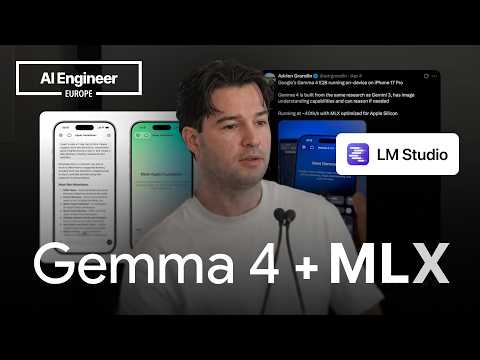
Running LLMs on your iPhone: 40 tok/s Gemma 4 with MLX —…
Talk by Adrien Grondin (Locally AI) on running LLMs locally on iPhone, reportedly achieving about 40 tokens per second with Gemma 4 using Apple's MLX framework. Delivered at an AI Engineer event.
# Observable Channel Presentation Evidence
## Explicit Self-Description (Creator Claims)
### Identity & Affiliation
- Speaker introduces himself as **"Adria" [Adrien], developer of Locally AI**:
> "I'm a developer of Locally AI, so maybe you have already seen the app."
- Points to a Twitter/X presence for the topic area:
> "You can find my Twitter if you want to learn more about all on device things."
- Notes a recent business development:
> "Locally have been acquired by LM Studio."
### Claims About the Product
- **Locally AI** is described as:
> "a chatbot that allow you to run on device models on your iPhone with MLX" — "fully native," also supporting Apple Foundation models.
- Availability and pricing claim:
> "The app is on the App Store. It's free to use. Only thing is that you will have to download the model."
- Curation claim (creator asserting quality control, not just aggregation):
> "I'm ensuring that all the model runs correctly on the iPhone because not all of them work well."
### Claims About Performance
- Performance claim tied to the title:
> "On the latest iPhone... Gemma 4... quantized in 4-bit... it can run easily at 40 token per second."
- Claims of implementation ease:
> "In less than 10 minutes, you can have an iOS app with a model that is running on your device."
## Intended Audience
- **iOS/macOS developers** building on-device AI apps — evidenced by references to the GitHub repo **MLX Swift LM**, Swift vs. Python ecosystems, and "if you're developing an iOS or Mac OS or iPad OS app."
- **End users of local AI**, addressed secondarily:
> "For a normal user, they can just download the app from the App Store."
- **MLX/on-device AI community members** — references to the "MLX community" on Hugging Face, contributors like "Prince" (MLX VLM/audio/video), and prior Twitter demos suggest an audience already following the niche.
## Claimed Scope of Content
- **On-device, Apple-Silicon-focused local LLM topics**: MLX framework, quantization guidance (3-bit to 8-bit, "4-bit is the lower I would go"), model sourcing from Hugging Face's MLX community.
- **Adjacent ecosystem coverage**: tool calling, structured generation limitations, LM Studio integration, local model servers, iOS Shortcuts automation with small models.
## Demonstrated Presentation Patterns (Observable, Not Claimed)
- **Live demo included**: shows an on-device run — "that's running live offline" — supporting the performance claims with visible evidence.
- **Educational, talk-style format** with slides, a QR code, and audience Q&A ("Does this support tool calling?"), consistent with a conference/lightning-talk setting (transcript ends with applause).
- **Practical, prescriptive tone**: concrete recommendations (quantization ranges, repo names, model sizes of "1 gigabytes or 3 gigabytes") rather than purely conceptual discussion.
- **Ecosystem-aware positioning**: credits other creators (Prince/MLX VLM, Hugging Face), suggesting the channel/creator situates itself within a broader on-device MLX community.
## Distinguishing Notes
- The transcript is a **single talk**, not a direct statement of channel identity; channel-level scope is inferred only from the presentation pattern and stated affiliations above.
- No curated metadata was supplied, so all evidence derives from the **title and transcript**.
- No private motivations were inferred; all observations rest on quoted or precisely described passages.
# Delivery Observations — Adrien Grondin, "Running LLMs on your iPhone: 40 tok/s Gemma 4 with MLX"
## Tone & Overall Style
- **Casual, conversational demo tone**: informal connectors and filler throughout — "Okay, hello everybody", "So, basically", "And and many models like that".
- **Enthusiastic but understated**: repeated positive evaluation words rather than strong claims: "pretty great", "really fast", "it's a breeze to to install", "extremely fast".
- **Compressed, time-boxed talk**: he flags brevity and adjusts on the fly — "I will just go through what is MLX in a in a few few seconds", "That was a very short introduction".
## Vocabulary & Recurring Phrases
- **"on device" / "on your device"** as a recurring keyword: "all on device things", "run on device models on your iPhone", "That's running live offline".
- **"really" as an intensifier** — highly frequent: "It's really fast", "the community is really active on it", "it's really not hard to to integrate", "really great usability".
- **"So," as sentence opener** — appears dozens of times: "So, first let's introduce myself", "So, Locally AI is a chatbot", "So, basically, Gemma 4…".
- **Technical shorthand delivered casually**: token rates and quantization levels stated matter-of-factly — "40 token per second", "between 3-bit and and 8-bit", "quantized in 4-bit, 6-bit".
## Speech Disfluency Patterns
- **Immediate word/syllable repetition** is the dominant habit:
- "the the app", "on on this devices", "the the chip", "you you will want", "it's it's a chatbot", "with with your with your with your app".
- **Frequent throat clearing** noted in the transcript at regular intervals ("[clears throat]" appears ~8 times), suggesting a live, unrehearsed delivery.
- **Self-corrections mid-sentence**: "It's really not easy and really not hard to to integrate" (apparent slip corrected in the second clause).
## Teaching Habits & Structure
- **Step-by-step recipe framing**: "So, so you download MLX Swift LM, install it with your agent… Then you go to MLX community and you just choose the model… you just need to grab the ID and and pass it to to the framework."
- **Concrete numbers as anchors**: "In less than 10 minutes", "almost 4,000 or 5,000 model uploaded", "30 minutes after release", "1 gigabytes or 3 gigabytes".
- **Practical guidance with bounded recommendations**: "4-bit is the lower I would go. And 8-bit is the higher I would go."
- **Live demo pivot**: he restructures the talk in real time — "I will just do an update in the slide because I remove I remove a slide where there's the video, but maybe I can add it back because I have a little bit more time."
- **Delegation to tools instead of detailed instruction**: "I won't go into detail how you implement the repo. It's I think I will let your agent in a implement that for you."
- **Reassurance of accessibility**: repeated "very simple / very straightforward" framing: "The API is very straightforward, very simple to to implement."
## Q&A Communication Pattern
- **Direct, brief answers with self-correction**: "Yes, like so yeah, I forgot about that. So, it support tool calling."
- **Distinguishes capability levels explicitly**: "not yet custom not yet structured generation."
- **Clarifies developer vs. user paths**: "you have the GitHub repo for for MLX Swift LM… But for for a normal user, they can just download the app."
- **Repeatedly restates the question topic to frame answers**: "So, that's really useful if you want to do tool calling."
## Uncertainty Notes
- The repetition habit and "So," opener are clearly stable, high-frequency patterns. The throat-clearing may partly reflect transcript annotation rather than purely delivery; treated as **moderate confidence**.
- Occasional apparent transcription artifacts ("a game face", "Gemma 4, 8-bit quantized in 4-bit", "300 350 parameters") — quoted as-is; no interpretation applied.
# Position Record: Running LLMs on iPhone with MLX
**Speaker:** Adrien Grondin, developer of Locally AI (self-identified)
**Video:** "Running LLMs on your iPhone: 40 tok/s Gemma 4 with MLX — Adrien Grondin, Locally AI"
## Speaker Introductions and Product Context
- Grondin introduces himself as "Adria," a developer of **Locally AI**, a chatbot app for running on-device models on iPhone with MLX. He notes his Twitter/X presence covers on-device topics.
- Locally AI is described as **fully native**, supports chatting with Apple Foundation Models, and is compatible with many MLX models — including Gemma 4 by Google.
- The app is available on iPad and macOS, "built to be as optimized as possible" on Apple devices.
## Claims About MLX and the Ecosystem
- **MLX** is a framework made by Apple, optimized for Apple Silicon — chips in iPhone and Mac.
- **MLX Swift LM** (GitHub repo) is the package to install for iOS/iPadOS/macOS apps; Grondin claims the API is "very straightforward" and that "in less than 10 minutes, you can have an iOS app with a model running."
- He mentions adjacent projects by "Prince" (as stated): **MLX VLM** (visual models), **MLX audio**, **MLX video** (image/video generation) — adding he "won't go into detail" on implementation, suggesting "I will let your agent implement that for you."
- His overall position: **"the ecosystem is getting bigger... You can do pretty much everything like omni models... text to speech, speech to speech."**
## Model Sourcing and Quantization Guidance
- **Hugging Face**, specifically the **MLX-community** organization, is where model weights are uploaded. He estimates "almost 4,000 or 5,000" models, with quantized versions available "almost 30 minutes after release" in 4-bit, 6-bit, and other formats.
- **Quantization recommendations** (his stated advice):
- Use quantized versions on iPhone; full-size models are "way too large."
- Sweet spot: **between 3-bit and 8-bit**, usually **4-bit to 8-bit**.
- Below 4-bit: "it's starting to get a lot of impact on the output. And the model are not that great usually."
- "4-bit is the lower I would go. And 8-bit is the higher I would go if you're using really small models."
- He runs **Gemma 4 8-bit quantized to 4-bit** on iPhone; variants exist from BF16 to MXFP4, 5-bit, 6-bit, etc.
## Performance Claims
- On the **latest iPhones**, Gemma 4 8-bit at 4-bit quantization "can run easily at **40 tokens per second**" — demonstrated live and offline in his demo.
- His assessment: "40 token per second is more than acceptable for a lot of use cases," with streaming; non-streaming UIs could "wait for 4 seconds."
- **Older iPhones**: not 40 tok/s, but he claims ~20 tok/s is "already great and useful" for many applications.
- Small "liquid model" (~300–350 parameters, as stated) can run in **Shortcuts**, enabling automation and fast text processing.
## Barriers and Outlook
- The **biggest barrier** is model download size: "usually around 1 gigabytes or 3 gigabytes," depending on the model.
- His outlook: models are "getting smaller or getting smarter," iPhones improving — "the next iPhone... is reaching really great usability from what I can see."
## Acquisition News
- Grondin states that "yesterday" **Locally was acquired by LM Studio**.
- He describes LM Studio as "a kind of AI studio for all your local models" — download models from Hugging Face, run with **Llama CPP or MLX** to compare engines, and open a **local server** with OpenAI- or Anthropic-style response types for streaming.
## Q&A Positions
**Q: Does this support tool calling?**
- Grondin: **Yes**, MLX Swift LM supports tool calling. **Not yet** structured generation — though packages on top of MLX Swift LM (and Hugging Face) are working on it.
- He adds models' tool-calling ability "were not so great like a year ago. Now it's getting much better."
**Q: Clarification on GitHub repo vs. app**
- Developers: install **MLX Swift LM** from GitHub, then fetch weights from Hugging Face (pass model ID; the framework integrates with Hugging Face downloads).
- End users: download the Locally app from the App Store (free) — though model downloads (~1–3 GB) are required.
- He notes the app's model selection is **curated**: "I'm ensuring that all the models run correctly on the iPhone because not all of them work well."
## Contradictions / Loose Ends Preserved
- Model count stated tentatively: "I think right now there's almost 4,000 or 5,000" — an estimate, not a verified figure.
- The "liquid model" is described as "300 350 parameters" — as expressed in the transcript, ambiguous phrasing retained.
- He removed a demo slide mid-talk, then re-added it for time ("I remove a slide where there's the video, but maybe I can add it back").
- Demo claim phrasing is contradictory as spoken: "It's really not easy and really not hard to integrate" — context indicates he means integration is easy, but the verbatim expression contains both terms.
# Video Attribution Record
## Video
- **Title:** Running LLMs on your iPhone: 40 tok/s Gemma 4 with MLX — Adrien Grondin, Locally AI
- **Video ID:** `01a15ca9-affe-755c-b4c0-04f2a4ef173e`
## Speakers & Roles
| Speaker | Role | Evidence |
|---|---|---|
| **Adrien Grondin ("Adria")** | Creator / presenter | Self-introduction: "I'm Adria... I'm a developer of Locally AI" |
| **Unnamed audience member(s)** | Q&A questioners | "Does this support tool calling?" and follow-up asking about "the GitHub repo... and then the app" |
| **No narrator** | — | Single-presenter talk format |
## Referenced Sources & Third-Party Claims
- **MLX** — framework described as "made by Apple that is optimized for Apple Silicon" (Apple claim).
- **Gemma 4** — attributed to "Google in mind [Gemini?]" per transcript; smaller variants claimed to run on iPhone.
- **MLX Swift LM** — GitHub repo recommended for iOS/macOS/iPadOS development.
- **MLX VLM, MLX audio, MLX video** — attributed to "Prince" (as heard in transcript) for audio/visual/video generation.
- **Hugging Face / MLX Community** — claimed ~4,000–5,000 models uploaded; models quantized "almost 30 minutes after release."
- **LM Studio** — speaker claims "Locally have been acquired by LM Studio" ("yesterday" relative to talk).
## Promotional Segments ⚠️
- **Locally AI app promotion:** QR code shown; "the app is on the App Store. It's free to use"; speaker is the app's developer.
- **Speaker's Twitter/X** promoted for on-device AI content.
- **Demo of the speaker's own app** running Gemma 4 at 40 tokens/second.
## Speaker Claims of Note (Provenance Only)
- Performance claims (40 tok/s on latest iPhone, ~20 tok/s on older devices) come solely from the speaker's demo.
- Tool calling: speaker states MLX Swift LM supports tool calling but not yet structured generation.
- Model size barrier: 1–3 GB downloads per model (speaker's own figure).
## Availability / Evidence Limits
- **Comments:** Not indicated in source material.
- No curated metadata supplied; no independent verification of acquisition claim, performance figures, or model counts.
- Demo video mentioned as re-inserted slide; not verifiable from transcript.
\>\> Okay, hello everybody. I'm going \[clears throat\] to show you today how to run Gemma 4 on iPhone with MLX. So, first let's introduce myself. I'm Adria. You can find my Twitter if
you want to learn more about all on device things. I'm a developer of Locally AI, so maybe you have already seen the the app. So, Locally AI is a chatbot that allow you to run on device models on your iPhone with MLX. So, I will just go through what is MLX in a in a few few seconds. Basically, as I said, it's it's a chatbot. It's fully native. You can also chat with Apple Foundation with it. And and many models like that are compatible with MLX. And one of those models is Gemma 4. So, basically, \[clears throat\] Gemma 4 by Google in mind have a lot of model and some of them like can run on iPhone like the smaller ones and they are pretty great. Maybe you have seen on on Twitter one of the post I've made that I should I demo it running in the app on iPhone. It's really fast. It runs really well on MLX. And behind the app, so it's using \[clears throat\] MLX. MLX is a framework made by Apple that is optimized for Apple Silicon. So, mainly mainly the the chip \[clears throat\] in iPhone, but also the chips on the on the Mac. The the app Locally is available on iPad. It works also very well on this device and Mac OS. And everything is is built to be
as optimized as possible on on this devices. So, if you want if you want to run on iPhone a language model, so Gemma works well,
but you have a lot of model that you can run also. The Quen model and and the small LM model from Hugging Face. The place you you will want to go is GitHub and go to the repo MLX Swift LM. I won't go into detail how you implement the repo. It's I think I will let your agent in a implement that for you, but it's one repo that you need to install if you're developing an iOS or Mac OS or iPad OS app. And you can use you can use that to simply download the model and then run it. The API is very straightforward, very simple to to implement. In less than 10 minutes, you can have an iOS app with a model that is running on your on your device. That's very simple to do. As as mentioned, MLX So, this is MLX Swift LM, but if you're more into Python apps or Mac OS app, you can also run MLX VLM from from Prince. Maybe you have seen him that he's doing on device for audio with MLX audio and visual model with MLX VLM and also MLX video to to run to run image image generation model or image or video generation model. MLX it's the ecosystem is getting bigger it's getting bigger it's it's really great right now. You can do pretty much everything like omni models. As I say, text to speech speech speech to speech. There's a lot of thing that you can do with um with a model. And basically, let's say you integrate the you integrate this model. You can't just run any model on it. Like you need to you need to get some model and there's a good place to get the model is Hugging Face. I'm pretty sure everybody heard uh of Hugging Face. And on Hugging Face, you will want to look for MLX community.
This is where like all of the the weight of the model, the quantized weight, the full size will be uploaded. So, you will just be able to go to this community look for the models. I think
right now there's almost 4,000 or 5,000 model uploaded. So, the community is really active on it. When a model is is released by a by a lab you will directly have it almost 30 minutes after release quantized in 4-bit, 6-bit and everything that you can you can imagine. Here you have like an example for Gemma 4 8-bit, which is the one I I run on um on iPhone. There's like a lot of variant of it for from BF16 and make MXFP4 \[clears throat\] like 5-bit, 6-bit there's everything. So, so you download MLX Swift LM, install it with your agent or anything. Then you go to MLX community and you just choose the model you want to run and then with ID you can just pass it to the framework and it will directly it will be integrated with Hugging Face to download the model with MLX Swift LM directly. So, you just need to grab the ID and and pass it to to the framework. Usually, when you're running the the model on on iPhone, what you want to what you want to do is quantize select selecting some quantized quantized version of the model because the full size will be way too large. What I recommend is going is trying depending on the size between 3-bit and and 8-bit. Usually, between 4-bit and 8-bit. Usually, under like 4-bit it's getting it's starting to get a lot of impact on the output. And and the model are not that great usually. 4-bit is the lower I would go. And 8-bit is the higher I would go if you're using really small models. And in my app for example, I have like some bigger model like Gemma 4, but I also have some liquid model where that is 300 350 parameters and this it can run in shortcuts. So, you can do a lot of kind of automation because the model are really fast and really efficient at that at that size to do some text processing and things like this. And on the on the latest iPhone like if you take Gemma 4 8-bit quantized in 4-bit it's extremely fast. Like it can run easily at 40 token 40 token
per second. I will just do an update in the slide because I remove I remove a slide where there's the video, but maybe I can add it back because I have a little bit more time.
I just like this. So, just to show you in demo what's what the 40 token per second means. And that's running live offline. And as you can see, it's like really fast. Like 40 token per second is more than acceptable for a lot of use cases. This is of course streaming. You can also like not do streaming and do a UI that just will wait for for 4 seconds. And here the output is quite long. So, it's generating a lot of tokens. On device with MLX, it's working. It's here. Like it's really not easy and really not hard to to integrate. As I said, if you go to the to the repo MLX Swift LM very it's a breeze to to install. On top of that, as I said like again, latest iPhones really great, but it works also with older iPhone. Like you will not get 40 token per second, which is quite fast, but even if you get 20 tokens per second, that's already great and useful for a lot of for a lot of application a lot of use cases that you would want to do with with your with your with your app. You can go to and scan this QR code if you want to try it by yourself. If you want to have a if you have an iPhone, the app is on the App Store. It's free to use. Only thing is that you will have to download the model that's usually around 1 gigabytes or 3 gigabytes. Really depend on the on which model, but that's the biggest barrier right now. It's the size of the model, but this also is getting better. Model are getting smaller or getting smarter and they're also the iPhone is getting better. So, next and second the next next iPhone everything will just is reaching really great usability from
what I can see. And also on top of that like maybe you have heard the news yesterday. Locally have been acquired by LM Studio. If you don't know LM LM Studio
\>\> \[clears throat\] \>\> it's basically a kind of a AI studio for all your local models. So, you can download the the model with any model with LM Studio directly from Hugging Face. You can run them and you can open a server. You can run them with Llama CPP, but also MLX. So, you can really compare the different engine how they how they work. You can as I said, you can open a a server locally and connect your app to this to this hosted server with various various response response type. For example, open open API response type or \>\> \[clears throat\] \>\> or or Anthropic response type for streaming anything and you can just get any model running really easily with that. So, and I want to thank you. That was a very short introduction how you can do the same and run any model like in Gemma 4 if you want on your on your iPhone. If you have any question also. \>\> \[applause\] \>\> Does this support tool calling? Sorry? Does this Yes, like so yeah, I forgot about that. So, it support tool calling. Um not yet custom not yet structured generation. There are some package on top of MLX Swift LM that are trying to to make this make this working. Um I will let you Hugging Face is doing it, but you can easily find them online. But
MLX Swift LM, yes, it support tool calling. So, that's really useful if you want to do tool calling and call over over system. And the model the model are getting also better at tool calling. They were not so great like a year ago.
Now it's getting much better. I see you mentioned two things. First was the GitHub repo. Yes. And then the second thing was the app. Um So, you have the GitHub repo for for MLX Swift LM. That's the the package that will install in your app. And then you need to go to a game face and and getting to get the weight of the model. But for for a normal user, they can just download the app from the app Oh, and yes, if you want to try my app, you can if you want to try it like right now without having anything to install, you can do that. And you can choose any open source model inside that. Uh there is a selection that that they are not it's not any like I'm ensuring that all the model ones correctly on the on the iPhone because not all of them work work well. Thank you very much. \>\> \[music\]