The Spatial Harness: Bringing Agents to the Canvas — Max…
Max Drake, a product engineer at tldraw, presents on bringing coding agents to a spatial canvas medium. tldraw is both a free infinite canvas app and an SDK that powers other canvas products, including Replit's; it exists because developers building canvas apps get stuck on canvas primitives like selection, resizing, and matrix math. The talk argues coding agents excel because code is text-in/text-out, the medium they were trained on, but struggle with 2D spatial tasks, which requires real engineering to solve. Demos progress from getting a model to read a canvas (screenshot plus underlying JSON), to an MIT-licensed agent starter kit where agents set their own todos and move their viewport, to "fairies" (visible, throwable, recolorable multiplayer agents whose state can be read at a glance), to a multi-agent group chat with one agent acting as orchestrator, to a dependency graph where every node is a coding agent, and a desktop build letting agents script the editor directly — including a demo of tldraw used as a window manager to play Pong with real desktop windows.
# Channel Identity Observations: Max Drake / tldraw Talk
## Explicit Self-Description
### Speaker Role
- **Claim**: The speaker self-identifies as **Max Reich [Drake]**, a **product engineer at tldraw**:
> "my name is Max Reich. Thanks so much for coming. Um I work on uh agents on the canvas at uh TLA. I'm a product engineer there."
- **Claim of expertise**: He asserts long-standing experience in the domain:
> "I've been doing like agents on the canvas stuff since before chat GBT came out... I've been doing it for about as long as you can have been doing it."
### Company Self-Description
- **tldraw as product**: A "free infinite canvas whiteboarding app" with standard features — "selections and arrows and resizing."
- **tldraw as company**: "based in London."
- **tldraw as SDK**: Described as "the Infinite Canvas SDKs that powers this app" and "the engine that powers a lot of Infinite canvas experiences," citing Replit's "agent canvas stuff built on top of" it.
- **Origin claim**: The SDK was built because developers building canvas apps "would get stuck on the canvas" doing "resizing and selection... all the matrix math."
## Observable Presentation Patterns
### Format and Style
- **Live conference talk with on-stage live demos**: Opens by recording his screen and prompting an agent in real time ("Can you like find that document and then can you build it on the desktop app?"), with the payoff demo returned to at the end (where it is still unfinished: "it's been working for 13 minutes").
- **Audience interaction**: Polls the room ("can I get a quick show of hands? Has anybody ever heard of or used Teal Draw before?") and invites attendees to join a multiplayer demo via QR code.
- **Transparency about failures**: Acknowledges demos not working in real time ("It seems like forever reason's not working... Oh, never mind"; "Man, it was usually much faster") — demonstrates comfort showing imperfect results.
### Intended Audience
- **Developers and AI/LLM builders**: References "claude code," building LLM apps in 2022, "coding agent" behavior, PR merging, and MIT-licensed starter kits — assumes a technical, AI-tooling-literate audience.
- **Potential SDK adopters**: Positioned pitches like "if you ever want to build a Muro competitor or a slide designer" suggest outreach to product builders evaluating canvas infrastructure.
### Claimed Scope
- **Core thesis**: LLM agents can collaborate with humans spatially on an infinite canvas, and canvas multiplayer affordances extend naturally to agent collaboration:
> "all of the things that make just the canvas in general a really great place for interacting with and collaborating with your colleagues also make it a really great place for interacting and collaborating with agents."
- **Technical claim**: "agents are really really bad at working in 2D space," motivating tldraw's work teaching models to interpret canvas screenshots and JSON and act on them.
### Projects Demonstrated (Evidence of Output Scope)
- **Teach**: single-shot prompting for canvas understanding (mouse blowing out candle demo).
- **tldraw agent starter kit**: "MIT licensed" agentic harness with autonomous goal-setting (cat/friends demo).
- **Fairies**: multiplayer multi-agent collaboration with differentiation features (hats, "leg slider") and orchestrator/worker agent roles.
- **Tech tree app**: dependency-graph project manager where each node is a coding agent ("something similar to Conductor or openai symfony").
- **Desktop app scripting**: exposing the editor instance so agents like Claude Code can run JavaScript against it; colleague demos using it as a window manager and playing Pong with windows.
## Notes on Evidence Limits
- Speaker name appears as both "Max Reich" (spoken) and "Max Drake" (title); the transcript is an untrusted, apparently auto-generated source, so this discrepancy is noted without resolution.
- No explicit channel-level mission statement beyond the tldraw product/SDK description; scope is inferred solely from what this talk demonstrates.
# Delivery Observations — Max Drake, "The Spatial Harness: Bringing Agents to the Canvas"
## Overall Tone & Register
- **Casual, conversational developer-talk style** throughout, with heavy use of filler words:
> "Um, hi everyone, my name is Max Reich. Thanks so much for coming. Um I work on uh agents on the canvas at uh TLA."
- Frequent hedging and self-correction mid-sentence:
> "the first thing we had to do is get them to teach them teach the agents or at this point not agents LLM to understand the canvas"
- Light self-deprecating humor woven into technical points:
> "I like to think so. I've been doing like agents on the canvas stuff since before chat GBT came out."
## Recurring Vocabulary & Phrases
- **"Um" and "uh"** appear extremely densely across nearly every paragraph — the most persistent delivery feature.
- Repeated restart/repetition phrasing for emphasis or recovery:
> "they would run into they would have trouble" / "it's it's" / "I'm I'm I'm vamping"
- Signature evaluative phrase: **"really cool" / "so cool"**, used many times:
> "I think it's really cool" — "Um and I don't know, I think that's really cool." — "I I think this stuff is so cool"
- Recurrent framing word **"kind of like"** as a softening/connective device:
> "it's kind of like turning that singleshot uh prompting experience into this kind of like agentic thing"
> "this is kind of like a demo app" — "kind of crazy, but"
## Teaching Habits & Structure
- **Demo-first structure**: opens with a live agent prompt before introducing himself:
> "the first thing I'm going to do is I'm going to ask my agent to do something on the canvas"
- **Progressive narrative arc**: each project builds on the last ("the first thing we had to do" → "the next thing we built" → "the next thing we did" → "The uh next thing. So the problem with fairies is…").
- **Explicit oversimplification flagging**, a deliberate teaching move:
> "And I'm going to really oversimplify here, but basically… You know, again, oversimplifying, but that's essentially how they work."
- **Analogy to familiar tools** to explain new concepts:
> "same way that if you ask a coding agent um you know where where do we define this thing in the codebase it can go and it can search it can find it."
> "this is kind of something similar to conductor or openai symfony"
- **Pre-empting audience dismissal of playful demos** by explaining their seriousness:
> "this seems silly, but it's actually really important"
> "the animations are kind of cute and funny, but it's actually really important"
## Audience Interaction Patterns
- **Direct audience checks and invites**:
> "Um, can I get a quick show of hands? Has anybody ever heard of or used Teal Draw before?"
> "you guys want to scan this QR code you can actually this is multiplayer you can join if you want"
- Talks **to the live agent on stage as if a person**:
> "Hey, uh, my colleague Spencer just emailed me a link to a notion document…" / "Thank you."
- Speaking partly **to himself during live demos**:
> "Oh yeah, there we Okay." / "Um, let's hit it with a little refresh there and see if it works."
## Handling of Live-Demo Friction
- Openly narrates failures and waiting, using humor:
> "Um, it's been working for 13 minutes. Um that's actually fine."
> "It seems like forever reason's not working, but thank Oh, never mind."
- Ends with transparent, comedic time-filling:
> "I'm I'm I'm I'm vamping because I'm trying to see if this is finished by I don't think it's going to finish. Um, but thank you so much"
## Stability vs. Isolated Moments
- **Stable patterns** (highly repeated): filler density, "kind of like," "really cool," demo-driven structure, flagging oversimplification, playful tone around demos.
- **Isolated moments**: the on-stage verbal prompt to the agent at the start; the QR-code audience join; the confession of "vamping" at the end. These occur once or twice and shouldn't be treated as habits on this evidence alone.
- **Uncertainty note**: transcripts lack intonation and timing; claims about pacing, pauses, or energy level are not verifiable here and are excluded.
# Observation Document: "The Spatial Harness: Bringing Agents to the Canvas" — Max Drake, tldraw
## Speaker Identification
- **Max Drake** (transcript renders his name as "Max Reich"), product engineer at tldraw, works on agents on the canvas. He is the sole substantive speaker; audience interaction is limited to a show of hands and music at the end.
## Context & Self-Presentation
- Drake states his qualifications: he has worked on agents-on-canvas "since before ChatGPT came out" and claims to find the UX potential of LLMs working in space "really interesting."
- He describes tldraw as three things: a **free infinite-canvas whiteboard app**, a **company based in London**, and — "in my opinion, the most important" — the **infinite canvas SDK** powering the app.
## Core Claims & Reasoning
### Why tldraw exists
- **Claim:** Teams with canvas app ideas get stuck building the canvas itself (resizing, selection, "matrix math") and never build their actual app.
- **Reasoning:** tldraw was built as the engine so developers can focus on the app. Replit's "agent canvas" is cited as built on tldraw.
### The central thesis on agents and space
- **Claim:** Coding agents like Claude Code work well because code is the medium they were trained on — "text in, text out."
- **Claim:** Agents are "really, really bad at working in 2D space and understanding 2D space"; making them do it "requires like a lot of engineering work," which is tldraw's recent project.
- **Claim:** The multiplayer features that make canvases good for human collaboration (live sync, cursors, viewports) also make them good for collaborating with agents.
### Progressive demos (Drake's stated project arc)
1. **"Teach" project (older)** — teaching LLMs to interpret the canvas via screenshots and JSON data, and to act on it. Demo: "make the mouse blow out the candle" produced wind and smoke. Drake emphasizes: **not a special mouse shape** — just ordinary canvas shapes; a single-shot prompt.
2. **tldraw agent starter kit** — wraps the single-shot capability in an agentic harness (MIT licensed). Demo: agent autonomously changed its view, set goals/to-dos to find a "friend" for a cat, analogous to a coding agent searching a codebase.
3. **Fairies project** — multiplayer multi-agent collaboration. Fairies can be customized (hats, colors, "leg slider"); Drake argues visual differentiation is "actually really important" for tracking agents at a glance. Animations let him see agent state without reading a chat log. Demo included an orchestrator fairy assigning tasks to others (with some live flakiness: "for whatever reason's not working... oh, never mind").
4. **Fairies' limitation (stated contradiction/tension):** Fairies are "trapped in the canvas" — requiring an opt-in, fully canvas-based harness makes real-world integration hard.
5. **Tech tree app (hackathon prototype)** — a dependency-graph task tracker, inspired by tldraw's real internal practice of abandoning task software for one massive dependency graph near launches. Each node is a runnable coding agent. Drake compares it to Conductor and OpenAI's "Symphony" as an abstraction layer for multi-agent coordination, noting its multiplayer advantage over single-user alternatives.
6. **Desktop app as scripting environment** — exposes the editor instance so external agents (e.g., Claude Code) can write plain JavaScript against it. Examples from a colleague: using the canvas as a **window manager** (via rectangles and "probably some AppleScript") and playing **Pong using desktop windows**.
## Framing Demo (Opening)
- Drake opens by prompting his agent to find a Notion doc (emailed by colleague Spencer) describing a fluid-simulation demo and build it in the tldraw desktop app. At the end: **it had not finished** after 13 minutes ("it's actually fine"), though Claude Code had retrieved the Gmail link, the Notion doc, and the spec. The demo's outcome is left unresolved.
## Qualifications Preserved
- Drake repeatedly flags oversimplification ("I'm going to really oversimplify here").
- He hedges on colleague's methods: "probably wrote some Apple script or something."
- Several demos show live failure or lag, which he acknowledges rather than smoothing over.
- He frames the playful elements (hats, animations, Pong) as "maybe it seems a little silly" but functionally important.
## Closing Position
- **Claim:** The canvas "can be a place where we collaborate with agents," and the *place* aspect matters — grounded in how remote work already happens on shared canvases.
# Speaker Attribution Record
## Video
**Title:** The Spatial Harness: Bringing Agents to the Canvas — Max Drake, tldraw
**Video ID:** `01a15ca7-8cf0-7845-8726-beb0c8a0f6c9`
## Speakers
### Primary Speaker (Sole Identified)
- **Speaker:** Max Drake (introduced in transcript as "Max Reich"; title metadata says "Max Drake")
- **Role:** Creator / Presenter — product engineer at tldraw ("TLA" / "Teal Draw" in transcript), works on agents on the canvas
- **Speaking style:** First-person talk with live demos; opens by recording screen and issuing a prompt to an AI agent on the canvas
### Non-Human "Speakers" (Performed via demos)
- **AI agents / LLMs** — not human speakers; outputs are shown in demos (mouse/candle, cat friends, fairies, tech-tree coding agents, Claude Code)
## Referenced / Attributed Third Parties
| Name | Attribution in transcript |
|---|---|
| **Spencer** | Colleague who emailed a Notion document link (per speaker's opening prompt) |
| **Jeffrey** | Colleague; speaker merges his PR without review ("sorry Jeffrey I am just going to merge this") |
| **Unnamed colleague(s)** | Has fairies/agents working in the fairies demo; built the window-manager and Pong demos using the tldraw desktop app |
| **Replit** | Third-party claim: their "agent canvas" is built on top of tldraw |
| **Claude / Claude Code** | Referenced as coding agent tool; used in demos ("assign that to cloud" — likely Claude) |
## Referenced Products / Projects (by speaker)
- **tldraw app** — free infinite-canvas whiteboarding app; **tldraw SDK** — MIT-licensed(?) infinite canvas SDK
- **tldraw agent starter kit** — speaker states code is **MIT licensed**, available on the website
- **Teach** (project), **Fairies** (multi-agent demo), **Tech Tree app** (dependency-graph of coding agents)
- Comparable tools named: **Miro** (competitor context), **Conductor**, **OpenAI "Symfony"** (per transcript spelling — likely Symphony)
- **ChatGPT** referenced as a timeline marker ("since before chat GBT came out")
## Promotional Segments
- **Flagged:** Product introduction segment promoting the tldraw app and SDK (whiteboard features, multiplayer, London-based company, Replit usage)
- **Flagged:** Promotional CTAs for the **fairies demo** — QR code invite: "you can actually this is multiplayer you can join if you want... it requires a Gmail signup. But you don't need to pay for tokens."
- **Flagged:** Promotion of the **agent starter kit** ("The code is also MIT licensed. You can find it... on the website")
## Audience Participation
- Speaker asks for a **show of hands** ("Has anybody ever heard of or used Teal Draw before?") — audience response audible but not attributed to any individual
## Provenance Notes & Uncertainties
- **Name discrepancy:** Transcript self-introduction says "Max Reich"; title metadata says "Max Drake." Both spellings are phonetic transcriptions; identity uncertain.
- Company name rendered variously as "TLA," "Teal Draw," "TLAR," "TLR," "tealraw.com" — all appear to refer to **tldraw**.
- "chat GBT" and "cloud code" in transcript likely mean **ChatGPT** and **Claude Code**.
- **Comment availability:** Not specified — no metadata on comments supplied.
- Live demo outcomes uncertain: opening agent build ("fluid simulation") had not completed at talk's end; speaker explicitly notes it "hasn't built the fluid simulation yet" after 13 minutes.
Thank you for coming here to my talk to watch me talk about uh agents on the canvas. Um the first thing I'm going to do though is uh before I have to record
my screen. Uh the first thing I'm going to do is I'm going to ask my agent to do something on the canvas. And what I'm going to do is say, "Hey, uh, my colleague Spencer just emailed me a link to a notion document, uh, for a really cool demo we could build with the TL desktop app. Can you like find that document and then can you build it on the desktop app?" Thank you. Okay, so that's going to build uh, and then we're going to come back to it later and hopefully it'll work. Um, hi everyone, my name is Max Reich. Thanks so much for coming. Um I work on uh agents on the canvas at uh TLA. I'm a product engineer there. Um so first things first, am I qualified to be giving this talk? I like to think so. I've been doing like agents on the canvas stuff since before chat GBT came out. Um I think it's really cool. I think there's like so much UX stuff you can do with when you get LM, you have
them working in space. Uh and I think it's really interesting. I've been doing it for about as long as you can have been doing it. Um more recently I've been talking about this a lot. Um, here's some proof. Um, and yeah, so I
work at this company called Teal Draw. Um, can I get a quick show of hands? Has anybody ever heard of or used Teal Draw before? \>\> Yeah. Okay. Um, awesome. So, yeah, the thing that you've probably used if you use Teal Draw is, um, this app right here. So, this is all Teal Draw. Uh, this is a free uh, infinite canvas whiteboarding app. Um, you know, we have selections and arrows and resizing and, you know, all the things that you need in a in a whiteboard. Um, Traw is also the company uh that makes this app. It's based in London. It's where I work. Um, but the last thing that TLAR is, which is, I think, in my opinion, the most important, is it's the Infinite Canvas SDKs that that powers this app. Um, and so what that means is that, you know, this is kind of the teal draw. The SDK is the engine that powers a lot of Infinite canvas experiences. Um because it turns out it's really hard to get that kind of stuff right. Um and uh so if you ever want to build a Muro competitor or a slide designer or if you're like Replet um Replet has their whole new uh agent canvas stuff built on top of TLR. Um, and so the reason we built TL Draw in the first place was that we were running into this issue or people were running into this issue where they had this idea for this like really great killer canvas app. Uh, and they went to go build it and everybody would run into the same problem where they would run into they would have trouble making the actual canvas part of of the app and they would, you know, trying to deal with resizing and selection and, you know, all the matrix math. And the issue is that they wouldn't be able to build their actual app itself. They would get stuck on the canvas. And so we built Teal Draw to kind of be the engine um that could power that could be the canvas so that they could focus on the actual app. Uh when LLM came out, we like a lot of other people saw that this is going to be this weird new type of software. I don't know if anyone, you know, I'm sure a lot of you were building in 2022 and it was really exciting. Um and a lot of people it was the exact same thing. People had the idea had an idea for this cool app that would, you know, involve LM on the canvas having them manipulating things in space. but then they would try to build it and they'd get stuck. Um there were no best practices. People didn't really know how to do it. And so at TL Draw we uh realized that we need to make it easy for people to build uh with agents with LLMs on the canvas. Um and also so Teal Draw the SDK as well as the app has multiplayer built in with like live sync. It's really nice. There's cursors. There's you can see your collaborators cursors and selections and viewports. And I think all of the things that make just the canvas in general a really great uh place for interacting with and collaborating with your colleagues also make it a really great place for interacting uh and collaborating with agents. Uh and I hope I'm going to be able to show you guys some of that um in the demos that come up. Um so before we talk about agents on
the canvas, uh really quickly I want to talk about agents not on the canvas. Um I'm sure you guys have all used an app that looks like this, you know, claude code. And I'm going to really oversimplify here, but basically, uh,
part of the reason why these apps are so good and why they work is because they're, you know, the medium in which they're working, writing code is essentially the medium in which they were trained. You know, it's it's text in, text out. That's how they were trained. Um, and when we work with them, we give them a prompt and they write code. It's text in, text out. Uh, you know, again, oversimplifying, but that's essentially how they work. I don't know if you guys have ever, you know, tried to get your agents to do like UI stuff and try to get them align to align something. found that they could not do that whatsoever. Um because it turns out agents are really really bad at working in 2D space and understanding 2D space and actually requires like a lot of engineering work to get them to uh do it. And that's kind of the project that we've been embarking on at Teal Draw recently. Um and so the first thing we had to do, this is an older project, but the first thing we had to do is get them to teach them teach the agents or at this point not agents LLM to understand the canvas and understand kind of what
they're even looking at. Um, so we had this project called teach um where um we tal So I'm going to I'm going to prompt this really quick. I'm going to say, "Hey, make the mouse blow out the
candle." Yeah. So that's going to take a second. This is this is an older uh older project, but basically what we had to do is we had to kind of like teach the LMS how to take the like the screenshot that we give it and the JSON and all of the other information about the canvas and Oh yeah, there we Okay. So yeah, that's some that's some wind. Uh it's is it sometimes it gives us smoke as well. Yeah, and we got a little smoke as well. So So we basically had to take it how to like and I want to be very clear this is not um this is not like a special mouse shape. These are just like uh you know the these are just shapes uh on the canvas. This is um and so the work behind this it's a singleshot prompt but we basically we tell the agent how to interpret uh both via screenshots and via the data um what is actually on the canvas like what it's looking at um which is actually you know it's not a trivial problem and then also how to we teach it how to actually act on the canvas and to understand how the actions that it produces will affect the canvas. So, you know, it got it, you know, it made the it made the smoke, it made the it made the wind, it got the positions right, and it understood what it was doing. Um, so we we got this we kind of figured out how the um like kind of we got we taught it what the canvas is. Uh, but this was like a single shot, single prompt kind of thing. Um, and so the next thing we built is the uh teal draw agent starter kit. Uh, which basically turns that and wraps in a harness that lets an agent work agentically on the canvas. Um, the code is also MIT licensed. You can find it on um that you can find on the website. So, here's a little here's a little cat. I'm going to make this a little bigger. Um but what I'm going to say is, "Hey, so somewhere else on the canvas uh there
are uh some friends for the cat. Can you please uh bring one of them over to the cat? Um her favorite color is red." And so I'm going to zoom out. I'm going
to show you guys what's actually going on. So you can see the the view of the agent. There's some there's some potential friends over here. And um you know if you read the All right. So and basically what's going on is that the agent has kind of like we've given it a prompt and uh using the information it has about the canvas. It's uh going to kind of like make some goals for itself. You can see there's some to-dos in the corner here. It's it changed its view in order to see um what was you know the other stuff that was on the canvas. same way that if you ask a coding agent um you know you ask it you know where where do we define this thing in the codebase it can go and it can search it can find it. So this is kind of like turning that singleshot uh prompting experience into this kind of like agentic thing that you can uh have you know it can autonomously set goals and and work towards them. The uh next thing we did um we did this this uh project called fairies and so we basically we had this agent experience but we realized that you know teal draw and you know the canvas in general is so collaborative it's so multiplayer and we wanted to basically we wanted people to
be able to work together with their agents and we also wanted the agents to be able to work together so this is this is a ferry um there's also you guys want to scan this QR code
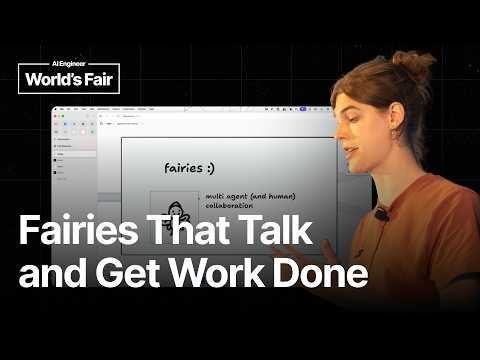
you can actually this is multiplayer you can join if you want you it requires a Gmail signup But you don't need to pay for tokens. Um, this is this is what the link is. So, basically, this is a this is a fairy. Um, this fair's name is is Joan. They don't like being they don't like being grabbed. Um, you can you can throw them around. You know, we added a lot of really important stuff. You can um you can you can change its hat. Um, you can change the the color and and this seems silly, but it's actually really important. uh and I'll talk about this a little bit more later, but actually understanding uh when you get a high level view of when you see your agents working on the canvas, it's important to know which one is which. And so differentiating them is actually important, which is why, of course, we added the leg slider. Um but so, you know, I can say like, you know, I can I can I can say hey to it. Um and I can say, you know, something like draw a cat. Uh and I can have it work. But the most important thing here is that fairies have friends, right? and they can here we go. Uh \>\> and they can fairies can work together. And so we kind of designed this like multi- aent collaboration system that works on the canvas. Um and I'm going to actually I'm going to go to I think one of my Yeah, I think so. My my colleagues agents are here working uh making this this really great scene. Um I'm going to
bring mine over um summon and I'm going to give them a slightly different prompt. So, I'm gonna select them all. And now I have a group chat of of the agents, right? And I'm going to
say, "Hey, I have a board meeting coming up in like 10 minutes, and I don't have any of my my figures. Can you draw up like a little memo for all of my uh financial data for fiscal year 2025? Thank you." Okay. So, what what's going to happen there basically is this kind of like creates this uh multi- aent, you know, coordination thing. We have uh one of the fairies is writing uh writing out a plan. You can see it. Um, and again, the animations are kind of cute and funny, but it's actually really important. I don't have to read a chat or go through, you know, imagine if I have 10 agents working. I don't have to read a chat in order to know what's actually going on. I can look at the state of the agents. Uh, and I can actually, you know, I can can see what's happening. So, we we have a task here that's been defined. Um, it seems like, you know, the the ferry is is uh waiting for that to to finish. Yeah. So, that one's one's board. That one's waiting. So, this is the orchestrator ferry. What what it's done is it's assigned the it's assigned the task. Uh, and now it's waiting for the other ones to start and finish it. Um, and it's going to get notified. It's going to get prompted in order in order to review. Um, it seems like forever reason's not working, but thank Oh, never mind. So, yeah, we have one we have this one. So yeah, we have one fairy who made the made the task, one fairy who's working on it. And so this is this kind of um you know, multi- aent coordination system on the canvas. I have, you know, you can see my colleague has his agents over here. Uh they're they're working as well. Um and so you can kind of collaborate with people and with agents in this uh environment. And I don't know, I think that's really cool. the so the the next thing. So the problem with fairies is that um they're kind of trapped in the canvas and all the stuff you've seen before. This requires if you want to build something like this, this requires like the you to like opt in and have your entire harness be a like canvas harness. Um and the downside of that is that it makes it really hard to have any of this work with stuff like
outside in the real world. The fairies are the fairies are trapped in the canvas. Um, and so I I I built this experiment. We had a little hackathon uh internally. Um, but
first as a quick motivation for that, um, at Teal Draw whenever we have an whenever we're getting closer to a launch, we like abandon all of our task tracking software and we make just one massive dependency graph of how like so this is what an actual this is a real thing from when we launched fairies actually. Um, and so this is what it looks like when we're like really like when is hitting the fan at at tealraw when we're launching something. Um, and I really like this interface because it it kind of lets you This is not like a special app. This is still just tealraw.com. You can, you know, move your shapes around and things like that. Um, but I really like this because it both it lets you see like what depends on what. It lets you know what's coming next. It lets you get a highle overview. You know, these are all green because we finished them, but you know, you can imagine during the project, some of them are in process. And I really want I really wanted something like this. Um, but something that I could actually that could actually do the work itself. And so I um prototyped this thing. It's called the tech tree app. And basically, it's similar to this. It's a dependency graph, but each of these tasks um is a a coding agent that you can kick off and you can have your agent kind of like be running and doing them autonomously. Um the project itself that's working on it's this little um this is just kind of like a demo app. Um but this is Can I Yeah. So this is this is a little fun, you know, multimodal input thing. I haven't written any of the code for this. This is um this is all written by agents. But I can manage all of the work is being done in this desktop app uh or in this app here. And so I can do something like I can see this one has has finished uh building some gesture controls for the canvas. So I can open the PR uh and unfortunately sorry Jeffrey I am just going to merge this. I'm not going to uh have it be explained to me. But so this is \[snorts\] and so yeah great. Awesome. It looks good. Um and then you know eventually this is going to get marked uh as as complete and this is also multiplayer which is really cool and you can have people working together. Yeah. So that's finished. Um and I you can also prompt from like inside the the app you can draw and have a prompt. So I can basically I can just take all of this uh and I can draw a little like so this is my prompt and I can wrap it in a task um and I can you know call it facial animation canvas control and then I can assign that to cloud and I can just hit run and so now that's working as well and so this is kind of like you know this is kind of something similar to conductor or openai symfony where you're using a kind of like one abstracted interface above uh what the actual in order to like manage your your multi- aent uh coordination and things like that And the thing I like about this also is that because this is multiplayer, one of my colleagues can come and join and add tasks and uh edit things and see the work that's been going on. So, it's much more collaborative than um like your own instance of something. Um here's the moment of truth. Let's see if that demo that I had it build in the beginning worked. Um all right, it's it hasn't built the fluid simulation yet. Uh it's been working for 13 minutes. Um that's actually fine. So basically this is the TL Draw desktop app. Um something that's really cool here is that we have uh so this is running locally. It's working on files. We'll see if it finishes. We'll we'll let this run. Um but basically what this does is this uh this basically exposes the editor instance of the TLR app that's running here. And it has a server that lets any agent uh for example my cloud code uh write just plain JavaScript against the against the editor. and and it it
basically it you know it's it's code mode if you've ever used code mode um but you can basically turn your teal desktop app into um a like scripting environment and the one of my colleagues
actually is u I'm going to this is this is the kind of off the rails bit of the canvas here um or of the of the talk. So here's something my colleague made uh using the same thing. So this is he has the teal draw desktop app in the corner here and he's using it as his uh window manager. Um and what he did the way he did this was he just told claude code to because cloud code has access to your actual computer. It's not locked into the canvas. Uh it basically you know it it made some rectangles and it uh probably wrote some Apple script or something to actually re uh you know move the things around. And so you can kind of make all of these uh like ephemeral UIs and have them actually be doing things in the real world. Um, another really cool one that he did was, um, if this loads, it's Pong on the desktop. Uh, let's hit it with a little refresh there and see if it works. Yeah. So, this is he's got in the corner here, you know, you you have uh you have TLR running. This is the desktop app and it's using the Windows in order to uh play Pong. And so again, like kind of crazy, but there's uh you know, maybe it seems a little silly, but let's see if this this worked. Oh, it's still working. Man, it was usually much faster. Um, but I I think this stuff is so cool because this lets you kind of, you know, do all of the weird kind of like spatial interfaces that you can do uh on the canvas. You get all of like the primitives of the canvas. Um, but you can like you can have your agents working kind of like in the real world. uh it has access to real data. If I scroll up, I'll show that um if uh you know this is my cloud code and it found it it got the Gmail, it got the notion doc, it found the spec and it's going to to implement it. Um but yeah, so to sum up, I think that agents working on the canvas is so cool and I think that there's like so much we can do if we use like the agent the canvas as a a place to work with agents. And I think the place part of it is
really important because you know when we do you know with remote work collaboration we do a lot of stuff online with each other and we collaborate with people on the canvas and I think that the yeah the canvas can
be a place where we uh collaborate with agents and I'm I'm I'm I'm vamping because I'm trying to see if this is finished but I don't think it's going to finish. Um, but thank you so much \>\> \[music\]