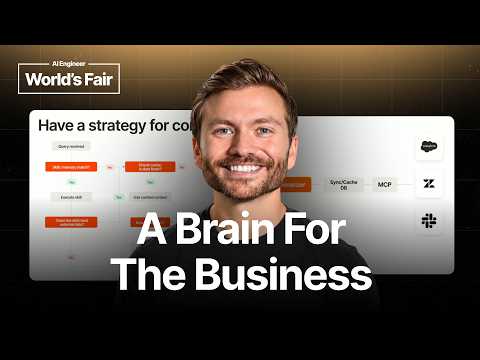
Why Your Company Needs a Context Graph (and How to Build…
Gil Feig (co-founder and CTO, Merge) explains why companies need a context graph — a unified layer combining third-party data, structured context, memories, and skills. Using the question 'which customers were upset last week?', he shows why connecting MCP servers alone isn't enough: live API lookups cannot search across large datasets, so a synced copy is needed for semantic queries alongside live calls for simple lookups. He outlines the architecture — router, synced and live context, summarizer, plus skills and memory encoding company-specific definitions — and covers four tiers of context including derived summaries, a decision flowchart for cache vs. live data, and provenance tracking for every answer.
# Channel Presentation Observations — "Why Your Company Needs a Context Graph (and How to Build It)"
## Video Overview
- **Format**: Conference talk by Gil Feig, co-founder and CTO of Merge, framed as an educational/technical presentation ("Thank you all for coming... my name is Gil Feig. I am the co-founder and CTO of Merge").
- **Dual purpose**: Educational content with an explicit product pitch at the end ("So, last piece, plugging merch here. Enterprise AI runs on us").
## Intended Audience
- **Technical decision-makers and builders at companies adopting AI**: The talk presumes an audience evaluating AI infrastructure — "why you need a context graph and then sort of in a higher level how you should structure it."
- **Enterprise contexts**: Examples reference Zendesk, Jira, NetSuite, Stripe, Qualtrics, CRM systems, and customer companies like OpenAI, Ramp, Netflix, Perplexity — signaling a **B2B enterprise** orientation.
- **Practitioners wary of hype**: The speaker positions against superficial adoption — "it's not enough to just connect a single MCP server or a couple MCP servers and call it a day."
## Claimed Scope (Creator's Own Claims)
- Merge describes itself as **connective infrastructure**: "Merge helps companies build production AI very easily. We are the connective infrastructure to make everything come together."
- Scale claims: "over 400 enterprise customers," three products ("Unified, Agent Handler, and Gateway"), "founded 6 years ago," "raised three rounds," "130 employees."
- Explicitly **vendor-neutral on tooling within the talk**: "What I'm not going to do is talk about specific technology you should be using... the focus of this is... why you need a context graph."
## Demonstrated Presentation Patterns (Observable, Not Claimed)
- **Concept-first teaching structure**: defines terms ("what is a context graph"), walks through worked examples ("Why was customer A upset last week?"), then generalizes to architecture (router, summarizer, cached vs. live lookups).
- **Pragmatic, anti-magic tone**: "There's no magic here. There really is none. It's all physics."
- **Actionable takeaways format**: "tools are not context," "More data, not always better," "every answer has to be traceable."
- **Soft branding woven in**: branded hats ("They say 'well connected'") and a closing call to action: "if you want to build an easy context layer, hit us up."
## Notes for Synthesis
- This single video suggests a channel pattern (if representative) of **thought-leadership content serving as a top-of-funnel for Merge's enterprise AI infrastructure products** — but this is a one-video observation and should not be generalized without more evidence.
# Delivery Observations — Gil Feig, "Why Your Company Needs a Context Graph"
## Overall Communication Style
**Conversational, talk-track driven.** The delivery reads as spoken rather than scripted, with frequent verbal restarts and self-corrections:
> "sort of in a in a higher level how you should structure it"
> "your sinking layer of your of your, uh, context layer"
**High verbal filler density.** Repeated use of "uh," "um," "you know," and "sort of" throughout, giving the talk an informal, off-the-cuff feel even though the structure is clearly planned.
## Recurring Vocabulary & Phrases
- **"Context layer / context graph / company brain"** — the central metaphor, introduced early:
> "We're going to talk about the company brain."
- **"Live lookup" vs. "synced/cached"** — the talk's core dichotomy, restated many times: "That can be MCP. That can be live. But if you need any form of semantic look ups... you have to sync a copy."
- **"All right"** as a transition marker — appears at nearly every section boundary: "All right. So quick agenda here," "All right. And so, there are different tiers of context," "All right. So, last piece here."
- **"So"** as a near-constant sentence opener: "So, let's ask this simple question," "So, you need a sinking layer," "So, that becomes the next component here."
- **"Company" framing** — concepts are persistently tied to company-level thinking: "company principles," "your company's skills. It's your processes. It's your data."
## Teaching Habits
**Concrete worked example as the spine of the talk.** A single scenario ("Why was customer A upset last week?") is introduced once and progressively escalated to justify the architecture:
> "But what if we want to say, 'Which customers were upset last week?' That becomes a lot harder... What if we're saying, 'Which customers were upset in the last year?'"
**Anticipating objections / scope-setting up front:**
> "What I'm not going to do is talk about specific technology you should be using. Uh you can talk to your agent about that."
**De-mythologizing reassurance:**
> "There's no magic here. There really is none. It's all physics."
**Explicit structural signposting.** The agenda is enumerated ("number one... We'll talk about...") and each section is labeled ("last piece here," "key takeaways").
**Audience awareness in real time.** He pauses for the room: "I see some people looking and taking pictures. ... I'll leave it here for a second."
## Rhetorical Patterns
- **Rhetorical question → answer loops:** "So, what happens if we don't have a skill or memory match? No? Well, then let's go right to to data selection."
- **Short, punchy imperative warnings** in the provenance section:
> "Do not drop where the data is coming from. Always store it."
- **Rule-of-three lists** in the takeaways: "It's your company's skills. It's your processes. It's your data, and it's your tools."
## Stable vs. Isolated Observations
- **Stable (repeated):** section-transition "All right," the "So" opener, live-vs-cached dichotomy, company-level framing, worked-example escalation.
- **Isolated (thin evidence):** humor is rare — the branded hat moment ("They say well connected") and "the three most beautiful cities in the world" are the only light touches, so I can't characterize his use of humor as a pattern. Similarly, the direct audience check-ins occur only twice; whether that's habitual is uncertain from one talk.
## Notable Closing Pattern
The talk ends with a product plug clearly separated from the teaching content ("So, last piece, plugging merch here... if you want to build an easy context layer, hit us up"), following the earlier promise to keep Merge discussion brief ("I'm not going to spend much talking about Merge").
# Observation Record: "Why Your Company Needs a Context Graph (and How to Build It)" — Gil Feig, Merge
## Speaker Identification
- **Gil Feig** — identified in transcript as co-founder and CTO of Merge; sole substantive speaker in the transcript.
> "My name is Gil Feyg. I am the co-founder and CTO of Merge. Merge helps companies build production AI very easily. We are the connective infrastructure to make everything come together."
*Note: Feig explicitly scopes the talk:* "What I'm not going to do is talk about specific technology you should be using... The focus of this is why you need a context graph and then sort of in a higher level how you should structure it."
---
## Claim 1: A Context Graph Is the "Company Brain"
**Position:** A context graph is not defined by graph infrastructure (nodes/edges) but as a composite "company brain" with four component types:
- **Third-party data** — other systems used (e.g., NetSuite, Jira)
- **Structured context** — data from third parties or added by the company, including static documents always passed to agents
- **Memories** — formed during agent use: user-directed ("remember this") and agent-initiated
- **Skills** — described as "a very very important part of your context graph"
---
## Claim 2: MCP Alone Is Insufficient for Semantic Questions
**Reasoning chain (via example):**
1. "Why was customer A upset last week?" — answerable via live Zendesk lookup.
2. "Which customers were upset last week/year?" — requires loading thousands of tickets; agent times out.
**Core claim:** "MCP is not fully solving a lot of these problems because the underlying access patterns of the APIs of these other platforms don't support a live lookup methodology."
**Incentive claim:** SaaS platforms are not incentivized to expose semantic endpoints "because it costs them money to vectorize it and it makes it so you don't have to visit their platform as often."
**Conclusion:** A syncing layer is needed — a local synced copy (e.g., vector DB) for semantic or cross-dataset analysis.
**Qualification Feig offers:** This doesn't apply universally — "static lookups to Stripe" (single-customer queries, single actions) "can be MCP. That can be live." Syncing is only needed for semantic lookups or analysis across vast datasets.
---
## Claim 3: Router and Summarizer Are Required to Aggregate Context
- Retrieved context cannot be dumped wholesale to the agent.
- **Router:** directs an incoming prompt to the right handler.
- **Summarizer:** combines synced and live context, summarizes, returns to the requesting agent.
---
## Claim 4: Skills Encode Company-Specific Processes
**Position:** "Getting context is actually a set of company principles and processes in and of itself."
**Example given:** "Which customer was upset last week" can mean ticket counts in one company — but tickets could be positive, or the company may not use ticketing at all and instead always check Qualtrics survey data first. Hence skills like "how do we determine if a customer is happy?" must be checked before data retrieval.
**Stated flow:** Prompt → routed to agent → agent checks memory/skills → determines where to look in synced DB and live MCP → summarize → return.
> "There's no magic here. There really is none. It's all physics."
---
## Claim 5: Four Tiers of Context
| Tier | Properties (as stated) |
|---|---|
| Prompt, skills, memory | Drive where to get data; Feig acknowledges "some might debate whether prompt skills and memory are context," but includes them because "context is anything that's being passed into the agent" |
| Live API calls | Easier/cheaper to build and run; prefer for simple lookups |
| Cached/synced data | Essential for semantic, complex, deep questions; more complicated to build, more expensive to run (vector DB, constant syncing), harder to keep up to date |
| Derived context | Additional context created during ingestion, e.g., stored summaries of pulled tickets to avoid re-lookup and re-summarization |
---
## Claim 6: Query Flow (as described)
1. Skill/memory match? Execute skill; if it needs no external data, respond.
2. No match → check cached/synced store for freshness (within SLAs).
3. Fresh → use cached context; stale → call live API.
4. Loop until enough context; optionally store a memory; generate response.
---
## Claim 7: Traceability and Provenance Are Critical
> "Do not drop where the data is coming from. Always store it."
Required provenance elements listed:
- Where and when fetched
- Under what ID and scopes
- Who accessed it, what permissions
- Whether transformed, and what it originally looked like
- What should invalidate it (e.g., age — "more than a month old, we don't want to consider this ever")
**Stated rationale:** More important than citation surfaces like ChatGPT because business-critical decisions ride on the data; synced data can be outdated (e.g., a year old); also needed to investigate failures, "cuz it will" go wrong.
---
## Key Takeaways (as stated by Feig)
- **Tools are not context** — a context graph spans data, synced data, and business processes; "when a customer complains, what do we do?" is a skill.
- **More data, not always better** — want fresh, high-quality data; pull only what's needed; structure synced data properly.
- **Every answer has to be traceable** — avoid "your AI made a bad decision, and you have no idea why."
---
## Unresolved Tensions / Qualifications Preserved
- Feig concedes some practitioners "might debate" whether prompt, skills, and memory count as context — he includes them by his own working definition, without claiming consensus.
- The live-vs-synced tradeoff is presented as a genuine tension: live is cheaper and easier but times out on large queries; synced enables semantics but is costlier, more complex, and risks staleness (mitigated only by SLAs and provenance/invalidation rules).
- The talk ends with an explicit product pitch (Gateway, Unified, Agent Handler), which Feig frames as "plug and play" — the audience is left to weigh the talk's neutrality against Merge's commercial interest, which the talk itself does not address.
# Video Attribution & Provenance Record
## Video Identification
- **Title:** Why Your Company Needs a Context Graph (and How to Build It) — Gil Feig, Merge
- **Video ID:** 01a15ca6-b1cc-7ad7-8ce4-f4c4cf5dedba
## Speakers & Roles
| Speaker | Role | Basis |
|---|---|---|
| **Gil Feig** | Creator/presenter; self-identified **co-founder and CTO of Merge** | Stated in transcript opening: *"my name is Gil Feyg. I am the co-founder and CTO of Merge"* |
| Unnamed audience members | Heard only indirectly; no audience questions or statements captured in transcript | No explicit attribution |
- **Narrator:** None separate; Feig narrates throughout.
- **Guests:** None identified.
- Note: transcript spells the name "Feyg" in places while the supplied title says "Feig" — name spelling per title metadata is **Gil Feig**.
## Speaker Attribution Summary
The entire spoken content is a single conference-style talk delivered by Gil Feig. No second voice, interviewer, or moderator appears in the transcript.
## Cited / Referenced Sources & Claims
Claims attributed to third parties, stated by Feig (not independently verified):
- **Merge company facts (self-reported):** 400+ enterprise customers including **OpenAI, Ramp, Netflix, Perplexity**; three products (**Unified, Agent Handler, Gateway**); founded 6 years ago with co-founder **Shen Shi**; three funding rounds; ~130 employees.
- **Third-party platforms referenced as examples:** NetSuite, Jira, Zendesk, Stripe, Qualtrics.
- **Technical claims about MCP/APIs:** platforms are "not incentivized" to expose semantic query endpoints; live lookups face timeout risk at scale. These are presenter assertions.
## Promotional Segments — Flagged
1. **Company overview (early in talk):** Feig presents Merge's customers, products, founding story — flagged as **self-promotional context**.
2. **Closing plug (explicit):** *"So, last piece, plugging Merge here. Enterprise AI runs on us"* — Feig promotes **Gateway** (LLM router), **Unified** (third-party data sync), and **Agent Handler** (pre-built MCP connections) with a call to action: *"hit us up."*
## Provenance Practices Discussed (content, not evaluation)
The talk itself addresses provenance of data in AI systems: source tracking, fetch timestamps, IDs/scopes, access permissions, transformation history, and invalidation criteria — recorded here only as topics covered, not as verified claims.
## Availability & Other Limits
- **Comments/Q&A:** Feig invites audience questions *afterward in person* ("feel free to come up to me afterwards"); no Q&A is captured in the transcript.
- **Slides/visuals:** Referenced indirectly ("I see some people looking and taking pictures"); slide content is not available in the source material.
- **Curation metadata:** Only the title is supplied; no additional curated metadata (description, links, chapters) was provided.
Right. Thank you all for for coming. Um my name is Gil Feyg. I am the co-founder and CTO of Merge. Merge helps companies build production AI very easily. We are
the connective infrastructure uh to make everything come together. Uh today I'm going to be talking about why you need a context graph and how to build it. What I'm not going to do is talk about specific technology you should be using. Uh you can talk to your agent about that. It will help you. There's a lot of good technologies that can back this. Uh the focus of this is uh why you need a context graph and then sort of in a in a higher level how you should structure it, what the components should be, uh and how things come together to build the best possible uh brain for your company. If you haven't gotten a hat yet, by the way, my team is walking around passing out hats. They're They say well connected. Um so let's dive in here. So I'm not going to spend much talking about Merge, but just
a quick overview of us. Um we have over 400 enterprise customers, OpenAI, Ramp, Netflix, Perplexity, a lot of companies across the board using us for both internal and customer-facing AI use
cases. Uh we have three different products, Unified, Agent Handler, and Gateway that cover a lot of the components of it. Um we were founded 6 years ago by me and my co-founder Shen Shi. We've raised three rounds. Uh we're 130 employees in the three most beautiful cities in the world. All right. So quick agenda here. Step one or number one, we will talk about what a context graph even is and why it's so important that every company has one. We'll go into the different tiers of context, what what types of data, what types of of uh sort of logic from your company should be making it into your graph. We'll talk about context selection strategy. How are we picking the most relevant content for our agents or contexts for our agents at any moment in time? Traceability and provenance. How do we know where that data came from, who requested it, when it when it's from, is it fresh, all of that. And then lastly, some final key takeaways. At the end, I'll stick around if you do have any questions. Uh so, feel free to to come up to me afterwards. All right. So, what is a context graph in this talk? We're not going to go into the nodes and the edges that connect
each node in a true graph infrastructure. We're going to talk about the company brain. Your company context graph consists of a lot of different components. It has
third-party data. What are the other systems you use, like NetSuite, uh like like Jira. Um it has structured context. Uh so, that could be uh data coming in
from other third parties. That could be data that that you all have put into your context layer. Uh things like things like static documents that you want to always be passed to your agents. We have memories. These are things that are formed. We all know memory, things that are formed as you're using the agent, telling it to remember things, things that your agent thinks that it should remember on its own. And then we also have skills. Uh and skills are a very very important part of your context graph, which we'll get to. All right. I see some picture Okay, cool. Uh so, moving on. Let's get Let's
go through an example here. We're going to use this example to guide why it's not it's not enough to just connect a single MCP server or a couple MCP servers and call it a day.
So, let's ask this simple question. One of one of your employees or or customers asks your agent, "Why was customer A upset last week?" Pretty simple question to answer. The agent goes, it sees it has access to your Zendesk ticketing, and it can check and say, "Hey, what it what tickets were filed by this customer last week?" Great. We saw that they saw that the API sync was broken, um and specific details about what went wrong. We also see the customer filed three tickets total, all of that. Great, that answers that question. But what if we want to extend that? And what if we want to say, "Which customers were upset last week?" That becomes a lot harder because you now have to have your agent load in every single ticket from Zendesk that happened in the last week. What if we're
saying, "Which customers were upset in the last year?" We should be able to answer that. Our agent should be able to answer that, but it can't if it has to live live look up and pull tickets 100 at a time, thousands and thousands of
those until it times out and it just can't answer the question. So, MCP is not fully solving a lot of these problems because the underlying access patterns of the APIs of these other platforms don't support a live
look up methodology. If you could ask your ticketing system something semantically, if Jira exposed an endpoint that said, you know, that you could query in English, "Which customers were upset last week?" and it returned that data, that would be great. But no platforms incentivize to do that because it costs them money to vectorize it and it makes it so you don't have to visit their platform as often. So, you need a sinking layer on top of this. You can't just use MCP to live look up for things that you want to go deeper into, that you want to semantically question, you need to actually sync a copy of the data
locally. Okay? This doesn't apply to everything. So, you might have you know, let's say static look ups to Stripe. We're always going to be asking Stripe a question about a specific customer. We're always
going to be taking a single action in Stripe. That can be MCP. That can be live. But if you need any form of semantic look ups, any form of analysis that is beyond a simple look up, simple question, but requires looking across a a vast data set, you have to sync a copy. So, that becomes the next part of your sinking layer of your of your, uh, context layer. So, you have your MCPs, your live look ups, you have your synced or your cached look ups as well. And that you're pulling in from a third-party, you're putting in a vector database locally. Again, AI can build that vector DB for you relatively easily. Uh you got to you got to you know, work on your strategy of how you store data in the context layer and how you retrieve from it uh for that sync to cache layer. Um but that's sort of the next component here. But the next problem is, all right, now we have all this relevant data. We're we're pulling from our vector database to get, you know, semantic data and we're doing live lookups for other data we might want on top. Now, we need to bring all that data together cuz we can't just dump a massive amount of retrieved context back to our agent. So, that's where we introduce the router and the summarizer. The router is sending things to the right place at the beginning. The prompt comes in. It
decides where, you know, who should be handling this, where it should be sent. Once that data's all aggregated in there, our summarizer then takes that data from from the the synced context
and from the live context, summarizes it, and sends it back to the agent that sent the prompt over. But you all notice, we have one thing here that we haven't talked about, and that's memory and skills. That could
live separately. Why is it important for your context layer? The reason is that getting context is actually a set of company principles and processes in and of itself. For example, which customer
was upset last week can mean something very different to one company versus another. It could be number of tickets that are opened. Um but actually, what if those tickets were positive? What if actually we don't use a ticketing system and that we know that for customer happiness, we need to actually always go look at Qualtrics first and see survey data cuz that's just how our company works. We're different. That's why skills are important because you need skills like how do we determine if a customer is happy? So, now your agent should first check the skills before it then goes and starts checking your synced layer, your your uh live layer for what data to get and then summarizing and returning it. So, the flow here is prompt comes in, gets routed to the right agent. The agent looks to see if it has any memory or skills associated with the question or the task at hand. Based on that, it then knows where to look in the synced cache DB and from the live MCP lookups, summarize, send back.
There's no magic here. There really is none. It's all physics as long as you know how to calculate, you know, within within your own sort of use case, you're great. This flow here where we looked at the number
of open tickets again would not have been possible with live lookups, but with a local lookup it was really simple and we were able to basically gather all customers, number of tickets they have, summarize their tickets, and then give a status on each one. So, it's a mix of some live lookups, some cache lookups. That's all coming together here to build really really rich data for any question that gets asked. All right. And so, there are different tiers of context and some might debate whether prompt skills and memory are context. Context is anything that's being passed into the agent. We're going to put this all here because they all
belong in your context layer. So, you have your prompt skills and memory. We talked about how those are going to really drive the the where do we get data from? You have your live API calls. These are
easy easier to build, easier to add on, they're cheaper to run than synced context. So, you should prefer these when you know you're going to have simple lookups, simple retrievals. Cached data is absolutely essential if you want that that sort of semantic data, the complex lookups, deep deep questions about about any data. But, keep in mind it's a little bit more complicated to set up and build. It's more expensive to run because you have to have a vector database and you're constantly having to sync that data. So, it is tougher to keep up to date. And then lastly, something we didn't quite discuss yet is derived context,
which is basically any additional context you create when you're pulling in data from the third party. So, this could be, you You as we're live pulling in all tickets, we're also for every time a customer's full set of tickets
comes in, we're summarizing those and we're actually storing in our stored context, our structured stored context, we're storing a summary of the data that we pulled in. So, that in the future, if we have a common question, we don't have to then also go go re-look up and re-summarize everything. Awesome. So, all four of those come together. You saw the the chart for how they do that. Um and yeah, those are the tiers. So, quick flowchart of how this works when when a query comes in or a prompt comes in. So, first thing here is do we have a
skill or memory match? If so, yes, we want to execute that skill. Does the skill need external data? No, then we're just generating a response and we're sending that right back.
Unfortunately, it's not always this easy. So, what happens if we don't have a skill or memory match? No? Well, then let's go right to to data selection here. Uh and same thing for if that skill needs external data. So, we say yes, the first thing we're doing is checking our cache or our synced data store and we're saying, is the data here fresh? Is it within our SLAs? Can we use this data cuz it's viewed as fresh enough? Yes, then let's use that cache context. No? Then, unfortunately, we have to go down and we have to call the live API. Now, once we do have enough context, we're going to loop through these a few times till we build up the context we need. Once we do have enough context, we might want to store a memory of of whatever we just we just discovered or or figured out, uh store that to memory and then generate the response and send it back. And then, same thing here, if we didn't have enough context, I I just showed that, but we have to call the live API and then we will we will uh generate that response back to the client. I'll leave it here for a second. I I see some people looking and taking pictures. All right. So, last piece here, pretty much at the end, traceability and provenance. Doesn't seem important at front up front. Do not drop where the data is
coming from. Always store it. You you have that from MCP. You also have that in if for anything you're syncing in Vector DBs, there's something called metadata. You want to store it in there. It's associated with the data. It is
critical. It's similar to, you know, the way that this surface is in ChatGPT or any surface that you're using is when it tells you a fact or it says something, at the end it says three sources and it links to where it came from. That is even more important when you're making business critical decisions off of that data. When that data is is versioned, when that data can become outdated, when you're letting it make a decision on data that it synced a year ago. You don't want that. So, you need to know where it came from. Where did we fetch it? When did we fetch it? Which is not here. Under what idea under what ID and what scopes? Who accessed the data? What permissions were used to access it? Was it transformed? What did it originally look like? And then lastly, what should invalidate it? That could be age, for example. The data is more than more than a month old, we don't want to consider this ever. Really important for showing in your platform and if not for showing in your internal platform or whatever you're building, even for for being able to investigate when something does go wrong, cuz it will.
So, putting it all together, here's another example of one that we might use. So, give me a one paragraph status update on our customer Acme. Include renewal risk and last support interaction. First, we're going to check
the cache for the account summary. We're going to assume there's no skills here. So, we'll check that. If it's still or missing, we're going to call the CRM using a live API lookup. Then, we'll query the ticketing system for the last support interaction. Again, that's cached if within the SLA, otherwise it might have to do a live lookup. We're only we only want to pull five tickets. We can't pull the full history because again, when we have live lookups, we run into timeout risk. And then lastly, we'll generate a derived summary. We might store that derived summary, and we'll pass that back.
So, key takeaways, tools are not context. A context graph is going to help you reason across the whole company. It's not just tools. It's data. It's synced data. It's processes that
you have as a business. Who is documenting, you know, when a customer complains, what do we do? How does it know to always route to the right place? That is a skill. These It's your company's skills. It's your processes. It's your data, and it's your tools and actions you need to take. More data, not always better. You want fresh, high-quality data. You want to pull only what you need. When you do have to sync data, you want to structure it properly, so it's accessed in the right way. And then lastly, every answer has to be traceable. You do not want to be left in a position where your AI made a bad decision, and you have no idea why it did that. So, last piece, plugging merch here. Enterprise AI runs on us. We power these features for a lot of companies. We have Gateway, which is an LLM router. We have
Unified, which helps you sync data from third parties out of your customers' platforms. And then we have Agent Handler, which is live MCP connections pre-built across hundreds of tools, governed identity all built in, uh including provenance, uh and yeah, it's plug and play for both internal and customer-facing use cases. So, if you want to build an easy context layer, hit us up. Thank you, everyone, for listening. \>\> \[music\]