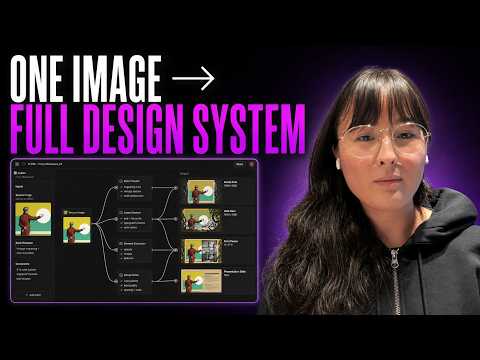
Build Your Own Repeatable AI Design Workflow
A walkthrough of building a reusable AI design workflow in FLORA. Catherine Chung demonstrates reverse-engineering a reference article image with Claude to extract its collage style, illustration style, composition, and color treatment, then combining that template with a new article brief to generate three concepts in parallel image nodes. She saves the canvas as a FLORA Technique and publishes it in app mode so teammates can paste a new topic and generate images without rebuilding the workflow.
# Video Identity Observations
## Intended Audience
- **Creative professionals and teams doing visual/AI design work.** The guest explicitly names the audience: *"I think the people that resonate the most with Flora... are people that find themselves doing very repetitive work, very conceptual work."*
- **Team leads or operators at content-driven organizations.** The workflow is framed around handoff and reuse: *"I'm ready to codify it, make it repeatable, so I can hand off to, you know, anyone on my team or your team."*
- **Every's internal audience specifically.** The host frames the demo as internally relevant: *"a lot of people internally at Every uh use it a lot and really love it... you're going to show some workflows for how we might use it internally."*
## Claimed Scope
- **Scope is a practical product walkthrough, not a broad manifesto.** The entire video demonstrates one concrete workflow: extracting a system prompt from a reference image, adapting it to article themes, generating three image variations, and packaging the workflow as a repeatable "technique."
- **Claimed value: repeatability and codified creative process.** *"Any team that's doing high concept work gets a lot of value out of something like Flora, cuz they get to codify those creative processes and repeat them over and over."*
- **Problem framing: reducing creative burnout and wasted exploration.** *"Throwing pasta at the wall... leads to a lot of burnout, and it leads to a lot of kind of wasted time."*
## Self-Description Evidence
- **Creator roles:** The host introduces the guest as *"a forward deployed creative... for Flora, which is... a creative canvas, which lets you do a lot of different things you might want to do with images and anything visual in AI in one place."*
- **Affiliation with Every:** The host speaks as part of Every (an article header image pipeline is the use case: *"assets that fit into the visual language that Every uses for their article header images"*).
- **Demonstrated (not just claimed) working style:** The guest explains a preference for clean, minimal canvases: *"I want my workflow to be as clean as possible when I turn it into a technique."*
- **Toolchain specificity:** Named tools include Flora's node-based canvas, "split list into nodes," "build technique," and "app mode," plus image model *"Nano Banana Pro 4K or 2K"* and reliance on Claude for prompt generation (*"I trust Claude"*).
## Observable Presentation Patterns
- **Interview/demo format:** Conversational host–guest dialogue with real-time screen demonstration rather than scripted tutorial narration.
- **Evidence-based persona positioning:** The guest's audience claims are hedged with personal observation — *"as of what I've seen recently"* — rather than stated as market fact.
## Distinguishing Claims vs. Demonstration
- **Creator claims:** Flora suits repetitive/conceptual work and reduces burnout — asserted opinion, not proven in-video.
- **Demonstrated in-video:** The full workflow (image → system prompt → contextualized variants → three images → packaged technique → app mode usage) is shown step by step, supporting the repeatability claim at the level of this single example.
# Delivery Observations: Build Your Own Repeatable AI Design Workflow
## Overall Delivery Style
- **Conversational, live-demo driven**: the speaker (Katherine) narrates each click and prompt in real time while building a Flora workflow, with Dan interjecting occasional questions.
- **Hesitant, informal register**: frequent fillers ("um," "uh," "kind of," "just") throughout — e.g., *"I'm kind of thinking about how I want to kind of structure this workflow."*
- **Process-oriented narration**: she consistently says what she's doing *and why* — *"the reason why I kind of have it set up as like this is because I want my workflow to be as clean as possible."*
## Recurring Vocabulary and Phrases
- **"Kind of"** is the dominant hedge, appearing dozens of times: *"I'm kind of thinking," "kind of visualizes that out onto the canvas," "kind of garner a um particular system prompt."*
- **"Text node" / "image node" / "workflow" / "technique"** — tool-specific nouns repeated consistently, e.g., *"I'm going to pop up a text node," "select build technique."*
- **"Attach(ed)"** for connections: *"this attached to a text node," "attach that into another text node."*
- **"Clean / clean up"**: *"cleaning up my workflow as much as possible."*
- **"Codify" / "repeatable"**: *"I'm ready to codify it, make it repeatable"*; *"codify those creative processes and repeat them over and over and over again."*
- **"Whatever it may be" / "either way"** as flexible qualifiers: *"This could be a word. This could be a full article... Whatever it may be."*
## Teaching Habits
- **Step-by-step enumeration with concrete examples**: *"Give me three different options numbered 1 2 3 each depicting a different object/scomposition."*
- **Anticipating handoff to a third party**: frames the workflow around usability by someone else — *"if I were to pass this workflow off to you, Dan, I would want you to just be able to input a text node."*
- **Offering alternatives then deferring**: *"This could go either way. It just goes to show my preferred way of um working."*
- **Analogy and idiom to explain value**: *"almost like a post-it note"* (for a text node), *"almost like throwing pasta at the wall and seeing what sticks"* (for repetitive creative work), *"like a mini website"* (for app mode).
- **Casual trust statements instead of deep verification**: *"That's fine. Um I trust Claude, so we'll move on to the next step."*
- **Stating personal defaults as guidance**: *"my go-to is just Nano Banana Pro 4K or 2K... I have it instinctively just set to 16 by 9."*
## Interaction Pattern
- Dan plays the interviewer: welcomes her, asks meta-questions ("how would someone on my team access it?"), and reacts with brief praise — *"Really cool," "That's so cool," "Amazing."*
- Katherine handles one challenge gracefully — when asked why she copy-pasted instead of connecting nodes, she immediately concedes: *"I totally I could have, yes"* — then explains her preference without defensiveness.
## Stability Assessment
- **Likely stable patterns** (repeated enough to trust): heavy "kind of" hedging, step-by-step demonstration with explicit rationale, tool-vocabulary fluency, analogy use, and the "concede then explain" response style.
- **Isolated moments** (insufficient repetition to generalize): the "I trust Claude" remark, the pasta analogy, and her closing generalization about which users resonate with Flora — each appears only once, so they should not be treated as characteristic habits.
# Build Your Own Repeatable AI Design Workflow — Observation Record
## Speakers
- **Dan** — host (Every); identifies himself implicitly and is greeted by name: *"Hi. Nice to see you, Dan."* He notes that "a lot of people internally at Every" use Flora, but *"I don't use it."*
- **Katherine** — guest, described by Dan as a *"forward deployed creative"* for Flora, a node-based creative canvas for AI images and visual work.
---
## Dan's Stated Positions
- Frames Flora as *"a creative environment... a creative canvas, which lets you do a lot of different things you might want to do with images and anything visual in AI in one place."*
- States the demo's purpose: showing workflows to "make image workflows... to create better AI-generated images, for example, for articles."
- Asks how teammates would access the finished technique, and expresses approval: *"Really cool"*, *"That's so cool"*, *"Amazing. Well, I love this. I'm going to check it out."*
- **Observation:** Dan positions himself as a non-user, so his framing is promotional context supplied by the host, not independent usage testimony.
---
## Katherine's Expressed Ideas and Reasoning
### 1. Flora visualizes individual creative processes
- Claim: *"every creative kind of has their creative process that they go through"* and Flora, as a node-based tool, *"really kind of visualizes that out onto the canvas."*
- Qualification preserved: one person's process *"might look totally different than another, but they might get very similar generations."* What she demonstrates is specifically **her approach** to Every's article-header visual language.
### 2. Reverse-engineering a system prompt from a reference image
- Attaches a base image to a text node and asks the model to *"write a system prompt that would recreate an image similar to the attached ones,"* explicitly instructing it to *"outline the collage quality... the illustration style as well as the color application."*
- On trusting the output: *"I trust Claude, so we'll move on to the next step."* (Tentative, low-scrutiny acceptance — recorded as stated.)
### 3. Input node used as context, not computation
- A text node holds *"a general blurb"* for an article about tokens — could be *"a word... a full article... a two-sentence paragraph."*
- *"I'm not hitting generate. I'm literally just using this almost like a post-it note."*
### 4. Prompt adaptation step
- Instructs the model: *"adjust the following prompt in context to the subject matter outlined in the attached text node. Give me three different options numbered 1 2 3 each depicting a different object/composition."*
### 5. Acknowledged alternative — preserved contradiction/tension
- Dan interjects: *"Connected it to the top one instead of copy-pasting?"*
- Katherine concedes: *"I totally I could have, yes."* Her stated reason for copy-pasting instead: *"I want my workflow to be as clean as possible when I turn it into a technique"* — *"It's neither here or there. It could go either way."*
- **Note:** this is a preference, not a functional necessity, per her own statement.
### 6. Splitting and visualizing prompts
- Uses the *"split list into nodes"* toolbar option to break three generated prompts into individual text nodes, each extended into its own image node.
- Her stated default model: *"my go-to is just Nano Banana Pro 4K or 2K"*, set *"instinctively"* to 16:9 — while noting *"you can choose any kind of aspect ratio you want."*
### 7. Codifying the workflow as a "technique"
- Uses **Build Technique** to define one input (the theme text node) and outputs (three named image variations), producing a previewed, packaged workflow.
- Publishing options: *"publish it to your workspace"*, plus **app mode** — *"open app"* gives *"almost kind of like a mini website"* where users generate *"without even having to open up a canvas or connect a single node."*
### 8. Who Flora suits (her observed claim, qualified)
- *"The people that resonate the most with Flora, as of what I've seen recently"* are those doing *"very repetitive work, very conceptual work"* — "throwing pasta at the wall and seeing what sticks."
- Stated reasoning: that kind of exploration *"leads to a lot of burnout"* and *"wasted time of just seeing what ideas are worth exploring."* Flora lets users *"visualize any idea at any given time in any kind of style"* and teams doing *"high concept work"* benefit by *"codify[ing] those creative processes and repeat[ing] them."*
- **Qualification:** framed as recent observation (*"as of what I've seen recently"*), not a settled finding.
---
## Self-Check
- Every idea attributed to Dan or Katherine via transcript dialogue (no curated speaker metadata beyond names inferred from the greeting).
- Tensions preserved: the connected-vs-copied node disagreement; Katherine's unconditional trust of the prompt output; Dan's self-described non-user status alongside his promotional framing.
# Video Attribution & Provenance Record
**Video ID:** `01a0f15a-6316-7368-8ab6-eb561ffcc9fd`
**Title:** Build Your Own Repeatable AI Design Workflow
## Speakers & Roles
- **Dan** — **Host / Interviewer**, associated with **Every** ("people internally at Every... use it a lot"). Role inferred from greeting ("Katherine, welcome") and question framing.
- **Katherine (also spelled "Catherine" once by Dan)** — **Guest**, described as a **"forward deployed creative"** at **Flora**. She is the primary presenter demonstrating the tool.
> "So, you are a forward deployed creative... for Flora, which is... a creative canvas."
- **Narrator:** None (no separate narration voice).
## Content Type
- **Product demonstration / interview**: Katherine walks through building a repeatable image-generation workflow in Flora (node-based canvas: system prompt extraction via Claude, text nodes, "split list into nodes," image nodes using **Nano Banana Pro 4K/2K** at 16:9, "build technique," app mode, workspace publishing).
## Referenced Tools & Products
- **Flora** — node-based creative canvas tool (subject of the demo).
- **Claude** — used for system-prompt generation ("I trust Claude, so we'll move on").
- **Nano Banana Pro** (4K/2K) — Katherine's stated go-to image model.
- **Every** — host organization; Flora is used internally by its team.
## Promotion
- ⚠️ **Promotional segment**: The video functions as a Flora product demonstration. Katherine, a Flora employee, closes with advocacy:
> "Any team that's doing high concept work gets a lot of value out of something like Flora."
No third-party ad reads detected; the promotion is intrinsic to the guest's role and demo.
## Cited Sources & Third-Party Claims
- No external reports, studies, or cited sources appear in the transcript.
- Katherine's audience claims ("people that resonate the most with Flora... are people doing repetitive work") are **personal observation**, not sourced data.
- Dan's claim that Every staff "use it a lot and really love it" is first-person testimony, unverifiable from the transcript.
## Availability & Metadata Limits
- No curated metadata supplied beyond title; speaker surnames, exact affiliations, and video publication details are **not stated** in the transcript.
- **Comment availability:** Not determinable from source material.
- No timestamps, links, or downloadable assets mentioned.
## Uncertainty Flags
- Name spelling inconsistent: "Katherine" (transcript header) vs. "Catherine" (Dan's closing thanks).
- Dan's exact role at Every is inferred, not stated.
\>\> Katherine, welcome. \>\> Hi. Nice to see you, Dan. \>\> \[laughter\] \>\> So, you are a forward deployed creative. I love that term uh for Flora, which is sort of like a It's a creative
environment. It's a creative canvas, which lets lets you do a lot of different things you might want to do uh with images and anything visual in AI in one place. Um a lot of people internally at Every uh use it a lot and really love it, and I don't use it. So, you're going to show some some workflows for how you can use Flora and how we might use it internally uh to to help do stuff like uh you know, make image workflows uh to to create create better AI-generated images, for example, for articles. \>\> Yeah. So, the really nice thing about
Flora is that um I think every creative kind of has their creative process that they go through. And something like Flora as a node-based uh tool really kind of um visualizes that out onto the canvas.
Um so, one creative process for one creative one person might look totally different than another, but they might get very similar um generations. But, this is my approach to how I would kind of go about creating um assets that fit into the visual language that Every uses for their article header images. Um so, for example here,
let's say I have this image, and I'm using this as my base as my kind of foundational image to kind of just garner a um particular system prompt from that
image, so I can reuse it and modify it based off of another topic or subject matter. So, I have this image in here, and you'll see that I have it this attached to a text node. And what's going on here is I'm asking it basically uh write a system prompt that would recreate an image similar to the attached ones. Uh make sure to outline the collage quality of this composition and the illustration style as well as the color application. So, I'm using this text note to define the things that I care about that I want to be included in this system prompt. And what I get on the other end is a very hefty just a prompt. That's fine. Um I trust Claude, so we'll move on to the next step from there.
So, once I have that, I'm kind of thinking about how I want to kind of structure this workflow. And the way that I'm going to do this is if I were to pass this workflow off to you, Dan, I
would want you to just be able to input a text node into this workflow with a general idea of the theme that you want the images to portray. And so, the first thing that I'm going to do is I'm going to pop up a text node and I just typed up a general blurb for one of your existing articles um about tokens um and I just pasted that in here. This could be a word. This could be a full article. This could be a two-sentence paragraph. Whatever it may be. Just any context you want to be used for your final image generations. So, I have this text node and I'm not hitting generate. I'm literally just using this almost like a post-it note. But what's going to happen here now is I'm going to attach that into another text node. And remember this prompt that I had written for myself up here? I'm basically going to copy and paste all that information that was generated for me. And now when I go back into this text node that I have my original brief in, I'm going to prompt adjust the following prompt in context to the subject matter outlined in the attached text node. Give me three different options numbered 1 2 3 each depicting a different object \{slash\} composition. Now, I add just like a return and a few dash lines and everything from here down is just copy and pasted in from that text node that was up here. So, now what's going on up here is basically I'm asking it to take all these details and just restructure it in context to my article. So, I'm giving it context as to what I want it to do next. And so, \>\> Connected it to the top one instead of copy-pasting? \>\> I totally I could have, yes. But, the reason why I kind of have it set up as like this is because I want my workflow to be as clean as possible when I turn it into a technique. Um so, you'll see here that it's just one text node with all that information in it, rather than a text node plugging into another text node. It could it's neither here or there. Um it could go either way. It just goes to show my preferred way of um working is kind of cleaning up my workflow as much as possible. \>\> Got it. \>\> So, yeah, what what then goes on here is
after generating, um I get three different prompts that are basically adjusted and using this existing prompt up here as a template. So, one is, you know, create a
mixed-media collage artwork of combining, etc., etc. And then I have the second one somewhere Yeah, down here. And then the third over here. So, these three very robust prompts are living in this small little window in this text node. So, what I actually want to do is then break those out into their own individual text nodes so that I can then visualize each one of them in their own image node. So, what's going on here is I can select this text node. And there's this little option at the toolbar at the
top called split list into nodes. And so, then I get each of those prompts numbered 1 2 3 into their own individual text nodes as such.
And so, now what I can do is extend each of those text nodes into their own image node. And that prompt that is living in that um, text node that's attached automatically gets populated in this area for the image node. And I'm able to, um, select the particular model that I want to use, um, to visualize this composition. In this case, I'm just my go-to is just Nano Banana Pro 4K or 2K. Um, and I have it instinctively just set to 16 by 9, um, but you can choose any kind of aspect ratio you want. Um, but basically what I got is something like this, or this, or this. So, that's my workflow that I structured out based off of just one text node that gives me a general idea, and then three images that are kind of following that same theme and the visual direction that was defined up here. So, let's say I'm really happy with this workflow, and I'm ready to codify it, make it repeatable, so I can hand off to, you know, anyone on my team or your team. What I can do is hover up to the upper
right corner, select build technique, and the first thing it's going to ask me is what are the inputs? And so, since I know that I want the input to be just the text node with a general idea of
what the theme is, I can go ahead and select that. And I can name it, um, theme, and then hit continue. And then it's going to ask me what I want my outputs to be, which in this case, I want my three images or my three variations, um, based off of this theme. And again, I can name each one as well. But once I hit continue, you'll see a little preview of what that technique would look like. And if I actually exit out of here, this is what it would look like here, and I can open up the workflow, and you'll see that there. \>\> Really cool. And how would someone on my team access it? \>\> So, what you can do is publish it to your workspace, but another way that you can kind of interact with techniques is
through the app mode. So, if I select my technique and I hover over to the right side, there's a little button here called open app. If I go ahead and click that,
it'll lead me to the app version, almost kind of like a mini website for that particular technique. So, what I can do now is if I had a context, I'm just going to populate with the preset, I can hit generate, and without even having to open up a canvas or connect a single node, I'm able to just quickly visualize what that um idea would look like through this technique. \>\> That's so cool. Um so, what kinds of people and projects and workflows like resonate well with Flora? When should people consider using it in their
works? \>\> I think the people that resonate the most with Flora, as of what I've seen recently, are people that find themselves doing very
repetitive work, very conceptual work, and just need to kind of um almost like throwing pasta at the wall and seeing what sticks. Doing that sort of creative work leads to a lot of burnout, and it leads to a lot of kind of wasted time of just seeing what ideas are worth exploring. So, what's really nice in Flora is that um you can visualize any idea at any given time in any kind of style and see if it's actually worth kind of going to town with. So, any team that's doing high concept work gets a lot of value out of something like Flora, cuz they get to codify those creative processes and repeat them over and over and over again. \>\> Amazing. Well, uh I love this. I'm going to check it out. Catherine, thank you.