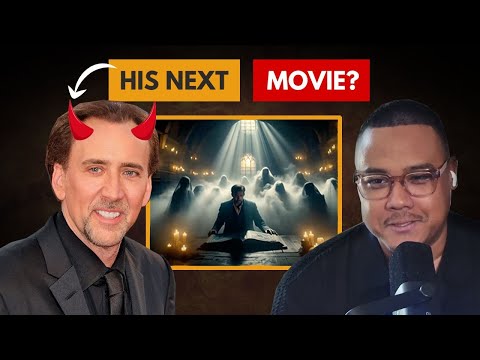
Hollywood Director Makes an A.I. Movie Starring a Demonic…
Hollywood director Dave Clark demonstrates using AI image generators and AI animation tools across his filmmaking workflow. He and host Dan Shipper conceive a fictional Nicolas Cage film and produce it using current AI tools.
# Channel Identity Observations
## Intended Audience
- **AI filmmaking enthusiasts and beginners**: The host asks for background "for people that don't know about Runway," indicating content aimed at viewers learning AI video tools.
- **Creative technologists interested in practical workflow**: Discussion covers tools (Runway, Midjourney, ChatGPT, Premiere) and hands-on technique, suggesting an audience wanting actionable production knowledge.
> "tell us like give us a little bit of background for people that don't know about Runway"
## Claimed Scope
- **Hollywood-level creators experimenting with AI**: The title frames the video as a "Hollywood Director" making an A.I. movie, claiming a professional-creator perspective applied to AI filmmaking.
## Demonstrated Presentation (Observable)
- **Collaborative tutorial format**: Two speakers — an interviewer/host and a hands-on expert demonstrating the Runway motion brush workflow step-by-step on a Nicolas Cage image.
- **Practical, tool-focused content**: Detailed walkthrough of brush selection, ambient movement parameters, generation batching ("do five at a time"), credits vs. unlimited plans, and layering generations in Premiere.
- **Playful, irreverent tone**: Jokes about the demonic Nicolas Cage premise ("maybe they transformed him into another character") and views ("I'm going to put it on YouTube I'm going to get all the views").
- **Demonstrated expertise through experience**: The expert notes trial-and-error familiarity:
> "some of it is trial and error I've been using it for a while so I kind of know what I could get"
## Self-Description Evidence
- The guest explicitly states affiliation with Runway:
> "I'm also actually part of the uh the creative partners program at runway so I got like a million credits"
- This is a creator claim about their professional relationship with a tool vendor, not independently verifiable from the transcript.
## Notes on Distinguishing Claims vs. Demonstration
- **Claim**: "Hollywood Director" status (title-level claim, no in-transcript corroboration).
- **Demonstrated**: Working proficiency with Runway's motion brush and a layered post-production workflow.
- No channel-wide mission statement, subscriber pitch, or explicit channel self-description appears in the transcript.
# Delivery Observation: "Hollywood Director Makes an A.I. Movie Starring a Demonic Nicolas Cage"
## Overview
This is a **conversational, two-person tutorial/collaboration format**. One speaker walks through the AI video tool (Runway's motion brush); the other acts as an engaged interviewer/reaction-giver. The transcript does not label speakers, so attributions below are inferred from turn structure and stated as such.
## Tone
- **Casual and enthusiastic throughout** — frequent exclamations and informal markers:
> "let's do it I'm psyched"
> "heck yeah man"
> "oh my God I love it"
- **Spontaneous delight during results** — reactions are immediate and unfiltered:
> "whoa even the light dims down too that's pretty cool"
> "that is so good well that was that was the first one out the bat"
## Vocabulary & Register
- Heavy use of **casual filler and hedges**: "kind of," "like," "just," "you know":
> "I think it'd be cool if he was just kind of like standing there"
- **Informal naming** of the subject: "Nick Cage," "Nicholas Cage," "Nick Cage's head" — never formal.
- **Technical vocabulary woven into casual speech**: motion brush, ambient movement, generations, unlimited plan, credits, masking, Premiere.
## Recurring Phrases
- **"kind of"** appears very frequently as a softener (e.g., "kind of brush over Nick Cage," "kind of like," "kind of know what I could get").
- **"really cool" / "pretty cool" / "sick"** as repeated approval words:
> "it's it's really cool"
> "that's pretty cool"
> "the motion brush is a pretty sick tool"
- **"so" as a transition word** starting many sentences: "so we'll actually start," "so I'll be able to," "so these are all like."
## Teaching Habits (Tutorial Speaker)
- **Demonstrate-while-explaining**: narrates actions in real time:
> "so I'm going to click in the motion brush... you're able to like select a brush and then um basically like you color over areas that you want to move"
- **Justifies choices with workflow rationale**:
> "I just like to quickly go paint everything and then I go back and then mess with the parameters"
> "I like to always like uh do five at a time just because you don't know what you're going to get"
- **Bundles tool intro + benefit**: "Runway is a great tool you can actually go in here and do text to image to video right right in one app which is awesome if if you're trying to create in a time crunch."
- **Reveals post-processing technique** as a pro tip:
> "I take like multiple Generations into like a Premiere and like I layer them and like I take parts from each clip that I like better"
- **Acknowledges trial and error honestly**: "some of it is trial and error I've been using it for a while so I kind of know what I could get."
## Interviewer/Partner Patterns
- **Asks clarifying audience-facing questions**:
> "tell us like give us a little bit of background for people that don't know about Runway"
> "ambient movement is sort of like his clothes are rustling or something or what is it"
> "is it smart enough... to know like not not to that it's his head"
- **Playful banter / humor**:
> "are you kidding me I'm going to put it on YouTube I'm going to get all the views"
> "maybe the Maybe maybe they transformed him into another character in order to let him get to the luxar without being seen" (unclear word "luxar"; quoted as transcribed)
## Communication Patterns
- **Overlapping, chatty turn-taking** — interjections like "ooh I like that," "yeah we'll do it," mid-flow.
- **Self-corrections and repetitions**: "we're g to now we're going to," "oops I use the vertical brush."
- **Forward-looking momentum**: repeatedly sets up next steps — "so we should get something good and we didn't we didn't even mess with camera movement um actually I'm GNA do one."
## Uncertainty Notes
- Speaker attribution (tutorial-giver vs. interviewer) is **inferred**, not labeled in the transcript.
- "luxar" appears in the transcript and may be a transcription artifact; quoted verbatim.
- Only one video observed — pattern claims (e.g., frequency of "kind of") reflect this transcript alone, not the creator's broader body of work.
# Position Record: "Hollywood Director Makes an A.I. Movie Starring a Demonic Nicolas Cage"
## Speakers
- **Speaker A (host/interviewer):** Asks questions, prompts explanations; suggests framing the image for YouTube.
- **Speaker B (filmmaker/guest):** Demonstrates Runway workflow; identifies as part of Runway's **creative partners program** with "a million credits."
> Note: Curated speaker metadata was not supplied; roles are inferred only from conversational context in the transcript.
## Claims and Positions
### On Runway as a Tool
- **Speaker B:** Runway is "a great tool" that supports **text-to-image-to-video** in one app, which is valuable "if you're trying to create in a time crunch."
- **Speaker B's stated preference:** Uses Runway mainly for **animating cinematic images** because of the control offered, specifically the **motion brush**.
### On the Motion Brush Workflow
- **Speaker B:** Describes motion brush as a new Runway tool: you paint over areas you want to move and specify movement type/amount per brush.
- Applied to the Nicolas Cage/Book of the Dead image:
- Brush 1 on Cage with ~0.5 **ambient movement** (e.g., hair moving).
- Brush 2 for smoke/mist rising from the ghosts.
- Brush 3 for "the light from God" — rays moving toward viewer.
- Brush 4 for flickering candles with light ambient noise.
- **Speaker B's method:** Paint everything first, then adjust parameters afterward. Adds that some of it is "trial and error" but experience helps ("I've been using it for a while so I kind of know what I could get").
### On Precision (Questioning Exchange)
- **Speaker A** asks whether the brush is "smart enough" to avoid selecting Cage's head when accidentally nicked.
- **Speaker B's response:** It's "not so delicate" — you can fix mistakes by going back to the brush; you "just as long as you get enough" of the area.
### On Generation Strategy
- **Speaker B:** Generates **five variations at a time** "just because you don't know what you're going to get."
- **Speaker B:** States he's on the **unlimited plan** and in the **creative partners program** ("I got like a million credits that I still need to get through").
- Qualification: On unlimited, you can only generate five at a time; credits are used to go beyond (as when generating the camera-zoom variant).
- **Generation time (Speaker B, hedged):** "I would say on average like a minute" — quicker for one or two, longer with many queued; characterized as "fairly pretty quick."
### On Post-Processing / Compositing
- **Speaker B's key workflow claim:** He takes **multiple generations into Premiere and layers them**, masking in preferred parts from each clip (e.g., better smoke from one, better Cage from another).
### On Results and Limitations
- Both speakers react positively to outputs (Cage "kind of leans in," "does a little head tilt").
- **Speaker A** observes variation across generations: "Nick Cage is sort of like changing" and one got "kind of funky — he doesn't even look like himself anymore."
- **Speaker A's playful interpretation (explicitly speculative):** "Maybe they transformed him into another character in order to let him get to the luxar without being seen... that's possible."
- **Speaker B** notes they didn't initially adjust **camera movement**, then adds a zoom-out variant; both react to the light dimming during the zoom ("that's pretty cool").
## Qualifications and Tensions Preserved
- Speaker B repeatedly hedges on timing ("I would say on average," "something along those lines").
- Generated results are acknowledged as **inconsistent** — identity drift in Cage's face is observed, not smoothed over.
- Speaker A's "transformed character" remark is a joke/hypothesis, marked by "maybe," and should not be read as a factual claim.
# Speaker Attribution Record
## Video
**Title:** Hollywood Director Makes an A.I. Movie Starring a Demonic Nicolas Cage
**Video ID:** `01a0f15b-0d73-7a8d-a896-8e0278c01591`
## Speakers Identified
### Speaker A — Likely the Host / Interviewer
- Not named in transcript; identity **unconfirmed**.
- Role indicators: asks questions, requests explanations for viewers ("tell us... for people that don't know about Runway"), reacts to outputs.
### Speaker B — The "Hollywood Director" (Per Title) / Demonstrator
- Not named in transcript; identity **unconfirmed**.
- Role indicators: operates the software, explains tools and workflow, discloses personal affiliations.
> Note: Names, titles, and channel metadata were not supplied; role labels are inferred from conversational context only.
## Provenance & Source Facts
### Tools Referenced (Named in Transcript)
- **Runway** — video generation tool; demoed **Motion Brush** feature
- **ChatGPT** — image generation (mentioned)
- **Midjourney** — image generation (mentioned)
- **Adobe Premiere** — Speaker B describes layering multiple generations and masking clips together
### Promotional / Affiliate Content — FLAGGED
- Speaker B states:
> "I'm actually part of the uh the creative partners program at Runway so I got like a million credits"
- This is a disclosed **Runway Creative Partners Program** affiliation. Treated as promotional/affiliate relationship.
- Promotional status of ChatGPT, Midjourney, and Premiere references: **not flagged** (mentioned as tools in workflow, no stated affiliation).
### Third-Party Claims
- Claims about tool capabilities (Motion Brush control, generation speed, unlimited plan limits of five generations at a time) come from **Speaker B, a Runway partner** — potential bias disclosed above.
### Comment Availability
- Not stated in transcript or metadata; **unknown**.
## Uncertainty Notes
- No speaker names appear anywhere in the source material.
- Title asserts "Hollywood Director" status for one participant; this is **not independently verified within the transcript**.
- No timestamps, citations, or external sources referenced beyond the tools listed above.
let's do it I'm psyched cool all right so so we've got we've got some images from chat gbt uh we've got an a mid Journey image that we like and uh now
we're g to now we're going to do some do some animating tell us um looks like we're in Runway tell us like give us a little bit of background for people that don't know about Runway and tell us what we're going to do yeah so Runway is a great tool you can actually go in here and do text to image to video right right in one app which is awesome if if you're trying to create in a time crunch what I like using it for is um animating my more cinematic images uh just because the level of control you have they have this tool called the motion brush which we show you um and how you can really kind of show what part of the image you want to move and then how much you want it to move so it's really cool so we'll actually start with this image first it's the uh the Nicholas Cage surrounded by the spirits um as he's looking at the Book of the Dead this is an awesome image I'm might I'm send this to you so you can frame it please it's pretty cool are you kidding me I'm going to put it on YouTube I'm going to get all the views yeah let's do it heck yeah man all right so I'm going to click in the motion brush so uh motion brush is a is a new tool that was released from uh Runway it's it's really cool you're able to like select a brush and then um basically like you color over areas that you want to move and then you're able to tell what kind of movement you want to have so we'll start with brush one would just kind of brush over Nick
Cage I think it'd be cool if he was just kind of like standing there I give him a little bit of ambient movement like a 0. five brush two and ambient movement is sort of like his clothes are rustling or
something or what is it yeah like maybe his like hair is moving okay um so I'll do this um kind of like this is like that first and is it smart enough cuz you're kind of like you know you you nicked his head a little bit like nicked Nick Nick Cage's head is it smart enough to know like not not to that it's his head and you don't really want that or do you have to be really careful about the good news is you know I can go right back to brush and fix it right right right right right right so yeah I kind of but it's it's pretty it's not so it's not so delicate yeah like you can kind of like just as long as you get enough and then we'll maybe do a third brush on this the light from God ooh I like that what about the candles too yeah yeah we'll do it we'll do a got to have the candles flickering do a brush fork for the candles so I just like to quickly go paint everything and then I go back and then mess with the parameters so we kind of already did in a cage so for the ghost you know I want the the maybe some smoke to kind of go in the air so I I use the uh oops I use the vertical brush maybe a little bit and then um interesting okay so that's G to that's going to push the ghost's Mist up correct yeah and I'll give it like a two Ambience um and some of it is trial and error I've been using it for a while so I kind of know what I could get yeah uh and then if you go to the the uh so I'm just going to do a an ambient noise up to like there proximity I'm going to
have the Rays kind of feel like they're kind of coming towards us a little bit and then for the candle light since it's such a simple movement I'll just do like a little bit of ambient noise there and then uh and then that's it and
then you just click done and then you can just generate you know I like I like to always like uh do five at a time just because you don't know what you're going to get interesting just hit five like you just hit generate five times correct yeah and I'm on the unlimited plan so I'm also actually part of the uh the creative partners program at runaway so I got like a million credits I love it that I still need to get through but it's pretty awesome dude I'm so excited to see what this looks like me too me too it's like the perfect image to use a motion brush too because it has the smoke it has the the light rays it's like built for like the motion brush so we should get something good and we didn't we didn't even mess with camera movement um actually I'm GNA do one I'm going to do one just so we have an example of uh let's do a zoom out okay uh just to see what that gives us cool switch to my credits because unlimited you can only generate five of a time so you got to use your credits and how long does it normally take to generate uh like a single image um um I would say on average like a like a minute something along those lines yeah cool um probably quicker if you're just doing one or two but I threw so many in there or or Generations at a time it might take a little longer but it's fairly pretty quick okay cool yeah and actually I guess while we're waiting like one of the things that I'm thinking about or keying on is um there's this Trope happening right now where um oh oh should we go to it first see we get let's play it I want to play it look Nick Cage kind of leans in too that is so good well that was that
was the first one out the bat I don't even even to look at the rest what else we got oh my God but that's and this is a little bit
more subtle and Nick paage kind of like does a little head tilt yeah um but what people actually don't know is you can what I actually do is I take like multiple Generations into like a Premiere and like I layer them and like I take parts from each clip that I like better like I might like to smoke I might like to smoke here better but I might like Nick Cage less than the other one right so I'll be able to like just kind of mask him in that's really cool let's go maybe oh they not ready yet I was going to say let's go to one of the uh the camera let's check this and so these are all like kind of subtly different but they're not oh wow Nick Cage is sort of like changing yeah this one yeah this one got kind of funky he doesn't even look like himself anymore yeah I mean maybe the Maybe maybe they transformed him into another character in order to let him get to the luxar without being seen you know that's possible yeah all right now we got some camera movement ones let's see what we got this is where our zoom out o whoa even the light dims down too that's pretty cool oh my God I love it yeah the motion brush is a pretty sick tool