OpenAI’s Codex Workflows for Knowledge Work
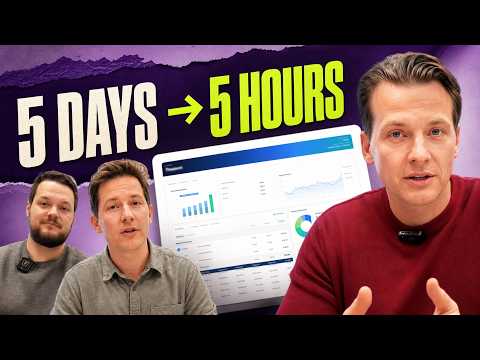
OpenAI demonstrates Codex workflows for knowledge work. Romain Huet and Dominik Kundel (developer experience) show how to move from research in ChatGPT directly into a build in Codex, with a demo of Codex reconstructing interactive documentation from screenshots and video. New features covered include loops, autonomy and parallel tasks, a docs revamp, visualizations, and computer use. Kyle Kober (product finance, OpenAI) demos the internal finance system he built for the company's monthly compute close, which compresses roughly five days of work into five hours and completes about 95 percent of the work before final human review. His advice: start with a hard, recurring process, teach Codex the real work, and turn whatever can be handed off to an agent into skills. Timestamps: 00:00 The gold standard for knowledge work; 02:15 ChatGPT Work vs Codex; 04:12 New Codex features; 04:44 Loops for everyone; 06:15 Autonomy and parallel tasks; 07:22 Docs revamp demo; 08:04 Visualizations feature; 10:34 Computer use breakthrough; 11:22 Chrome site chat tip; 13:26 Codex as finance OS; 15:11 Building a compute app; 20:22 How to build better; 24:28 Trust and verification; 27:51 Projects skills and guardrails.
# Video Identity Observations
## Video Overview
**Title:** *OpenAI's Codex Workflows for Knowledge Work*
**Format:** Host-led interview/discussion featuring OpenAI team members (Dom, Roman, and guest Kyle Cobber) discussing Codex, ChatGPT, and a new model release ("GPT-5.6 Soul" / "gbg 5.6" per the transcript).
## Intended Audience
The content is addressed to **professionals who use AI for knowledge work**, not only software developers:
- The host frames the tool broadly: *"I use it for programming. I use it for writing texts. I use it for many different things."*
- OpenAI guests emphasize non-technical users: *"If you work in sales or finance, you don't want to see code, even if it's in the background."*
- The host highlights accessibility for non-developers: *"this is the first time that a workflow with loops has become accessible to non-developers."*
- Guest Kyle explicitly addresses knowledge workers: *"don't limit the knowledge worker… don't be afraid just because the name says Codeex."*
- Audience questions reference finance-specific contexts: *"I work a lot with finance teams at hedge funds and other financial firms."*
## Claimed Scope of the Tools Discussed
The video positions Codex/ChatGPT as an **"operating system for intellectual work"**:
- Kyle affirms the host's framing directly: *"I am very familiar with your thesis about Codex becoming an operating system for intellectual work, and that is 100% true."*
- Demonstrated use cases span programming, documentation writing, email delegation, computer control, financial dashboards, and data analysis across Slack, Gmail, Excel, and Google Sheets.
## Self-Description / Channel Positioning Evidence
- The host presents themselves as a **power user and opinion leader** on AI workflows: *"I believe this combination of ChatGPT Codeex and gbg 5.6 is the gold standard for smart work for me. This is where I spend all my time."*
- Claims of firsthand testing and product experience: *"What I've experienced using this model over the last month or so…"* and *"I like it, I use it all the time."*
- The channel has **direct access to OpenAI staff**, conducting live interviews with product leads and appearing to preview launches ("it was the first time I remember a case where we knew about its release before it even appeared").
- The host demonstrates workflows live (e.g., visualization demos, documentation walkthroughs), suggesting a **practical, demo-driven format** rather than news commentary.
## Observable Presentation Patterns
- **Product-adjacent, practitioner-focused tone:** heavy emphasis on concrete workflows, adoption timelines ("70% → 85% → 95%" success progression), and training approaches.
- **Guest diversity as evidence strategy:** OpenAI employees (product) plus an internal finance user (Kyle) are used to substantiate claims that the tools serve non-engineers.
- **Cautionary/adoption guidance** is a recurring content element: *"don't try to do this huge system all at once. Do it on time."*
# Delivery Observation — *OpenAI's Codex Workflows for Knowledge Work*
## Format & Structure
This is a **multi-guest interview/panel format** with a host introducing and steering conversations between OpenAI team members ("House and Roman," later "Kyle Cobber"). The delivery follows a consistent rhythm:
1. **Host frames a topic** with a personal anecdote
2. **Guest responds** with product detail and a concrete example
3. **Host follows up** asking for specifics
Recurring host prompt patterns:
- "Please introduce yourself and tell us what you do at OpenAI."
- "Can you talk more about some of the things it does for you…"
- "So tell me more about it. For example, give a specific example…"
- "Help me understand who created this?"
## Recurring Teaching Habits
**Personal anecdotes as proof.** Speakers repeatedly anchor claims in their own first-person usage:
> "I haven't been dealing with my email for the last two months… he does everything for me."
> "yesterday I was running five or six tasks in parallel"
> "Often I'm in a meeting, my computer does something on its own, and I'm like, 'Oh, [ __ ].' Like, Codex works."
**Concrete numbers for persuasion.** Progress and gains are almost always quantified:
> "we're going to squeeze almost five days of work into five hours"
> "initially you get about 70% success. You notice a few errors. Next time it will be 85%, and in a month or two it will be about 95%."
> "we've been releasing updates every Thursday for the past 10 weeks"
**Metaphor of training a person.** The dominant explanatory device treats the agent like a new employee:
> "It's like hiring an analyst who is just starting to get into the swing of things. He will also make mistakes."
> "It's as if you're training your own copy to transfer some of your tasks to it."
> "let's say Mike did something wrong to you. You have to teach him, in essence, never to do that again."
**Direct advice framing.** Speakers frequently close segments with prescriptive guidance: "I would advise taking your most complex process…", "my joking advice is—don't limit the knowledge worker", "just ask, work with it, and treat it as an expansion of your capabilities."
## Vocabulary & Recurring Phrases
- **"Intellectual work" / "knowledge worker"** — used many times as the segment's core category ("Codex becoming an operating system for intellectual work").
- **"Operating system"** as a metaphor for Codex: "Codex is 100% my operating system."
- **"Skill" / "skills"** — repeated heavily as a technical-practical term ("formalize it as a skill," "skills that enhance other skills").
- **Superlative enthusiasm markers**: "incredible," "magical," "amazing," "really cool," "fascinating" appear throughout — e.g., "one thing that is simply magical about GPT-5.6… is the use of a computer."
- **Escalating 70% → 95% framing** appears in both Kyle's testimony and host summaries.
## Tone
Enthusiastic, promotional, and casual. Enthusiasm is often expressed through wonder-statements:
> "It just amazed me. Of course, I didn't even expect that, it's great…"
The host keeps energy high with interjections ("I like it," "Surprisingly," "This is really cool") and one moment of casual profanity, signaling an informal, insider tone.
## Uncertainty Notes
- The transcript appears machine-generated with inconsistent model naming ("gbg 5.6," "GPD 5.6 soul," "56," "o1"), so exact product names cannot be verified from the transcript alone.
- The "training a person" metaphor is clearly repeated across at least two speakers, but the sample is a single session; whether this is a stable habit across videos cannot be determined here.
- The exaggerated casual asides ("jokingly say") appear twice from one speaker, suggesting a deliberate style choice, but evidence is thin.
# Observation Record: "OpenAI's Codex Workflows for Knowledge Work"
## Speakers Identified
- **Host(s)** — unnamed in transcript; leads the interview. Transcript evidence includes opening remarks and later introducing Kyle.
- **Dom** — OpenAI, working on "development for Codeex, and now probably for chat as well."
- **Roman** — OpenAI, "I lead the development with Dom."
- **Kyle Cobber** — OpenAI guest, finance-focused; not a software engineer by role.
**Note on naming inconsistencies:** The transcript (apparently machine-transcribed/translated) renders the model variously as "gbg 5.6," "GPD 5.6 soul," "56," "GPT-5.6," and inconsistently as "o1." These variants are preserved below as quoted; no attempt is made to resolve them.
---
## Position: ChatGPT Codex + GPT-5.6 is the preferred work setup
**Speaker:** Host
> "I believe this combination of ChatGPT Codeex and gbg 5.6 is the gold standard for smart work for me."
- Uses it for "programming," "writing texts," and "many different things."
- Cites the combination of "power, performance, convenience, and speed."
- Exception: also uses **Fable** ("which we'll talk about later").
---
## Dom & Roman's Positions (OpenAI)
### GPT-5.6 launch framing
- **Roman:** "An extremely exciting day. GPD 5.6 soul, our new cutting-edge model, is now available to everyone." Notes this launch was unusual: "the first time I remember a case where we knew about its release before it even appeared" (host's observation; Roman affirms).
- **Roman:** Observed Codex used internally at OpenAI "from finance to recruiting to sales" — as a tool for "anything code-related," not just software development.
### Rationale for merging Codex into ChatGPT
- **Roman:** Two goals: (1) a model suited to "any intellectual work," and (2) a simpler interface — "If you work in sales or finance, you don't want to see code, even if it's in the background."
- Result: ChatGPT now has a "working agent" that connects to users' tools and services and can "do any work on your computer."
### Guidance for existing Codex users
- **Dom:** "For Codex users and developers, this is the same Codex you know and love... you can just stay in it for all your work."
- **Dom:** Engineers already do non-coding intellectual tasks (docs, Slack follow-ups) in Codex.
- **Dom:** Key benefit of the merger: brainstorming/deep research in ChatGPT and development in Codex now share one connected interface — "I can recall this discussion thread and start working right away."
- **Dom (qualification):** "It's worth not worrying too much about this... switch in the top corner. You don't lose anything" doing intellectual work in Codex.
- **Dom:** New Thursday updates for the past 10 weeks, including "o1 pro" (as transcribed) for "maximum budget of considerations," built-in code editing, and PR viewing in the Codex interface.
### On delegation loops
- **Host (position):** The loop-based workflow ("you build a system that does the work") is newly accessible to non-developers, though "there is still a lot of work to do" in making the cycle work.
- **Host (personal claim):** Hasn't handled email in two months — "o1 at Codeex knows all my preferences... I just make small edits."
- **Host (contradictory-seeming assessment, preserved as stated):** "I think o1 is better at programming, but it's less user-friendly... and I think o1 is still very powerful, but it's much more user-friendly" — the transcript appears to conflate model names here; the expressed idea is that the new model is more usable by non-technical people for delegated work.
### Autonomy and computer use
- **Roman:** "56" becomes "more independent," especially with computer control and the Chrome extension: "many tasks that it can complete from start to finish and check the result itself." Ran "five or six tasks in parallel" without monitoring.
- **Roman:** New "visualizations" feature works in chat, Codex, or online; model rebuilt documentation components from screenshots into real HTML, and recreated interactive elements by analyzing video via the Chrome extension.
- **Roman (qualifier):** "We wouldn't have spent the time creating this if we didn't have such a model at hand, because it's too much effort" — i.e., autonomy changes what's worth building.
- **Roman:** As models grow more autonomous, "the main problem becomes: can I understand what exactly it just did?" Visual storytelling helps comprehension.
- **Dom (strong claim):** "Computer use is effectively resolved at this point; it works much faster." Agents can handle vague tasks, control apps/Chrome tabs "with its own cursor."
- **Host:** Uses it during meetings — "my computer does something on its own."
### Closing recommendations
- **Dom:** New "chat for sites" in the Chrome extension, connected to the local file system.
- **Roman:** Final wish: models reach a level where "no idea is impossible" — "entrust it with your most ambitious projects... the most difficult bugs."
---
## Kyle Cobber's Positions (OpenAI, Finance)
### Codex as an operating system
- Endorses the host's thesis: "Codex becoming an operating system for intellectual work... is 100% true."
- "I'm not a software engineer yet. But since February I've been doing software engineering type work."
- "Codex is 100% my operating system, which does almost everything for me these days."
### Daily workflow
- Codex integrated with Slack, Gmail, Outlook, Microsoft suite: each morning a chief-of-staff setup checks key Slack channels, flags where Kyle is behind, provides context and links, and prepares drafts.
- Claims a maturity curve: "it helps you get to 70-80%, and after a few weeks or months of use, it gets to 90% because it learns your style."
### Compute accounting case study
- Built a dashboard during evenings in **March** (about a month) using Codex, alongside normal work.
- Old process: monthly compute distribution took ~2 days for accounting, plus days of team auditing and manual data movement — roughly **five days of work now squeezed into five hours**.
- Now: "immediately after launch, we get 95-98% of the result, and the system actually only completes the qualitative part of the monthly closing."
- Google Sheets/Slides now serve as validation "pull-tabs"; the flow goes directly from data warehouse to a hosting application. Board-facing final output is still exported to Google Slides because "we cannot allow our board of directors access to internal sites" — a preserved human-checkpoint qualification.
- Built a mascot feature (inspired by "Codex Pets") so less technical teammates can question the dashboard.
- Now transferring the approach to other business areas as internal "plugins," which "will eventually make its way into the enterprise version."
### Advice for building with Codex
- Main lesson: don't try to do everything in one go. Execute your most complex process the old way while gathering context, then "formalize it as a skill" — "reverse engineering the process."
- Maintain order "under the hood": agent.md files per project; create skills that enhance other skills ("improve your skills recursively").
- "Treat it as an extension of yourself... as if you're training your own copy." Setup takes time (a week to a month) but "I never have to create these slides again."
### On trust, hallucination, and errors (responding to audience question about finance teams)
- Frame: "It's like hiring an analyst who is just starting to get into the swing of things. He will also make mistakes."
- Acknowledges the two problems raised: hallucination (decreased but still happens) and **omission** (missed files/emails — "happens much more often").
- Process: when the system errs, teach it explicitly — "let's say Mike did something wrong to you. You have to teach him, in essence, never to do that again."
- Describes a **Google Drive Audit skill**: before sending, audits documents for metric discrepancies across memos, Drive links, slides, Excel, and Sheets — but only because Kyle first demonstrated his own approach: "watch me do it."
- Mentions a "review and replay / record and replay" feature to see how the system "thinks" about a task when something goes wrong.
- Cumulative-trust claim: "initially you get about 70% success... Next time it will be 85%, and in a month or two it will be about 95%."
- Qualification preserved: "At first, there is no less work, because it takes time to set up and train the system."
- On scoping: rules can constrain agent behavior — "I don't want you to send anything back to Slack until I read it" — confidence that it "won't accidentally send something to our CFO channel." "She is only as effective as the skills you create for her."
---
## Open Tensions / Preserved Contradictions
- **Model naming:** The transcript alternates between "o1" and "5.6/56" names, including the host's internally inconsistent programming-vs-usability comparison; the underlying claim (new model: slightly weaker at programming, far more usable) cannot be fully disambiguated from the transcript alone.
- **Effort framing:** Speakers repeatedly emphasize delegation and time savings, but each also concedes substantial setup labor (Kyle's month of evenings; "it takes a lot of effort to make it really high-quality"; "no less work" at first).
- **Human checkpoints remain:** Kyle's board materials still require manual review and export to Slides; Slack sends are gated until human review — full autonomy is explicitly not claimed.
# Speaker & Provenance Record
## Video
**Title:** OpenAI's Codex Workflows for Knowledge Work
**Video ID:** 01a0f15a-651f-7bca-9b63-1a7ef4bda54a
## Identified Speakers & Roles
| Speaker | Role | Basis |
|---|---|---|
| **Host (unnamed)** | Creator / show host | Opens the video, introduces guests, moderates questions |
| **"Dom" (House/Housek?)** | OpenAI guest — works on development for Codex | Self-introduction in transcript |
| **Roman** | OpenAI guest — leads development with Dom | Self-introduction in transcript |
| **Kyle Cobber** | Special guest from OpenAI — finance/knowledge-work user | Introduced by host; self-describes as a financier, not a software engineer |
> Note: Transcript spellings are inconsistent (e.g., "Codeex/Codex/Kodak," "gbg 5.6 / GPD 5.6 / GPT-5.6 / 56," "Soul," "o1"). Names are recorded as given; exact spellings of model and product names cannot be verified from the transcript alone.
## Second/Unidentified Voices
- A question from "someone on the team" (Kyle asked about trusting AI outputs in finance) — an unidentified team member or co-host; role recorded as **unidentified questioner**.
- The transcript appears to be a translated transcript; some names ("House," "Strat Finn/Statin," "Sarah Freer") may be transcription artifacts. Flagged as **uncertain**.
## Referenced Sources & Claims (third-party / internal claims — not verified)
- Launch of a new model referred to as **GPT-5.6 "Soul"** (speaker claim; transcript spelling varies).
- Merger/integration of **Codex into the ChatGPT app** ("work tab" vs. "Codex tab").
- Codex docs moved from "developers.ai.com" to "**learn.gpbc.com**" (transcript spelling uncertain).
- Claims about internal OpenAI usage: every team (finance, recruiting, sales) using Codex daily — speaker claim, Dom/Roman.
- Kyle's claims about internal compute accounting workflow (Slack, Gmail, Outlook, Excel, Google Sheets/Slides, data warehouse, "Google Drive Audit skill," board reporting) — first-person internal OpenAI experience; not independently verifiable.
- Mentions of features: "visualizations," computer use via Chrome extension, "chat for sites," agent.md files, skills, record/replay review, "Codex Pets," "Chronicle" integration — product claims by speakers.
- Named individuals referenced: **Sarah Freer** (mentioned by Kyle), **Mike** (a team member referenced).
## Promotional Segments (flagged)
- Entire segment functions as a **launch/promotional discussion** for the new model and Codex–ChatGPT integration.
- Guests' product recommendations (e.g., "chat for sites" Chrome extension, visualization feature) are promotional in nature.
- Kyle's dashboard demo is a **product demonstration of internally built tooling**; no external commercial promotion identified.
## Availability / Access Limits
- No paywall, comment availability, or access restrictions mentioned in the transcript.
- Kyle explicitly states he **cannot share real-time internal financial details** ("I can't share anything that happens in real time") — a stated information boundary.
## Uncertainty Notes
- Transcript contains numerous apparent transcription/translation errors (product names, URLs, person names); all recorded as-is with flags rather than corrected.
- No curated metadata was supplied beyond title and transcript; speaker full names (e.g., "House" vs. "Dom") remain ambiguous.
I believe this combination of ChatGPT Codeex and gbg 5.6 is the gold standard for smart work for me. This is where I spend all my time, except when I'm using fable, which we'll
talk about later. I use it for programming. I use it for writing texts. I use it for many different things. And I think it has that combination of power , performance, convenience, and speed that makes it great for collaboration. And we have two very special people joining us from OpenAI. House and Roman. Welcome. Please introduce yourself and tell us what you do at OpenAI. Yes. Hi, I'm Dom. I'm working on development for Codeex, and now probably for chat as well. Class. Hello everyone, I'm Roman. I lead the development with Dom. Well, it's an exciting day. Tell us how you're doing. This was a slightly different model launch, because it was the first time I remember a case where we knew about its release before it even appeared. Yes. No, this is an extremely exciting day. So , GPD 5.6 soul, our new cutting-edge model, is now available to everyone. We worked hard to make it accessible to everyone. So this is a great day for people to start using it. And yes, we've also noticed with the growth of Codeex in popularity over the past few weeks how many people have been using Codeex as an application not just for software development but for anything code-related, and that's been true at OpenAI for many weeks now. We saw every team in the company using Codeex every day, from finance to recruiting to sales. Everyone tried to use this product to create amazing things with it. And so, on the one hand, we have a model that is a real intellectual breakthrough in programming. We can talk about this in more detail, but it is also suitable for any intellectual work. At the same time, we wanted to make sure that the interface people use to access these capabilities became simpler. If you work in sales or finance, you don't want to see code, even if it's in the background. That's why we now have ChatGPT working with this new working agent. Which provides much more power. You can connect to all your tools and services that you use every day. And now, as you saw live, you have the ability to do any work on your computer using Chi. Surprisingly. What if I'm a Codex user and I
'm trying to figure out: how do I use this one app now? How to think about it and what is the difference? When to switch to the work tab and when to the Codex tab? Yes.
Yes. That's a great question. Honestly, for Codex users and developers, this is the same Codex you know and love, right? We're just making it better. Now he has his own separate space in the ChatGPT app. But if Codex suits you, you can just stay in it for all your work. In fact, as engineers, we perform many tasks every day that are not related to programming, right? For example, sometimes we write documents, documentation, or explain our work, follow projects in Slack and other sources. So all of this already works well in Codex. I think what's really powerful now that ChatGPT and Codex have come together is that developers have asked us, "Hey, I'm brainstorming ideas with ChatGPT, doing some deep research, like, on features that should be built," but then I have to copy that into Codex, which is weird, right? And now the good thing is that in this one app, on one interface, I can start brainstorming with ChatGPT, even with deep research, and when I'm ready to develop, I can recall this discussion thread and start working right away. So this interaction is very interesting, because now it's one interface, and all these tasks and branches are connected to each other. I also think it's worth not worrying too much about this, you know, " so to speak" switch in the top corner. You can just stay in Codex, or if you're curious, quickly switch between them while you're doing a task and see all the small changes that happen in the interface as you switch. You do n't lose anything if, for example, you do intellectual work in Codex, quite the opposite. I myself have been working a lot on intellectual tasks in Codex this week. By the way, we've been releasing updates every Thursday for the past 10
weeks. So today is no exception, even for developers who use codexes. We have a bunch of new features, of course, like the o1 pro, to get the maximum budget of
considerations for your most ambitious tasks. But we also have new things like built-in code editing, viewing PRs directly in the Codeex interface in the ChatGPT app, and much more. So, if you were wondering, we're just starting to develop for developers as well. I like it. One of the things we talked about is this very
relevant topic about cycles, where you, as a developer, instead of doing the work yourself, you build a system that does it, and that's actually the cycle that the agent works in. And what
I've experienced using this model over the last month or so is that this is the first time that a workflow with loops has become accessible to non-developers, where you can delegate tasks and let the model do a lot of the work for you while you control it. It sounds like there is no work at all. In fact, there is still a lot of work to do. Making this cycle work is not an easy task, but you get much more leverage. For example, I haven't been dealing with my email for the last two months, and Raman, we've been corresponding, you might have noticed—it's just that o1 at Codeex knows all my preferences and how I usually respond, and I just make small edits, but for the most part, he does everything for me. But I'm curious, do you observe anything similar in yourself? Do you have any examples of how this has changed your working style? Because I really think, as we've said—and I'm sorry to say it —but I think o1 is better at programming, but it's less user-friendly. This is a less usable model. And I think o1 is still very powerful, but it's much more user-friendly, so even people without technical skills can use it for delegated work, which is something completely new. So I'm curious to know about your experience.
So, I think the interesting thing about 56 is that it naturally becomes more, I would say, independent. Especially if you have the computer management feature and the
Chrome extension, it just gets the job done and does what it needs to do, right? So, if you use an extension to control your computer, even in intelligent work, there are many tasks that it can complete from start to finish and check the result itself. And you may feel like the task is taking a little longer, but that's because it will already be done by the time you get back. I noticed this myself : yesterday I was running five or six tasks in parallel, because everything was being done at such a level that I did n't have to monitor it, or even necessarily think about it, especially if you're not immersed in AI like the rest of us. You don't have to take it as a cycle, you know? The model checks its own work and makes sure everything is done, and it does it in incredible ways—I'll show you a demo now. Please. So, as part of this merger, we also updated the documentation . We have moved
Codeex documentation from developers.ai.com to our new resource learn.gpbc.com. And we wanted to add a lot of nice little things there. Here's
one of the things we've done, for example: a lot of these components are no longer just screenshots. In fact, we gave Codeex a screenshot, and 56 simply took it, checked it against the codebase, and rebuilt everything on real HTML. That's right. And what struck me most last night. We've added a new feature called " visualizations" to the
app that works regardless of whether you're in chat, Codeex, or online. You can ask her to visualize
concepts for you and I will show it on the blog; Actually, we have a few examples there of what it looks like. This is really cool; It provides interactive demonstrations where you can experiment to visualize ideas. I gave this model a draft blog post, and I'll show the assignment soon, but she was able to build complete interactive elements from the video. She analyzed the video using a Chrome extension, identified all the necessary parts, took screenshots of different frames, and understood how the interactions worked and what exactly we wanted to show. So she was able to recreate it completely by analyzing the video footage. It just amazed me. Of course, I didn't even expect that, it's great, but we wouldn't have spent the time creating this if we did n't have such a model at hand, because it's too much effort, but since the model is so autonomous, it's really cool. If you're looking at this and thinking, when should I use visualization? I think it's important to understand that as models become more powerful and can do more autonomously, the main problem becomes: can I understand what exactly it just did? Do I have a clear idea of what is happening? Therefore, the ability of the model to tell stories in a visual way that helps to better understand the essence is, in my opinion, a huge step forward. I completely agree. And so I think ultimately it all comes down to the DNA of OpenAI. We are a research and implementation company, and these two aspects are very important. You want to create the best cutting- edge intelligence through research, but you also want to make it user-friendly. That's why we spend so much time on an open source tool, Codex harness, using all of this to make the model run for a long time, reliably test its own work, and at the same time explain what it did in a fascinating way. So I think all of this is important. By the way, one
thing that is simply magical about GPT-5.6, if you haven't tried it yet, is the use of a computer. Computer use is effectively resolved at this point ; it works much faster. And the fact that you can
run agents to delegate tasks that can be quite vague, not even completely accurate, but the model understands the intent, starts controlling your own applications or Chrome tabs with its own cursor, you can continue working and check the result when everything is ready . This is truly a fascinating sight. I like it, I use it all the time. Often I'm in a meeting, my computer does something on its own, and I'm like, "Oh, \[ \_\_ \]." Like, Codex works. So guys, I know we're running out of time and you have a very tight schedule. Thank you very much for coming. Is there anything last you want to tell us before you go? I think there's one little feature I highly recommend trying out: if you have
the latest version of the Chrome extension installed, you now have chat for sites. So, you can open the chat directly in Chrome. And it's incredible because it connects
to your ChatGPT app, which means you have access to your local file system. And it allows you to do things like view a website or a Google Doc, and it can directly link to files that are in your file system and interact with them as well. And this is simply incredible for intellectual work. I completely agree. And my final wish would be that these models reach such a level of capability that no idea is impossible. Just entrust it with your most ambitious projects , all the ideas you've been putting off, that you have n't tried before, the most difficult bugs, and we're looking forward to seeing what comes out of it , because it's a truly great model. I like it. Thanks for joining , guys. Thank you for your work. We actually have a special guest— Kyle Cobber from OpenAI. Kyle, congratulations. How are you? Good. Nice to meet you guys. Tell us about what you do at OpenAI and your thoughts on the model. Yes. So I would say that I am very familiar with your thesis about Codex becoming an operating system for intellectual work, and that is 100% true. I'm not a software engineer yet. But since February I've been doing software engineering type work , just integrating it into my natural workflows, and it's a very exciting day with Soul and the merger of Codex and ChatGPT. I feel like everyone will now get a chance to try this Codex-style workflow, because if you've only used chat and not Codex as a knowledge worker—I jokingly say "don't bot an intellectual"—it only takes a few months to learn how to do almost everything. But it's really exciting that everyone will get experience with this, and we've been using it internally for a few months now. Codex is 100% my operating system, which does almost everything for me these days.
Can you talk more about some of the things it does for you that people might not immediately think, "Oh my god, yeah , this could be used for that"?
Yes, it's much more proactive because it's integrated into all your systems: connected to Slack, Gmail, Outlook, and if you're on a Windows computer or in any of the Microsoft suites—Excel, PowerPoint, Google Slides—it's just incredible how it gathers context. For example, every morning my chief of staff checks Slack in key channels where I'm actively participating , sees where I might be falling behind, gives me context, links directly from Codex to where I need to go, and prepares drafts—it's incredibly powerful. It simply allows you to stay up to date with what's going on. And also for me, I would say, there's so much going on in the forecast files, the closed files, in these G Suite artifacts that we use. The ability to let it review comments, make drafts, take my input into account —it's really an operating system where you start with Codex and it helps you get to 70-80%, and after a few weeks or months of use, it gets to 90% because it learns your style. It's just a huge time saver and productivity boost. So tell me more about it . For example, give a specific example, you mentioned closing and forecasting files. I want to hear about some incredible financial things that I may not know about, what you use it for. I can't share anything that happens in real time. So, it's like a Google slide that has a GIF animation, which is quite interesting because Codex created this slide for me by analyzing my hosting application or site. So, basically, Codex is taking a first approach to everything, even creating a thing like this live demo GIF, right? But the real world is quite complex,
I would say that computing accounting every month—it's extremely difficult. We use it externally for people like you, where users pay as consumers or as corporate customers
. We also, of course, use it internally for research. So there's a very clear hierarchy that wasn't really there in any of the existing software applications like Tableau or other visual tools. So we just took it and created our own. And what's really cool is that it's now part of our monthly workflow when we close reports with our compute accounting team . What's also great is that it does full distribution on the backend, where Codex can adapt to your team. Let's say you have a strong data science or data engineering team where everything is stored in a data warehouse. This is great because Codex can interact with it quickly. If not everything is there, but some of it is in Google Sheets or Excel— great, it doesn't matter. Codex takes care of the work of combining data from different systems for you . In this case, it all started months ago with the automation of distribution, which accounting used to take maybe two days. And then my team spent several days auditing every detail, studying the product usage in more detail , because it's important for us to know what an experienced user does with Codex or an image generator in a month to understand the state of the business from a strategic financial perspective. So we would usually spend a day or two on that, and then we would dump the data from the repository or Excel into Google Sheets, link it to Slides, and that was the old way of automating it. Now, while we can still use Google Sheets and Slides to
validate data, they have become almost just pull-tabs for us. But now we're going directly from the data warehouse to a dedicated hosting application built on the Slides product that we have. So, um, this is
essentially a way for us to squeeze almost five days of work into five hours. And that's not ideal. Here, you know, a lot of effort was put into developing this. You can't just make it do the entire workflow for you the first time , right? But you can, um, teach it over the course of, you know, a week or two, and as it does this month-long process for you, it gets better and better. You codify the knowledge you have gained with him. It masters skills. You are perfecting it. And now, actually, we're at the stage where we're transferring what we did for computing to other areas of the business, where people can now use all the skills that were built into Strat Finn . We're kind of creating our own internal plugins, and that's something that will eventually make its way into the enterprise version as well . It's pretty exciting —being a financier, getting to work on software development and really improving the product and experience not only for our team, but ultimately for people like you who use it. So, yes, my joking advice is—don't limit the knowledge worker, but here's a great example of what you're talking about. This is really interesting. Help me understand who created this? Did you design this yourself ? Did someone on your team build this? Do you work in pairs or what? I created this using Codeex, working outside of work hours, probably in the evenings throughout March, a whole month. So the first opportunity to launch this in parallel with our regular work came in March, and now we have a few months of experience under our belts. And now it works like clockwork: immediately after launch, we get 95-98% of the result, and the system
actually only completes the qualitative part of the monthly closing. I will also say that it is interesting: you can imagine anything you want, and that is exactly what you can build.
So in this demo, you can see how it works: you look at the overview tab, which again is a hierarchical view of how we think in terms of categories of computation. You can then ask or see how this affects the P &L and drill down into specific GPU computing data, such as which GPUs caused these costs or how much the image generation work for a plus account costs. Because the system has all this information and has created a backend for this dataset, it can do a great first analysis of the qualitative side of your reports or any presentations. For example, these are virtual slides embedded in this dashboard. We don't use regular traditional slides anymore, do we? And also , very interestingly, you'll see this little mascot on the bottom right. This is an idea that came to my mind, inspired by Codex Pets, if you know what that is. For people on your team who are less familiar with it or don't know how to use the new software you've built. Essentially, it's a mascot that you can just talk to and it will guide you through the entire panel and answer questions. This is all based on a feature that triggers a question and answer mechanism and provides a mascot as a way to respond and guide you through the dashboard . This is really cool, and before you couldn't even think about creating something like this , but now you just enjoy creating software that helps your team understand what's happening with the business. I like it. I will give people on the team the opportunity to ask questions. But before I pass the floor, I have one last question for you: This is a very complex software product, and it sounds like you built it in a month or two. What did you learn during development, and if you were starting over, what advice would
you have given yourself a few months ago to avoid certain mistakes? Because I understand that it can be done without coding, but it takes a lot of effort to
make it really high-quality. Yes, that's a very valid question, and I would say that it's an ongoing process for us. We do n't finish working on this every month. We are trying to do it better. I would say the main lesson is what some people try to do when they first use Codeex or, say, Chat for work—they try to do everything in one go, instead of approaching it gradually. This is one of the most complex processes we have every month, which is why we decided to try this approach. I would advise taking your most complex process , executing it the old-fashioned way, but gathering all the context from all the files, the process itself, and the relevant channels. And then, as you work, you just say, "Okay, we do this all the time, let's formalize it as a skill." So you're kind of reverse engineering the process, and as it learns, you can create a bigger skill, a plugin for the team or yourself, or just add to your agent.md files. I think another lesson for knowledge workers is don't be afraid to try to figure out how it all works. When people say, “Oh, my agents do this and that,” we—and I personally—think of agents like this: your Codeex has its own agent.md file, and every project, like this metrics project, has its own agent.md file. This allows Codeex to coordinate work between all these different projects. So, maintain order "under the hood ". Try to improve your skills recursively. You can create skills that enhance other skills for specific projects or to help you analyze and improve your work in general—this is what we think of as a skill that many people here are building for themselves, and it integrates nicely with Chronicle if you've used it in Codeex. This becomes an incredibly powerful tool. But I would say, don't try to rush it, treat it as an extension of yourself. It's as if you're training your own copy to transfer some of your tasks to it . And yes, the time investment may not seem instantaneous, it may take a week or a few days. It depends on the complexity of the task. This is extremely complex data from different sources, with different teams working on it. So, if this takes a month, the good thing is that I never have to create these slides again, because every month all the data magically comes together and each slide just updates. The dropdown for the new month appears, and we're essentially at the finish line, trying to simply review and edit comments. And now it's a joint effort. That is , as soon as you create it and launch it, our entire Statin team comes in and edits the comments. This becomes a checkpoint where we release final materials before Codex exports it all to Google Slides, as we cannot allow our board of directors access to internal sites. But, in any case, these are probably a few tips and conclusions. A lot of people are just scared, and I would say : just ask, work with it, and treat it as an expansion of your capabilities, which helps you reach the next level. And don't be afraid just because the name says Codeex or, you know, Chat Beauty for work. It's limitless in terms of what you can do. I love it. I would say, in summary: don't try to do this huge system all at once. Do it on time. When you have a task during the workday that is part of a larger project, try to create a skill that will help you get part of the work done, and gradually build on it. And it sounds like you're doing things in parallel. It's like you were building a system that will help you next time, but not necessarily this time, by going through this process last month. All of these things are just wonderful. I know we only have a minute left, does anyone else on the team have any questions? Yes. Kyle. Yes, Kyle, I wanted to ask a question. I work a lot with finance teams at hedge funds and other financial firms, and the
main problem they face is: how do I trust this? Because they have all this data, they notice two problems, and this applies to all
AI models : first, it sometimes hallucinates, and although this problem has decreased significantly, it still happens. That is, he invents facts that were not actually in the original data. And another problem that happens much more often is that he misses some things. So, when there is a lot of data, he could simply not view a certain file or notice an email. So how can you explain how exactly you build trust in this software during development, what steps do you take to evaluate it? Yes, that's a great question, and it's probably a topic that comes up all the time when I join implementation calls with our enterprise customers. But I would say it's a process, right? It's like hiring an analyst who is just starting to get into the swing of things. He will also make mistakes . This won't be ideal. Let me put it this way: 56 Soul with Ultra enabled is a huge step forward, and the built-in agent feature is simply incredible, as it allows you to multitask and handle different parts of the process at the same time. But it all comes down to occasional use: let's say Mike did something wrong to you. You have to teach him, in essence, never to do that again. This is what this process looks like: "Hey, I did n't like the way you published or designed this." Maybe if you are involved in developing or auditing materials. For example, I have what we call the Google Drive Audit skill , which is pretty cool: before sending, we can audit a document and find discrepancies between metrics in a memo, Google Drive links, slides, Excel, or Google Sheets. You are actually tracking the metric , and it is telling you what is wrong. But the only way he can do that is because the first few times I say, " This is how I approach tracking." "This is how I think about processing these files, just watch me do it." And now there's a review and replay, or record and replay, feature that lets you see how the system "thinks" about a task if something goes wrong. This allows her to better understand the context, improve her skills, and you gain confidence that a similar mistake will not happen again. So, again, this is a “one- shot” approach where you shouldn’t expect perfect results the first time, but it’s important to see progress as you work. I would say that there is a cumulative effect here: initially you get about 70% success. You notice a few errors. Next time it will be 85%, and in a month or two it will be about 95% . Ultimately, it brings results. At first, there is no less work, because it takes time to set up and train the system. But the payoff comes, and that's how you start to feel more confident. Now I'm letting the system take its first steps in the work, where it tries to process tasks by analyzing Slack. It doesn't give the final result right away, but gradually approaches it, and I have the opportunity to check and adjust the process , while the system is already working on the tasks before I even read them—which is pretty cool. So yes. But to achieve this level of comfort, you need to use it for months. So I would say that working with Kodak has been an exciting and interesting journey. Here's how I can answer that. By the way, that's great, but what about the scope of the tasks—is it one
long chain for a certain type of work where you're constantly adding information, or are you more likely to be training these skills? Do you create a separate
project folder for thematic tasks where all this happens, and this folder accumulates all the best skills that can be used across all projects, or are they still more specific to a particular task ? You can constantly update, say, the agent MD file for that project folder, so that, for example, when a request comes in from Slack, your skill automation for the chief of staff folder sees that, understands, " Oh, this is for a new data analysis on this project that Mike's team is working on, " and essentially starts a branch in that project. And since there's an MD file and skills for this project, she starts the process, and you can set a rule: "I don't want you to send anything back to Slack until I read it." That is, she listens, or she is only as effective as the skills you create for her . So it all depends on how you spend your time providing instructions. She will behave accordingly. That's how I get confidence that it can just work, and I know it won't accidentally send something to our CFO channel . And then Sarah Freer will text me, "Hey, Kyle, what's up?" So great. Thanks, Kyle, I know you're short on time. Thank you very much for joining and sharing your experience, we will be glad to see you again. Yes. Thank you. It was nice to see you. Thank you.