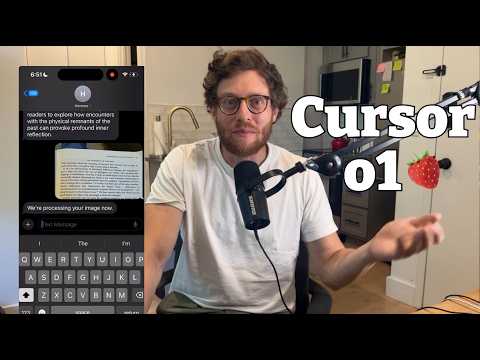
Watch Me Build an App in 60 Minutes With OpenAI o1 and…
A step-by-step build tutorial in which the creator codes a personal reading companion app in under an hour using the Cursor editor and OpenAI's o1 model, recorded live. Accessible to both programmers and non-programmers.
# Channel Presentation Observations
## Intended Audience
- **Non-expert and beginner builders**: The creator repeatedly frames the tutorial as accessible to people without coding experience.
- > "what was previously completely impossible is now doable in 60 minutes even if you don't really know how to code"
- > "there some of the stuff is going to it's easier because I do know how to code but it's really pretty good without any programming experience"
- > "if you don't understand what's going on this is all stuff you can just ask 01... you don't even need to know what this does just do what the AI tells you to do"
- **AI-curious tech enthusiasts**: He assumes some baseline AI interest but explains basics (what Twilio is, that GPT-4 is multimodal, what o1 mini vs. o1 preview are).
- "twilio is just a it's a service that allows you to send and receive text messages programmatically"
- "if you haven't checked out my video on o1 and how it works you should check it out"
## Claimed Scope
- **AI-assisted coding demonstrations**: The video's core promise is a real-time, end-to-end build ("I actually recorded the process of building Hermes end to end").
- **Explainer/instructional content on AI models**: Explains model differences (o1 preview vs. o1 mini), chain-of-thought reasoning, and API usage.
- **Adjacent channel offerings mentioned explicitly**:
- A **podcast** called "AI and I": "definitely listen to my podcast Ai and I it's on this channel"
- A **daily newsletter**: "go check out every it's a daily newsletter about what comes next in Tech"
- A **Friday column** called "Chain of Thought"
- Prior **interview content**: "this prompt is something that I got from Jeffrey lit who I interviewed on my podcast you can see the video elsewhere in this Channel"
- **Stated intent for more of this format**: "I'm going to be doing more of these videos soon"
## Observable Presentation Patterns
- **Demonstrated style**: Casual, first-person, narrated screen recording with live troubleshooting — errors are shown honestly (404 errors, wrong API docs, Whisper misuse, timeouts), framed as normal and recoverable ("you can do dumb stuff and still get this thing working really quick").
- **Enthusiastic, capability-forward framing**: Positions AI coding as a "superpower" ("coding with AI is like this superpower you can just make whatever in your head quickly and easily").
- **Explicit calls to action**: Like, subscribe, newsletter, podcast, column — multiple engagement channels promoted at the end.
- **Personal-use case grounding**: The app (Hermes) is motivated by his own reading habits ("I read a lot of books... I'm like I wonder if that's right"), presenting the channel creator as an active builder/user, not just a commentator.
## Creator Claims vs. Demonstrated Content
- **Claim**: The app was built "in less than an hour" / "like 50 minutes to do it start to finish" — this is the creator's self-report; the transcript does not independently verify timing.
- **Demonstrated**: Real coding workflow with OpenAI playground, Cursor, npm, ngrok, Twilio configuration, and iterative debugging — observable from the narration itself.
- **Claim about historical impossibility**: "literally teams of Engineers working together for years would not have been able to do what I just did in an hour myself" — an unverified creator assertion about the past state of OCR/NLP technology.
# Delivery Observations: "Watch Me Build an App in 60 Minutes With OpenAI o1 and Cursor"
## Tone
- **Conversational and enthusiastic**: consistently casual, first-person storytelling — "it really makes the experience of reading challenging books feel much richer."
- **Self-deprecating and candid about mistakes**: repeatedly admits errors live — "I'm just being stupid here," "so I'm doing some dumb stuff," "all right Dan come on."
- **Awe/emphasis on novelty**: "I just can't tell you how incredible that is," "coding with AI is like this superpower."
## Vocabulary & Recurring Phrases
- **"I'm just going to..."** — heavily repeated action framing: "I'm just going to type in what I want," "I'm just going to copy and paste," "I'm just going to install all this stuff." This is a stable verbal tic throughout.
- **"So" as a connector** opening many sentences: "so to help me with this," "so what was previously completely impossible," "so now I'm doing is..."
- **Repetition for emphasis**: "completely impossible" appears twice in the intro; "a beautiful beautiful beautiful transcription"; "it's there it's there."
- **Technical jargon made casual**: API keys, OCR, ngrok, Twilio, npm install, mixed with plain-language restatement ("twilio is just a... service that allows you to send and receive text messages programmatically").
## Teaching Habits
- **Just-in-time explanation**: introduces each tool only when used — "enro is this thing that will take your local server and make it available on the internet."
- **Debugging-as-lesson structure**: narrates each failure as a teaching moment — the 404 error, the Twilio timeout, the wrong Whisper call — and states hypotheses: "I start to suspect okay maybe the twilio API is timing out."
- **Reassurance toward non-coders**: repeated refrain — "all this stuff is going to just be stuff that you can do even if you don't know how to code," "just do what the AI tells you to do."
- **Explains model-selection reasoning**: why o1-preview for interpretation vs. o1-mini for coding, with rationale ("in order to interpret text you need to know a lot about the world").
- **Cross-promotion at close**: podcast, newsletter ("Chain of Thought"), like/subscribe CTA.
## Communication Patterns
- **Live narration of screen activity**: "we've actually gotten our first bit of code," "I've hit save and now we're going to try again."
- **Honesty about editing/uncertainty**: "I don't know 50 minutes to do it," "the analysis isn't good it's bad but it's there."
- **Bookending**: opens with a concrete reading anecdote, closes by returning to the "intellectual companion" framing.
## Uncertainty Notes
- Transcript contains transcription artifacts ("ow," "o mini," "enro," "toio," "e" markers), so exact-word frequency claims may be slightly affected; pattern strength of "I'm just going to" and "so" is nonetheless clear across many segments.
# Position Extraction: "Watch Me Build an App in 60 Minutes With OpenAI o1 and Cursor"
## Speaker
Single presenter (unidentified in transcript; host of a podcast and newsletter referenced in the video). All claims below are attributed to this speaker.
## Core Positions & Claims
### The Problem Being Solved
- Speaker reads challenging books and encounters dense passages (example: a book discussing hemispheric functional differences and lateralization in animals) where they think, "I wonder if that's right and also what did he just say."
- Built an app called **Hermes**: take a picture of a book passage, text it in, and the app restates the content in plain terms and adds context — whether the science is up to date, missing perspectives, underlying themes.
### Central Claim: Democratization of App Building
- Speaker built Hermes in **under an hour** using **Cursor** and OpenAI's **o1**.
- Claim: **"Even like two or 3 years ago this would have been completely impossible — literally teams of Engineers working together for years would not have been able to do what I just did in an hour myself."**
- Supporting reasoning: OCR was previously "really not good enough" to transcribe arbitrary pictures; NLP was "definitely not good enough" to extract useful insights.
- Claim: This is doable **even without knowing how to code** — though speaker qualifies: "some of the stuff is going to it's easier because I do know how to code but it's really pretty good without any programming experience."
### Model Selection Reasoning
- **GPT-4 (multimodal)** for OCR/image-to-text, because it handles image-to-text conversion well.
- **o1-preview** for text interpretation, because its chain-of-thought "thinking" gives it time to reflect, which speaker found "actually better for text interpretation" — and interpretation requires knowing "a lot about the world."
- **o1-mini** for coding in the playground: "a little bit better for programming but it knows less about the world."
- Initial prompt template attributed to **Jeffrey Lit** (podcast guest).
- Speaker's admitted mistake: included React and Tailwind in the prompt unnecessarily, since the app is SMS-based — "I didn't think that through."
### Documented Frictions (speaker does not smooth these over)
- o1 repeatedly **got OpenAI API call formats wrong**; speaker had to paste in documentation (also mistakenly used Python docs instead of Node docs at one point).
- o1 tried to send the image to **Whisper** (a speech-to-text model) for OCR — speaker caught this and redirected to GPT-4.
- **Twilio 404 error**: Twilio was hitting the root route instead of the `/sms` route; fixed by updating Twilio config.
- **HTTP retrieval failure / timeout**: Twilio timed out waiting for the slow transcription + analysis chain; fixed by sending an immediate acknowledgment and delivering the analysis asynchronously.
- **Analysis too long** for SMS character limits; fixed by splitting into multiple messages.
- Speaker repeatedly self-criticizes: "I'm doing some dumb stuff," "I'm just being stupid here" — but frames this as evidence that "you can do dumb stuff and still get this thing working really quick."
- Distinguishes grunt work (formatting API calls, managing API keys) from "actual programming — it's pretty much done for me."
### Quality Assessment of Output
- Initial analysis: **"the analysis isn't good it's bad but it's there"** — the problem diagnosed as delivery, not the model chain.
- Post-build, speaker refined the prompt for succinctness and added a feature sending follow-up messages riffing on the passage throughout the day.
## Concluding Position
- Framing: "Coding with AI is like this superpower — you can just make whatever in your head quickly and easily in a way that was like never possible before."
- Hermes described as an "intellectual companion" that makes reading challenging books "feel much richer."
- Total time: "like I don't know 50 minutes... start to finish," described as "quick and dirty."
## Qualifications & Tensions Preserved
- Feasibility claim for non-coders is **qualified** by speaker's own coding experience easing the process.
- The "60 minutes / one hour" framing coexists with the admitted "50 minutes... quick and dirty" plus post-build cleanup and prompt refinement.
- The demo shows repeated model errors (wrong API formats, Whisper misuse), which the speaker presents as manageable rather than absent.
# Speaker Attribution & Provenance Record
## Video
**Title:** Watch Me Build an App in 60 Minutes With OpenAI o1 and Cursor
**Video ID:** 01a0f15b-0757-72c4-9201-53d55ca674c7
## Speakers & Roles
- **Creator / Sole speaker** — An unidentified male narrator ("Dan," addressed once in self-talk: "all right Dan come on") who:
- Narrates the entire video end-to-end as a screen-recorded build session
- Presents himself as the builder of the app "Hermes"
- Self-identifies as host of a podcast ("AI and I") and writer of a Friday column ("Chain of Thought") for a newsletter ("every")
- **No other speakers** appear in the transcript; no guests, narrators, or third-party voices.
## Referenced Third Parties & Sources (as claimed by the speaker)
- **Jeffrey Lit** — source of a coding-assistant prompt; previously interviewed on the creator's podcast ("you can see the video elsewhere in this Channel")
- **Iain McGilchrist-style book excerpt** — an unnamed physical book is shown/read (passage on hemispheric lateralization); title not stated
- **Technologies/tools referenced:** OpenAI o1 (preview and mini), GPT-4/GPT-4o, Whisper, Cursor, Twilio, ngrok, Railway, React, TypeScript, Tailwind, npm, Homebrew
- **OpenAI documentation** — speaker consults docs on the OpenAI website (notes mistakenly using Python docs instead of Node)
## Third-Party Claims (speaker's assertions, unverified)
- OCR and NLP technology "two or three years ago" would have made this impossible even for teams of engineers
- o1 mini is "a little bit better for programming"; o1 preview is better for text interpretation due to chain-of-thought reasoning
- GPT-4 is multimodal and good at image-to-text conversion
- o1 models' training-cutoff limitation (didn't know about o1 itself) — addressed by supplying its own documentation
## Promotional Segments (flagged)
- **Channel cross-promotion:** reference to his prior interview with Jeffrey Lit and podcast "AI and I" on the same channel
- **Newsletter promotion:** "every" daily newsletter; his Friday column "Chain of Thought"
- **Call to action:** "hit like and subscribe"
## Availability & Uncertainty
- **Comment availability:** Not specified in transcript or metadata
- **Speaker identity:** Name not explicitly stated in transcript; "Dan" appears once as self-address; no curated metadata supplied
- **API key:** explicitly not shown ("I'm going to give it an API key which I won't show you")
- **Offscreen actions:** taking the picture of the book is stated to occur offscreen
I read a lot of books and sometimes I'm reading a book like this one good book and I'll get to a part like this where it says in fact
the phenomenon of functional differences between the hemispheres goes a long way down the tree of philos biospheric structure must have been offered must have offered possibilities that were adapted lateralization of birds and animals and I'm like I wonder if that's right and also what did he just say what did he just say so to help me with this I built this little app called Hermes basically if I'm reading a book and I have any kind of question about it I just take a picture of it and send it to Hermes and Hermes will restate whatever's in the book in plain terms and then it'll tell me things I might want to know about it like whether the science is up to date or what other perspectives I might be missing are or what the underlying themes might be that I might have missed it really makes the experience of reading challenging books feel feel much richer cuz I feel like I get so much more out of what I'm reading it turns into this like intellectual companion and the coolest part about this is I built Hermes myself and I did it in less than an hour with cursor and open A's new model 01 and I just can't tell you how incredible that is because even like two or 3 years ago this would have been completely impossible literally teams of Engineers working together for years would not have been able to do what I just did in an hour myself for example the OCR technology was just really not good enough to take any random picture and turn it into readable text and then the natural language processing just like was definitely not good enough to get me interesting things from the stuff I was reading so what what was previously completely impossible is now doable in 60 minutes even if you don't really know how to code and I want to show you how I did it I actually recorded the process of building Hermes end to end so you're going to watch me go through it I'll narrate it and you'll see exactly how something like this is possible with 01 and cursor all right so here we are we're in the open a my
playground and and I'm just pasting in a prompt and this prompt is something that I got from Jeffrey lit who I interviewed on my podcast you can see the video elsewhere
in this Channel and it's just telling it like hey you're a coding assistant here are some of the things I want um this app to be built with so react and typescript and tailwind and it actually turns out that I didn't even really need the reactor Tailwind stuff CU this is an SMS app but I didn't think that through it time but basically it's telling it like here's what I want the app to be here's the workflow and and then I just press run and when I press run then 01 is going to say thinking if you haven't checked out my video on o1 and how it works you should check it out as a good introduction to this video and it's just going to say okay please let me know the idea for the app and so I'm just going to type in what I want the app to be and I'm going to say I want you to build a twilio based SMS service that analyzes text with AI and twilio is just a it's a service that allows you to send and receive text messages programmatically and I say here's how I want it to work I should be able to send a text message containing a picture or screenshot of a book I'm reading to a phone number when the picture is received it should use gbt 4 to transcribe the picture into text then it should send the transcription to o1 preview and ask it to analyze then it should send back the analysis as a text to me so some interesting things here when it first gets the picture it's going to use gbt 4 to do OCR and turn that picture into text and we use gbd4 for that because gbd4 is multimodal so it it's actually very good at doing this image to text conversion and then once we have the actual text we're going to send it to 01 preview and o1 preview is it's the
larger more advanced version of open ai's new model 01 and I'm using o1 preview for this because it does that thinking thing where it's doing a Chain of Thought to decide how to respond to a
prompt and I found that is actually better for text interpretation because it has some time to reflect before it sends back what it thinks and you'll notice I'm using o1 preview for the text interpretation but for coding so we're coding right now in the playground I'm using 01 mini so o mini is is a is a smaller faster version of O preview o mini is actually a little bit better for programming but it knows less about the world I'm using ow and mini for programming and I'm using ow preview for text interpretation because in order to interpret text you need to know a lot about the world so that's why I'm doing that and then it's going to ask me a bunch of questions about what I want the service to look like so does it need to have a web interface what is 01 preview as you probably know these models are trained on the internet so they only know about what's on the internet when they're trained and obviously when 0 was trained nothing was on the internet about it so it asked me like what is 01 how do I use it and to fix that what I'm going to do is I'm actually going to go to the open AI website and I'm going to find the documentation for o1 and I'm going to give 01 its own documentation so it knows how to call itself and I'm going to give it an API key which I won't show you but I have and then I'm going to tell it I don't need any user management I don't really even need any storage or data management and all of this stuff is going to just be stuff that you can do even if you don't know how to code there some of the stuff is going to it's easier because I do know how to code but it's really pretty good without any programming experience I'm telling it where I wanted to host it like on Railway and I'm just saying no just do all the default stuff it's asking me these questions just to make sure it gets things right but mostly it's just getting things right without me doing
much all right so here we are we've actually gotten our first bit of code I'm just going to read through the code it generated and make sure that it all looks like it passes the sniff test
and what I'm going to do is I'm just going to make a new directory in my coding in my code folder called Hermes that's the name of the app as we've talked about and I'm just going to open up a new file in cursor by doing cursor space Dot and that's going to open up the directory as a basically as a cursor project and I'm going to create a new file and I'm going to check what o1 gave me I'm going to copy and paste that into this new file called server. TS this is going to be a typescript
project and we got a lot of red underlines and the red underlines are telling me right now that certain things are either not installed not currently
Def and I'm just going to go and install all this stuff with npm install I'm just going to list out the names and if you don't understand what's going on this is all stuff you can just ask 01 it'll tell you cursor will tell you what to do 01 will tell you what to do and you'll notice that there's a red underline underneath configuration and opening API and what I'm suspecting here is that 01 just got the documentation wrong and it just didn't quite write the the call to open AI as it is currently in the current API and so I'm just like fighting with it and going back and forth to try to get it right I'm going to try sonnet maybe sonnet's better e
and what I end up doing is I just go to the docs and look at the docs and just do it according to the way the docs look and this ends up being wrong because I'm using the python documentation so I'm
getting myself like a little bit messed up here because I'm doing this live I'm trying to do it in under 60 minutes and so I'm doing some dumb stuff but like the important thing to know is you can do dumb stuff and still get this thing working really quick so I just noticed that I was using the python document as my as my model so now I'm just going to copy paste the API calls and you can also do this with the AI 01 should be good enough to do this but I'm just being stupid here and what I'm realizing here here is that ow did something stupid it is trying to it's trying to send the image that I texted it to whisper and Whisper is actually a speech text model it doesn't do image to text and so I just caught that and now I have to change it so that it's not if you see that that create trans create transcription call I don't want it to do that I don't even think that's a real thing I want to change it to send the image to gbt 40
which is the model that can actually do image to text and we'll see if I can do that
and I'm just going to look up the API call just to give it to 01 so it knows how to do that great here's the API call I'm just going to copy and paste that
and again I'm making sure I'm in the right language so I want from python to node and I'm going to just redo that that call because I'm just not confident that 01 actually knows how to call gbd4
and I'm just going to give it the documentation and I'm just going to apply the changes that it gives me now we've got this create chat completion call which is redlined and is totally wrong and I'm going to give it the documentation again so it's just like all this stuff is it just got the exact format of the API call wrong and I just have to give it the right dock so it knows what to do
and I'm going to check my tweets obviously e and while I'm waiting for it to generate I'm just going to install some of the libraries that I missed the first time so I'm going to install typescript e
I'm going to update my ts config so all this stuff is you don't even need to know what this does just do what the AI tells you to do here I'm putting in all my uh API
keys for open Ai and for tlio and I'm like okay how do I even get my API key from toio like all the stuff that I have to do is like the dumb stuff it's make sure that the API call is formatted make sure that I have all my API Keys all that kind of stuff but actual programming like it's pretty much done for me there's not that much to do so now I'm doing is I know that I'm going to have to use enro enro is this thing that will take your local server and make it available on the internet so you can run a server on your computer but you won't be able to access it through the internet I need my local server to be accessible over the public internet because when twio gets a text message it's going to forward that text message to my server and I need it to have access to my server so enro takes your local server and makes it available over the Internet so I'm going to install enro with home brw and then I'm going to use enro to make the server I set up available so that twio can call it so that when I text toio my server will be able to receive that message
and now the server is up and running and it's accessible over the internet now all I need to do is tell twilio okay when you get a text message I want you to hit this server URL
so now what I'm noticing is that when I text the service twilio is finding that I'm getting a 404 error so basically twilio is trying to access my server but when it requests the route on my server it doesn't work and I need to figure out why that is so now what I'm doing is I'm realizing that the route that we set up is a slash smms route and that twio is actually trying to hit the root index route when it gets a text message so I need to go update twilio to actually hit the SLS SMS route so you can see I added it in and I did the SL SMS and I've hit save and now we're going to try
again so I send a text message I get that 200 okay so that means the text message is actually reaching my server and then boom I get a text back
saying please send me an image I want to analyze so this is offscreen but then I just go take a picture of a book and I send it to the server but I don't hear anything back so I have to start investigating like why am I not hearing back from the server when I send it a picture and I look at the logs and there's a HTTP retrieval failure so I notice we're getting the picture of the book but it was not able to get a response from the server and that's when I start to suspect something I start to suspect okay maybe the twilio API is timing out because it takes a long time to transcribe the image and then get an analysis and twilio expects response back really quickly so I'm wondering if that's causing it to fail so what I ask it to do is just add a bunch of logs so I can see if my suspicions might be right
so it generates a bunch of code to add logs it all looks reasonable so I press
apply and I just restart the server I'm replacing the URL in enro which I actually don't have to do all right Dan come on all right we're saving the configuration I'm going to send a new text message and I'm going to see if it shows me what's going on boom text came in we're sending the image to open AI for transcription o and look at that a beautiful beautiful beautiful transcription now I want to see okay is it going to send me a analysis back from 01 and it does look the analysis isn't good it's bad but it's there it's there so the problem is not with this chain of server calls it's something to do with sending
it back to twilio and what I start to suspect is that I'm right so basically I think okay twilio is timing out it's expecting a
reply from me and it's taking way too long for the server to reply and so I want you to deal with that I want you to deal with the timeout so I'm going to ask that to cursor and cursor and 01 are going to build a little mechanism so that it doesn't time out so we send a reply back immediately to the Ser uh we send a reply back immediately to twilio when we get it um and then later when we get the analysis back we send that directly to the phone number so we separate the calls out to avoid the timeout issue e
e e e e
okay so now what I've realized is that all the analysis is working and it's getting sent back to my phone properly but the analysis is just too long so what I want cursor and 01 to do is split
it up because text messages only have a limited number of characters so it needs to take the analysis split it up into different messages and send it one by one e so once I made that change this is what the final app looked like basically take a picture of a book send it to Hermes get a text back saying hey we're processing your image and then here we go a full and complete analysis of the passage with a little bit of a summary of what the passage said so I can understand it in case it's a little bit complicated that was so fun and it took me like I don't know 50 minutes to do it start to finish and it's so pretty quick and dirty you know I spent a little bit of time afterwards cleaning up the prompt to make the analysis a little bit more succinct and then I also built this little thing afterwards where um after you send it a passage it will proactively send you a few messages throughout the day kind of riffing on that passage and introducing you to new quotes or ideas or authors that you might not have heard of that are related to the passage you sent it so it's really becoming this cool like intellectual companion and it's mine like I just did that really quickly coding with AI is like this superpower you can just make whatever in your head quickly and easily in a way that was like never possible before so if you're interested in learning how to do more of this definitely listen to my podcast Ai and I it's on this channel go check out every it's a daily newsletter about what comes next in Tech I write every Friday on a column called Chain of Thought and make sure you hit like And subscribe because I'm going to be doing more of these videos soon